Zorin Blog:
We’re excited to launch Zorin OS 18 today. This major new release reimagines your PC experience with a fresh design, powerful new features, and seamless compatibility with even more of the tools you rely on. It’s a huge leap forward for our operating system, which millions around the world love to use every day.
With Windows 10 reaching its end of life today in most of the world, an estimated 240 million computers that don’t meet Windows 11’s strict hardware requirements will be left behind. Many users are faced with the choice of either buying a new computer soon or switching to a supported, modern operating system.
With Zorin OS, your next computer can be the one you already own. It’s designed to be the perfect Windows replacement for everyday users, professionals, and everyone in between. Thanks to its ease of use and powerful features, Zorin OS has earned wide critical acclaim throughout the years.
The improvements in Zorin OS 18 make the transition from Windows easier than ever, offering a familiar and intuitive experience for Windows users while unlocking the full potential of your existing computer.
To get Zorin OS 18 now, visit the Download page or read on to learn about what’s new.
What’s new
A stunning new look
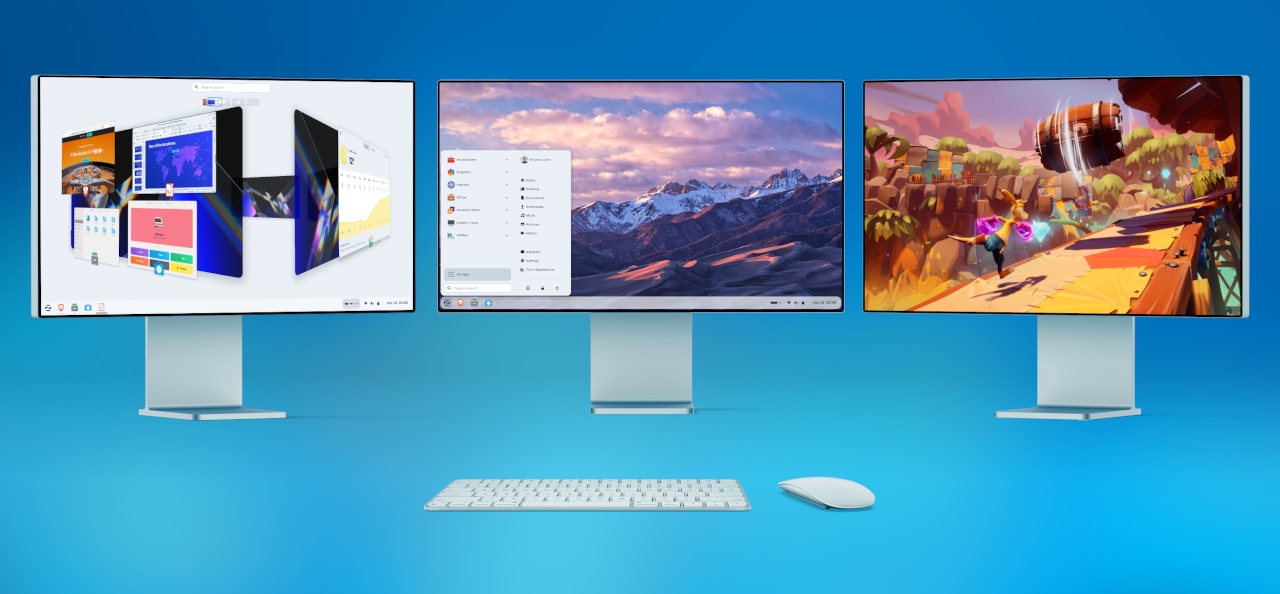
The first thing you’ll notice in Zorin OS 18 is its beautifully redesigned desktop. We’ve retained the best parts of Zorin OS’s aesthetics you know and love, and enhanced the overall look of the environment.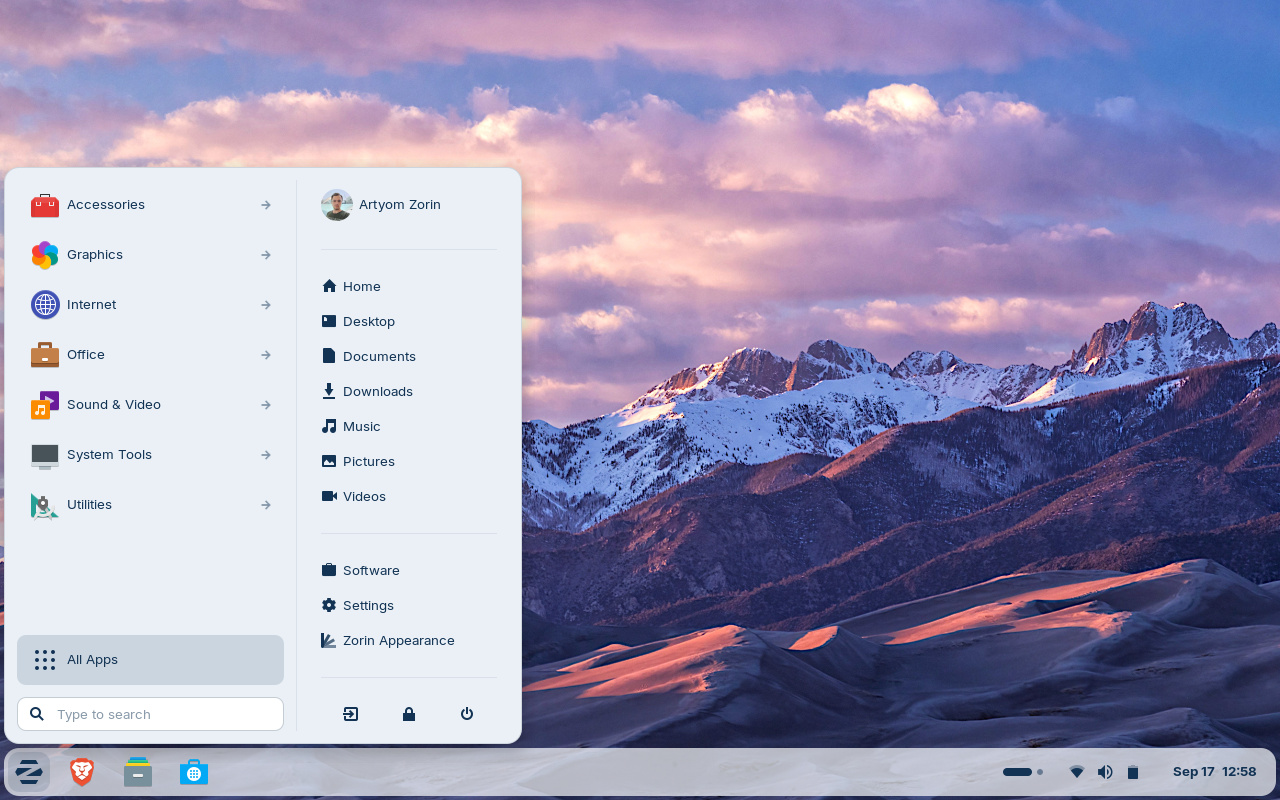
The default theme has been tastefully refreshed with a more rounded appearance, giving it a sleek and inviting feel. Selected elements make use of a lighter colour palette, while backgrounds and sidebars have an increased tint, making it more comfortable on the eyes.
The panel now has a floating, rounded style by default to match the system’s updated visual design language. The activities overview button in the panel has evolved into a reactive workspace indicator, providing visual feedback to help you navigate between tasks more easily.

You’ll also notice many design tweaks and improvements within the apps you use every day, like:
- The Files app features an updated sidebar and reorganised controls for enhanced ease of use.
- The Settings app includes redesigned preference panels throughout, which have also been arranged to be simpler to navigate.
- The Calendar app adds a new sidebar with a concise month & events view.
- A new Camera app replaces Cheese, introducing a cleaner interface for taking photos & videos while making it easier to switch between your device’s cameras.
- The Evolution mail app features a new, modernised interface that seamlessly integrates with the rest of the system.
- …and many other apps throughout the system have a refreshed design.
Advanced window tiling, made simple
Multitasking just got a whole lot better.Zorin OS 18 introduces a powerful new default window tiling manager that helps you work more efficiently, while being simple to use.
Simply drag a window to the top of the screen, and a pop-up will appear where you can drop it on one of the predefined layouts to arrange your windows. It’s that easy, no need to memorise complex keyboard shortcuts.

- Create your own tiling layouts.
- Customise tiling behaviour from Zorin Appearance → Windows → Advanced Window Tiling.
- Enable optional auto tiling and smart window suggestions.
- Use powerful key bindings and set custom keyboard shortcuts.
Seamless integration with Web Apps
With many modern apps built in the cloud, the experience between Progressive Web Apps and native apps is merging. In Zorin OS 18, these apps can now co-exist as first-class citizens.The newly built-in Web Apps tool lets you turn any website into a desktop app through an easily accessible interface. Your web apps will appear in the start menu and can be used just like native applications.
The Web Apps tool can integrate with any popular web browser as a back-end and allows you to customise the experience within each web app.
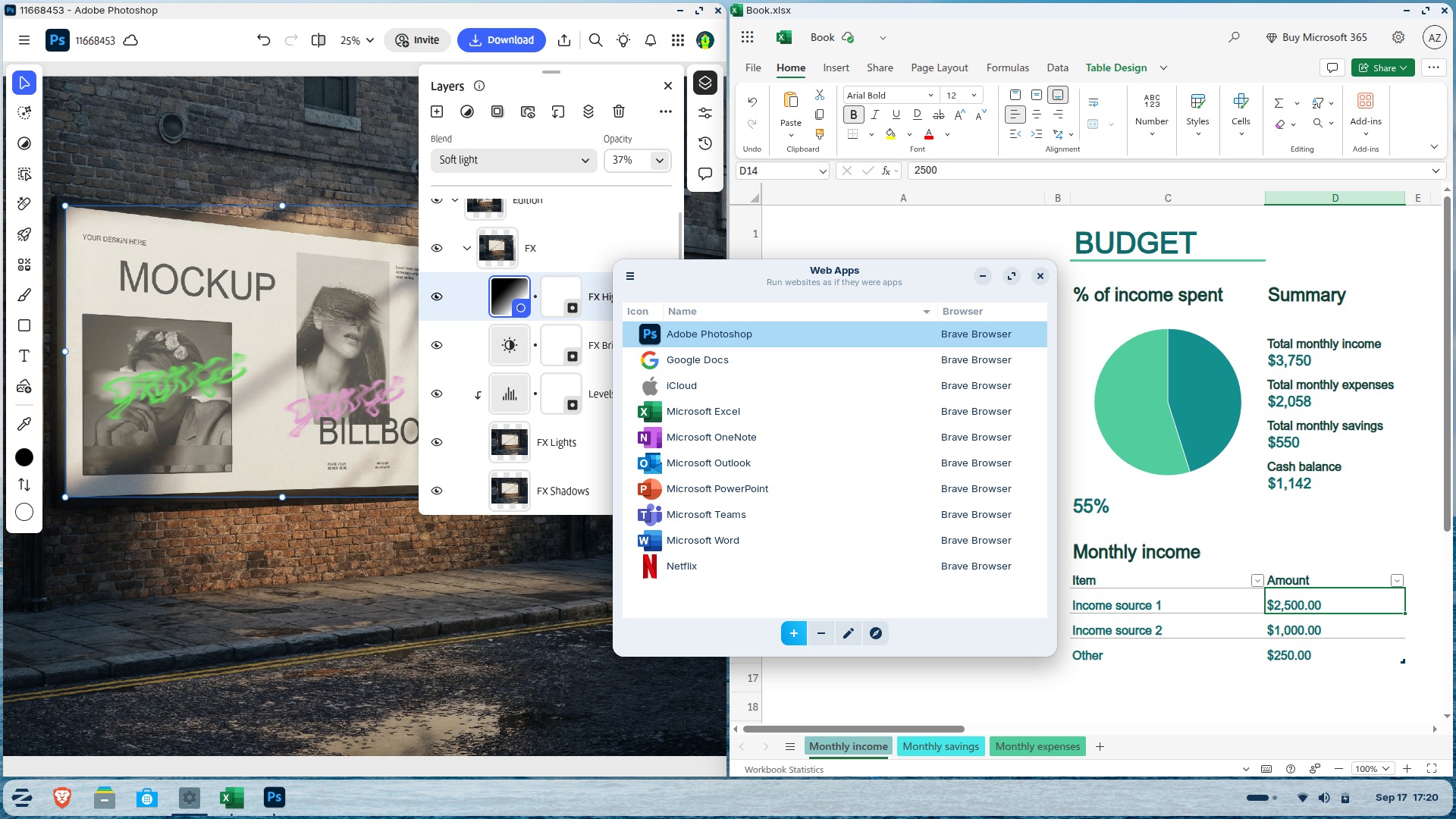
Using “Web Apps” means you can seamlessly run popular apps like Microsoft Office/365, Teams, Google Docs, and Adobe Photoshop, right from your desktop.
OneDrive files integration
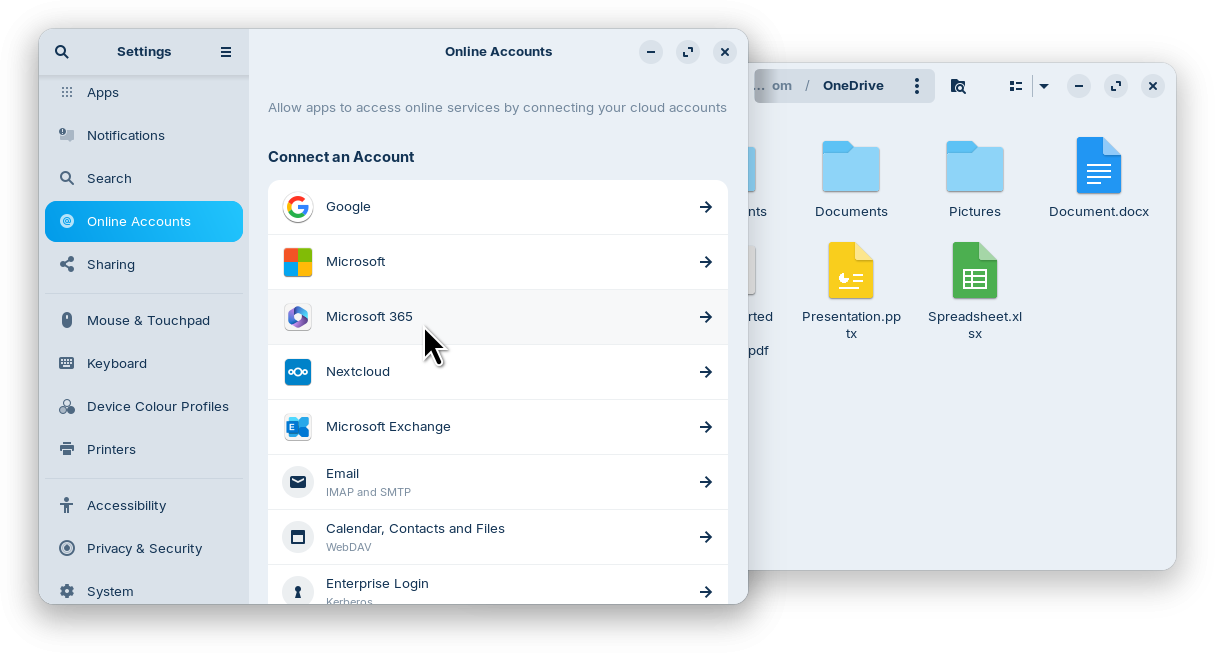
For many users migrating from Windows, being able to access their files stored in the cloud is key when making the switch. That’s why Zorin OS 18 adds OneDrive file integration to the built-in Online Accounts feature.To enable this integration, open the Settings app → Online Accounts → “Microsoft 365 + OneDrive” → click “Sign In…” and enter your login details. You’ll then be able to browse and manage your OneDrive files directly from the sidebar in the Files app.
Suggested alternatives to more Windows apps
We’ve expanded our built-in database to detect installer files for popular Windows apps. It now supports over 170 apps, recommending even more tailored alternatives to sideloading their Windows executables.For example, when you launch the Windows installer for an app like Microsoft Office, Zorin OS displays a dialog that directs you to the best way to use that app, whether it’s a web app or its native Linux version from the Software store. It also suggests the closest native alternatives to many Windows-only apps, like Apostrophe in place of iA Writer, for instance.
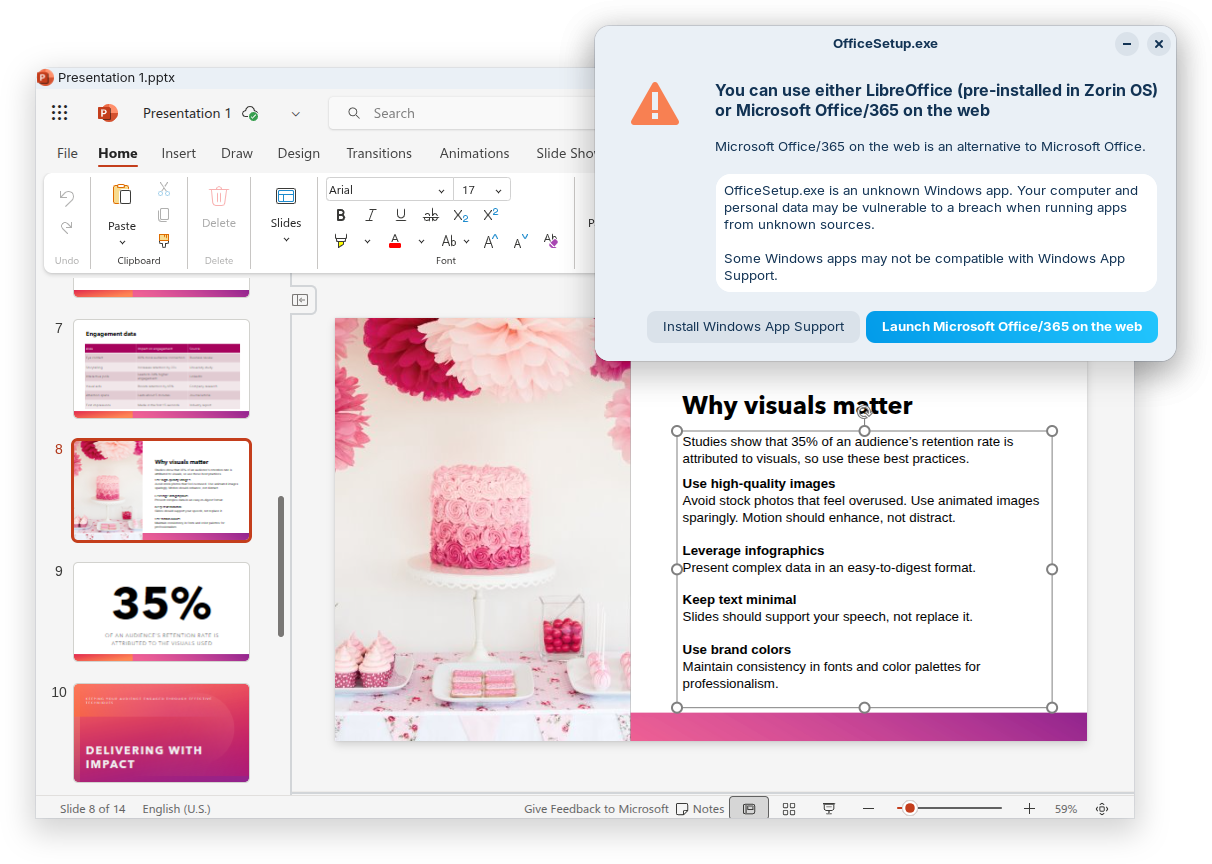
If you’re migrating from Windows, this means you’ll get tailored guidance on how to get the most compatible versions of your favourite apps in Zorin OS. It’s another reason why Zorin OS is the ideal choice for Windows 10 users making the switch to a modern operating system.
New theme colours
We’ve heard your feedback and introduced two new theme colours in Zorin OS 18: Yellow and Brown.These new colours not only add a fresh look to your desktop but also allow for more personalisation, helping you create a workspace that better suits your taste.

You can choose from the expanded selection of accent colours for your desktop theme – in both light and dark variants – from the Zorin Appearance app → Theme. The theme you choose will apply to natively-installed apps, whether they’re built with GTK (versions 2, 3, and 4) or libadwaita.
3 new desktop layouts in Zorin OS Pro
Switchable desktop layouts are one of the stand-out features that make Zorin OS so user-friendly. It’s valuable whether you want a more familiar interface when switching to Zorin OS, or a comprehensive way to customise your workspace in one click.You can now select from 3 new desktop layouts within Zorin Appearance in Zorin OS 18 Pro (with a total of 12 layouts):
Compact panel layout to stylishly maximise your screen space.
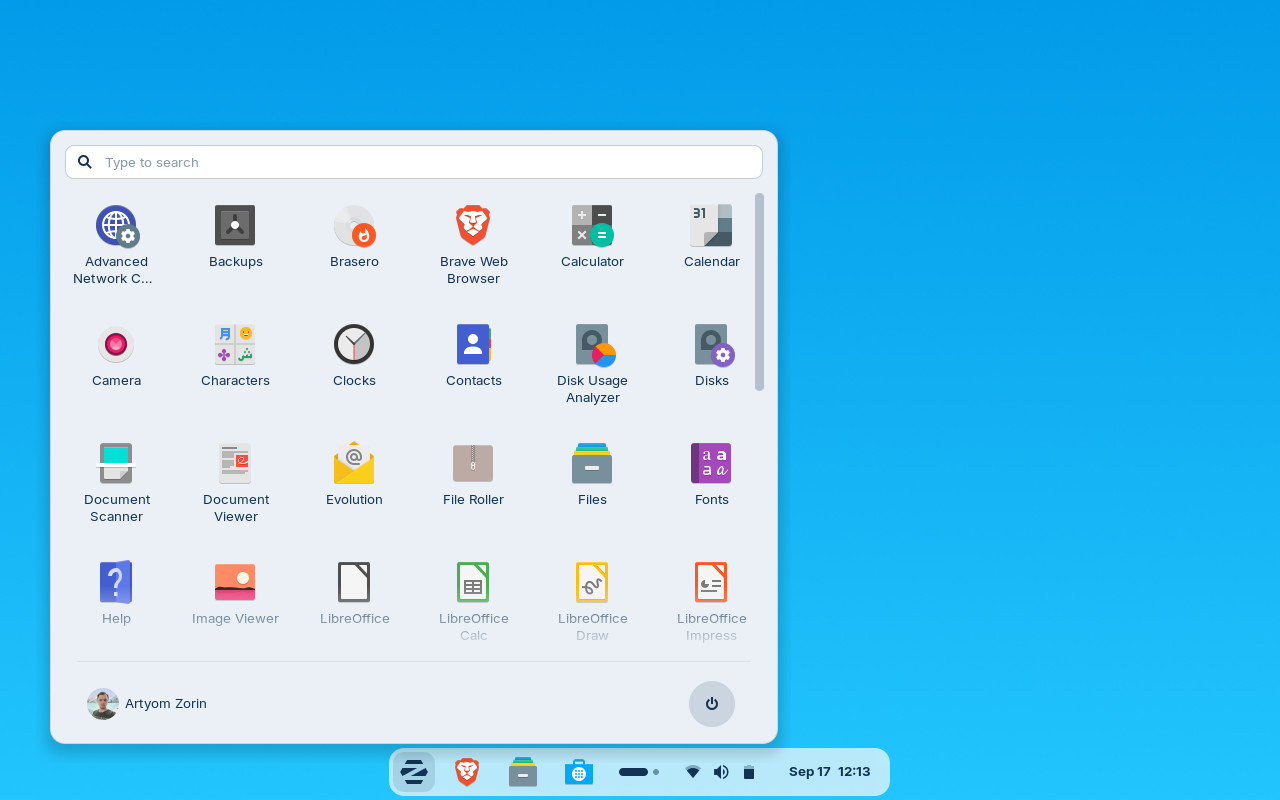
Linux Mint-like layout featuring a new start menu layout, inspired by Linux Mint’s upcoming redesign. It allows you to navigate between app categories by hovering your cursor and launching an app with one click.
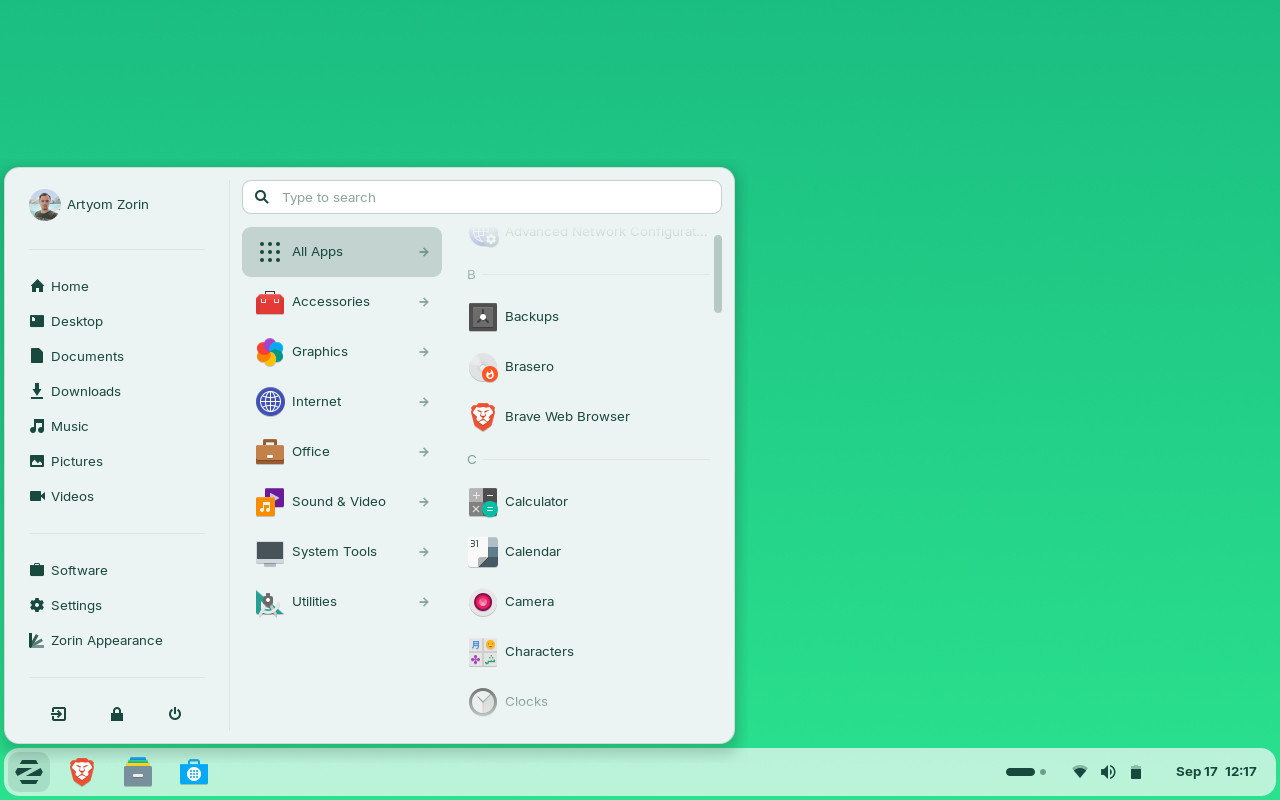
elementary OS-like layout for a clean, minimalist style.
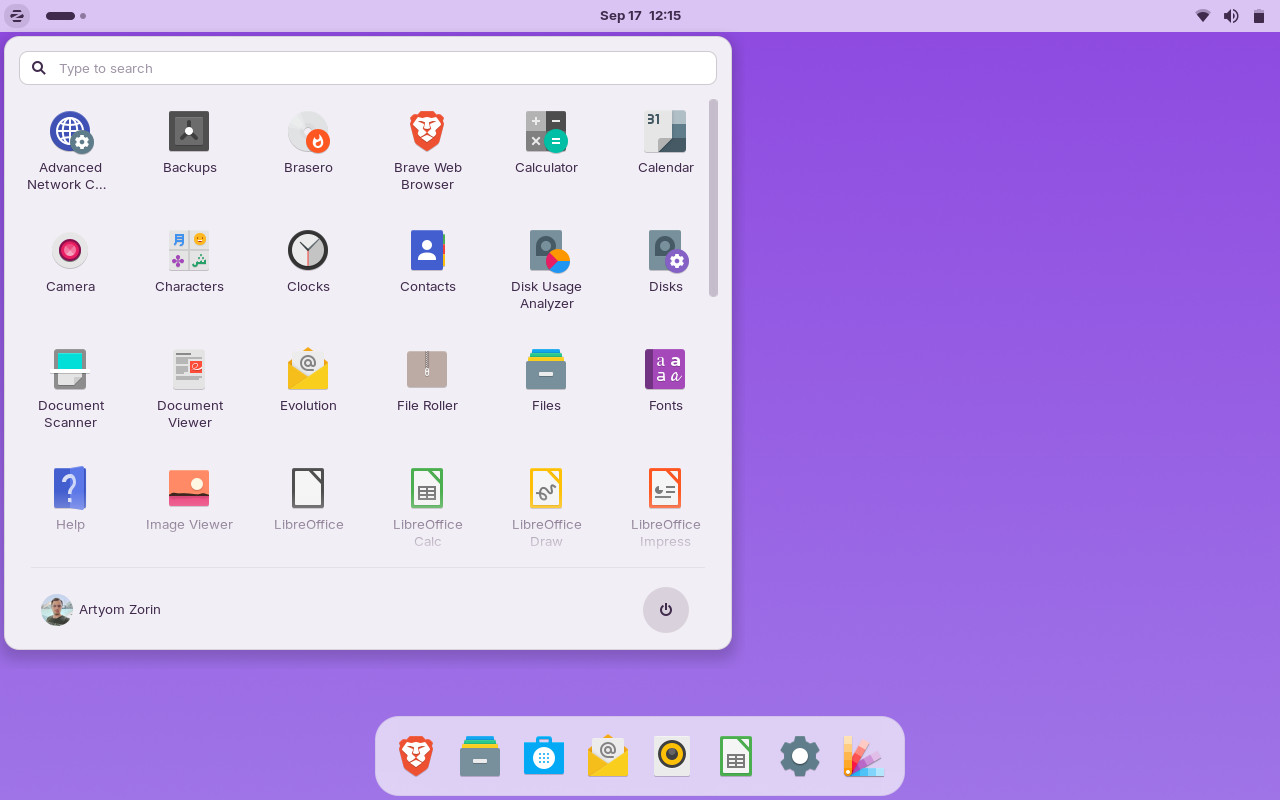
We’ve designed Zorin OS 18 with your comfort and ease of use in mind. These new layouts make it even easier to make your desktop feel just the way you like, putting you back in control of your computing experience.
New apps in Zorin OS Pro and Education
We’ve expanded the collections of pre-installed apps in the Pro and Education editions of Zorin OS 18 to help you get more done at work and school.Zorin OS 18 Pro adds 11 new apps, including:
- Deskflow lets you share your mouse and keyboard across computers to maximise your productivity. Simply move the cursor to the edge of the screen to switch between devices seamlessly. It even shares the clipboard, so you can copy text from one computer to paste into a document on another computer.
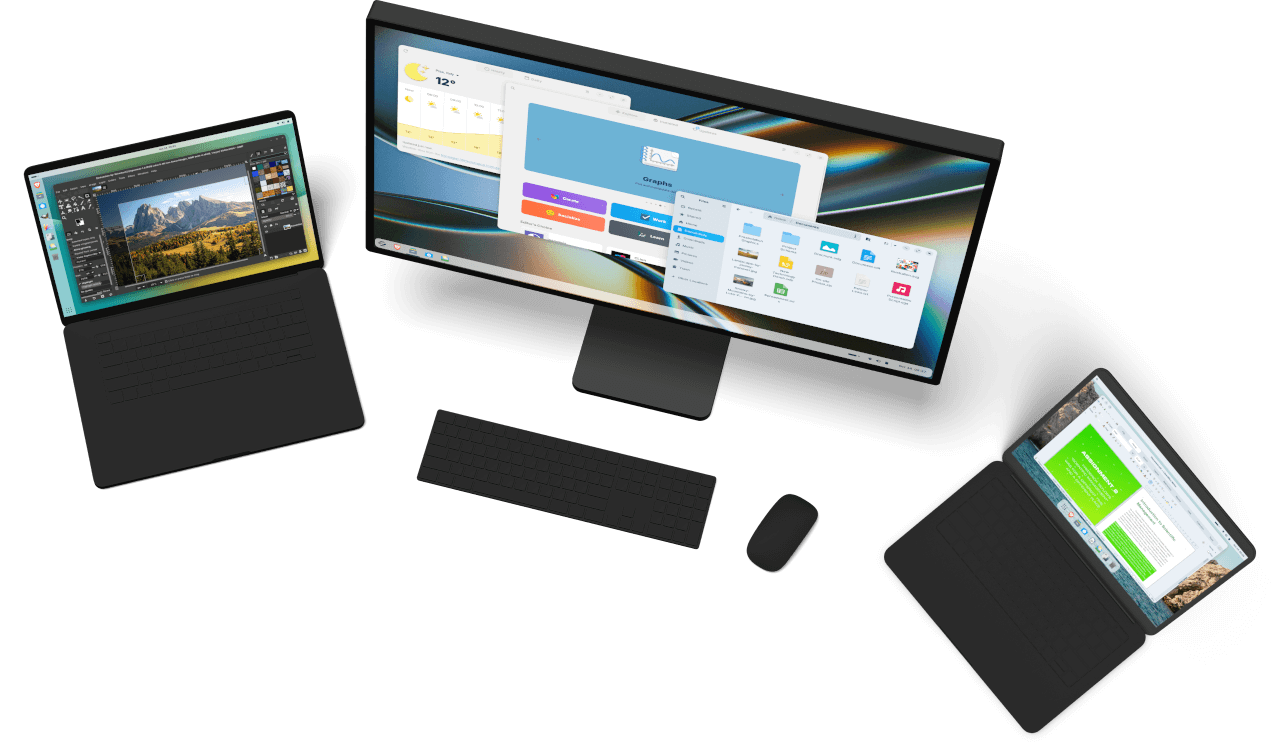
- Warp allows you to securely send files to each other through your local network or the Internet by simply exchanging a code. It’s a handy tool, whether you want to transfer files between your devices quickly or to your co-workers on the other side of the world.
- Valot makes time tracking simple for professionals. Set your hourly rates, track the time you work on projects, and instantly see how much you’ve earned from each of your clients.
- Easy Effects is an advanced audio output manipulation tool for creative professionals and sound engineers. It includes an equaliser, limiter, compressor, spectrum analyser, and a reverberation tool, just to mention a few.
- Gradebook gives students a simple way to keep track of grades. It lets you know how well you’re doing in your courses and informs you where you can improve, all at a glance.
- Spedread helps you to speed read, so you can study more efficiently. Simply paste in the text you want to read, and Spedread shows one word at a time rapidly to let you read faster with fewer eye movements.
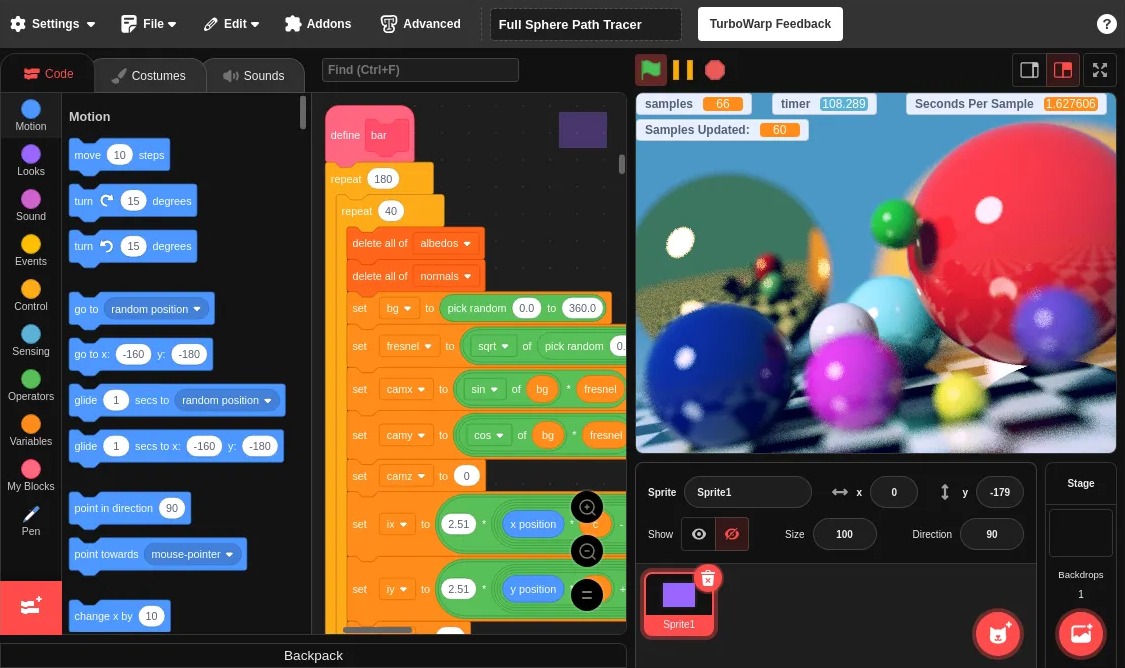
- TurboWarp is a tool for learning programming, designed to be accessible for kids of all ages. It’s based on Scratch, but features a compiler that runs your projects up to 100x faster, as well as including dark mode and many other add-ons to improve your coding experience.
…And so much more
- Better performance: Zorin OS is now faster and more responsive, thanks to performance optimisations made throughout the system.
- Improved support for Windows software: Windows App Support includes significant improvements that allow you to run even more Windows-native apps and games than ever before. It’s now powered by the latest WINE version 10. You can learn more about the Windows App Support feature here.
- Search Everywhere in Files: The Files app now has a new “Search Everywhere” button in the top left corner of the sidebar. It’s a single place that allows you to find files & documents by name or text contents globally, throughout all search locations on your computer.
- Improvements to Zorin Menu: We’ve added multi-monitor support for when the panel is visible on more than one display and refined the menu’s touchscreen behaviour.
- Remote login with RDP: You can now remotely connect to your user account, even if it’s not currently in use. This option is ideal for users and organisations who want to use their computers as fully-fledged remote resources. To enable this feature, open the Settings app → System → Remote Desktop → Remote Login.
- Windows open centred by default: New windows are now placed in the centre of the screen by default, for a more natural and balanced layout. You can switch back to “Spread” window placement by opening Zorin Appearance → Windows → New Window Placement.
- Enhanced audio: You’ll notice better sound quality with lower latency, especially on Bluetooth headphones. This is thanks to the PipeWire audio server back-end, now enabled by default in Zorin OS 18. It’s a single, modern system that works seamlessly for both everyday and professional audio.
- New system sounds: We’ve included a new default sound theme to make everyday interactions more pleasant and delightful.
- Updated artwork: All editions of Zorin OS come with a stunning selection of new wallpapers, as well as solid colour backgrounds, which were added thanks to popular demand. Zorin OS Pro is also bundled with a beautiful new collection of abstract wallpapers to spark your creativity.
- Expanded hardware compatibility: Zorin OS 18 comes bundled with updated drivers, which make it easier to use Zorin OS with many newer computers and hardware peripherals.
- Long-Term Support until 2029: Zorin OS 18 will be supported with software updates, security patches, and driver updates until at least June 2029. That makes it the perfect choice for large deployments in businesses, schools, and organisations.
How to get Zorin OS 18
Download
You can download Zorin OS 18 Core, Pro, and Education from the Download page on our website today.Download Zorin OS 18
Upgrade
Zorin OS 18 Core Beta users are able to upgrade to the full stable release by simply installing the latest updates from the Software Updater today. We’d like to take this opportunity to thank all the Beta testers; your feedback helped us to make this our best release ever.Direct upgrades from Zorin OS 17 to 18 will be available in the coming weeks. Stay tuned to our newsletter to be among the first to know when you can upgrade.
Subscribe to the Zorin Newsletter
Buy a computer
Are you thinking of getting a new computer? Buy a laptop or desktop with Zorin OS 18 pre-installed from our computer brand partners who help contribute to the Zorin OS project, like Laptop with Linux ›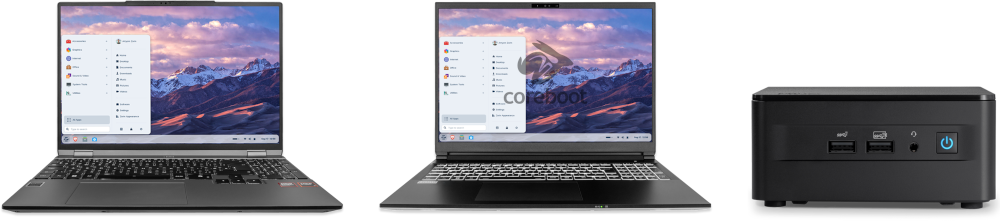
About Zorin OS
Zorin OS is a desktop operating system designed to make your computer faster, more powerful, secure, and privacy-respecting.It focuses on combining elegant, user-friendly design with Open Source technology to give users more control and reliability. The Zorin OS desktop offers a familiar experience that helps users transition from Windows or macOS effortlessly — whether they’re everyday computer users, enthusiasts, or professionals.
Founded in 2008, Zorin Group is an independent company based in Dublin, Ireland. Our main product – Zorin OS – has been downloaded millions of times, with users in homes, schools, businesses, and governments around the world.
Source:
Zorin OS 18 Has Arrived
We’re excited to launch Zorin OS 18 today. This major new release reimagines your PC experience with a fresh design, powerful new features, and …
 blog.zorin.com