- Local time
- 3:10 AM
- Posts
- 500
- OS
- Windows 11 - Updated automatically
I have been using Copilot over the past few weeks and finding it very effective.
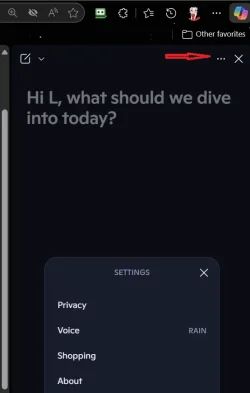
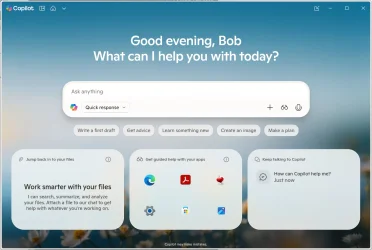
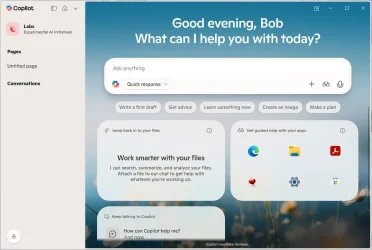
However I am finding it impossible to get it fully setup, particularly to use the recent updates to it. I gather from Copilot itself that I need to use Settings to do so. That is supposed to be a round icon top right with my initials or picture in it. Despite multiple suggestions from Copilot, which are beginning to go round in circles, I cann't find any way to access Copilot settings.
Any suggestions please.
However I am finding it impossible to get it fully setup, particularly to use the recent updates to it. I gather from Copilot itself that I need to use Settings to do so. That is supposed to be a round icon top right with my initials or picture in it. Despite multiple suggestions from Copilot, which are beginning to go round in circles, I cann't find any way to access Copilot settings.
Any suggestions please.
My Computer
System One
-
- OS
- Windows 11 - Updated automatically
- Computer type
- PC/Desktop
- Manufacturer/Model
- Updated Chillblast
- CPU
- Intel i7 12700K Twelve Core 3.6Ghz
- Motherboard
- MSI PRO Z690-A DDR4 Motherboard
- Memory
- Corsair 32Gb Vengeance RAM
- Cooling
- Air cooled
- Internet Speed
- 72Mb down, 18Mb up
- Browser
- Chrome
- Antivirus
- Avast