2 monitors - 1 is grey'd out


ChrisPbass

Well-known member
Member
Local time
3:28 PM
Posts
163
OS
w11 home
I have had 2 monitors. I'm on w11 22621.1702 22h2

laptop to Mokin USB hub to 2 hdmi monitors.

Something changed 5 minutes ago. When I'm on monitor #2 on the right, the left is fine. When I am on monitor #1 the monitor on the right is blurred out like it has a privacy screen on it.

I made no changes. BUT I was in settings for something earlier and kind of spazzed with my mouse and I think I might have right clicked something accidently. I was in printers at the time though.
Very odd!
 

My Computers My Computers

  • At a glance

    w11 homei7 Raptor Lake16gb DDR5 8 slots/2 each???Intel XE
    OS
    w11 home
    Computer type
    Laptop
    Manufacturer/Model
    ThinkPad T14s Gen 4
    CPU
    i7 Raptor Lake
    Memory
    16gb DDR5 8 slots/2 each???
    Graphics Card(s)
    Intel XE
    Monitor(s) Displays
    Acer / Viewsonic 24"
    Screen Resolution
    1920*1200
    Hard Drives
    M2 Aprilcom 1tb
    Keyboard
    wireless Logi
    Mouse
    Logi k270
    Internet Speed
    1gb
    Browser
    Brave or Thorium ocasionally
    Antivirus
    Malwarebytes
    Other Info
    W11 Home
  • At a glance

    W11 ProAMD ryzen 7 5500x16gb
    Operating System
    W11 Pro
    Computer type
    PC/Desktop
    Manufacturer/Model
    custom
    CPU
    AMD ryzen 7 5500x
    Motherboard
    ASus B550F Gaming
    Memory
    16gb
    Hard Drives
    m2 1tb
It would help if you would fill out your system specs so we know what you're working with.
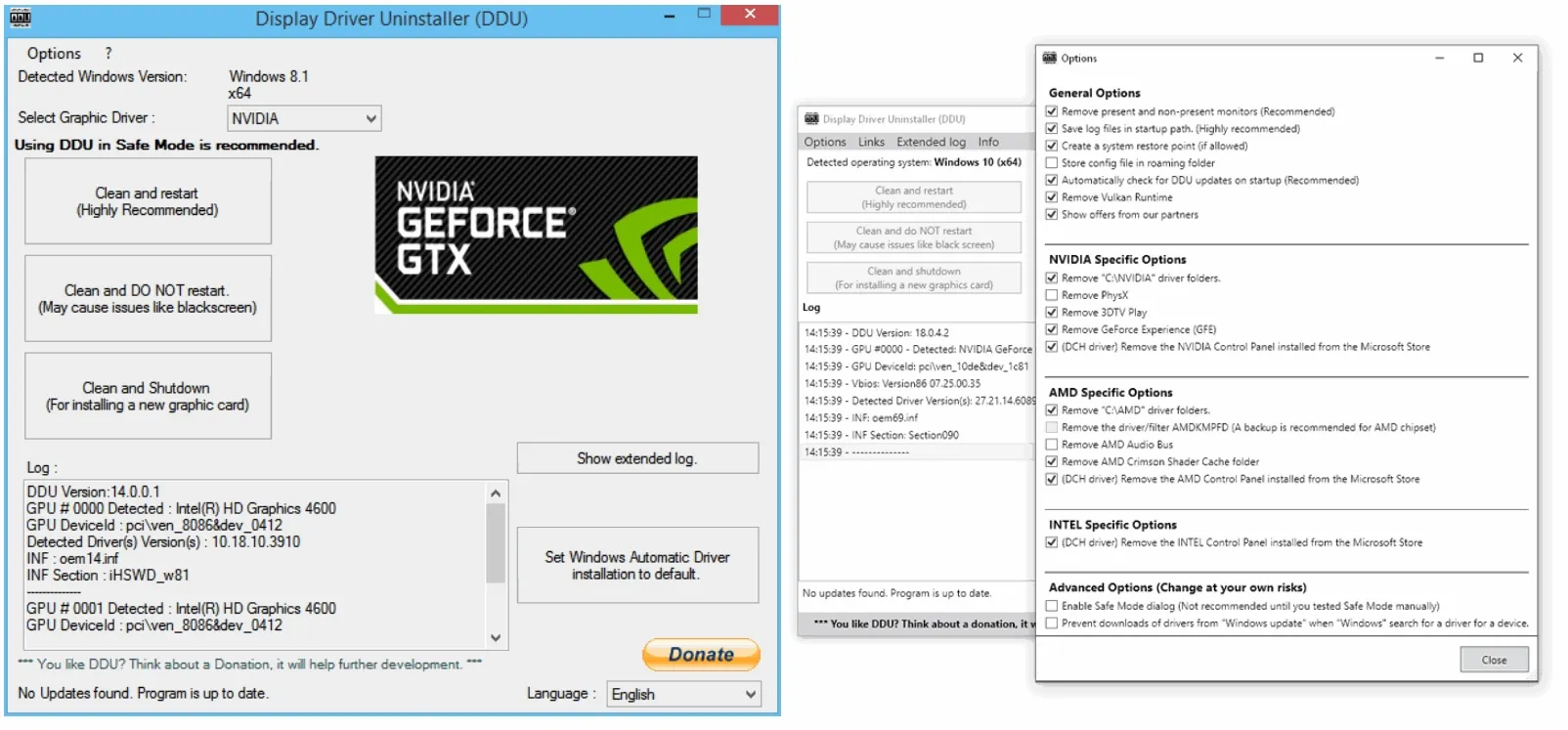
As a generic answer I would say that using a hub for graphics is not a good idea as the problem can be caused by the hub. Use DDU to completely uninstall your graphics driver and its software. Must be done in safe mode. Read instructions carefully.

Go to manufacturer site, download latest graphics driver and install it.
Test that issue is not in cable.
 

My Computers My Computers

  • At a glance

    Windows 11 Pro 25H2 26200.8655i9-10900 10 core 20 threads32 gbnone-Intel UHD Graphics 630
    OS
    Windows 11 Pro 25H2 26200.8655
    Computer type
    PC/Desktop
    Manufacturer/Model
    Dell Optiplex 7080
    CPU
    i9-10900 10 core 20 threads
    Motherboard
    DELL 0J37VM
    Memory
    32 gb
    Graphics Card(s)
    none-Intel UHD Graphics 630
    Sound Card
    Integrated Realtek
    Monitor(s) Displays
    Benq 27
    Screen Resolution
    2560x1440
    Hard Drives
    2x1tb Solidigm m.2 nvme /External drives 512gb Samsung m.2 sata+2tb Kingston m2.nvme
    PSU
    500w
    Case
    MT
    Cooling
    Dell Premium
    Keyboard
    Logitech wired
    Mouse
    Logitech wireless
    Internet Speed
    so slow I'm too embarrassed to tell
    Browser
    #1 Edge #2 Firefox
    Antivirus
    Defender+MWB Premium
  • At a glance

    Windows 11 Pro 24H2 26200.8457AMD Ryzen 7 6800U32 gbintegrated
    Operating System
    Windows 11 Pro 24H2 26200.8457
    Computer type
    PC/Desktop
    Manufacturer/Model
    Beelink Mini PC SER5
    CPU
    AMD Ryzen 7 6800U
    Memory
    32 gb
    Graphics card(s)
    integrated
    Sound Card
    integrated
    Monitor(s) Displays
    Benq 27
    Screen Resolution
    2560x1440
    Hard Drives
    1TB Crucial nvme
    Keyboard
    Logitech wired
    Mouse
    Logitech wireless
    Internet Speed
    still too embarrassed to tell
    Browser
    Firefox
    Antivirus
    Defender
    Other Info
    System 3 is non compliant Dell 9020 i7-4770/24gb ram Win11 PRO 26200.8457
It would help if you would fill out your system specs so we know what you're working with.
As a generic answer I would say that using a hub for graphics is not a good idea as the problem can be caused by the hub. Use DDU to completely uninstall your graphics driver and its software. Must be done in safe mode. Read instructions carefully.

Go to manufacturer site, download latest graphics driver and install it.
Test that issue is not in cable.

I guess it was the, relatively, cheap hub because it's not doing it anymore
 

My Computers My Computers

  • At a glance

    w11 homei7 Raptor Lake16gb DDR5 8 slots/2 each???Intel XE
    OS
    w11 home
    Computer type
    Laptop
    Manufacturer/Model
    ThinkPad T14s Gen 4
    CPU
    i7 Raptor Lake
    Memory
    16gb DDR5 8 slots/2 each???
    Graphics Card(s)
    Intel XE
    Monitor(s) Displays
    Acer / Viewsonic 24"
    Screen Resolution
    1920*1200
    Hard Drives
    M2 Aprilcom 1tb
    Keyboard
    wireless Logi
    Mouse
    Logi k270
    Internet Speed
    1gb
    Browser
    Brave or Thorium ocasionally
    Antivirus
    Malwarebytes
    Other Info
    W11 Home
  • At a glance

    W11 ProAMD ryzen 7 5500x16gb
    Operating System
    W11 Pro
    Computer type
    PC/Desktop
    Manufacturer/Model
    custom
    CPU
    AMD ryzen 7 5500x
    Motherboard
    ASus B550F Gaming
    Memory
    16gb
    Hard Drives
    m2 1tb

Latest Support Threads

Back
Top Bottom