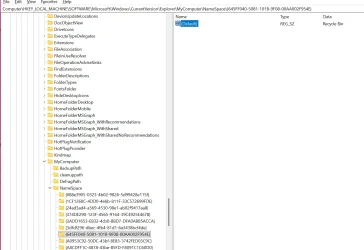
This tutorial will show you how to add Recycle Bin to This PC in File Explorer for your account or all users in Windows 10 and Windows 11.
The Recycle Bin provides a safety net when deleting files or folders. When you delete any of these items from a hard disk, Windows places it in the Recycle Bin and the Recycle Bin icon changes from empty to full.
If added, the Recycle Bin will appear under the "Devices and drives" group in This PC in File Explorer, and the Recycle Bin icon will change to indicate when it's full or empty.
Contents
- Option One: Add or Remove Recycle Bin to This PC in File Explorer for Current User Only
- Option Two: Add or Remove Recycle Bin to This PC in File Explorer for All Users
EXAMPLE: Recycle Bin added to This PC in File Explorer
1 Do step 2 (add) or step 3 (remove) below for what you want.
2. Add Recycle Bin to This PC in File Explorer for Current User Only
A) Click/tap on the Download button below to download the file below, and go to step 4 below.
Add_Recycle_Bin_to_This_PC_in_File_Explorer_current_user.reg
Download
(Contents of REG file for reference)
Code:
Windows Registry Editor Version 5.00

[HKEY_CURRENT_USER\Software\Microsoft\Windows\CurrentVersion\Explorer\MyComputer\NameSpace\{645FF040-5081-101B-9F08-00AA002F954E}]
@="Recycle Bin"
3. Remove Recycle Bin from This PC in File Explorer for Current User Only
This is the default setting.
A) Click/tap on the Download button below to download the file below, and go to step 4 below.
Remove_Recycle_Bin_from_This_PC_in_File_Explorer_current_user.reg
Download
(Contents of REG file for reference)
Code:
Windows Registry Editor Version 5.00

[-HKEY_CURRENT_USER\Software\Microsoft\Windows\CurrentVersion\Explorer\MyComputer\NameSpace\{645FF040-5081-101B-9F08-00AA002F954E}]
4 Save the REG file to your desktop.
5 Double click/tap on the downloaded REG file to merge it.
6 When prompted, click/tap on Run, Yes (UAC), Yes, and OK to approve the merge.
7 If File Explorer is currently open, then either refresh (F5) the window or close and reopen File Explorer to apply.
8 You can now delete the downloaded REG file if you like.
You must be signed in as an administrator to use this option.
1 Do step 2 (add) or step 3 (remove) below for what you want.
2. Add Recycle Bin to This PC in File Explorer for All Users
A) Click/tap on the Download button below to download the file below, and go to step 4 below.
Add_Recycle_Bin_to_This_PC_in_File_Explorer_for_all_users.reg
Download
(Contents of REG file for reference)
Code:
Windows Registry Editor Version 5.00

[HKEY_LOCAL_MACHINE\SOFTWARE\Microsoft\Windows\CurrentVersion\Explorer\MyComputer\NameSpace\{645FF040-5081-101B-9F08-00AA002F954E}]
@="Recycle Bin"
3. Remove Recycle Bin from This PC in File Explorer for All Users
This is the default setting.
A) Click/tap on the Download button below to download the file below, and go to step 4 below.
Remove_Recycle_Bin_from_This_PC_in_File_Explorer_for_all_users.reg
Download
(Contents of REG file for reference)
Code:
Windows Registry Editor Version 5.00

[-HKEY_LOCAL_MACHINE\SOFTWARE\Microsoft\Windows\CurrentVersion\Explorer\MyComputer\NameSpace\{645FF040-5081-101B-9F08-00AA002F954E}]
4 Save the REG file to your desktop.
5 Double click/tap on the downloaded REG file to merge it.
6 When prompted, click/tap on Run, Yes (UAC), Yes, and OK to approve the merge.
7 If File Explorer is currently open, then either refresh (F5) the window or close and reopen File Explorer to apply.
8 You can now delete the downloaded REG file if you like.
That's it,
Shawn Brink
Attachments
-
Add_Recycle_Bin_to_This_PC_in_File_Explorer_current_user.reg710 bytes · Views: 1,649
-
Remove_Recycle_Bin_from_This_PC_in_File_Explorer_current_user.reg678 bytes · Views: 912
-
Add_Recycle_Bin_to_This_PC_in_File_Explorer_for_all_users.reg712 bytes · Views: 1,263
-
Remove_Recycle_Bin_from_This_PC_in_File_Explorer_for_all_users.reg680 bytes · Views: 879
Last edited: