MSI News:
MSI is excited to announce that all its gaming handhelds, MSI Claws, now support Microsoft Xbox Full Screen Experience, providing a console-like interface for an intuitive gaming experience. Users can download and activate the Xbox Full Screen Experience through Microsoft’s system and Xbox updates on all MSI handheld devices. The Xbox Full Screen Experience offers an immersive handheld gaming experience and numerous enhancements, including:
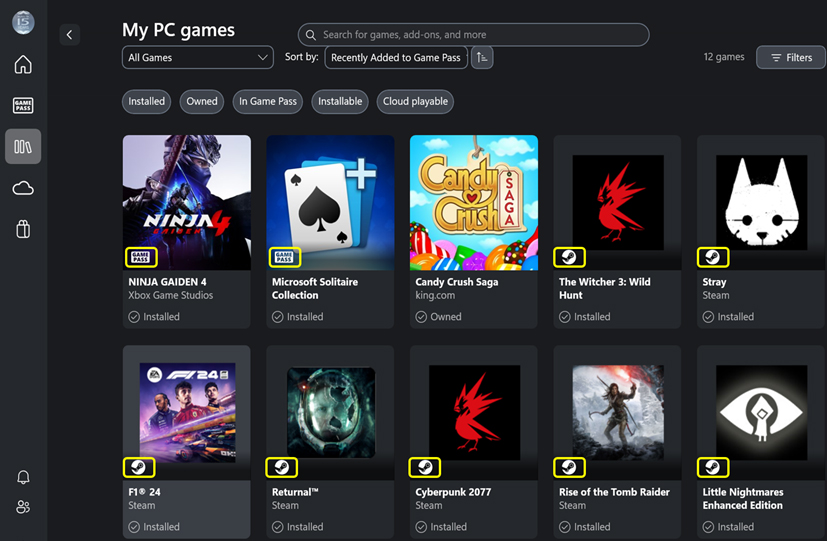
▲ All installed games from different platforms are available in one library.
Unified Game Library: All games from various platforms, including Xbox Game Pass, Steam, Battle.net, Epic Games, and other game launchers, are now consolidated into a single, easily accessible location. Users no longer need to switch between multiple platforms to launch their favorite games.
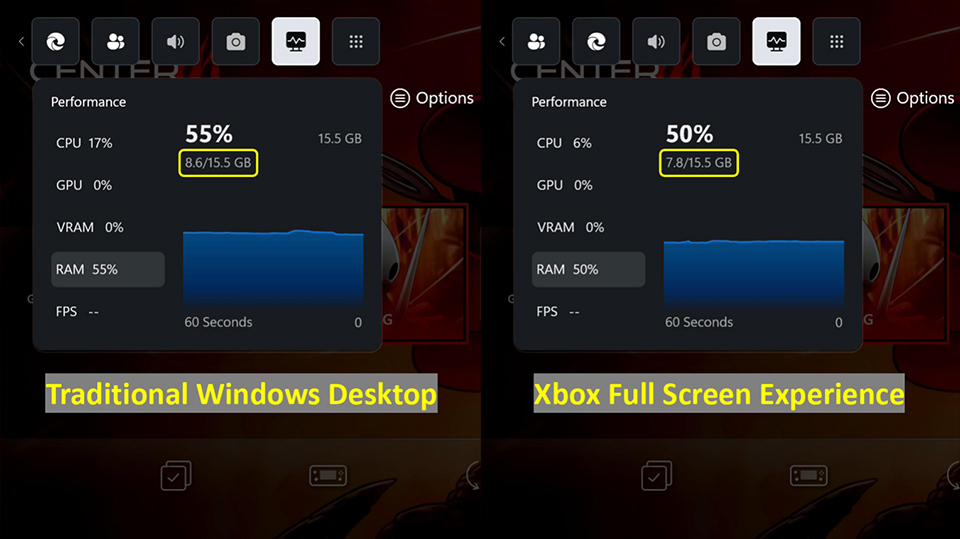
▲ Xbox Full Screen Experience reduces system RAM usage.
Reduced System RAM Usage: The Xbox Full Screen Experience consumes over 5% less RAM than the traditional Windows desktop, freeing up more RAM for games, resulting in smoother gameplay and potentially higher FPS.
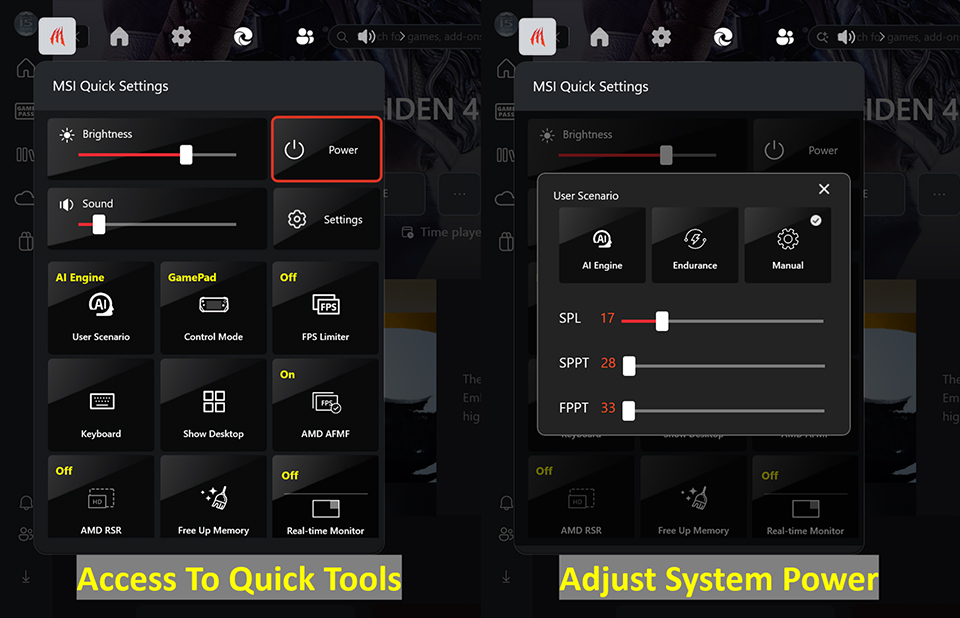
▲ One click opens MSI Quick Settings to use tools and adjust power settings.
Personalized Gaming Experience: MSI Quick Settings is integrated into the Xbox Game Bar, enabling users to easily access a range of tools and adjust power settings with a single click. This integration enables users to personalize their gaming experience without having to navigate through multiple applications.
MSI is committed to delivering exceptional experiences across all its gaming handhelds. Users can power on directly into the Windows Full Screen experience for a dedicated gaming experience.
To learn more about how to activate the Xbox Full Screen Experience, please visit - YouTube
To learn more about MSI Gaming Handhelds, please visit https://www.msi.com/Handhelds
Source:
See also:

Enable or Disable Xbox Mode in Windows 11
This tutorial will show you how to enable or disable Xbox mode for full screen gaming for your account on Windows 11. Starting with Windows 11 build 26100.8328 (24H2), build 26200.8328 (25H2), and build 28000.2179 (26H1), Xbox mode is now available on Windows 11 PCs, including laptops...
 www.elevenforum.com
Enter and Exit Xbox Mode in Windows 11
This tutorial will show you how to enter and exit Xbox mode for full screen gaming for your account on Windows 11. Starting with Windows 11 build 26100.8328 (24H2), build 26200.8328 (25H2), and build 28000.2179 (26H1), Xbox mode is now available on Windows 11 PCs, including laptops, desktops...
www.elevenforum.com