- Local time
- 3:16 PM
- Posts
- 266
- OS
- Windows 11 pro
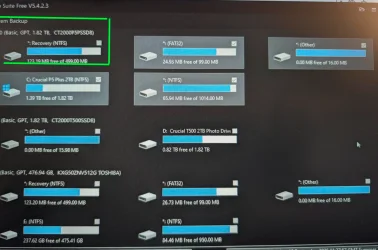
Thanks for the info.To post a screenshot on this forum...
1. Take the screenshot, (or camera pic), edit it as desired, save to your desktop as .png or .jpg (max. size = 2MB)
2. Left click in your post, where you want to place the screenshot.
3. Click the Attach Files button at lower left, browse to your image and select it.
4. Then click Insert, I usually choose the Thumbnail (smaller) option, or there is a Full Image (larger) option.
If the "new" PrtSc key function is not to your liking... here is how to set it back to it's classic function...
Enable or Disable Use Print Screen Key to Open Screen Snipping in Windows 11
This tutorial will show you how to turn on or off to use the Print Screen key to open screen snipping for your account in Windows 11. The Snipping Tool app includes a built-in screen recorder and allows you to quickly take and annotate screenshots, photos and other images with your pen, touch...www.elevenforum.com
My Computer
At a glance
Windows 11 proIntel(R) Core(TM) i7-8850H CPU @ 2.60GHz 2.59...32GBNvidia Quadro P3200
- OS
- Windows 11 pro
- Computer type
- Laptop
- Manufacturer/Model
- HP Zbook
- CPU
- Intel(R) Core(TM) i7-8850H CPU @ 2.60GHz 2.59 GHz
- Motherboard
- HP 842D
- Memory
- 32GB
- Graphics Card(s)
- Nvidia Quadro P3200
- Hard Drives
- Samsung 980 1TB M.2
Toshiba KXG50ZNV512G M.2
Crucial P5 Plus 2TB M.2
- Mouse
- MX Master 3
- Internet Speed
- 500MBPS
- Browser
- Chrome, Edge
- Antivirus
- Windows defender