Backup Apps


Ogu

Member
Local time
7:16 AM
Posts
5
OS
Windows 11
I used Hasleo backup and became dissatisfied with it when I could not access and read one of my backed-up files.

Could you nice people tell me which alternate backup app is easiest and most reliable?

Thanks
Ogu
 

My Computer My Computer

At a glance

Windows 1113th Gen Intel Core, i716GB?
OS
Windows 11
Computer type
PC/Desktop
Manufacturer/Model
HP
CPU
13th Gen Intel Core, i7
Motherboard
?
Memory
16GB
Graphics Card(s)
?
Sound Card
?
Monitor(s) Displays
?
Screen Resolution
1920 x 1080
Hard Drives
1 TB
PSU
?
Case
-
Cooling
-
Keyboard
Logi
Mouse
Logi
Internet Speed
1000 Mbps
Browser
Firefox
Antivirus
-
Other Info
-
I used Hasleo backup and became dissatisfied with it when I could not access and read one of my backed-up files.

That was because of the permissions.

The only product I have found that will let you bypass permissions and have access to all files on the system is macium.
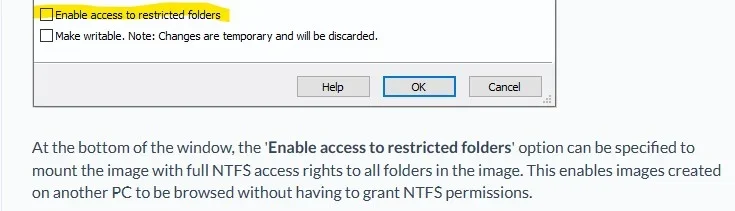
It has an option you can checkmark before mounting which allows you access to all folders/files.

Screenshot 2026-05-03 101531.webp
 

My Computer My Computer

At a glance

Windows 11 Pro
OS
Windows 11 Pro
To my knowledge, HASLEO's "Mount as writable" option also allows restricted access. And remember... "Mount as writable" does not make the image writable, only the mounted partition. When the partition is dismounted, all those write changes go away. This option is only available for images, not File'n'Folder backups.
 

My Computer My Computer

At a glance

Windows 10, Linux MINT (V-guests 7, 11, ZorinOS)Intel Core i7-1070032gB (DDR4)Intel UHD Graphics 630
OS
Windows 10, Linux MINT (V-guests 7, 11, ZorinOS)
Computer type
PC/Desktop
Manufacturer/Model
HP Z2 G5 Workstation
CPU
Intel Core i7-10700
Motherboard
HP Model# 8751
Memory
32gB (DDR4)
Graphics Card(s)
Intel UHD Graphics 630
Sound Card
Realtek basic audio
Monitor(s) Displays
32" (Viewsonic) UHD
Screen Resolution
3840 x 2160
Hard Drives
2-NvME (mainboard), 1-NvME (PCIe), 1-SATA3 SSD
To my knowledge, HASLEO's "Mount as writable" option also allows restricted access.

No I have tried that before and it does not grant you full access to all folders/files without having to mess with permissions.


My Computer My Computer

At a glance

Windows 11 Pro
OS
Windows 11 Pro
I just remembered another program that allows you full access to all folder and files.

Terabyte Image for Windows includes a program named TBIView.
With that I was also able to access all folders/files without having to change permissions.
 

My Computer My Computer

At a glance

Windows 11 Pro
OS
Windows 11 Pro
I have been very happy with Macrium Free until recently with the mounting issue. I occasionally need to access a file from an image. . finally settled for


There was a small learning curve as the interface is very basic. I purchased a licence at a modest fee for the ability to create a bootable usb rescue disk.
 
Last edited:

My Computer My Computer

At a glance

windows 11 ,Ubuntu Cinnamon - for tinkering onlyIntel i51140016 GB0
OS
windows 11 ,Ubuntu Cinnamon - for tinkering only
Computer type
PC/Desktop
Manufacturer/Model
No Name - Assembled by a Compute shop in a Strip Mall.
CPU
Intel i511400
Motherboard
ASUS PRIME B560-PLUS motherboard
Memory
16 GB
Graphics Card(s)
0
Sound Card
0
Monitor(s) Displays
25 in BenQ
Screen Resolution
1920 x 1080
Hard Drives
9 SSDs 4 Nvme, 2 in M.2 slot and 2 in PCIE with adapter + 5 Sata. DVD drive
PSU
600w
Case
Antec- VSK4000E-U3 Mid Tower
Internet Speed
Bell pure fibre optic. 3 GB package. 6E Wireless adapter 750/500
Browser
Firefox, Microsoft Edge
Antivirus
Defender

My Computer My Computer

At a glance

windows 11 ,Ubuntu Cinnamon - for tinkering onlyIntel i51140016 GB0
OS
windows 11 ,Ubuntu Cinnamon - for tinkering only
Computer type
PC/Desktop
Manufacturer/Model
No Name - Assembled by a Compute shop in a Strip Mall.
CPU
Intel i511400
Motherboard
ASUS PRIME B560-PLUS motherboard
Memory
16 GB
Graphics Card(s)
0
Sound Card
0
Monitor(s) Displays
25 in BenQ
Screen Resolution
1920 x 1080
Hard Drives
9 SSDs 4 Nvme, 2 in M.2 slot and 2 in PCIE with adapter + 5 Sata. DVD drive
PSU
600w
Case
Antec- VSK4000E-U3 Mid Tower
Internet Speed
Bell pure fibre optic. 3 GB package. 6E Wireless adapter 750/500
Browser
Firefox, Microsoft Edge
Antivirus
Defender
Does it give you options?

e.g. this is what diskgenius says

Sector-by-sector Backup: It allows you to create an image of all sectors on the selected partition, including sectors with data and blank sectors. Therefore, the process may take longer time than normal partition backup. The image file can be restored to source partition or other partition which has the exact same size.


Backup partition by data storage structure: Back up valid data of the source partition by file system structure to the image file without any change. Sine this mode only backs up valid data and it is the fastest. However, when you restore data from image file, the destination partition should have the same size as the source partition.


Backup partition by file: Backs up all files and other valid data of source to image file, which does not backup invalid data and takes shorter time. The image file can be restored to any partition whose capacity is able store these files. Files restored from image file will be reorganized and there won't be file fragments.
 

My Computers My Computers

  • At a glance

    Win7,Win11i7-97002x16gb 3600mhz
    OS
    Win7,Win11
    Computer type
    PC/Desktop
    CPU
    i7-9700
    Motherboard
    gigabyte b365m ds3h
    Memory
    2x16gb 3600mhz
    Monitor(s) Displays
    benq gw2480
    PSU
    bequiet pure power 11 400CM
    Cooling
    cryorig m9i
  • At a glance

    win7,win11i5-84002x8gb 3200
    Operating System
    win7,win11
    Computer type
    PC/Desktop
    CPU
    i5-8400
    Motherboard
    gigabyte b365m ds3h
    Memory
    2x8gb 3200
    PSU
    xfx pro 450
No that is the members join date.

Date of the thread is 2018.

View attachment 171942
I have 2 separate installations of Windows 11 on individual SSD.

I label one as "Practice win11"

From my working windows 11 I made an image of the "Practice win11" with Active disk Image
I then deleted all the partitions and also formatted the practice SSD.

I then restored the Active Disikmage to the SSD and rebooted from Bios menu into Windows 11 Practice.

The "win11 practice" worked fine.
 

My Computer My Computer

At a glance

windows 11 ,Ubuntu Cinnamon - for tinkering onlyIntel i51140016 GB0
OS
windows 11 ,Ubuntu Cinnamon - for tinkering only
Computer type
PC/Desktop
Manufacturer/Model
No Name - Assembled by a Compute shop in a Strip Mall.
CPU
Intel i511400
Motherboard
ASUS PRIME B560-PLUS motherboard
Memory
16 GB
Graphics Card(s)
0
Sound Card
0
Monitor(s) Displays
25 in BenQ
Screen Resolution
1920 x 1080
Hard Drives
9 SSDs 4 Nvme, 2 in M.2 slot and 2 in PCIE with adapter + 5 Sata. DVD drive
PSU
600w
Case
Antec- VSK4000E-U3 Mid Tower
Internet Speed
Bell pure fibre optic. 3 GB package. 6E Wireless adapter 750/500
Browser
Firefox, Microsoft Edge
Antivirus
Defender
As expected.
 

My Computers My Computers

  • At a glance

    Win7,Win11i7-97002x16gb 3600mhz
    OS
    Win7,Win11
    Computer type
    PC/Desktop
    CPU
    i7-9700
    Motherboard
    gigabyte b365m ds3h
    Memory
    2x16gb 3600mhz
    Monitor(s) Displays
    benq gw2480
    PSU
    bequiet pure power 11 400CM
    Cooling
    cryorig m9i
  • At a glance

    win7,win11i5-84002x8gb 3200
    Operating System
    win7,win11
    Computer type
    PC/Desktop
    CPU
    i5-8400
    Motherboard
    gigabyte b365m ds3h
    Memory
    2x8gb 3200
    PSU
    xfx pro 450
If you want to be real safe ( without format C , and start all over !) use two or more backup-software .
If one fails the other might safe you............
And place your backups on several HDDs/SSDs ! :wink:
 

My Computers My Computers

  • At a glance

    Windows11 Pro 25H2i732GBnVidia
    OS
    Windows11 Pro 25H2
    Computer type
    PC/Desktop
    Manufacturer/Model
    Asus
    CPU
    i7
    Motherboard
    z97k
    Memory
    32GB
    Graphics Card(s)
    nVidia
    Sound Card
    Realtek
    Hard Drives
    3
    Cooling
    air
    Browser
    Edge
    Antivirus
    ESET
  • At a glance

    Windows11 ProIntel i516GBIntel
    Operating System
    Windows11 Pro
    Computer type
    PC/Desktop
    Manufacturer/Model
    ASUS
    CPU
    Intel i5
    Motherboard
    ASUS Basic
    Memory
    16GB
    Graphics card(s)
    Intel
    Sound Card
    Realtek
    Monitor(s) Displays
    Samsung
    Hard Drives
    one intern , 0ne extern, OS on SSD
    Cooling
    air
    Keyboard
    wireless Logitech
    Mouse
    wireless Logitech
    Internet Speed
    1GB
    Browser
    Edge
    Antivirus
    ESET
Back
Top Bottom