tpriest
Active member
- Local time
- 3:24 PM
- Posts
- 39
- OS
- Win 11 Home 25H2 (OS Build 26200.7019)
Thought it worth posting a recent experience and salutary lesson.
Thursday evening I decided to try Hasleo Backup Suite (HBS); I currently use a paid version of Macrium Reflect V.8. My desktop system has 2 SSD drives, 512GB for C: and other system partitions, 2TB for D: data drive.
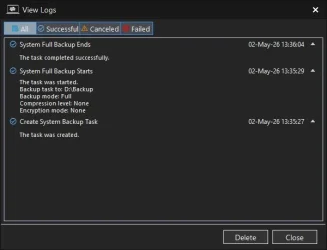
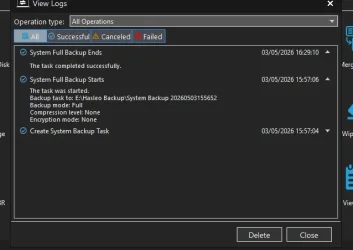
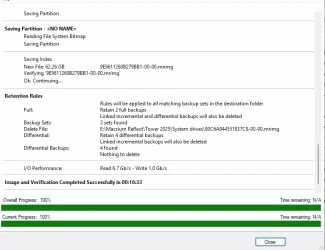
I ran HBS and created an emergency disk on a USB stick for recovery. Then created and checked a disk partition backup of the C: drive and partitions. It took some 90 minutes I think, the HBS log files are not very helpful. Then tested things worked.
I've had for a long time 5 options on the Windows Boot Menu: Win 11, Macrium, and 3 Safe Mode options. Hasleo had added itself to the end of these. I thought it would be nicer if it came after Macrium and was followed by the 3 Safe Mode options.
MSconfig shows the 6 options but doesn't allow for re-ordering. Ran BCDedit and could see the display order but couldn't see how to use /displayorder to change things around. Googled and found the EasyBCD utility. This gave the option of changing the display order so I arranged them as I wanted.
Restarted and found all the friendly names had changed and the items now referred to various UEFI discs (as I recall). Definitely unfriendly.
I saw the option to reset the BCD and took this. It warned me to create at least one entry else the PC wouldn't boot. So I created one for Windows and restarted. Then got message that there was no boot data (or something like that) and to use the Windows installation disk. Didn't have that so decided to use the HBS backup to restore. 5 minutes later it was finished. Rebooted and everything, in particular the Boot Menu, was back as it was before I started. Added HBS to the Boot Menu, albeit at the end.
I've now found on the Win10 Forum a tutorial how to change the order of Boot Loader entries. Think I'll hold fire for the time being!
Certainly reinforces the frequent message to back up everything.
Thursday evening I decided to try Hasleo Backup Suite (HBS); I currently use a paid version of Macrium Reflect V.8. My desktop system has 2 SSD drives, 512GB for C: and other system partitions, 2TB for D: data drive.
I ran HBS and created an emergency disk on a USB stick for recovery. Then created and checked a disk partition backup of the C: drive and partitions. It took some 90 minutes I think, the HBS log files are not very helpful. Then tested things worked.
I've had for a long time 5 options on the Windows Boot Menu: Win 11, Macrium, and 3 Safe Mode options. Hasleo had added itself to the end of these. I thought it would be nicer if it came after Macrium and was followed by the 3 Safe Mode options.
MSconfig shows the 6 options but doesn't allow for re-ordering. Ran BCDedit and could see the display order but couldn't see how to use /displayorder to change things around. Googled and found the EasyBCD utility. This gave the option of changing the display order so I arranged them as I wanted.
Restarted and found all the friendly names had changed and the items now referred to various UEFI discs (as I recall). Definitely unfriendly.
I saw the option to reset the BCD and took this. It warned me to create at least one entry else the PC wouldn't boot. So I created one for Windows and restarted. Then got message that there was no boot data (or something like that) and to use the Windows installation disk. Didn't have that so decided to use the HBS backup to restore. 5 minutes later it was finished. Rebooted and everything, in particular the Boot Menu, was back as it was before I started. Added HBS to the Boot Menu, albeit at the end.
I've now found on the Win10 Forum a tutorial how to change the order of Boot Loader entries. Think I'll hold fire for the time being!
Certainly reinforces the frequent message to back up everything.
My Computers
-
At a glance
Win 11 Home 25H2 (OS Build 26200.7019)Intel Core i7 1470032GB Corsair VengeanceBuilt in- OS
- Win 11 Home 25H2 (OS Build 26200.7019)
- Computer type
- PC/Desktop
- Manufacturer/Model
- Custom build
- CPU
- Intel Core i7 14700
- Motherboard
- ASUS PRIME B760M-K D4 (LGA1700)
- Memory
- 32GB Corsair Vengeance
- Graphics Card(s)
- Built in
- Sound Card
- Built in
- Monitor(s) Displays
- Benq G2222HDL 21.5"
- Screen Resolution
- 1920 x 1080
- Hard Drives
- 512Gb SSD
1Tb SSD
- PSU
- Vida
- Case
- Fractal Pop Air
- Keyboard
- Standard PS/2 wired keyboard
- Mouse
- Microsoft USB wired wheel mouse
- Internet Speed
- 500Mbps
- Browser
- Chrome
- Antivirus
- Defender
-
At a glance
Win 11 Home 24H2 (OS Build 26100.4202)12th Gen Intel Core i5-1150H16GbBuilt in- Operating System
- Win 11 Home 24H2 (OS Build 26100.4202)
- Computer type
- Laptop
- Manufacturer/Model
- HP Zbook Fury
- CPU
- 12th Gen Intel Core i5-1150H
- Motherboard
- HP 8AA1 KBC
- Memory
- 16Gb
- Graphics card(s)
- Built in
- Sound Card
- Built in
- Hard Drives
- 1Tb SSD
- Internet Speed
- 500Mbps
- Browser
- Chrome
- Antivirus
- Defender