Recent W11 user and it is driving me crazy the default formatting of an explorer search. After every search I am compelled to set View->Details and Details/Preview toggle. It is annoying and wastes time. I want search output to look the way it always has. Is there some magic setting for this?
Example of what I dislike:
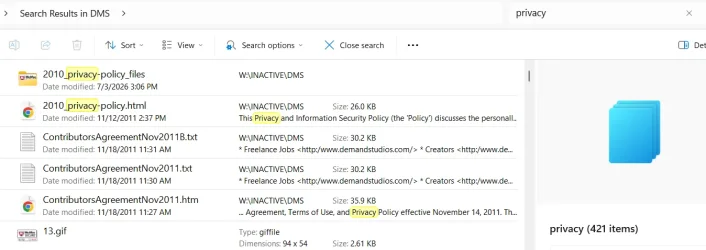
Example of what I expect and have experienced for decades and I don't want to change (I'm old and set in my ways
 ):
):
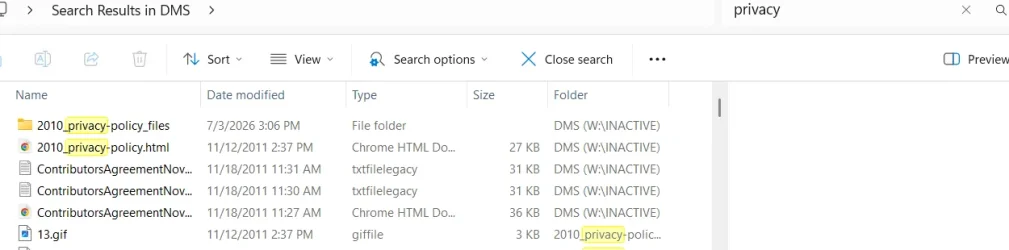
Can I get there from here? Permanently and by default? The Advanced Settings that allow you to apply to all folders of this type have nothing to do with this View issue.
Example of what I dislike:
Example of what I expect and have experienced for decades and I don't want to change (I'm old and set in my ways
):Can I get there from here? Permanently and by default? The Advanced Settings that allow you to apply to all folders of this type have nothing to do with this View issue.
My Computers
-
At a glance
Windows 11 ProIntel Ultra 516GB- OS
- Windows 11 Pro
- Computer type
- PC/Desktop
- Manufacturer/Model
- Dell Pro Slim QCS1250
- CPU
- Intel Ultra 5
- Memory
- 16GB
-
At a glance
Windows 7 UltimateI78GB- Operating System
- Windows 7 Ultimate
- Computer type
- PC/Desktop
- Manufacturer/Model
- Dell XPS 8000 Studio
- CPU
- I7
- Memory
- 8GB
-
Windows 10 Dell Inspiron laptop