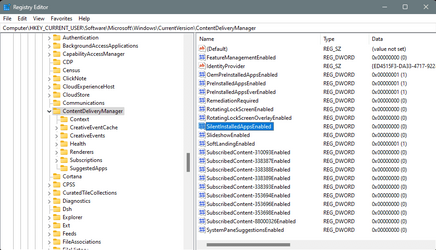
I have a whole lot of my installation of Windows automated. For example, I use an unattended answer file to install Windows. Then I have a batch file that installs all drivers for my system and applies Windows customization to get Windows set up just how I like it.
However, there is one thing that eludes me. After a clean install, you get a whole bunch of icons in Start such as ESPN, Messenger, Instagram, Netflix, etc. These seem to be placeholders as the associated apps only get installed when you click one of those icons the first time. I know that I can right-click any of those icons and choose to uninstall, but does anyone know of a way to do this from the command line so I can script it?
Let's take an example...
After a clean install of Windows, one of the placeholders is "Instagram". If I run the command "winget uninstall instagram" it will fail with the message "No installed package found matching input criteria.". However, if I click the icon and allow Instagram to install, then I can run the same command and Instagram will be uninstalled. My goal is to be able to delete these from the command line without having to first install them.
I'm assuming that I am not finding answers because I'm probably not using the correct terminology. I'm calling these icons before the apps are installed "placeholders" but there is probably some other term for these.
Any ideas?
However, there is one thing that eludes me. After a clean install, you get a whole bunch of icons in Start such as ESPN, Messenger, Instagram, Netflix, etc. These seem to be placeholders as the associated apps only get installed when you click one of those icons the first time. I know that I can right-click any of those icons and choose to uninstall, but does anyone know of a way to do this from the command line so I can script it?
Let's take an example...
After a clean install of Windows, one of the placeholders is "Instagram". If I run the command "winget uninstall instagram" it will fail with the message "No installed package found matching input criteria.". However, if I click the icon and allow Instagram to install, then I can run the same command and Instagram will be uninstalled. My goal is to be able to delete these from the command line without having to first install them.
I'm assuming that I am not finding answers because I'm probably not using the correct terminology. I'm calling these icons before the apps are installed "placeholders" but there is probably some other term for these.
Any ideas?
My Computers
-
At a glance
Win11 Pro 26H2 (Release Preview)Intel i7-14650HX32 GBNo GPU - Built-in Intel Graphics- OS
- Win11 Pro 26H2 (Release Preview)
- Computer type
- PC/Desktop
- Manufacturer/Model
- Acemagic Matrix M5
- CPU
- Intel i7-14650HX
- Memory
- 32 GB
- Graphics Card(s)
- No GPU - Built-in Intel Graphics
- Sound Card
- Integrated
- Monitor(s) Displays
- Varies as machine will often be moved to locations with different monitors
- Screen Resolution
- Varies
- Hard Drives
- 1 x 1TB Gen 4 NVMe SSD
- PSU
- 120W Power Brick
- Keyboard
- Corsair K70 Max RGB Magnetic Keyboard
- Mouse
- Logitech MX Master 3
- Internet Speed
- 1Gb Up / 1 Gb Down
- Browser
- Edge
- Antivirus
- Windows Defender
-
At a glance
Win11 Pro 26H2 (Release Preview)Intel i7-1255U16 GBIntel Iris Xe Graphics- Operating System
- Win11 Pro 26H2 (Release Preview)
- Computer type
- Laptop
- Manufacturer/Model
- Lenovo ThinkBook 13x Gen 2
- CPU
- Intel i7-1255U
- Memory
- 16 GB
- Graphics card(s)
- Intel Iris Xe Graphics
- Sound Card
- Realtek® ALC3306-CG codec
- Monitor(s) Displays
- 13.3-inch IPS Display
- Screen Resolution
- WQXGA (2560 x 1600)
- Hard Drives
- 4 TB 4 x 4 NVMe SSD
- PSU
- USB-C / Thunderbolt 4 Power / Charging Using an Anker 160W Charger
- Keyboard
- Backlit, spill resistant keyboard
- Mouse
- Buttonless Glass Precision Touchpad
- Internet Speed
- 1Gb Up / 1Gb Down
- Browser
- Edge
- Antivirus
- Windows Defender
- Other Info
- WiFi 6e / Bluetooth 5.1 / Facial Recognition / Fingerprint Sensor / ToF (Time of Flight) Human Presence Sensor