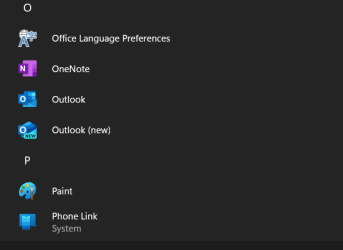
Newly installed Windows 11 Pro 23H2 build 22631.3880 (2/2024). I have been able to install and use programs like Emsisoft anti-malware and Brave browser. Today I wanted to try Outlook, which is one of several apps shown in "Installed Apps. But I couldn't open it or any other default app.
I'm knowledgeable in Win 10 but Win 11 is all new to me. (I did remove Widgets in Win 11.)
Thanks,
cma
I'm knowledgeable in Win 10 but Win 11 is all new to me. (I did remove Widgets in Win 11.)
Thanks,
cma
My Computer
At a glance
Windows 11 ProAMD Ryzen 7 78003D 8-coreTEAMGROUP T-Force Vulcan DDR5 64GB (2x32GB) 5...ASUS Dual GeForce RTX™ 4070 Super EVO OC Edit...
- OS
- Windows 11 Pro
- Computer type
- PC/Desktop
- Manufacturer/Model
- self
- CPU
- AMD Ryzen 7 78003D 8-core
- Motherboard
- GIGABYTE X670E AORUS PRO X (AM5/ LGA 1718/ AMD/ X670E/ EATX
- Memory
- TEAMGROUP T-Force Vulcan DDR5 64GB (2x32GB) 5200MHz (PC5-41600)
- Graphics Card(s)
- ASUS Dual GeForce RTX™ 4070 Super EVO OC Edition 12GB GDDR6X
- Monitor(s) Displays
- Old VGA
- Screen Resolution
- 1680 x 1050
- Hard Drives
- C: (boot drive) X SAMSUNG 990 PRO w/ Heatsink SSD 1TB, PCIe Gen4 M.2 2280 Internal Solid State Hard Drive;
D: (boot drive) X SAMSUNG 990 PRO w/ Heatsink SSD 2TB, PCIe Gen4 M.2 2280 Internal Solid State Hard Drive;
- PSU
- Cooler Master V750 SFX Gold Full Modular, 750W
- Case
- NZXT H7 Flow ATX Mid-tower
- Cooling
- Thermalright Phantom Spirit 120 EVO CPU Cooler + case fans
- Antivirus
- Microsoft + Emsisoft
- Other Info
- C: