imaddicted2u
Well-known member
- Local time
- 7:05 PM
- Posts
- 12
- OS
- Windows 11
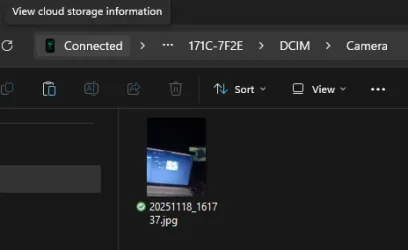
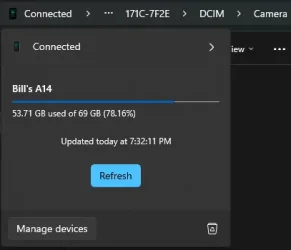
I set up and can see my android phone in Windows file explorer. I can list files, see photos. I keep my pics on the SD card in the phone. I can see the photos stored there. I can't delete any files on the SD card.
I can move pics from the SD card camera folder to the camera folder in internal storage. I can delete the file I moved from internal storage.
When I try to delete the same file from the camera folder on the SD card, I get this message:
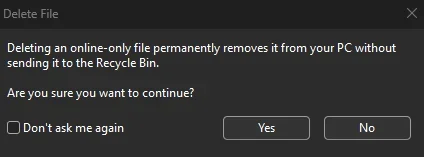
Delete File
Deleting an online-only file permanently removes it from your PC without
sending it to the Recycle Bin.
Are you sure you want to continue?
Don't ask me again
Yes
No
When I select Yes, I get this:
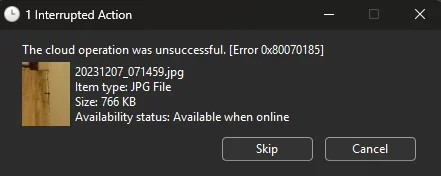
1 Interrupted Action
The cloud operation was unsuccessful. [Error 0x80070185]
20231207_071459.jpg
Item type: JPG File
Size: 766 KB
Availability status: Available when online
Skip
Cancel
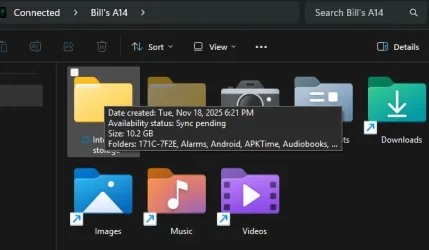
When I hover on the file I'm trying to delete, I see this (all the files on the Phone SD card show the same message):
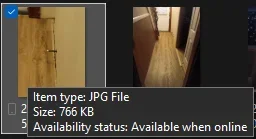
Item type: JPG File
Size: 766 KB
Availability status: Available when online
An online search of the error indicated Onedrive might need to be reset. Which I did but it made no difference.
I uninstalled Link to Windows on the phone and Phone Link on the PC. Removed the device on both sides. Deleted the Cross Device folder on the PC.
Set it all up again and have the same issue.
Does anybody have a solution or workaround for this issue?
EDIT: Forgot to mention... I can delete files from the SD card in the phone when it is wired via USB without any issue.
I can move pics from the SD card camera folder to the camera folder in internal storage. I can delete the file I moved from internal storage.
When I try to delete the same file from the camera folder on the SD card, I get this message:
Delete File
Deleting an online-only file permanently removes it from your PC without
sending it to the Recycle Bin.
Are you sure you want to continue?
Don't ask me again
Yes
No
When I select Yes, I get this:
1 Interrupted Action
The cloud operation was unsuccessful. [Error 0x80070185]
20231207_071459.jpg
Item type: JPG File
Size: 766 KB
Availability status: Available when online
Skip
Cancel
When I hover on the file I'm trying to delete, I see this (all the files on the Phone SD card show the same message):
Item type: JPG File
Size: 766 KB
Availability status: Available when online
An online search of the error indicated Onedrive might need to be reset. Which I did but it made no difference.
I uninstalled Link to Windows on the phone and Phone Link on the PC. Removed the device on both sides. Deleted the Cross Device folder on the PC.
Set it all up again and have the same issue.
Does anybody have a solution or workaround for this issue?
EDIT: Forgot to mention... I can delete files from the SD card in the phone when it is wired via USB without any issue.
- Windows Build/Version
- Windoes 11 insider 25H2 Build 26220.7070
My Computer
At a glance
Windows 11Intel(R) Core(TM) i5-3337U CPU @ 1.80GHz, 180...16 GB
- OS
- Windows 11
- Computer type
- Laptop
- Manufacturer/Model
- Dell 15z-5523
- CPU
- Intel(R) Core(TM) i5-3337U CPU @ 1.80GHz, 1801 Mhz, 2 Core(s), 4 Logical Processor(s)
- Memory
- 16 GB