Ananiujitha
Active member
- Local time
- 4:04 PM
- Posts
- 43
- OS
- Windows 11
I have a *lot* of trouble switching windows in Windows.
I am using Windows 11 Home 25H2 on a Lenovo Ideapad 1 with Intel.
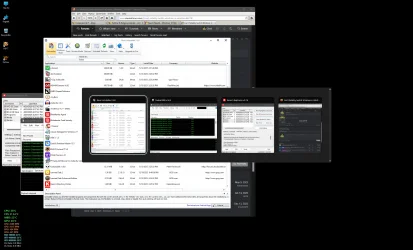
If I am trying to switch between windows for different apps, e.g. Calibre, a couple docs in SumatraPDF, and a couple docs I'm writing, and each window is already open, it rarely works. If I click on the app icon in the Taskbar, I get a preview of each window; if I click again on the icon, or on the preview, *sometimes* it brings that window to the front, but usually it doesn't. If I use Windows+Tab, I get a list of open windows, and can arrow through the list, and *sometimes* it brings that window to the front, but usually it doesn't.
This can affect Windows apps, like Settings, so I don't think it's due to an incompatibility between Windows and Qt.
I can't handle 2 windows side-by-side, and I don't have the screen space for it either.
I am using Windows 11 Home 25H2 on a Lenovo Ideapad 1 with Intel.
If I am trying to switch between windows for different apps, e.g. Calibre, a couple docs in SumatraPDF, and a couple docs I'm writing, and each window is already open, it rarely works. If I click on the app icon in the Taskbar, I get a preview of each window; if I click again on the icon, or on the preview, *sometimes* it brings that window to the front, but usually it doesn't. If I use Windows+Tab, I get a list of open windows, and can arrow through the list, and *sometimes* it brings that window to the front, but usually it doesn't.
This can affect Windows apps, like Settings, so I don't think it's due to an incompatibility between Windows and Qt.
I can't handle 2 windows side-by-side, and I don't have the screen space for it either.
- Windows Build/Version
- Windows 11 Home 25H2
My Computer
At a glance
Windows 11Intel i5-1235U16 GBIntel Iris X 128 MB
- OS
- Windows 11
- Computer type
- Laptop
- Manufacturer/Model
- Lenovo
- CPU
- Intel i5-1235U
- Memory
- 16 GB
- Graphics Card(s)
- Intel Iris X 128 MB
- Screen Resolution
- 1920x1080