
This tutorial will show you how to change the currency format used for your account in Windows 10 and Windows 11.
Your regional format settings will influence how your date/time, numeric, and currency data types appear when you apply formatting options. Windows supports a variety of languages, plus currency and date/time formats for the countries/regions that use those languages.
Like number formats, each country/region has its own standards and conventions for representing currency values.
You can change the currency format to a custom format you want used and displayed in Windows.
References:
Change the Windows regional settings to modify the appearance of some data types in Access databases. | Microsoft Support
Change the Windows regional settings to modify the appearance of some data types in Access databases.
 support.microsoft.com

Format currency values - Globalization
Format currency values based on region standards using locale-aware methods.
learn.microsoft.com
Currency formats for the current user are saved to the string values (REG_SZ) in the registry key below:
HKEY_CURRENT_USER\Control Panel\International
Contents
- Option One: Change Currency Format in Settings
- Option Two: Change Currency Format in Control Panel
1 Open Settings (Win+I).
2 Click/tap on Time & language on the left side, and click/tap on Language & region on the right side. (see screenshot below)
3 Click/tap on Regional format to expand it open, and click/tap on Currency format. (see screenshot below)
4 You can now select the currency formats in the drop menus you want to change. (see screenshot below)
5 You can now close Settings if you like.
1 Open the Control Panel (icons view), and click/tap on the Region icon.
2 In the Formats tab, click/tap on the Additional settings button. (see screenshot below)
3 In the Currency tab, select the currency formats in the drop menus you want to change, and click/tap on OK when finished. (see screenshot below)
You can click/tap on the Reset button to restore all default number currency settings at once.
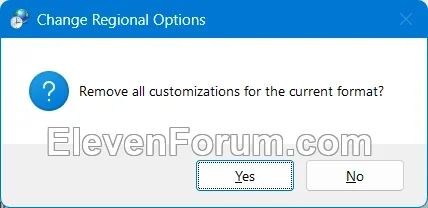
4 Click/tap on OK when finished. (see screenshot below)
That's it,
Shawn Brink
Last edited:













