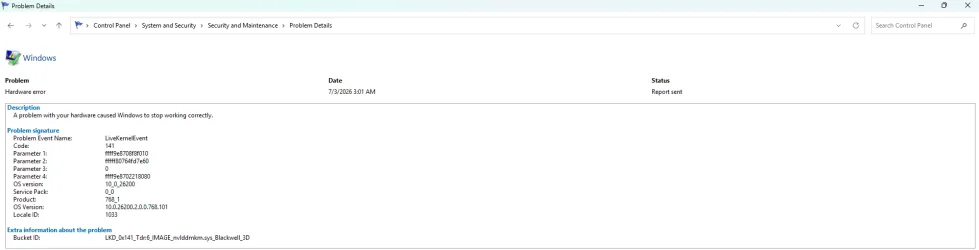
Please perform the following steps:
1) Add WMIC:
This tutorial will show you how to add or remove the WMIC command as an optional feature for all users in Windows 11. The WMI command-line (WMIC) utility provides a command-line interface for Windows Management Instrumentation (WMI). WMIC is compatible with existing shells and utility commands...

www.elevenforum.com
DISM /Online /Add-Capability /CapabilityName:WMIC~~~~
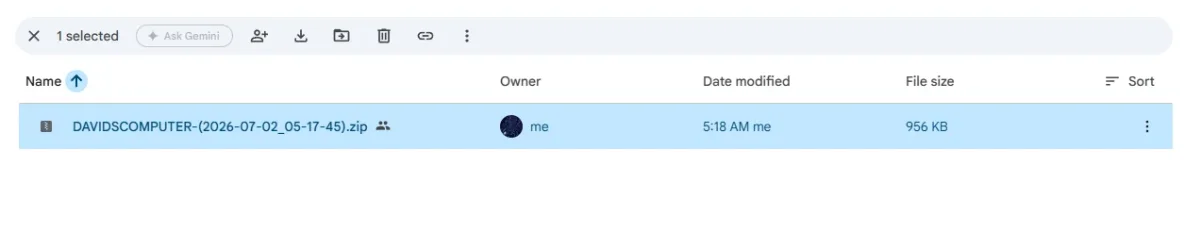
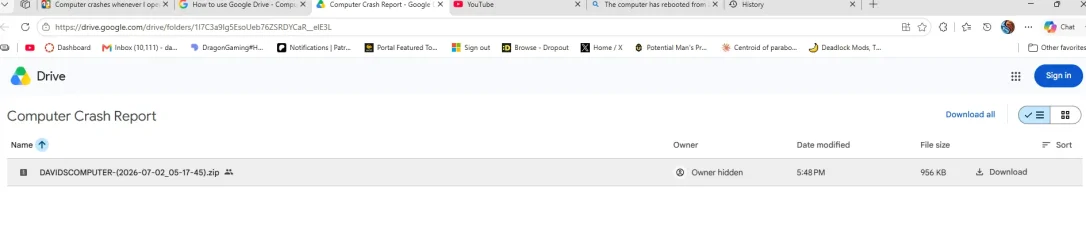
2) Run Tuneup plus >post a share link
Information This thread is for use by the BSOD team to store batch files that can be used to collect additional data, fix settings or anything else that is useful in debugging BSOD problems in Windows 10. The way I see it working is the first

www.tenforums.com
Information This thread is for use by the BSOD team to store batch files that can be used to collect additional data, fix settings or anything else that is useful in debugging BSOD problems in Windows 10. The way I see it working is the first
www.tenforums.com
4) The BIOS Version/Date American Megatrends Inc. 1820, 5/14/2025
Upgrade the BIOS: 1820 > 1836
ASUS Prime Z790-P WIFI, an Intel Z790 LGA 1700 ATX motherboard with PCIe® 5.0, three M.2 slots, 14+1 DrMOS, DDR5, Intel WIFI 6, Realtek 2.5 Gb LAN, HDMI®, DP, USB 3.2 Gen 2x2 Type-C®, front USB 3.2 Gen 2 Type-C®, Thunderbolt™ (USB4®) support, Arua Sync

www.asus.com
5) Detach AV_ElgatoUsbAudio_mixer hardware and uninstall its drivers
Download Revo Uninstaller Free helps you to uninstall software and remove unwanted programs easily. Remove all uninstall leftovers and traces
www.revouninstaller.com
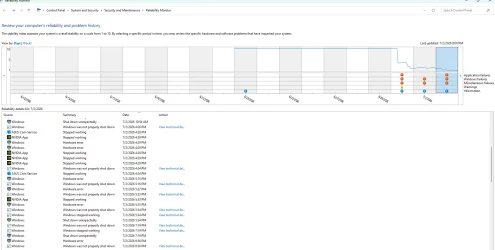
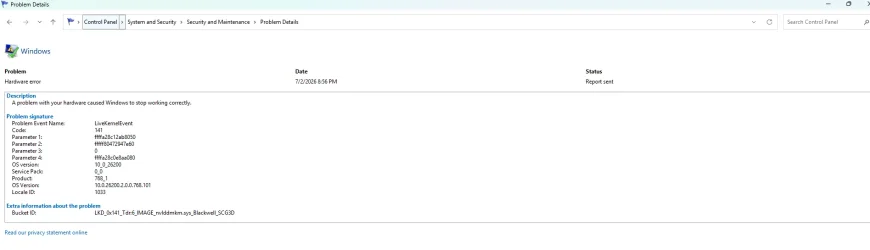
6) For any new BSOD post a new V2 share link into the newest post
Code:
Name    Elgato Virtual Audio
Manufacturer    Corsair Memory, Inc.
Status    OK
PNP Device ID    TUSBAUDIO_ENUM\VID_0FD9&PID_0096&KS\12345678901234
Driver    C:\WINDOWS\SYSTEM32\DRIVERSTORE\FILEREPOSITORY\ELGATOUSBAUDIOKS.INF_AMD64_95D77EEAD067DCFF\ELGATOUSBAUDIOKS.SYS (6.14.0.0, 53.70 KB (54,992 bytes), 5/20/2026 11:43 AM)

Name    Elgato Wave:3
Manufacturer    Corsair Memory, Inc.
Status    OK
PNP Device ID    TUSBAUDIO_ENUM\VID_0FD9&PID_0070&MI_00&KS\7&3D1E41D&1&0000
Driver    C:\WINDOWS\SYSTEM32\DRIVERSTORE\FILEREPOSITORY\ELGATOUSBAUDIOKS.INF_AMD64_95D77EEAD067DCFF\ELGATOUSBAUDIOKS.SYS (6.14.0.0, 53.70 KB (54,992 bytes), 5/20/2026 11:43 AM)
Code:
elgatousbaudio    ElgatoUsbAudio    c:\windows\system32\driverstore\filerepository\elgatousbaudio.inf_amd64_faed8d8acfdf3ca5\elgatousbaudio.sys    Kernel Driver    Yes    Manual    Running    OK    Normal    No    Yes

elgatousbaudioks    ElgatoUsbAudioks    c:\windows\system32\driverstore\filerepository\elgatousbaudioks.inf_amd64_95d77eead067dcff\elgatousbaudioks.sys    Kernel Driver    Yes    Manual    Running    OK    Normal    No    Yes

elgatousbaudio_mixer    ElgatoUsbAudio_mixer    c:\windows\system32\driverstore\filerepository\elgatousbaudio.inf_amd64_faed8d8acfdf3ca5\elgatousbaudio_mixer.sys    Kernel Driver    Yes    Manual    Running    OK    Normal    No    Yes

elgatovirtusbaudioemu    ElgatoVirtUsbAudioEmu    c:\windows\system32\driverstore\filerepository\elgatovirtusbaudioemu.inf_amd64_d73782c683318772\elgatovirtusbaudioemu.sys    Kernel Driver    Yes    Manual    Running    OK    Normal    No    Yes
Code:
elgato.wavelink.exe c:\program files\windowsapps\elgato.wavelink_3.2.4.3627_x64__g54w8ztgkx496\elgato.wavelink.exe 23836 8 282020 283200 7/2/2026 5:09 AM 3.2.4.3627 293.15 KB (300,184 bytes) 6/30/2026 9:48 PM
Microsoft Windows 11 Home Version 25H2 (OS Build 26200.8737)
==================================================================
Started on Fri 07/03/2026 at 2:32:21.70
[SFC /ScanNow]
Beginning system scan. This process will take some time.
Results:
Windows Resource Protection did not find any integrity violations.
==================================================================
Started on Fri 07/03/2026 at 2:33:10.57
[DISM /online /cleanup-image /ScanHealth]
Deployment Image Servicing and Management tool
Version: 10.0.26100.8737
Image Version: 10.0.26200.8737
No component store corruption detected.
The operation completed successfully.
==================================================================
Started on Fri 07/03/2026 at 2:34:27.89
[DISM /online /cleanup-image /RestoreHealth]
Deployment Image Servicing and Management tool
Version: 10.0.26100.8737
Image Version: 10.0.26200.8737
The restore operation completed successfully.
The operation completed successfully.
==================================================================
The second "SFC /ScanNow" was skipped, as the first output the following:
Windows Resource Protection did not find any integrity violations.
==================================================================
Started on Fri 07/03/2026 at 2:42:51.31
[ChkDsk /Scan]
The type of the file system is NTFS.
Stage 1: Examining basic file system structure ...
999936 file records processed.
File verification completed.
Phase duration (File record verification): 3.19 seconds.
25056 large file records processed.
Phase duration (Orphan file record recovery): 6.66 milliseconds.
0 bad file records processed.
Phase duration (Bad file record checking): 0.02 milliseconds.
Stage 2: Examining file name linkage ...
8548 reparse records processed.
1171270 index entries processed.
Index verification completed.
Phase duration (Index verification): 4.53 seconds.
0 unindexed files scanned.
Phase duration (Orphan reconnection): 700.97 milliseconds.
0 unindexed files recovered to lost and found.
Phase duration (Orphan recovery to lost and found): 0.08 milliseconds.
8548 reparse records processed.
Phase duration (Reparse point and Object ID verification): 11.17 milliseconds.
Stage 3: Examining security descriptors ...
Security descriptor verification completed.
Phase duration (Security descriptor verification): 16.56 milliseconds.
85668 data files processed.
Phase duration (Data attribute verification): 0.03 milliseconds.
CHKDSK is verifying Usn Journal...
39139808 USN bytes processed.
Usn Journal verification completed.
Phase duration (USN journal verification): 30.26 milliseconds.
Windows has scanned the file system and found no problems.
No further action is required.
1952576511 KB total disk space.
415423368 KB in 283655 files.
224852 KB in 85669 indexes.
0 KB in bad sectors.
1173387 KB in use by the system.
65536 KB occupied by the log file.
1535754904 KB available on disk.
4096 bytes in each allocation unit.
488144127 total allocation units on disk.
383938726 allocation units available on disk.
Total duration: 8.49 seconds (8499 ms).
==================================================================
Started on Fri 07/03/2026 at 2:43:04.79
AutoReboot
TRUE
==================================================================
[Set AutoReboot = False]
Updating property(s) of '\\DAVIDSCOMPUTER\ROOT\CIMV2:Win32_OSRecoveryConfiguration.Name="Microsoft Windows 11 Home|C:\\WINDOWS|\\Device\\Harddisk0\\Partition3"'
Property(s) update successful.
==================================================================
AutoReboot
FALSE
==================================================================
DebugInfoType
3
==================================================================
[Set DebugInfoType = 7]
Updating property(s) of '\\DAVIDSCOMPUTER\ROOT\CIMV2:Win32_OSRecoveryConfiguration.Name="Microsoft Windows 11 Home|C:\\WINDOWS|\\Device\\Harddisk0\\Partition3"'
Property(s) update successful.
==================================================================
DebugInfoType
7
==================================================================
[WMIC PageFile list]
AllocatedBaseSize=7168
CurrentUsage=64
Description=C:\pagefile.sys
InstallDate=20260621161054.299389-240
Name=C:\pagefile.sys
PeakUsage=69
Status=
TempPageFile=FALSE
==================================================================
AutomaticManagedPagefile
TRUE
==================================================================
[Set AutomaticManagedPagefile = True]
Updating property(s) of '\\DAVIDSCOMPUTER\ROOT\CIMV2:Win32_ComputerSystem.Name="DAVIDSCOMPUTER"'
Property(s) update successful.
==================================================================
AutomaticManagedPagefile
TRUE
==================================================================
[BcdEdit /enum {badmemory}]
RAM Defects
-----------
identifier {badmemory}
==================================================================
Finished on Fri 07/03/2026 at 2:43:05.87
It took 10 minutes and 44 seconds to complete the operations.


 drive.google.com