Connecting a Hisense/Google TV remote to a PC might be a problem.


EpicBWin11Fourm

Well-known member
Member
Local time
11:32 AM
Posts
82
OS
Windows 11
1673070653086.png Real Remote Control Icon Found.png

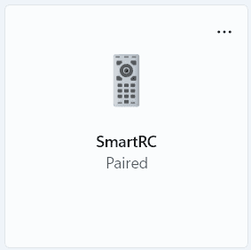
They bought a Hisense A65H TV for me a month ago, and it runs on Google TV. It includes a wireless Bluetooth remote which is remarkably interesting, but what happens if I connect a Hisense remote to a PC, problems might happen. Turned off the TV completely and decided to use a PC to connect it. Going to Settings > Bluetooth & devices > Add device. Clicked on Bluetooth, and I press & hold both "Back" & "Home" buttons for a moment, but the TV randomly turns on and stopped pairing from a PC. After many failed attempts, I finally connected it to a PC. But sadly, the remote does not control the PC's desktop. it stopped connecting after 15 seconds. Some remotes do not work with PCs, which is because it was only just controlled by an Android TV interface, not the PC itself. I tried looking for a solution, but I cannot find the way to fix this. So, any ways to fix this problem?
 
Windows Build/Version
Version 22H2 (OS Build 22621.963)

My Computer My Computer

At a glance

Windows 11Intel Core i5-8250U8.00 GBIntel(R) UHD Graphics 620
OS
Windows 11
Computer type
Laptop
Manufacturer/Model
Lenovo YOGA 730-15IKB
CPU
Intel Core i5-8250U
Motherboard
Lenovo LNVNB161216
Memory
8.00 GB
Graphics Card(s)
Intel(R) UHD Graphics 620
Sound Card
Realtek ALC236 @ Intel Sunrise Point-LP PCH - High Definition Audio Controller, Intel Kaby Lake HDMI @ Intel Sunrise Point-LP PCH - High Definition Audio Controller [C1] PCI[C1] PCI,
Monitor(s) Displays
CMN N156HCE-EN1
Screen Resolution
1920x1080
Hard Drives
G-TECH ArmorATD SCSI Disk Device
HFS256GD9TNG-62A0A
PSU
OEM Define 1
Case
Unknown Case
Cooling
Intel Sunrise Point-LP PCH - Thermal Management Controller [C1]
Keyboard
Standard PS/2 Keyboard
Mouse
HID-compliant mouse
Internet Speed
292500 kbps
Browser
Microsoft Edge, Google Chrome, Etc.
Antivirus
Trend Micro Internet Security
Other Info
Computer Type: ACPI x64-based PC
Computer Name: DESKTOP-JGTBO6N
Printer: Canon MG5300 series Printer (Copy 1)
Printer: Canon MG5300 series Printer WS
Printer: Canon MG5300 series Printer
DMI BIOS: Lenovo BIOS 7KCN33WW(V1.14)
Total Bluescreens: 4
Secure Boot
Trusted Platform Module 2.0
The issue is that the PC lacks supporting software/drivers for this smart remote. While it could be possible to make it work, it is very unlikely in the near future.

One example of similar devices is the Nintendo Wiimote. It is a very special BT device and does not connect and work properly on a PC without supporting driver/app that keeps the connection alive and maps the command to functions that makes sense to the PC. However, once the supporting app is started, you can connect 4 Wiimotes at the same time and they work really well as lagfree game controllers on the PC.
 

My Computers My Computers

  • At a glance

    Win 11 Pro 25H2 26200.8457 / Linux Mint 22.3Ryzen 7 2700U Pro32GBiGPU Vega 10
    OS
    Win 11 Pro 25H2 26200.8457 / Linux Mint 22.3
    Computer type
    Laptop
    Manufacturer/Model
    Lenovo A485
    CPU
    Ryzen 7 2700U Pro
    Motherboard
    Lenovo (WiFi/BT module upgraded to Intel Wireless-AC-9260)
    Memory
    32GB
    Graphics Card(s)
    iGPU Vega 10
    Sound Card
    Realtek
    Monitor(s) Displays
    14" FHD (built-in) + 14" Lenovo Thinkvision M14t (touch+pen) + 32" Asus PB328
    Screen Resolution
    FHD + FHD + 1440p
    Hard Drives
    Intel 660p m.2 nVME PCIe3.0 x2 512GB
    PSU
    125W(Dock)/65W(Travel Adapter)
    Keyboard
    Thinkpad / Logitech MX Keys
    Mouse
    Logitech MX Master 2S
    Internet Speed
    1/1Gbit
    Browser
    Firefox
    Antivirus
    Windows Defender
    Other Info
    SecureBoot: Enabled
    TPM2.0: Enabled
    AMD-V: Enabled
  • At a glance

    Win 11 Pro 25H2 26200.8521(RP)i7-7700k @4.8GHz32GB 2x16GB 2133MHz CL15EVGA GTX1080Ti FTW 11GB
    Operating System
    Win 11 Pro 25H2 26200.8521(RP)
    Computer type
    PC/Desktop
    Manufacturer/Model
    Custom
    CPU
    i7-7700k @4.8GHz
    Motherboard
    Asus PRIME Z270-A
    Memory
    32GB 2x16GB 2133MHz CL15
    Graphics card(s)
    EVGA GTX1080Ti FTW 11GB
    Sound Card
    Integrated
    Monitor(s) Displays
    32" 10-bit Asus PB328Q
    Screen Resolution
    WQHD 2560x1440
    Hard Drives
    512GB ADATA SX8000NP NVMe PCIe Gen 3 x4
    PSU
    850W
    Case
    Fractal Design Define 7
    Cooling
    Noctua NH-D15 chromax.black
    Keyboard
    Logitech MX Keys
    Mouse
    Logitech MX Master 2S
    Internet Speed
    1/1Gbit
    Browser
    Firefox
    Antivirus
    Windows Defender
    Other Info
    AC WiFi Card
Back
Top Bottom