Outlook Blog:
Wave 3 of Microsoft 365 Copilot marks a shift from single-shot tasks to agentic experiences embedded in the apps where work happens. In Outlook, Copilot helps you go from intent to execution across email and calendar—without losing context or creating extra steps.
Copilot in Outlook is grounded in Work IQ—drawing on relevant emails, meetings, calendar preferences, and relationships so the output helps you get work done. And because changes happen directly in Outlook, they are visible, reviewable, and easy to iterate on. Try agentic Copilot in Outlook today.
Collaborate with Copilot to turn ideas into send-ready emails
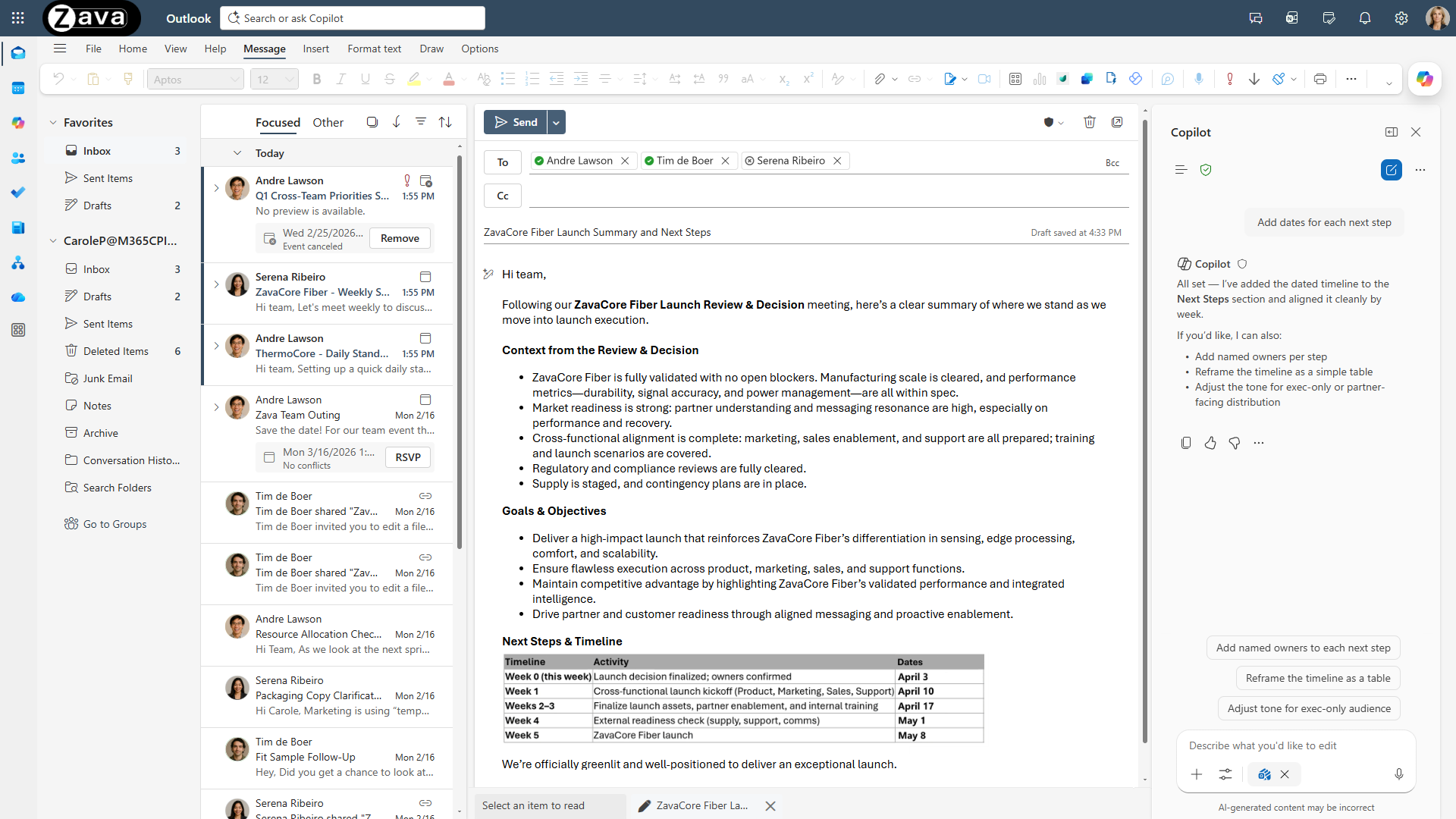
Copilot in Outlook can now take on the work of drafting and refining emails with you—helping you move from intent to a send-ready message. You describe what you’re trying to accomplish, and Copilot helps shape the email as it comes together.In Outlook: Copilot now writes and updates emails directly as you work
Sequences shortened for demonstration purposes.
Copilot in Outlook now helps you write your first draft directly in the canvas – then iterates with you to get it right. Instead of generating a one-off draft, Copilot writes in place and asks you clarifying questions (goal, audience, tone) and updates the email in place as you respond—so you can refine the message in a few quick turns until it’s ready to send—with every change visible in Outlook, no copy/paste or formatting surprises.
Prompts to try:
- Create a first draft: Draft an email to /name confirming the decision from /meeting, detailing the agreed-upon timeline, and asking /name for final approval.
- Adjust tone and clarity: Make this more concise and professional and apply the same tone that /name uses in their communications. Add a short context paragraph summarizing the latest leadership decisions at the top.
- Polish and format: Bold the approval ask, turn the timeline from a list into a table, and add “Approval Needed” to the subject line.
In Copilot Chat: Draft, edit and send emails end-to-end
Sequences shortened for demonstration purposes.
In Copilot Chat, you can go from request to sent email end-to-end. Tell Copilot what you need, iterate on the draft in place, and send—while Work IQ pulls in the right context (recipients, thread history, meeting outcomes) so the message is grounded and ready for final review.
Prompts to try:
- Create a first draft: Draft an email to /name and /name following up on action items from /meeting and summarizing next steps.
- Iterate to adjust tone and clarity: Rewrite this email to be more concise and executive-ready. Keep the ask in the first two lines.
Let Copilot handle scheduling and calendar tasks for you
Copilot in Outlook can now take on ongoing work on your behalf—carrying your intent forward as your calendar evolves. Whether you need help managing RSVPs or getting meetings on the calendar, just tell Copilot what you need in chat—and it takes care of the administrative work for you.In Outlook: Copilot can now manage your calendar for you—based on your preferences
Sequences shortened for demonstration purposes.
Meeting requests don’t stop—and neither do the same RSVP decisions. With custom instructions, Copilot can handle RSVPs for you—accepting, declining, or following based on preferences like who the invite is from, meeting title keywords, and your working hours—while keeping you informed as things change. The result is less calendar triage and a schedule that stays aligned to your priorities.
Prompts to try:
- Align time to priorities: Always accept meetings from my manager if I am free.
- Reduce clutter: Always decline meetings with “office hours” in the title and remove canceled meetings.
- Protect personal time: Follow meetings scheduled after 5pm.
In Copilot Chat: Schedule meetings without leaving chat
Sequences shortened for demonstration purposes.
When you need to get a meeting on the calendar, coordination is the tax. In Copilot Chat, you can ask for a meeting and Copilot handles the logistics—availability, time options, and invite details—then shows you how each option fits on your Outlook calendar so you can confirm the one that works best.
Prompts to try:
- Check availability: Help me find the next available time slot to meet with [First name], [First name] and [First name].
- Schedule a meeting: Schedule 30 minutes with /name, /name, and /name next week to decide on the launch plan for Project X. Book a room and include an agenda.
Source:
Copilot in Outlook: New agentic experiences for email and calendar | Microsoft Community Hub
In Outlook, Copilot helps you go from intent to execution across email and calendar—without losing context or creating extra steps. Copilot in Outlook is...
 techcommunity.microsoft.com