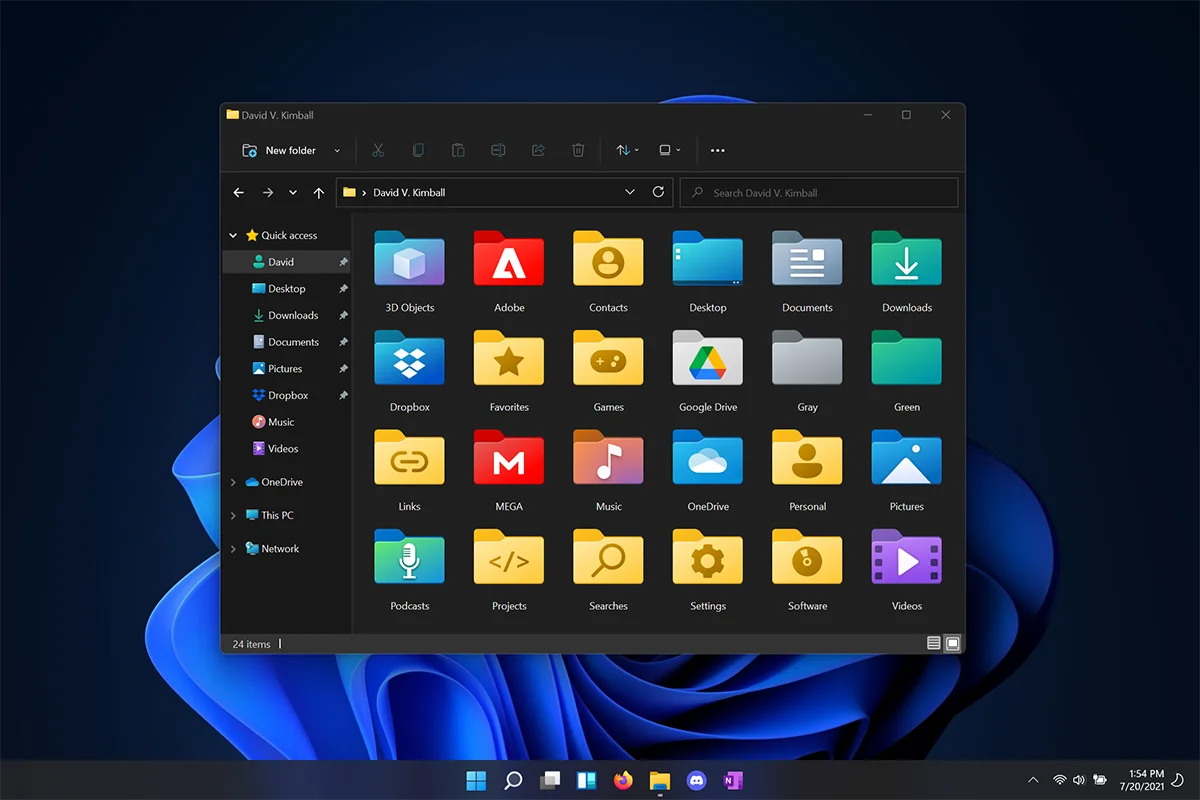
Custom Icons for Windows 11 Thread (Folders, Dropbox, Google Drive, Podcasts, NVME Drive, Steam, Adobe)


Just use the link I posted above to create your own-colored folders online. Then download them as .ico files and everything should work normally.
 

My Computer

System One

  • OS
    Windows 7
    Computer type
    PC/Desktop
    Manufacturer/Model
    BIOS: BIOS Date: 08/20/18 12:33:01 Ver: 05.0000D.
    CPU
    Processor: AMD Ryzen 7 - 1800X - 8 Core Processor - (16 CPUs) - 3.6GHz.
    Motherboard
    AMD Ryzen 7 - 1800X - 8 Core Processor.
    Memory
    16 GB RAM.
    Graphics Card(s)
    NVIDIA GeForce GTX 1060 6GB.
    Sound Card
    NVIDIA/Realtek High Definition Audio.
    Monitor(s) Displays
    Generic PnP Monitor.
    Screen Resolution
    1920x1080.
    Hard Drives
    My desktop PC has two 8TB hard drives. I plan to add more 8TB hard drives in the future so that I can install Windows 8, 8.1, 10, and 11.
    PSU
    Current Setting: {5C67A112-A4C9-483F-B4A7-1D473BECAFDC} (Quality).
    Case
    Antec.
    Cooling
    N/A.
    Keyboard
    HID Keyboard Device.
    Mouse
    HID Compliant Mouse.
    Internet Speed
    Broadband 20MB.
    Browser
    Microsoft Edge, Internet Explorer, Google Chrome, Opera Web Browser.
    Antivirus
    Microsoft Security Essentials, Win/MS Defender, Malwarebytes.
    Other Info
    My desktop PC has a UEFI BIOS and TPM 2.0 system requirements which means that my system meets the minimum requirements to install Windows 11 in the future.
Just created this one for Claude! Has unique rasterizations at every size. Made with Folder Icon Designer.
 

Attachments

  • claude.webp
    claude.webp
    5.8 KB · Views: 5
  • claude.zip
    claude.zip
    14.3 KB · Views: 11

My Computers

System One System Two

  • OS
    Windows 11
    Computer type
    PC/Desktop
    CPU
    Intel Core i7-8700
    Motherboard
    LGA1151 Z370 ATX
    Memory
    Kingston HyperX Fury DDR4 8GB (x4 for 32GB)
    Graphics Card(s)
    NVIDIA - GeForce RTX 4080
    Sound Card
    NVIDIA High Definition Audio
    Monitor(s) Displays
    Monitor 1: ASUS VG248QE 24” (1920x1080 144Hz 1ms), Monitor 2: Dell P2715Q 27” (3840x2160 60Hz), Monitor 3: Dell U2412M (1920x1200 60Hz)
    Screen Resolution
    1920 x 1080, 3840 x 2160, and 1920 x 1200 respesctively.
    Hard Drives
    NVME: HP EX920 M.2 1TB
    SSD: Samsung 680 EVO 4TB
    HDD 1: Hitachi HGST HUH728080ALE600 8TB
    HDD 2: Hitachi HGST HUH728080ALE600 8TB
    PSU
    CORSAIR RM1000x (1000W)
    Case
    Cooler Master HAF 912
    Keyboard
    Ultimate Hacking Keybord 60 V2
    Mouse
    Logitech MX Vertical
    Internet Speed
    1,200 Mbps download, 40 Mbps upload
    Browser
    Mozilla Firefox
    Antivirus
    MalwareBytes
    Other Info
    View full equipment here: http://davidvkimball.com/setup
  • Operating System
    Windows 11 Pro
    Computer type
    Tablet
    Manufacturer/Model
    Microsoft Surface Pro 3
    CPU
    Intel Core i5
    Memory
    4GB
    Monitor(s) Displays
    10.8” ClearType Full HD Plus Display
    Screen Resolution
    1920 x 1280
    Hard Drives
    128GB SSD
    Browser
    Firefox
    Antivirus
    MalwareBytes
    Other Info
    Originally shipped with Windows 8.1 Pro in 2014, upgraded to 10, and now Windows 11.
Well, done. You made a great looking folder for Claude. I do like it. How many folder makers are there?
 

My Computer

System One

  • OS
    Windows 7
    Computer type
    PC/Desktop
    Manufacturer/Model
    BIOS: BIOS Date: 08/20/18 12:33:01 Ver: 05.0000D.
    CPU
    Processor: AMD Ryzen 7 - 1800X - 8 Core Processor - (16 CPUs) - 3.6GHz.
    Motherboard
    AMD Ryzen 7 - 1800X - 8 Core Processor.
    Memory
    16 GB RAM.
    Graphics Card(s)
    NVIDIA GeForce GTX 1060 6GB.
    Sound Card
    NVIDIA/Realtek High Definition Audio.
    Monitor(s) Displays
    Generic PnP Monitor.
    Screen Resolution
    1920x1080.
    Hard Drives
    My desktop PC has two 8TB hard drives. I plan to add more 8TB hard drives in the future so that I can install Windows 8, 8.1, 10, and 11.
    PSU
    Current Setting: {5C67A112-A4C9-483F-B4A7-1D473BECAFDC} (Quality).
    Case
    Antec.
    Cooling
    N/A.
    Keyboard
    HID Keyboard Device.
    Mouse
    HID Compliant Mouse.
    Internet Speed
    Broadband 20MB.
    Browser
    Microsoft Edge, Internet Explorer, Google Chrome, Opera Web Browser.
    Antivirus
    Microsoft Security Essentials, Win/MS Defender, Malwarebytes.
    Other Info
    My desktop PC has a UEFI BIOS and TPM 2.0 system requirements which means that my system meets the minimum requirements to install Windows 11 in the future.


My Computer

System One

  • OS
    Windows 11 Pro Version 23H2 (OS Build 22631. 3374)
    Computer type
    PC/Desktop
    Manufacturer/Model
    Custome Built
    CPU
    intel i7 13th 13700k
    Motherboard
    ROG STRIX Z790-F GAMING WIFI
    Memory
    VENGEANCE® 64GB (2x32GB) DDR5 DRAM 5600MT/s CL40 Memory Kit
    Graphics Card(s)
    NVidia founders edition 3080 ti
    Monitor(s) Displays
    27" Odyssey QHD 165Hz 1ms HDR10 Gaming Monitor
    Screen Resolution
    2k
    Keyboard
    Logitech G512
    Mouse
    Logitech G502 Hero
    Internet Speed
    1GB Fibers
    Browser
    Edge
    Antivirus
    ESET Samrt Security
Yeah. Good idea. Add the pre-built icons.
 

My Computer

System One

  • OS
    Windows 7
    Computer type
    PC/Desktop
    Manufacturer/Model
    BIOS: BIOS Date: 08/20/18 12:33:01 Ver: 05.0000D.
    CPU
    Processor: AMD Ryzen 7 - 1800X - 8 Core Processor - (16 CPUs) - 3.6GHz.
    Motherboard
    AMD Ryzen 7 - 1800X - 8 Core Processor.
    Memory
    16 GB RAM.
    Graphics Card(s)
    NVIDIA GeForce GTX 1060 6GB.
    Sound Card
    NVIDIA/Realtek High Definition Audio.
    Monitor(s) Displays
    Generic PnP Monitor.
    Screen Resolution
    1920x1080.
    Hard Drives
    My desktop PC has two 8TB hard drives. I plan to add more 8TB hard drives in the future so that I can install Windows 8, 8.1, 10, and 11.
    PSU
    Current Setting: {5C67A112-A4C9-483F-B4A7-1D473BECAFDC} (Quality).
    Case
    Antec.
    Cooling
    N/A.
    Keyboard
    HID Keyboard Device.
    Mouse
    HID Compliant Mouse.
    Internet Speed
    Broadband 20MB.
    Browser
    Microsoft Edge, Internet Explorer, Google Chrome, Opera Web Browser.
    Antivirus
    Microsoft Security Essentials, Win/MS Defender, Malwarebytes.
    Other Info
    My desktop PC has a UEFI BIOS and TPM 2.0 system requirements which means that my system meets the minimum requirements to install Windows 11 in the future.
Is there a repository that these are all being stored in? Sorry if this has been asked already in the 60-something pages of this thread I haven't checked 😇 I saw the edits to post #1, but couldn't find a link to download all at once like DeviantArt albums or GitHub repositories/gists have.

Thanks for all the work you've done, and stoked that you're keeping the thread alive!
 

My Computers

System One System Two

  • OS
    Windows 11
    Computer type
    PC/Desktop
    CPU
    Intel Core i7-14700KF, 20-core
    Motherboard
    ASUS TUF Gaming Z690-Plus WiFi D4
    Memory
    Corsair Vengeance 64 (4x16GB) 3200MHz DDR4
    Graphics Card(s)
    ASUS Prime GeForce RTX5070 12GB
    Sound Card
    UAD Apollo 8 & PreSonus Digimax D8 with Neumann U87
    Monitor(s) Displays
    (2) Samsung 27” Odyssey OLED G61SD OLED 240Hz
    Hard Drives
    (4) 1TB Samsung 990 PRO SSD PCIe 4.0 M.2 2280
    PSU
    Corsair RM750x
    Case
    Fractal Design R5 Mid Tower
    Cooling
    (4) Noctua NF-P14 redux 1500 PWM, (1) Noctua NF-A12 1500 PWM
    Keyboard
    Logitech K845
    Mouse
    Logitech G502X Wired
    Browser
    Hardly know 'er!
    Antivirus
    Pro-virus.
  • Operating System
    Windows 11
    Computer type
    Laptop
    Manufacturer/Model
    Dell XPS 14 (2026) DA14260
    CPU
    Series 3 Intel® Core™ Ultra X7 358H (16 cores, 4.8GHz)
    Memory
    64GB LPDDR5x Dual Channel at 9600 MT/s
    Graphics card(s)
    Intel® Arc™ Graphics¹
    Monitor(s) Displays
    14.0" 2.8K Touchscreen OLED 20-120Hz, 400 nits
    Hard Drives
    1 TB KIOXIA M.2 PCIe Gen4 NVMe
    Case
    Overall weight: 3.00 lb (1.36 kg)
    Other Info
    ¹ Dell's claim of 24 hour+ battery life streaming video is 100% true. These new cells & Intel's integrated GPU give multi-day runtime.
:-)
 

My Computer

System One

  • OS
    Windows 7
    Computer type
    PC/Desktop
    Manufacturer/Model
    BIOS: BIOS Date: 08/20/18 12:33:01 Ver: 05.0000D.
    CPU
    Processor: AMD Ryzen 7 - 1800X - 8 Core Processor - (16 CPUs) - 3.6GHz.
    Motherboard
    AMD Ryzen 7 - 1800X - 8 Core Processor.
    Memory
    16 GB RAM.
    Graphics Card(s)
    NVIDIA GeForce GTX 1060 6GB.
    Sound Card
    NVIDIA/Realtek High Definition Audio.
    Monitor(s) Displays
    Generic PnP Monitor.
    Screen Resolution
    1920x1080.
    Hard Drives
    My desktop PC has two 8TB hard drives. I plan to add more 8TB hard drives in the future so that I can install Windows 8, 8.1, 10, and 11.
    PSU
    Current Setting: {5C67A112-A4C9-483F-B4A7-1D473BECAFDC} (Quality).
    Case
    Antec.
    Cooling
    N/A.
    Keyboard
    HID Keyboard Device.
    Mouse
    HID Compliant Mouse.
    Internet Speed
    Broadband 20MB.
    Browser
    Microsoft Edge, Internet Explorer, Google Chrome, Opera Web Browser.
    Antivirus
    Microsoft Security Essentials, Win/MS Defender, Malwarebytes.
    Other Info
    My desktop PC has a UEFI BIOS and TPM 2.0 system requirements which means that my system meets the minimum requirements to install Windows 11 in the future.
Is there a repository that these are all being stored in? Sorry if this has been asked already in the 60-something pages of this thread I haven't checked 😇 I saw the edits to post #1, but couldn't find a link to download all at once like DeviantArt albums or GitHub repositories/gists have.

Thanks for all the work you've done, and stoked that you're keeping the thread alive!
Okay, my lazy ass read the last two pages and answered my own questions.

I've already got the collection: this thread is Folder11 if I'm reading this correctly.

@davidvkimball, would you open to editing post #1 for people who found this thread via search engine? Maybe adding a big title block at the top of the post that says something like, "This project has evolved into a collaborate effort known as Folder11. You can find these icons here."

Just an idea, thanks for sharing! xoxo
 

My Computers

System One System Two

  • OS
    Windows 11
    Computer type
    PC/Desktop
    CPU
    Intel Core i7-14700KF, 20-core
    Motherboard
    ASUS TUF Gaming Z690-Plus WiFi D4
    Memory
    Corsair Vengeance 64 (4x16GB) 3200MHz DDR4
    Graphics Card(s)
    ASUS Prime GeForce RTX5070 12GB
    Sound Card
    UAD Apollo 8 & PreSonus Digimax D8 with Neumann U87
    Monitor(s) Displays
    (2) Samsung 27” Odyssey OLED G61SD OLED 240Hz
    Hard Drives
    (4) 1TB Samsung 990 PRO SSD PCIe 4.0 M.2 2280
    PSU
    Corsair RM750x
    Case
    Fractal Design R5 Mid Tower
    Cooling
    (4) Noctua NF-P14 redux 1500 PWM, (1) Noctua NF-A12 1500 PWM
    Keyboard
    Logitech K845
    Mouse
    Logitech G502X Wired
    Browser
    Hardly know 'er!
    Antivirus
    Pro-virus.
  • Operating System
    Windows 11
    Computer type
    Laptop
    Manufacturer/Model
    Dell XPS 14 (2026) DA14260
    CPU
    Series 3 Intel® Core™ Ultra X7 358H (16 cores, 4.8GHz)
    Memory
    64GB LPDDR5x Dual Channel at 9600 MT/s
    Graphics card(s)
    Intel® Arc™ Graphics¹
    Monitor(s) Displays
    14.0" 2.8K Touchscreen OLED 20-120Hz, 400 nits
    Hard Drives
    1 TB KIOXIA M.2 PCIe Gen4 NVMe
    Case
    Overall weight: 3.00 lb (1.36 kg)
    Other Info
    ¹ Dell's claim of 24 hour+ battery life streaming video is 100% true. These new cells & Intel's integrated GPU give multi-day runtime.
Is there a repository that these are all being stored in? Sorry if this has been asked already in the 60-something pages of this thread I haven't checked 😇 I saw the edits to post #1, but couldn't find a link to download all at once like DeviantArt albums or GitHub repositories/gists have.

Thanks for all the work you've done, and stoked that you're keeping the thread alive!
To be honest with you, I've lost track - lots of derivative projects, repos, and web apps floating around here lol
 

My Computers

System One System Two

  • OS
    Windows 11
    Computer type
    PC/Desktop
    CPU
    Intel Core i7-8700
    Motherboard
    LGA1151 Z370 ATX
    Memory
    Kingston HyperX Fury DDR4 8GB (x4 for 32GB)
    Graphics Card(s)
    NVIDIA - GeForce RTX 4080
    Sound Card
    NVIDIA High Definition Audio
    Monitor(s) Displays
    Monitor 1: ASUS VG248QE 24” (1920x1080 144Hz 1ms), Monitor 2: Dell P2715Q 27” (3840x2160 60Hz), Monitor 3: Dell U2412M (1920x1200 60Hz)
    Screen Resolution
    1920 x 1080, 3840 x 2160, and 1920 x 1200 respesctively.
    Hard Drives
    NVME: HP EX920 M.2 1TB
    SSD: Samsung 680 EVO 4TB
    HDD 1: Hitachi HGST HUH728080ALE600 8TB
    HDD 2: Hitachi HGST HUH728080ALE600 8TB
    PSU
    CORSAIR RM1000x (1000W)
    Case
    Cooler Master HAF 912
    Keyboard
    Ultimate Hacking Keybord 60 V2
    Mouse
    Logitech MX Vertical
    Internet Speed
    1,200 Mbps download, 40 Mbps upload
    Browser
    Mozilla Firefox
    Antivirus
    MalwareBytes
    Other Info
    View full equipment here: http://davidvkimball.com/setup
  • Operating System
    Windows 11 Pro
    Computer type
    Tablet
    Manufacturer/Model
    Microsoft Surface Pro 3
    CPU
    Intel Core i5
    Memory
    4GB
    Monitor(s) Displays
    10.8” ClearType Full HD Plus Display
    Screen Resolution
    1920 x 1280
    Hard Drives
    128GB SSD
    Browser
    Firefox
    Antivirus
    MalwareBytes
    Other Info
    Originally shipped with Windows 8.1 Pro in 2014, upgraded to 10, and now Windows 11.
(y)
 

My Computer

System One

  • OS
    Windows 7
    Computer type
    PC/Desktop
    Manufacturer/Model
    BIOS: BIOS Date: 08/20/18 12:33:01 Ver: 05.0000D.
    CPU
    Processor: AMD Ryzen 7 - 1800X - 8 Core Processor - (16 CPUs) - 3.6GHz.
    Motherboard
    AMD Ryzen 7 - 1800X - 8 Core Processor.
    Memory
    16 GB RAM.
    Graphics Card(s)
    NVIDIA GeForce GTX 1060 6GB.
    Sound Card
    NVIDIA/Realtek High Definition Audio.
    Monitor(s) Displays
    Generic PnP Monitor.
    Screen Resolution
    1920x1080.
    Hard Drives
    My desktop PC has two 8TB hard drives. I plan to add more 8TB hard drives in the future so that I can install Windows 8, 8.1, 10, and 11.
    PSU
    Current Setting: {5C67A112-A4C9-483F-B4A7-1D473BECAFDC} (Quality).
    Case
    Antec.
    Cooling
    N/A.
    Keyboard
    HID Keyboard Device.
    Mouse
    HID Compliant Mouse.
    Internet Speed
    Broadband 20MB.
    Browser
    Microsoft Edge, Internet Explorer, Google Chrome, Opera Web Browser.
    Antivirus
    Microsoft Security Essentials, Win/MS Defender, Malwarebytes.
    Other Info
    My desktop PC has a UEFI BIOS and TPM 2.0 system requirements which means that my system meets the minimum requirements to install Windows 11 in the future.
Okay, my lazy ass read the last two pages and answered my own questions.

I've already got the collection: this thread is Folder11 if I'm reading this correctly.

@davidvkimball, would you open to editing post #1 for people who found this thread via search engine? Maybe adding a big title block at the top of the post that says something like, "This project has evolved into a collaborate effort known as Folder11. You can find these icons here."

Just an idea, thanks for sharing! xoxo
Done!
 

My Computers

System One System Two

  • OS
    Windows 11
    Computer type
    PC/Desktop
    CPU
    Intel Core i7-8700
    Motherboard
    LGA1151 Z370 ATX
    Memory
    Kingston HyperX Fury DDR4 8GB (x4 for 32GB)
    Graphics Card(s)
    NVIDIA - GeForce RTX 4080
    Sound Card
    NVIDIA High Definition Audio
    Monitor(s) Displays
    Monitor 1: ASUS VG248QE 24” (1920x1080 144Hz 1ms), Monitor 2: Dell P2715Q 27” (3840x2160 60Hz), Monitor 3: Dell U2412M (1920x1200 60Hz)
    Screen Resolution
    1920 x 1080, 3840 x 2160, and 1920 x 1200 respesctively.
    Hard Drives
    NVME: HP EX920 M.2 1TB
    SSD: Samsung 680 EVO 4TB
    HDD 1: Hitachi HGST HUH728080ALE600 8TB
    HDD 2: Hitachi HGST HUH728080ALE600 8TB
    PSU
    CORSAIR RM1000x (1000W)
    Case
    Cooler Master HAF 912
    Keyboard
    Ultimate Hacking Keybord 60 V2
    Mouse
    Logitech MX Vertical
    Internet Speed
    1,200 Mbps download, 40 Mbps upload
    Browser
    Mozilla Firefox
    Antivirus
    MalwareBytes
    Other Info
    View full equipment here: http://davidvkimball.com/setup
  • Operating System
    Windows 11 Pro
    Computer type
    Tablet
    Manufacturer/Model
    Microsoft Surface Pro 3
    CPU
    Intel Core i5
    Memory
    4GB
    Monitor(s) Displays
    10.8” ClearType Full HD Plus Display
    Screen Resolution
    1920 x 1280
    Hard Drives
    128GB SSD
    Browser
    Firefox
    Antivirus
    MalwareBytes
    Other Info
    Originally shipped with Windows 8.1 Pro in 2014, upgraded to 10, and now Windows 11.
You're a rockstar.

If you're not opposed to it, I'd like to recommend another collection to this gang of user interface tweakers like myself: a huge collection of Pantone and gradient icons that match Windows 11 quite well. Sometimes having a folder with a very specific color is helpful, even if it doesn't point to an application or indicate its contents.

Windows 11 Colored Folder Icons 620 Diverse Colors

By deemzbeanz

Cheers!
 

My Computers

System One System Two

  • OS
    Windows 11
    Computer type
    PC/Desktop
    CPU
    Intel Core i7-14700KF, 20-core
    Motherboard
    ASUS TUF Gaming Z690-Plus WiFi D4
    Memory
    Corsair Vengeance 64 (4x16GB) 3200MHz DDR4
    Graphics Card(s)
    ASUS Prime GeForce RTX5070 12GB
    Sound Card
    UAD Apollo 8 & PreSonus Digimax D8 with Neumann U87
    Monitor(s) Displays
    (2) Samsung 27” Odyssey OLED G61SD OLED 240Hz
    Hard Drives
    (4) 1TB Samsung 990 PRO SSD PCIe 4.0 M.2 2280
    PSU
    Corsair RM750x
    Case
    Fractal Design R5 Mid Tower
    Cooling
    (4) Noctua NF-P14 redux 1500 PWM, (1) Noctua NF-A12 1500 PWM
    Keyboard
    Logitech K845
    Mouse
    Logitech G502X Wired
    Browser
    Hardly know 'er!
    Antivirus
    Pro-virus.
  • Operating System
    Windows 11
    Computer type
    Laptop
    Manufacturer/Model
    Dell XPS 14 (2026) DA14260
    CPU
    Series 3 Intel® Core™ Ultra X7 358H (16 cores, 4.8GHz)
    Memory
    64GB LPDDR5x Dual Channel at 9600 MT/s
    Graphics card(s)
    Intel® Arc™ Graphics¹
    Monitor(s) Displays
    14.0" 2.8K Touchscreen OLED 20-120Hz, 400 nits
    Hard Drives
    1 TB KIOXIA M.2 PCIe Gen4 NVMe
    Case
    Overall weight: 3.00 lb (1.36 kg)
    Other Info
    ¹ Dell's claim of 24 hour+ battery life streaming video is 100% true. These new cells & Intel's integrated GPU give multi-day runtime.

Attachments

  • ScreenShott3677.webp
    ScreenShott3677.webp
    1.7 KB · Views: 1
  • Download-37-1.webp
    Download-37-1.webp
    3 KB · Views: 1

My Computer

System One

  • OS
    W10
thanks a ton for actually updating the OP, @davidvkimball! Seriously appreciate you adding the repo link, man. And huge props to @Hotcreme for the assist/suggestion!

Just to clear the air and be totally honest with you guys I didn't set up the Folder11 repo to step on this thread's toes or create some kind of rivalry. I'm just a massive Microsoft Fluent UI fanboy, which is exactly why Fold11 was built strictly on those official UI/UX principles.

Initially, I was just hoarding icons from Mega, OneDrive, and links from this forum. I absolutely love the stuff you, epic, and a few others drop. But I noticed some contributors were kind of drifting away from the actual Fluent guidelines, going way overboard with crazy gradients and off-brand styles. You probably don't sweat it too much, but for a strict Fluent UI nerd like me, it was driving my OCD slightly nuts lol.

That's exactly why I built the repo specifically around SVGs. It naturally makes it tougher for people to push those non-Fluent styles, while keeping it way easier for anyone to tweak or remix the vectors however they want.

Basically, it’s not meant to compete with this thread; I just made it as a dedicated spot for anyone here who is as hardcore about that pure Fluent vibe as I am. Glad we can keep this awesome community growing together!
 

My Computer

System One

  • OS
    Windows 11
    Computer type
    Laptop
    Manufacturer/Model
    ROG GL553VD-FY380T
    CPU
    Core i7 7700HQ 2.8 GHz
    Memory
    16 GB DDR4
    Graphics Card(s)
    4GB DDR5 GTX 1050 Nvidia GeForce, with 4GB GDDR5 IntelHD Graphics 630
    Sound Card
    ASUS SonicMaster Technology Built-in Stereo Speakers And Analog Microphone
    Monitor(s) Displays
    Antiglare 15.6 inch LED-backlit FHD (16:9) 1920x1080 60Hz
    Screen Resolution
    1920 x 1080 Pixel
    Hard Drives
    2 TB HDD, 128 GB SSD
    Keyboard
    Chiclet keyboard with isolated numpad key
    Browser
    Microsoft Edge
    Antivirus
    Windows Defender
I tried making icons, but I'm really not good at it.
Would someone have the time and be kind enough to make Windows 11 icons with the colors of these icons (attached) ?
Thanks in advance
 

Attachments

My Computers

System One System Two

  • OS
    Windows 11 Pro 25h2
    Computer type
    PC/Desktop
    CPU
    Intel 10980XE
    Motherboard
    Asus Rampage VI Extreme Encore
    Memory
    G.Skill TridentZ Royale
    Graphics Card(s)
    EVGA RTX 2080Ti Hydro Copper
    Sound Card
    Asus
    Monitor(s) Displays
    Dell 27"
    Hard Drives
    Intel Optane P5801X
    Samsung 990 Pro
    PSU
    Seasonic Prime TX 1000W
    Case
    Lian Li A77F
    Cooling
    Watercooling
    Keyboard
    Logitech MX keys
    Mouse
    Logitech MX Master 3S
    Browser
    Edge Canary
    Antivirus
    Kaspersky
  • Operating System
    Windows 11 Pro 24h2
    Computer type
    Laptop
    Manufacturer/Model
    Asus Pro
thanks a ton for actually updating the OP, @davidvkimball! Seriously appreciate you adding the repo link, man. And huge props to @Hotcreme for the assist/suggestion!

Just to clear the air and be totally honest with you guys I didn't set up the Folder11 repo to step on this thread's toes or create some kind of rivalry. I'm just a massive Microsoft Fluent UI fanboy, which is exactly why Fold11 was built strictly on those official UI/UX principles.

Initially, I was just hoarding icons from Mega, OneDrive, and links from this forum. I absolutely love the stuff you, epic, and a few others drop. But I noticed some contributors were kind of drifting away from the actual Fluent guidelines, going way overboard with crazy gradients and off-brand styles. You probably don't sweat it too much, but for a strict Fluent UI nerd like me, it was driving my OCD slightly nuts lol.

That's exactly why I built the repo specifically around SVGs. It naturally makes it tougher for people to push those non-Fluent styles, while keeping it way easier for anyone to tweak or remix the vectors however they want.

Basically, it’s not meant to compete with this thread; I just made it as a dedicated spot for anyone here who is as hardcore about that pure Fluent vibe as I am. Glad we can keep this awesome community growing together!


Thank you for making me an owner of the repo.

I also featured your work on my blog post.


My Computers

System One System Two

  • OS
    Windows 11
    Computer type
    PC/Desktop
    CPU
    Intel Core i7-8700
    Motherboard
    LGA1151 Z370 ATX
    Memory
    Kingston HyperX Fury DDR4 8GB (x4 for 32GB)
    Graphics Card(s)
    NVIDIA - GeForce RTX 4080
    Sound Card
    NVIDIA High Definition Audio
    Monitor(s) Displays
    Monitor 1: ASUS VG248QE 24” (1920x1080 144Hz 1ms), Monitor 2: Dell P2715Q 27” (3840x2160 60Hz), Monitor 3: Dell U2412M (1920x1200 60Hz)
    Screen Resolution
    1920 x 1080, 3840 x 2160, and 1920 x 1200 respesctively.
    Hard Drives
    NVME: HP EX920 M.2 1TB
    SSD: Samsung 680 EVO 4TB
    HDD 1: Hitachi HGST HUH728080ALE600 8TB
    HDD 2: Hitachi HGST HUH728080ALE600 8TB
    PSU
    CORSAIR RM1000x (1000W)
    Case
    Cooler Master HAF 912
    Keyboard
    Ultimate Hacking Keybord 60 V2
    Mouse
    Logitech MX Vertical
    Internet Speed
    1,200 Mbps download, 40 Mbps upload
    Browser
    Mozilla Firefox
    Antivirus
    MalwareBytes
    Other Info
    View full equipment here: http://davidvkimball.com/setup
  • Operating System
    Windows 11 Pro
    Computer type
    Tablet
    Manufacturer/Model
    Microsoft Surface Pro 3
    CPU
    Intel Core i5
    Memory
    4GB
    Monitor(s) Displays
    10.8” ClearType Full HD Plus Display
    Screen Resolution
    1920 x 1280
    Hard Drives
    128GB SSD
    Browser
    Firefox
    Antivirus
    MalwareBytes
    Other Info
    Originally shipped with Windows 8.1 Pro in 2014, upgraded to 10, and now Windows 11.
Po prostu rób, co ci przyjdzie do głowy. Jak widać, uwielbiam ikony w wysokiej rozdzielczości. Wystarczy spojrzeć na to, czego używam, a nabierzesz o tym pojęcia.

Jestem pewien, że masz świetne pomysły!

Jak widać, z tych korzystam najczęściej.

View attachment 3085
wow👍
 

My Computer

System One

  • OS
    windows11
    Computer type
    Laptop
    Manufacturer/Model
    G MF5 GIGABYTE
Back
Top Bottom