Browsers and Mail Delete Saved Passwords in Microsoft Edge

  • Thread starter Thread starter Brink
  • Start date Published: Start date Updated Updated:
  • Tags Tags
    edge

Microsoft_Edge_banner.png

This tutorial will show you how to delete saved website passwords in Microsoft Edge for your account in Windows 10 and Windows 11.

The Microsoft Edge web browser included in Windows 11 is based on Chromium and was released on January 15, 2020. It is compatible with all supported versions of Windows, and macOS. With speed, performance, best in class compatibility for websites and extensions, and built-in privacy and security features.

When you visit a website that requires you to sign in, Microsoft Edge will ask if you want your user name and password remembered. The next time you visit the site, the browser will automatically finish filling in your account info.

If you no longer need or want a saved password for a website in Microsoft Edge, you can delete it.

If you are signed in to Edge with your Microsoft account and turned on sync passwords, this will also delete passwords across all your synced devices.


References:


Here's How:

1 Open Microsoft Edge.

2 Click/tap on the Settings and more (Alt+F) 3 dots menu icon, and click/tap on Settings. (see screenshot below)

Microsoft_Edge_Settings.webp

3 Click/tap on Passwords and autofill in the left pane, and click/tap on Microsoft Password Manager in the right pane. (see screenshot below)

If you do not see a left pane, then either click/tap on the 3 bars menu button towards the top left OR widen the horizontal borders of the Microsoft Edge window until you do.


Microsoft_Edge_passwords-1.webp

4 Under Passwords, click/tap on the website you want to delete its saved password for. (see screenshot below)

Delete_password_Edge-1.webp

5 Enter your Windows account credentials to authenticate yourself and approve showing passwords. (see screenshot below)

Microsoft_Edge_delete_passwords_in_Wallet-2.png

6 Click/tap on Delete. (see screenshot below)

Delete_password_Edge-3.webp

7 Click/tap on Delete to confirm. (see screenshot below)

Delete_password_Edge-4.webp

8 When finished, you can either close the Settings tab or Microsoft Edge.


That's it,
Shawn Brink


Attachments

  • Edge_clear_browsing_data-1b.webp
    Edge_clear_browsing_data-1b.webp
    22.5 KB · Views: 60
Last edited:
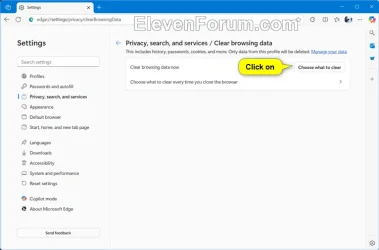
I can't find a way to delete them all at once
 

My Computers My Computers

  • At a glance

    Windows 11 ProIntel Core Ultra 9 386HSamsung 32GB LPDDR5X 8533 RAMGeForce RTX 5070 Ti 12GB GDDR7
    OS
    Windows 11 Pro
    Computer type
    Laptop
    Manufacturer/Model
    ASUS ROG Zephyrus G14 GU405AR
    CPU
    Intel Core Ultra 9 386H
    Motherboard
    ASUS
    Memory
    Samsung 32GB LPDDR5X 8533 RAM
    Graphics Card(s)
    GeForce RTX 5070 Ti 12GB GDDR7
    Sound Card
    4-speaker (dual-force woofer) system with Smart Amplifier Technology, 2 Tweeters
    Monitor(s) Displays
    INNOCN GA27T1M 27' 1440p 320Hz Mini-LED Monitor
    Screen Resolution
    QHD (2560x1440)
    Hard Drives
    Samsung 990 Pro 4TB SSD
    PSU
    Rectangle Conn, 250W AC Adapter
    Cooling
    Thermal Grizzly Conductonaut + IETS GT600 Cooling Pad
    Keyboard
    ROG Strix Scope II 96 RX Wireless
    Mouse
    ROG Chakram X Origin
    Internet Speed
    1 GBPS Down / 921 MBPS Up
    Browser
    Google Chrome
  • At a glance

    Windows 11 EducationAMD Ryzen 9 27016GB LPDDR5X 7500 RAMnVIDIA GeForce RTX 5050 8GB GDDR7
    Operating System
    Windows 11 Education
    Computer type
    Laptop
    Manufacturer/Model
    ASUS ROG Zephyrus G14 GA403UH
    CPU
    AMD Ryzen 9 270
    Memory
    16GB LPDDR5X 7500 RAM
    Graphics card(s)
    nVIDIA GeForce RTX 5050 8GB GDDR7
    Sound Card
    Realtek
    Monitor(s) Displays
    14' ROG Nebula Display 3K OLED 120Hz
    Screen Resolution
    2880 x 1800
    Hard Drives
    Samsung 990 PRO 4TB SSD
    PSU
    Rectangle Conn, 200W AC Adapter
    Cooling
    Thermal Grizzly Conductonaut
    Mouse
    ASUS ROG Chakram X Origin Gaming Mouse
    Internet Speed
    1 GBPS Down / 875 MBPS Up
    Browser
    Google Chrome
    Antivirus
    AVG Internet Security
The Passwords selection is no longer there.
 

My Computer My Computer

At a glance

Windows 11 Pro Version 25H2 Build 26200.9168RYZEN 7 9700XCorsair VENGEANCE DDR5 32GBSAPPHIRE PULSE AMD RADEON RX 9070
OS
Windows 11 Pro Version 25H2 Build 26200.9168
Computer type
PC/Desktop
Manufacturer/Model
DIY
CPU
RYZEN 7 9700X
Motherboard
ASRock X870E NOVA WiFi
Memory
Corsair VENGEANCE DDR5 32GB
Graphics Card(s)
SAPPHIRE PULSE AMD RADEON RX 9070
Sound Card
Mackie Onyx Producer 2.2
Monitor(s) Displays
MSI MPG 321URX QD-OLED, LG 32UN650-W
Screen Resolution
4K
Hard Drives
NVMes: Samsung 1TB - OS, Crucial 2TB & Nextorage 4TB.
HDDs: HGST 3TB, 2XWD Red 8TB.
PSU
Corsair 750
Case
PHANTEKS
Cooling
AIR
Keyboard
Logitech S-key
Mouse
Logitech MX Master 3
Internet Speed
500 down/25 up
Browser
Edge & Firefox
Antivirus
Windows Defender

My Computers My Computers

  • At a glance

    Windows 11 Pro for WorkstationsIntel i7-8700K 5 GHz64 GB (4x16GB) G.SKILL TridentZ RGB DDR4 3600...ASUS ROG-STRIX-GTX1080TI-O11G-GAMING (11GB GD...
    OS
    Windows 11 Pro for Workstations
    Computer type
    PC/Desktop
    Manufacturer/Model
    Custom self build
    CPU
    Intel i7-8700K 5 GHz
    Motherboard
    ASUS ROG Maximus XI Formula Z390
    Memory
    64 GB (4x16GB) G.SKILL TridentZ RGB DDR4 3600 MHz (F4-3600C18D-32GTZR)
    Graphics Card(s)
    ASUS ROG-STRIX-GTX1080TI-O11G-GAMING (11GB GDDR5X)
    Sound Card
    Integrated Digital Audio (S/PDIF)
    Monitor(s) Displays
    2 x Samsung Odyssey G75 27"
    Screen Resolution
    2560x1440
    Hard Drives
    1TB Samsung 990 PRO M.2,
    4TB Samsung 990 PRO M.2,
    TerraMaster F8 SSD Plus NAS
    PSU
    Seasonic Prime Titanium 850W
    Case
    Thermaltake Core P3 wall mounted
    Cooling
    Corsair Hydro H115i
    Keyboard
    Amazon Basics Wired Full Keyboard MD005
    Mouse
    Logitech MX Master 4
    Internet Speed
    2 Gbps Download and 100 Mbps Upload
    Browser
    Chrome and Edge
    Antivirus
    Microsoft Defender
    Other Info
    Logitech Z625 speaker system,
    Logitech BRIO 4K Pro webcam,
    HP Color LaserJet Pro MFP M477fdn,
    CyberPower CP1500PFCLCD
    Galaxy S23 Plus phone
  • At a glance

    Windows 11 ProSnapdragon X Elite (12 core) 3.42 GHz16 GB LPDDR5x-7467 MHz
    Operating System
    Windows 11 Pro
    Computer type
    Laptop
    Manufacturer/Model
    Surface Laptop 7 Copilot+ PC
    CPU
    Snapdragon X Elite (12 core) 3.42 GHz
    Memory
    16 GB LPDDR5x-7467 MHz
    Monitor(s) Displays
    15" HDR
    Screen Resolution
    2496 x 1664
    Hard Drives
    1 TB SSD
    Internet Speed
    Wi-Fi 7 and Bluetooth 5.4
    Browser
    Chrome and Edge
    Antivirus
    Microsoft Defender

Latest Support Threads

Back
Top Bottom