Hi
@mridzon
In my previous life before I retired, I was an IT Manager who used to admin Microsoft 365 SharePoint daily.
You could try this if what you're referring to is when using OneDrive Business in Windows on your PC. There are two versions of OneDrive, one is Personal (the standard one built into Windows), the other is OneDrive Business which is linked to a Work Account as in Microsoft 365 Business or Enterprise.
Try the steps on this Microsoft page below and find the section named
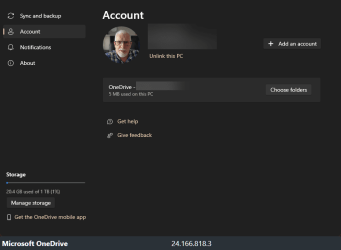
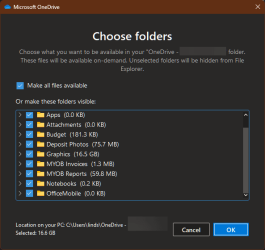
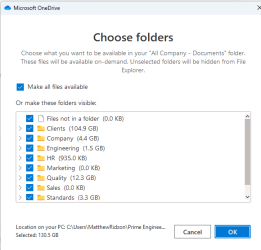
Change Sync Settings and follow the steps 1-4 outlined. In Windows 11 some of the dialogue boxes will look slightly different to those in the MS screenshots.
Remember this is for OneDrive Business not OneDrive Personal.
I've tested the instructions on my PC, and it is possible to unlink everything or select individual folders.
In case any of this doesn't solve your issue, as previously suggested by
@antspants you are best to contact your companies IT department.
Learn how to sync SharePoint files with the new OneDrive sync client.

support.microsoft.com