
Do you have both a User account and an Admin account?


Do you have both a User account and an Admin account?

  • I have only one account

  • I have both but normally sign in with my User account

  • I have both but normally sign in with my Admin account

  • Other (because there's always one!


Results are only viewable after voting.
I also only use Admin account
 

My Computer My Computer

At a glance

Windows 11 25H2 (OS Build 26200.8894)Processor: 11th Gen Intel(R) Core(TM) i5-1135...12GBIntel R Iris R XE Graphics family
OS
Windows 11 25H2 (OS Build 26200.8894)
Computer type
Laptop
Manufacturer/Model
Dell
CPU
Processor: 11th Gen Intel(R) Core(TM) i5-1135G7 @ 2.40G
Motherboard
64-bit operating system Dell 0XMF7W
Memory
12GB
Graphics Card(s)
Intel R Iris R XE Graphics family
Sound Card
Cirrus Speakers High Definition Audio
Monitor(s) Displays
Generic PnP monitor
Screen Resolution
1920 x 1080
Hard Drives
NVMe 670p SSDPEKNU512GZ NVMe I NTEL 512GB
Case
cheap
Mouse
Logitech wireless mouse
Internet Speed
16 Mps download
Browser
Google Chrome
Antivirus
Security: Microsoft Defender & Malwarebytes Premium (with browser guard)
Other Info
Dell model: Inspiron 15 3511
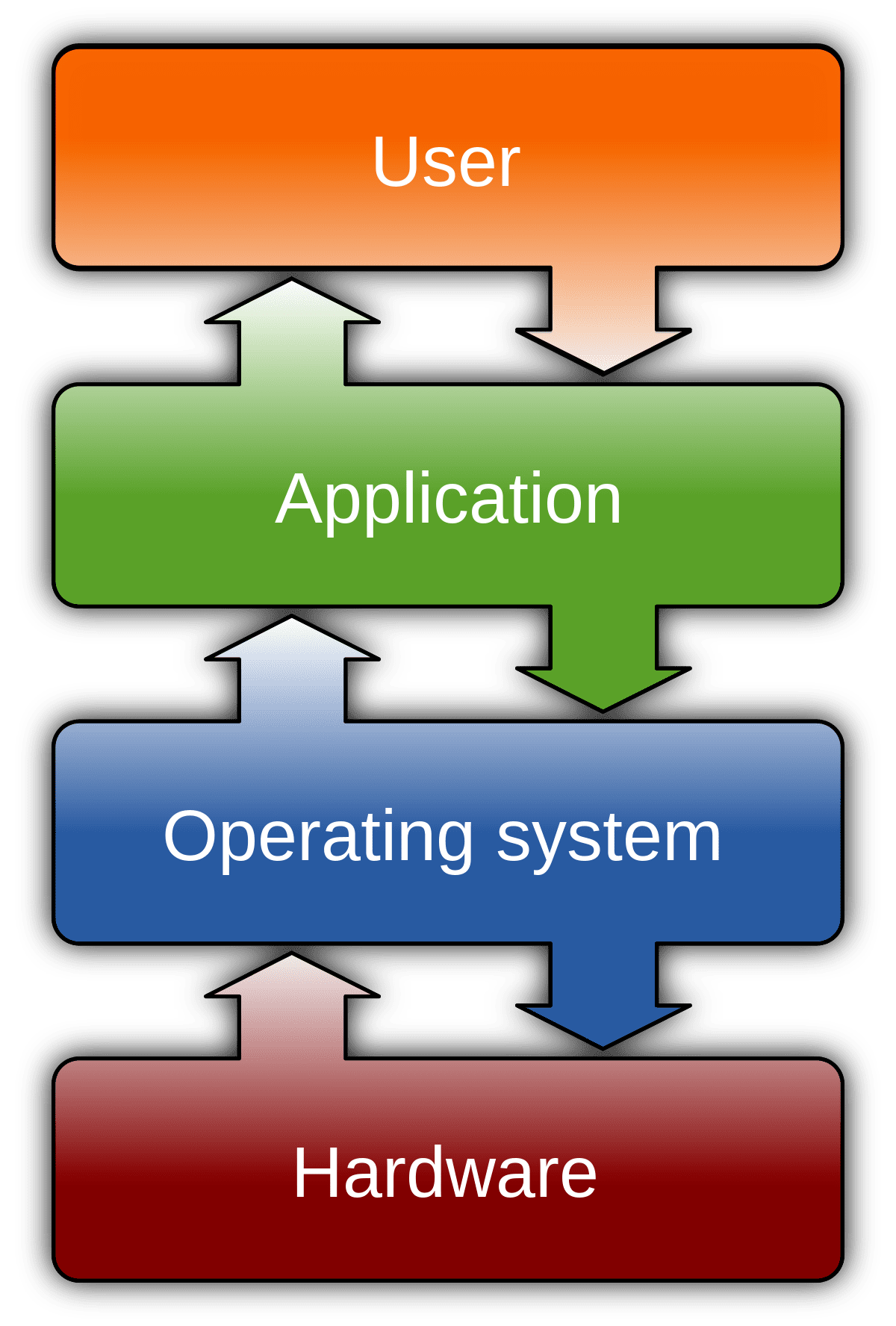
If I am logged in as user, I can't access any of admin's files without 'his' password.
 

My Computers My Computers

  • At a glance

    Windows 11 Pro 25H2 26200.8894AMD Ryzen 7 5825U with Radeon Graphics16GB
    OS
    Windows 11 Pro 25H2 26200.8894
    Computer type
    Laptop
    Manufacturer/Model
    Acemagic LX15PRO
    CPU
    AMD Ryzen 7 5825U with Radeon Graphics
    Motherboard
    BIOS CT_BI_AMI_LX15PRO_AB8139_A-004
    Memory
    16GB
    Screen Resolution
    1920 x 1080
    Hard Drives
    SSD 2TB
    Internet Speed
    30 Mbps
    Browser
    Brave
    Antivirus
    Webroot SecureAnywhere Complete beta
  • At a glance

    Windows 11 Pro 23H2 22631.2506Atom N450 1.66GHz2GB
    Operating System
    Windows 11 Pro 23H2 22631.2506
    Computer type
    Laptop
    Manufacturer/Model
    HP Mini 210-1090NR PC (bought in late 2009!)
    CPU
    Atom N450 1.66GHz
    Memory
    2GB
    Browser
    Brave
    Antivirus
    Webroot
  • Acer Swift SF114-34 laptop
    OS Windows 11 Pro 26200.8894
    CPU Pentium Silver N6000
    RAM 4GB
    BIOS v1.17
    SSD Samsung 970 EVO Plus SSD 2TB (an upgrade)
You can apply same file permissions to Admin account as you do with standard user account.
What you want is one account isolated from another to protect data rather than system itself.
The isolated one being the Administrator account because of UAC since granting UAC also gives access to Admin's data.
 

My Computer My Computer

At a glance

Windows 11 Pro 23H2Intel i3 8100 @3.6Ghz1 x 16GB DDR4 @2400 MHzNvidia GeForce GT 1030 2GB SDDR4
OS
Windows 11 Pro 23H2
Computer type
PC/Desktop
Manufacturer/Model
MSI / MS-7B29
CPU
Intel i3 8100 @3.6Ghz
Motherboard
H310M PRO-VDH (MS-7B29)
Memory
1 x 16GB DDR4 @2400 MHz
Graphics Card(s)
Nvidia GeForce GT 1030 2GB SDDR4
Sound Card
Realtek VEN_10EC&DEV_0887 / NVIDIA VEN_10DE&DEV_0081
Monitor(s) Displays
Acer V226HQL
Screen Resolution
1920 x 1080
Hard Drives
SSD 500 GB Crucial MX500 / HDD 1 TB TOSHIBA DT01ACA100
PSU
ATX, details unknown
Case
Everest 551B
Cooling
details unknown
Keyboard
Mechanical Gaming Hydra R7 - Rampage
Mouse
Logitech G703
Internet Speed
Down: 28Mbps / Up: 19Mbps
Browser
Microsoft Edge
Antivirus
Microsoft Defender Antivirus
Other Info
Bluetooth: TP Link 5.0 Nano USB adapter UB500
WLAN: D-Link 150 Pico USB adapter, N standard
Web camera: Logitech C270 HD 720p @30fps
Microphone: Trust MICO, model 23790
I have to say that I am lazy and I only have one account. This is probably because I make a lot of changes to my account, initially, and I can't be bothered to work out which I would need to an admin account and which I would need to an ordinary account.
 

My Computer My Computer

At a glance

Win 111270032gb3070ti
OS
Win 11
Computer type
PC/Desktop
CPU
12700
Memory
32gb
Graphics Card(s)
3070ti
Sound Card
-
Screen Resolution
3840x1600, 2560x1080
All my machines have a minimum of two accounts, both administrators. On is for general use, the second is a local administrator account, there just as an emergency way into the system should the main account ever become corrupted and/or unusable.
 

My Computers My Computers

  • At a glance

    Windows 11 HomeAMD Athlon Silver 3050U8GBRadeon Graphics
    OS
    Windows 11 Home
    Computer type
    Laptop
    Manufacturer/Model
    Acer Aspire 3 A315-23-R9VY
    CPU
    AMD Athlon Silver 3050U
    Memory
    8GB
    Graphics Card(s)
    Radeon Graphics
    Monitor(s) Displays
    laptop screen
    Screen Resolution
    1366x768 native resolution, up to 2560x1440 with Radeon Virtual Super Resolution
    Hard Drives
    1TB Samsung EVO 870 SSD (from April 2026: 250GB EVO 850)
    Internet Speed
    150 Mbps
    Browser
    Edge, Firefox
    Antivirus
    Defender
    Other Info
    fully 'Windows 11 ready' laptop. Windows 10 C: partition migrated from my old unsupported 'main machine' then upgraded to 11. A test migration ran Insider builds for 2 months. When 11 was released on 5th October 2021 it was re-imaged back to 10 and was offered the upgrade in Windows Update on 20th October. Windows Update offered the 22H2 Feature Update on 20th September 2022. It got the 23H2 Feature Update on 4th November 2023 through Windows Update, 24H2 on 3rd October 2024 through Windows Update by setting the Target Release Version for 24H2, and 25H2 on 30th September 2025 through Windows Update by setting the Target Release Version for 25H2.

    UPDATE - 11 April 2026: due to mechanical deterioration this PC has been retired from active duty. The OS with all software and files has been migrated to my System Seven in 'Other systems' to carry on as my general purpose 'main machine'.

    I've now clean installed 25H2 and used Garlin's scripts to update Secure Boot to CA 2023 and revoke the PCA 2011 certificates. It's new role is to test secure boot issues.
  • At a glance

    Windows 11 ProIntel® Core™ i5-520M8GB(integrated graphics) Intel HD Graphics
    Operating System
    Windows 11 Pro
    Computer type
    Laptop
    Manufacturer/Model
    Dell Latitude E4310
    CPU
    Intel® Core™ i5-520M
    Motherboard
    0T6M8G
    Memory
    8GB
    Graphics card(s)
    (integrated graphics) Intel HD Graphics
    Screen Resolution
    1366x768
    Hard Drives
    500GB Crucial MX500 SSD
    Browser
    Firefox, Edge
    Antivirus
    Defender
    Other Info
    unsupported machine: Legacy bios, MBR, TPM 1.2, upgraded from W10 to W11 using W10/W11 hybrid install media workaround.

    In-place upgrade to 22H2 using ISO and a workaround.
    Feature Update to 23H2 by manually installing the Enablement Package.
    In-place upgrade to 24H2 using hybrid 23H2/24H2 install media.
    Upgraded to 25H2 by Enablement Package.

    Also running Insider Dev, and Canary builds and Windows 10 as native boot .vhdx.
  • My SYSTEM THREE is a Dell Latitude 5410, i7-10610U, 32GB RAM, 512GB NVMe ssd, supported device running Windows 11 Pro.

    My SYSTEM FOUR is a 2-in-1 convertible Lenovo Yoga 11e 20DA, Celeron N2930, 8GB RAM, 256GB ssd. Unsupported device: currently running Win10 Pro, plus Win11 Pro RTM and Insider Dev, Beta, and RP 24H2 as native boot vhdx.

    My SYSTEM FIVE is a Dell Latitude 3190 2-in-1, Pentium Silver N5030, 8GB RAM, 1TB NVMe ssd, supported device running Windows 11 Pro, plus Insider Beta, Dev, and Canary builds (and a few others) as a native boot .vhdx.

    My SYSTEM SIX is a Dell Latitude 5550, Core Ultra 7 165H, 64GB RAM, 1TB NVMe SSD, supported device, Windows 11 Pro 24H2, Hyper-V host machine. Updated to 25H2 on 30th September 2025.

    My SYSTEM SEVEN is a Lenovo Thinkpad T580, Intel Core i7-8650U, 16GB RAM, 512GB NVMe SSD + 2nd 512GB NVMe SSD, a supported device for Windows 11. This is my current general purpose 'main machine'. The installed Windows 11 Home from my System One has been migrated to this machine.
I ticked Other: Back in the day, I used to have one admin account, one work account, and one entertainment account. But since Win 10, I have been using only the one admin account to do all my stuff - I just locate my files and programs on different disks, and I find that more logical. At work, the computers I share have two account (one admin, one standard user), and I have access to both these accounts.
 

My Computers My Computers

  • At a glance

    Windows 11AMD Ryzen 5 560016 GBSapphire Radeon RX 6500XT (8 GB version)
    OS
    Windows 11
    Computer type
    PC/Desktop
    CPU
    AMD Ryzen 5 5600
    Motherboard
    MSI B550-A Pro
    Memory
    16 GB
    Graphics Card(s)
    Sapphire Radeon RX 6500XT (8 GB version)
    Monitor(s) Displays
    BenQ Mobuiz EX2710Q QHD, Iiyama ProLite X23377HDS
    Hard Drives
    MSI Spatium M461 4TB
  • At a glance

    Windows 11Intel Celeron N4020
    Operating System
    Windows 11
    Computer type
    Laptop
    Manufacturer/Model
    Acer A114
    CPU
    Intel Celeron N4020
It is not true that logged in with an admin account, with UAC on, you will always see the UAC dialog box when something requires admin rights. There are plenty of bypasses for the consent dialog box (the Yes/No box); see the UACMe project on GitHub. The dialog box requiring credentials has not been bypassed that I know of, so using a user account and putting in an admin password is safer than the Yes/No UAC dialog.
 

My Computer My Computer

At a glance

Windows 11 Enterprise 25H2 [rev. 8893]
OS
Windows 11 Enterprise 25H2 [rev. 8893]
@pseymour
Yeah, aka. privilege escalation, there is plenty of code online to mimic the UAC and steal Admin password.

Only you, the user can help mitigate this.
 

My Computer My Computer

At a glance

Windows 11 Pro 23H2Intel i3 8100 @3.6Ghz1 x 16GB DDR4 @2400 MHzNvidia GeForce GT 1030 2GB SDDR4
OS
Windows 11 Pro 23H2
Computer type
PC/Desktop
Manufacturer/Model
MSI / MS-7B29
CPU
Intel i3 8100 @3.6Ghz
Motherboard
H310M PRO-VDH (MS-7B29)
Memory
1 x 16GB DDR4 @2400 MHz
Graphics Card(s)
Nvidia GeForce GT 1030 2GB SDDR4
Sound Card
Realtek VEN_10EC&DEV_0887 / NVIDIA VEN_10DE&DEV_0081
Monitor(s) Displays
Acer V226HQL
Screen Resolution
1920 x 1080
Hard Drives
SSD 500 GB Crucial MX500 / HDD 1 TB TOSHIBA DT01ACA100
PSU
ATX, details unknown
Case
Everest 551B
Cooling
details unknown
Keyboard
Mechanical Gaming Hydra R7 - Rampage
Mouse
Logitech G703
Internet Speed
Down: 28Mbps / Up: 19Mbps
Browser
Microsoft Edge
Antivirus
Microsoft Defender Antivirus
Other Info
Bluetooth: TP Link 5.0 Nano USB adapter UB500
WLAN: D-Link 150 Pico USB adapter, N standard
Web camera: Logitech C270 HD 720p @30fps
Microphone: Trust MICO, model 23790
Either you use admin and user accounts or you only use an admin account! I can't believe anyone would answer 'other' just because they have more than two accounts!
 

My Computers My Computers

  • At a glance

    Windows 11 Pro 25H2 26200.8894AMD Ryzen 7 5825U with Radeon Graphics16GB
    OS
    Windows 11 Pro 25H2 26200.8894
    Computer type
    Laptop
    Manufacturer/Model
    Acemagic LX15PRO
    CPU
    AMD Ryzen 7 5825U with Radeon Graphics
    Motherboard
    BIOS CT_BI_AMI_LX15PRO_AB8139_A-004
    Memory
    16GB
    Screen Resolution
    1920 x 1080
    Hard Drives
    SSD 2TB
    Internet Speed
    30 Mbps
    Browser
    Brave
    Antivirus
    Webroot SecureAnywhere Complete beta
  • At a glance

    Windows 11 Pro 23H2 22631.2506Atom N450 1.66GHz2GB
    Operating System
    Windows 11 Pro 23H2 22631.2506
    Computer type
    Laptop
    Manufacturer/Model
    HP Mini 210-1090NR PC (bought in late 2009!)
    CPU
    Atom N450 1.66GHz
    Memory
    2GB
    Browser
    Brave
    Antivirus
    Webroot
  • Acer Swift SF114-34 laptop
    OS Windows 11 Pro 26200.8894
    CPU Pentium Silver N6000
    RAM 4GB
    BIOS v1.17
    SSD Samsung 970 EVO Plus SSD 2TB (an upgrade)
I have 2 accounts, both administrator. If something weird starts happening in mine, the first thing I do is test in the other before I start spinning my wheels trying to fix a Windows issue that doesn't exist.
 

My Computers My Computers

  • At a glance

    Windows 11 Pro 25H2 26200.8875i9-10900 10 core 20 threads32 gbnone-Intel UHD Graphics 630
    OS
    Windows 11 Pro 25H2 26200.8875
    Computer type
    PC/Desktop
    Manufacturer/Model
    Dell Optiplex 7080
    CPU
    i9-10900 10 core 20 threads
    Motherboard
    DELL 0J37VM
    Memory
    32 gb
    Graphics Card(s)
    none-Intel UHD Graphics 630
    Sound Card
    Integrated Realtek
    Monitor(s) Displays
    Benq 27
    Screen Resolution
    2560x1440
    Hard Drives
    2x1tb Solidigm m.2 nvme /External drives 512gb Samsung m.2 sata+2tb Kingston m2.nvme
    PSU
    500w
    Case
    MT
    Cooling
    Dell Premium
    Keyboard
    Logitech wired
    Mouse
    Logitech wireless
    Internet Speed
    so slow I'm too embarrassed to tell
    Browser
    #1 Edge #2 Firefox
    Antivirus
    Defender+MWB Premium
  • At a glance

    Windows 11 Pro 24H2 26200.8875AMD Ryzen 7 6800U32 gbintegrated
    Operating System
    Windows 11 Pro 24H2 26200.8875
    Computer type
    PC/Desktop
    Manufacturer/Model
    Beelink Mini PC SER5
    CPU
    AMD Ryzen 7 6800U
    Memory
    32 gb
    Graphics card(s)
    integrated
    Sound Card
    integrated
    Monitor(s) Displays
    Benq 27
    Screen Resolution
    2560x1440
    Hard Drives
    1TB Crucial nvme
    Keyboard
    Logitech wired
    Mouse
    Logitech wireless
    Internet Speed
    still too embarrassed to tell
    Browser
    Firefox
    Antivirus
    Defender
    Other Info
    System 3 is non compliant Dell 9020 i7-4770/24gb ram Win11 PRO 26200.8875
I have two accounts and only sign in with the admin account when it's really more convenient for what I plan to do.
This is the way that I work on my work machine.

On my home machine, i just use 1 account and have UAC do it's thing.
 

My Computers My Computers

  • At a glance

    Windows 11 ProIntel Core i5-8279u32GB DDR4 2666MhzIntel Iris Plus 655
    OS
    Windows 11 Pro
    Computer type
    PC/Desktop
    Manufacturer/Model
    Beelink SEI8
    CPU
    Intel Core i5-8279u
    Motherboard
    AZW SEI
    Memory
    32GB DDR4 2666Mhz
    Graphics Card(s)
    Intel Iris Plus 655
    Sound Card
    Intel SST
    Monitor(s) Displays
    Asus ProArt PA278QV
    Screen Resolution
    2560x1440
    Hard Drives
    512GB NVMe
    PSU
    NA
    Case
    NA
    Cooling
    NA
    Keyboard
    NA
    Mouse
    NA
    Internet Speed
    500/50
    Browser
    Edge
    Antivirus
    Defender
    Other Info
    Mini PC used for testing Windows 11.
  • At a glance

    Windows 10 ProRyzen 9 5900x64GB DDR4-3600EVGA GeForce 3080 FT3 Ultra
    Operating System
    Windows 10 Pro
    Computer type
    PC/Desktop
    Manufacturer/Model
    Custom
    CPU
    Ryzen 9 5900x
    Motherboard
    Asus Rog Strix X570-E Gaming
    Memory
    64GB DDR4-3600
    Graphics card(s)
    EVGA GeForce 3080 FT3 Ultra
    Sound Card
    Onboard
    Monitor(s) Displays
    ASUS TUF Gaming VG27AQ. ASUS ProArt Display PA278QV 27” WQHD
    Screen Resolution
    2560x1440
    Hard Drives
    2TB WD SN850 PCI-E Gen 4 NVMe
    2TB Sandisk Ultra 2.5" SATA SSD
    PSU
    Seasonic Focus 850
    Case
    Fractal Meshify S2 in White
    Cooling
    Dark Rock Pro CPU cooler, 3 x 140mm case fans
    Keyboard
    Corsiar K65 RGB Lux
    Mouse
    Logitech G9 Laser Mouse
    Internet Speed
    500/50
    Browser
    Chrome
    Antivirus
    Defender.
If your computer gets infected by malware, does it make a difference if you were logged in as admin, or not? Answers from knowledgable people only, please. I don't know the answer but I don't need speculation ;-)
 

My Computers My Computers

  • At a glance

    Windows 11 Pro 25H2 26200.8894AMD Ryzen 7 5825U with Radeon Graphics16GB
    OS
    Windows 11 Pro 25H2 26200.8894
    Computer type
    Laptop
    Manufacturer/Model
    Acemagic LX15PRO
    CPU
    AMD Ryzen 7 5825U with Radeon Graphics
    Motherboard
    BIOS CT_BI_AMI_LX15PRO_AB8139_A-004
    Memory
    16GB
    Screen Resolution
    1920 x 1080
    Hard Drives
    SSD 2TB
    Internet Speed
    30 Mbps
    Browser
    Brave
    Antivirus
    Webroot SecureAnywhere Complete beta
  • At a glance

    Windows 11 Pro 23H2 22631.2506Atom N450 1.66GHz2GB
    Operating System
    Windows 11 Pro 23H2 22631.2506
    Computer type
    Laptop
    Manufacturer/Model
    HP Mini 210-1090NR PC (bought in late 2009!)
    CPU
    Atom N450 1.66GHz
    Memory
    2GB
    Browser
    Brave
    Antivirus
    Webroot
  • Acer Swift SF114-34 laptop
    OS Windows 11 Pro 26200.8894
    CPU Pentium Silver N6000
    RAM 4GB
    BIOS v1.17
    SSD Samsung 970 EVO Plus SSD 2TB (an upgrade)
Kelper,

If your computer gets infected by malware, does it make a difference if you were logged in as admin, or not?
The main consideration is the probability of infection. The UAC level affects that.
Once infected, the malware is limited to those areas of the computer it can access.
- If it infected a Standard user account then it can wreck havoc only in areas accessible by that user.
- If it infected an Admin user account then it can wreck havoc in areas accessible by that user. And an Admin user account can access so much more, including other user accounts.
But some malware claims to be able to self-elevate silently [i.e. no prompt appears].

I looked into malware that preyed on Admin user accounts a few years ago [2017, 2019].
- There was no malware that claimed to be able to silently elevate itself to run Admin processes if your were logged into a Standard user account.
- There was a lot of malware that claimed to be able to silently elevate itself to run Admin processes if your were logged into an Admin user account and your UAC was at the default level [2nd to top].
- There was no malware that could silently elevate itself to run Admin processes if your were logged into an Admin user account and your UAC was at the top level. There was one that claimed to be able to do so but it failed [perhaps a Windows update had got in its way as it was over a year old when I tried it].
I have not attempted to stay current with the topic, I just don't have the time any more.

I keep all my computers' UAC settings at the top level because I habitually log in to Admin user accounts. And I keep the Built-in Admin account disabled on all my computers.


Merry Christmas,
Denis
 
Last edited:

My Computer My Computer

At a glance

Windows 11 Home x64 Version 25H2 Build 26200....
OS
Windows 11 Home x64 Version 25H2 Build 26200.8037
If your computer gets infected by malware, does it make a difference if you were logged in as admin, or not? Answers from knowledgable people only, please. I don't know the answer but I don't need speculation ;-)
It makes a difference depending on how you use your Administrator account.

First of all, a malware can require elevation or it may not require it, which depends on intentions of malware writer.
A malware that requires elevation will not run unless you grant it trough UAC.
A malware that does not require elevation will run and will have access to current account's data but will not be able to do harm to system.

Now knowing this, if you use Administrator to isolate your personal data like credit card number and similar personal information then if a malware that doesn't require elevation is run within Administrator account it will be able to steal your data.

On another side if it's run within standard user account it won't be able to access Admin's data, (a safe place where you keep your data), instead it will only be able steal data from standard user's account, which you don't care because you don't keep anything valuable in standard account, and in same time it can't affect the system.
Exception to this is UAC mimicking or privilege escalation, an attempt to steal Admin's password or to gain Administrator or system privilege.

Second scenario is where a malware requires elevation, if such malware is run and you grant it UAC then you having Administrator isolated to protect your data does not help neither to protect the isolated data nor does it help to protect the system.
Once a malware that requires elevation is run and allowed trough UAC the system can't be trusted.
 

My Computer My Computer

At a glance

Windows 11 Pro 23H2Intel i3 8100 @3.6Ghz1 x 16GB DDR4 @2400 MHzNvidia GeForce GT 1030 2GB SDDR4
OS
Windows 11 Pro 23H2
Computer type
PC/Desktop
Manufacturer/Model
MSI / MS-7B29
CPU
Intel i3 8100 @3.6Ghz
Motherboard
H310M PRO-VDH (MS-7B29)
Memory
1 x 16GB DDR4 @2400 MHz
Graphics Card(s)
Nvidia GeForce GT 1030 2GB SDDR4
Sound Card
Realtek VEN_10EC&DEV_0887 / NVIDIA VEN_10DE&DEV_0081
Monitor(s) Displays
Acer V226HQL
Screen Resolution
1920 x 1080
Hard Drives
SSD 500 GB Crucial MX500 / HDD 1 TB TOSHIBA DT01ACA100
PSU
ATX, details unknown
Case
Everest 551B
Cooling
details unknown
Keyboard
Mechanical Gaming Hydra R7 - Rampage
Mouse
Logitech G703
Internet Speed
Down: 28Mbps / Up: 19Mbps
Browser
Microsoft Edge
Antivirus
Microsoft Defender Antivirus
Other Info
Bluetooth: TP Link 5.0 Nano USB adapter UB500
WLAN: D-Link 150 Pico USB adapter, N standard
Web camera: Logitech C270 HD 720p @30fps
Microphone: Trust MICO, model 23790
What happens if UAC is turned off?
 

My Computer My Computer

At a glance

11[email protected]Viper Steelseries 32gb@ 3600mhzGigabyte 2070 Super 8GB, +200 core + 600 memory
OS
11
Computer type
PC/Desktop
Manufacturer/Model
Custom
CPU
[email protected]
Motherboard
Gigabyte Gaming X Z490
Memory
Viper Steelseries 32gb@ 3600mhz
Graphics Card(s)
Gigabyte 2070 Super 8GB, +200 core + 600 memory
Monitor(s) Displays
ASUS 4k HDR, Two 1080p Benq and Samsung
Screen Resolution
3840x2160/2560x1440/1920x1080
Hard Drives
Adata XPG SX8200 PRO 1tb
Samsung EVO 870 500GB
PSU
Corsair RX 650
Case
NZXT h510
Cooling
CM HYPER 212 RGB
Keyboard
Razer Ornata Chroma
Mouse
Steelseries Rival 710
you're browsing the net as Administrator
Not quite.
All user accounts, including Admin user accounts, log in as Standard user accounts and remain so except for specific processes which have been authorised by an Admin prompt.
So you are not browsing the net as an Admin despite being logged in to an Admin user account unless you are running your browser 'As Admin' [assuming your browser can actually run in an Admin mode].


All the best,
Denis
 
Last edited:

My Computer My Computer

At a glance

Windows 11 Home x64 Version 25H2 Build 26200....
OS
Windows 11 Home x64 Version 25H2 Build 26200.8037
What happens if UAC is turned off?
Then you or anybody gaining access to your computer can run elevated processes without any prompt appearing.


All the best,
Denis
 

My Computer My Computer

At a glance

Windows 11 Home x64 Version 25H2 Build 26200....
OS
Windows 11 Home x64 Version 25H2 Build 26200.8037
Then you or anybody gaining access to your computer can run elevated processes without any prompt appearing.


All the best,
Denis
Thats what i thought, Ive had it off for years due to its pain in the ass asking me if i wanna, If i didn't wanna i wouldn't have told ya to! lol!
Gotcha tho thanks :D
 

My Computer My Computer

At a glance

11[email protected]Viper Steelseries 32gb@ 3600mhzGigabyte 2070 Super 8GB, +200 core + 600 memory
OS
11
Computer type
PC/Desktop
Manufacturer/Model
Custom
CPU
[email protected]
Motherboard
Gigabyte Gaming X Z490
Memory
Viper Steelseries 32gb@ 3600mhz
Graphics Card(s)
Gigabyte 2070 Super 8GB, +200 core + 600 memory
Monitor(s) Displays
ASUS 4k HDR, Two 1080p Benq and Samsung
Screen Resolution
3840x2160/2560x1440/1920x1080
Hard Drives
Adata XPG SX8200 PRO 1tb
Samsung EVO 870 500GB
PSU
Corsair RX 650
Case
NZXT h510
Cooling
CM HYPER 212 RGB
Keyboard
Razer Ornata Chroma
Mouse
Steelseries Rival 710
Not quite.
All user accounts, including Admin user accounts, log in as Standard user accounts and remain so except for specific processes which have been authorised by an Admin prompt.
So you are not browsing the net as an Admin despite using an Admin user account.


All the best,
Denis
I know, you're right, my point is if you keep credit card numbers and similar in your web browser in Administrator account and also use same account to browse the net then nothing matters, malware will steal it regardless of UAC setting.
 

My Computer My Computer

At a glance

Windows 11 Pro 23H2Intel i3 8100 @3.6Ghz1 x 16GB DDR4 @2400 MHzNvidia GeForce GT 1030 2GB SDDR4
OS
Windows 11 Pro 23H2
Computer type
PC/Desktop
Manufacturer/Model
MSI / MS-7B29
CPU
Intel i3 8100 @3.6Ghz
Motherboard
H310M PRO-VDH (MS-7B29)
Memory
1 x 16GB DDR4 @2400 MHz
Graphics Card(s)
Nvidia GeForce GT 1030 2GB SDDR4
Sound Card
Realtek VEN_10EC&DEV_0887 / NVIDIA VEN_10DE&DEV_0081
Monitor(s) Displays
Acer V226HQL
Screen Resolution
1920 x 1080
Hard Drives
SSD 500 GB Crucial MX500 / HDD 1 TB TOSHIBA DT01ACA100
PSU
ATX, details unknown
Case
Everest 551B
Cooling
details unknown
Keyboard
Mechanical Gaming Hydra R7 - Rampage
Mouse
Logitech G703
Internet Speed
Down: 28Mbps / Up: 19Mbps
Browser
Microsoft Edge
Antivirus
Microsoft Defender Antivirus
Other Info
Bluetooth: TP Link 5.0 Nano USB adapter UB500
WLAN: D-Link 150 Pico USB adapter, N standard
Web camera: Logitech C270 HD 720p @30fps
Microphone: Trust MICO, model 23790
@kelper
There is misunderstanding in this thread.

My point of an Administrator account is not to protect the system from being hacked but to protect personal data from hackers.

If your system is hacked you can always fix the problem by reinstalling the system, changing router password and what not.
However if you data is stolen, stuff like credit card numbers etc. then you're screwed and no system cleanup or reinstalment is going to help.

So the whole purpose of Admin account and security in general is not to defend your system but your data.

The definition of system security is not defense of the system itself only which is irrelevant, but protection of data:

Computer security, cybersecurity, digital security or information technology security (IT security) is the protection of computer systems and networks from attacks by malicious actors that may result in unauthorized information disclosure, theft of, or damage to hardware, software, or data, as well as from the disruption or misdirection of the services they provide
 

My Computer My Computer

At a glance

Windows 11 Pro 23H2Intel i3 8100 @3.6Ghz1 x 16GB DDR4 @2400 MHzNvidia GeForce GT 1030 2GB SDDR4
OS
Windows 11 Pro 23H2
Computer type
PC/Desktop
Manufacturer/Model
MSI / MS-7B29
CPU
Intel i3 8100 @3.6Ghz
Motherboard
H310M PRO-VDH (MS-7B29)
Memory
1 x 16GB DDR4 @2400 MHz
Graphics Card(s)
Nvidia GeForce GT 1030 2GB SDDR4
Sound Card
Realtek VEN_10EC&DEV_0887 / NVIDIA VEN_10DE&DEV_0081
Monitor(s) Displays
Acer V226HQL
Screen Resolution
1920 x 1080
Hard Drives
SSD 500 GB Crucial MX500 / HDD 1 TB TOSHIBA DT01ACA100
PSU
ATX, details unknown
Case
Everest 551B
Cooling
details unknown
Keyboard
Mechanical Gaming Hydra R7 - Rampage
Mouse
Logitech G703
Internet Speed
Down: 28Mbps / Up: 19Mbps
Browser
Microsoft Edge
Antivirus
Microsoft Defender Antivirus
Other Info
Bluetooth: TP Link 5.0 Nano USB adapter UB500
WLAN: D-Link 150 Pico USB adapter, N standard
Web camera: Logitech C270 HD 720p @30fps
Microphone: Trust MICO, model 23790

Latest Support Threads

Back
Top Bottom




