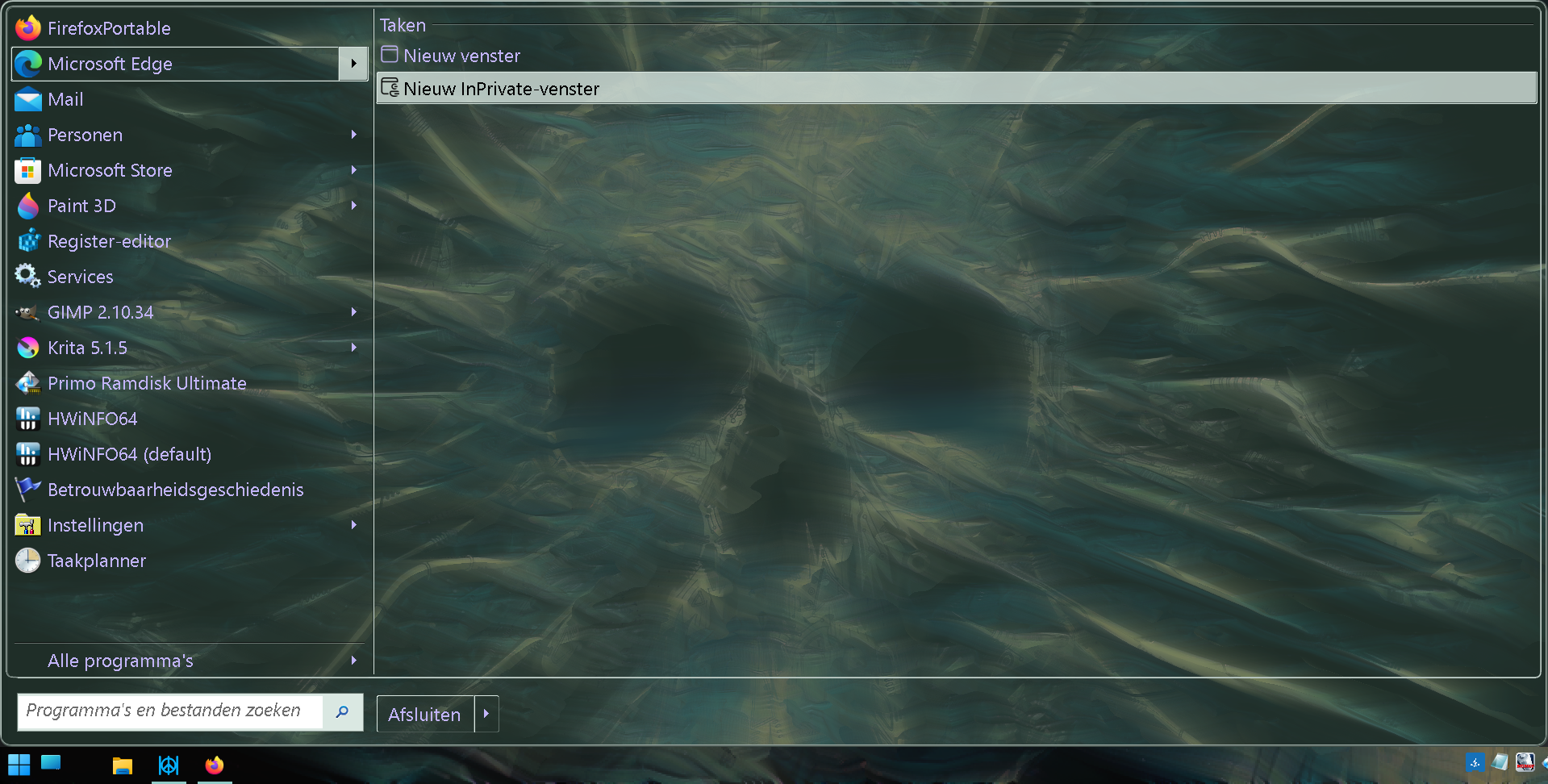
Solved Do You Use A Third Party Start Menu?


Do You Use A Third Party Start Menu?

  • Yes

    Votes: 35 45.5%
  • No

    Votes: 42 54.5%

  • Total voters
    77
It's been a while since I looked at this poll.
The "No" vote is almost double that of the "Yes" vote.

It's solved. A lot of people are happy with, or at least tolerate the Windows 11 start menu.
 

My Computers My Computers

  • At a glance

    Windows 11 ProIntel Core i9-10900XCorsair 64 GB (4 x 16 GB) CMW64GX4M4C3000C15 ...GIGABYTE GeForce GTX 1660 Super Mini ITX 6 GB OC
    OS
    Windows 11 Pro
    Computer type
    PC/Desktop
    Manufacturer/Model
    Stigg's Build
    CPU
    Intel Core i9-10900X
    Motherboard
    GIGABYTE X299X DESIGNARE 10G
    Memory
    Corsair 64 GB (4 x 16 GB) CMW64GX4M4C3000C15 Vengeance RGB Pro 3000Mhz DDR4
    Graphics Card(s)
    GIGABYTE GeForce GTX 1660 Super Mini ITX 6 GB OC
    Sound Card
    Realtek ALC1220
    Monitor(s) Displays
    Samsung 27" FHD LED FreeSync Gaming Monitor (LS27F350FHEXXY)
    Screen Resolution
    1920 x 1080
    Hard Drives
    Samsung 970 Pro Series 1TB M.2 2280 NVMe SSD
    Western Digital Red Pro WD8003FFBX-68B9AN0 8 TB, 7200 RPM, SATA-III
    Western Digital Red Pro WD8003FFBX-68B9AN0 8 TB, 7200 RPM, SATA-III
    PSU
    Corsair HX1200 1200W 80 Plus Platinum
    Case
    Fractal Design Define 7 Black Solid Case
    Cooling
    Noctua NH-D15 Chromax Black
    Keyboard
    Razer Ornata V2
    Mouse
    Razer DeathAdder Essential
    Internet Speed
    FTTN 100Mbps / 40Mbps
    Browser
    Mozilla Firefox
    Antivirus
    N/A
    Other Info
    Logitech BRIO 4k Ultra HD USB-C Webcam
  • At a glance

    Windows 10 ProCore i7-8750HSK Hynix 32 GB (2 x 16 GB) HMA82GS6CJR8N-VK 1...NVIDIA GeForce GTX 1070
    Operating System
    Windows 10 Pro
    Computer type
    Laptop
    Manufacturer/Model
    ASUS ROG Zephyrus M GM501GS
    CPU
    Core i7-8750H
    Motherboard
    Zephyrus M GM501GS
    Memory
    SK Hynix 32 GB (2 x 16 GB) HMA82GS6CJR8N-VK 16 GB DDR4-2666 DDR4 SDRAM
    Graphics card(s)
    NVIDIA GeForce GTX 1070
    Sound Card
    Realtek ALC294
    Monitor(s) Displays
    AU Optronics B156HAN07.1 [15.6" LCD]
    Screen Resolution
    1920 x 1080
    Hard Drives
    Samsung MZVKW512HMJP-00000 512 GB, PCI-E 3.0 x4
    Samsung SSD 860 QVO 4TB 4 TB, SATA-III
    PSU
    N/A
    Case
    N/A
    Cooling
    N/A
    Keyboard
    PC/AT Enhanced PS2 Keyboard (101/102-Key)
    Mouse
    Razer DeathAdder Essential
    Internet Speed
    FTTN 100Mbps / 40Mbps
    Browser
    Mozilla Firefox
    Antivirus
    N/A
    Other Info
    USB2.0 HD UVC Webcam
I'm in the minority! 🤷‍♂️
 

My Computers My Computers

  • At a glance

    Windows 11 Pro
    OS
    Windows 11 Pro
    Computer type
    PC/Desktop
    Manufacturer/Model
    ASUS ROG Strix
  • At a glance

    Windows 11 Pro
    Operating System
    Windows 11 Pro
    Computer type
    Laptop
    Manufacturer/Model
    ASUS VivoBook
  • ASUS VivoBook 'Lite' ~ Windows 11 Home
I don't use it at all. Not Microsoft, not third-party.
 

My Computer My Computer

At a glance

Microsoft Windows 11 HomeIntel Core i5-13490F2 x 16 Patriot Memory (PDP Systems) PSD516G56...GIGABYTE GeForce RTX 4070 WINDFORCE OC 12G (G...
OS
Microsoft Windows 11 Home
Computer type
PC/Desktop
Manufacturer/Model
MSI MS-7D98
CPU
Intel Core i5-13490F
Motherboard
MSI B760 GAMING PLUS WIFI
Memory
2 x 16 Patriot Memory (PDP Systems) PSD516G560081 6400MT (32-37-37-74); 1.35V)
Graphics Card(s)
GIGABYTE GeForce RTX 4070 WINDFORCE OC 12G (GV-N4070WF3OC-12GD)
Sound Card
Bluetooth Аудио
Monitor(s) Displays
INNOCN 15K1F
Screen Resolution
1920 x 1080
Hard Drives
WD_BLACK SN770 250GB
KINGSTON SNV2S1000G (ELFK0S.6)
PSU
Thermaltake Toughpower GF3 1000W
Case
CG560 - DeepCool
Cooling
ID-COOLING SE-224-XTS / 2 x 140Mm Fan - rear and top; 3 x 120Mm - front
Keyboard
Corsair K70 RGB TKL
Mouse
Corsair KATAR PRO XT
Internet Speed
100 Mbps
Browser
Firefox
Antivirus
Microsoft Defender Antivirus
Other Info
https://www.userbenchmark.com/UserRun/66553205
If you always wear the same clothes, then you also don't need a wardrobe.
 

My Computers My Computers

  • At a glance

    11 Homei7 13650HX16GB DDR5GeForce RTX 4060 Mobile
    OS
    11 Home
    Computer type
    Laptop
    Manufacturer/Model
    Asus TUF Gaming F16 (2024)
    CPU
    i7 13650HX
    Memory
    16GB DDR5
    Graphics Card(s)
    GeForce RTX 4060 Mobile
    Sound Card
    Eastern Electric MiniMax DAC Supreme; Emotiva UMC-200; Astell & Kern AK240
    Monitor(s) Displays
    Sony Bravia XR-55X90J
    Screen Resolution
    3840×2160
    Hard Drives
    512GB SSD internal
    37TB external
    PSU
    Li-ion
    Cooling
    2× Arc Flow Fans, 4× exhaust vents, 5× heatpipes
    Keyboard
    Logitech K800
    Mouse
    Logitech G402
    Internet Speed
    30Mbit/s up, 500Mbit/s down
    Browser
    FF
    Antivirus
    What's an antivirus?
  • At a glance

    11 Homei5 1135G716GB DDR4Intel Iris Xe
    Operating System
    11 Home
    Computer type
    Laptop
    Manufacturer/Model
    Medion S15450
    CPU
    i5 1135G7
    Memory
    16GB DDR4
    Graphics card(s)
    Intel Iris Xe
    Sound Card
    Eastern Electric MiniMax DAC Supreme; Emotiva UMC-200; Astell & Kern AK240
    Monitor(s) Displays
    Sony Bravia XR-55X90J
    Screen Resolution
    3840×2160
    Hard Drives
    2TB SSD internal
    37TB external
    PSU
    Li-ion
    Keyboard
    Logitech K800
    Mouse
    Logitech G402
    Internet Speed
    30Mbit/s up, 500Mbit/s down
    Browser
    FF
Lots o stuff in W11 is a p-i-t-a!
The Control Center, Taskbar, Start Menu, Media OSD...

Welcome to Windows 11, better performance, fewer clicks...
Fewer clicks my a$$!!!
 

My Computers My Computers

  • At a glance

    Windows 11 Pro
    OS
    Windows 11 Pro
    Computer type
    PC/Desktop
    Manufacturer/Model
    ASUS ROG Strix
  • At a glance

    Windows 11 Pro
    Operating System
    Windows 11 Pro
    Computer type
    Laptop
    Manufacturer/Model
    ASUS VivoBook
  • ASUS VivoBook 'Lite' ~ Windows 11 Home
Hmm, maybe we should do a poll. I prefer a) a multi-gig OS or b) a 64KB Windows.com file on top of Dos 5.
Either way you can double click stuff with the mouse to run it. :cool:
 

My Computers My Computers

  • At a glance

    Windows 10 S Mode (with S disabled)Celeron2906 MBytesLC116LF3L01 (1920x1080@59Hz) Intel HD Graphic...
    OS
    Windows 10 S Mode (with S disabled)
    Computer type
    Laptop
    Manufacturer/Model
    EV00
    CPU
    Celeron
    Motherboard
    WEIBU
    Memory
    2906 MBytes
    Graphics Card(s)
    LC116LF3L01 (1920x1080@59Hz) Intel HD Graphics (Intel)
    Sound Card
    Realtek High Definition Audio
    Monitor(s) Displays
    11.6" LCD
    Screen Resolution
    1920x1080P
    Hard Drives
    Interface SD
    Capacity 28.8 GB
    Real size 30,937,186,304 bytes
    RAID Type None
    Keyboard
    Integrated Laptop
    Mouse
    USB wired optical
    Internet Speed
    28 Mbs down 35 Mbs up on a good day
    Browser
    Opera/Edge both chromium based
    Antivirus
    none
    Other Info
    I purchased this for $109 because it is the only Laptop I have seen with 1920x1080 resolution for the money. OK for streaming, email, etc..
  • At a glance

    Windows 11 Home 64-bit (22H2 Build 22621.1413)AMD K198 GB DDR4AMD Radeon Graphics 2 GB DDR4
    Operating System
    Windows 11 Home 64-bit (22H2 Build 22621.1413)
    Computer type
    Laptop
    Manufacturer/Model
    Lenovo Ideapad 5
    CPU
    AMD K19
    Motherboard
    LNVNB161216 (FP6)
    Memory
    8 GB DDR4
    Graphics card(s)
    AMD Radeon Graphics 2 GB DDR4
    Sound Card
    Realtek High Definition Audio
    Monitor(s) Displays
    Generic PnP Monitor on AMD Radeon Graphics
    Screen Resolution
    2560 x 1600
    Hard Drives
    512 GB SKHynix_HFS512GDE9X084N (SSD)
    Keyboard
    backlit
    Mouse
    has touchpad but I use USB wired optical wheel mouse
    Internet Speed
    100 Mb/s
    Browser
    Edge
    Antivirus
    none
    Other Info
    Windows firewall disabled
I've tried a few, but I've settled with both. Start11 gives me a functional start menu, but also gives me the option to use the crippled Windows 11 menu.
 

My Computers My Computers

  • At a glance

    Windows 11 ProIntel Core i9-10900XCorsair 64 GB (4 x 16 GB) CMW64GX4M4C3000C15 ...GIGABYTE GeForce GTX 1660 Super Mini ITX 6 GB OC
    OS
    Windows 11 Pro
    Computer type
    PC/Desktop
    Manufacturer/Model
    Stigg's Build
    CPU
    Intel Core i9-10900X
    Motherboard
    GIGABYTE X299X DESIGNARE 10G
    Memory
    Corsair 64 GB (4 x 16 GB) CMW64GX4M4C3000C15 Vengeance RGB Pro 3000Mhz DDR4
    Graphics Card(s)
    GIGABYTE GeForce GTX 1660 Super Mini ITX 6 GB OC
    Sound Card
    Realtek ALC1220
    Monitor(s) Displays
    Samsung 27" FHD LED FreeSync Gaming Monitor (LS27F350FHEXXY)
    Screen Resolution
    1920 x 1080
    Hard Drives
    Samsung 970 Pro Series 1TB M.2 2280 NVMe SSD
    Western Digital Red Pro WD8003FFBX-68B9AN0 8 TB, 7200 RPM, SATA-III
    Western Digital Red Pro WD8003FFBX-68B9AN0 8 TB, 7200 RPM, SATA-III
    PSU
    Corsair HX1200 1200W 80 Plus Platinum
    Case
    Fractal Design Define 7 Black Solid Case
    Cooling
    Noctua NH-D15 Chromax Black
    Keyboard
    Razer Ornata V2
    Mouse
    Razer DeathAdder Essential
    Internet Speed
    FTTN 100Mbps / 40Mbps
    Browser
    Mozilla Firefox
    Antivirus
    N/A
    Other Info
    Logitech BRIO 4k Ultra HD USB-C Webcam
  • At a glance

    Windows 10 ProCore i7-8750HSK Hynix 32 GB (2 x 16 GB) HMA82GS6CJR8N-VK 1...NVIDIA GeForce GTX 1070
    Operating System
    Windows 10 Pro
    Computer type
    Laptop
    Manufacturer/Model
    ASUS ROG Zephyrus M GM501GS
    CPU
    Core i7-8750H
    Motherboard
    Zephyrus M GM501GS
    Memory
    SK Hynix 32 GB (2 x 16 GB) HMA82GS6CJR8N-VK 16 GB DDR4-2666 DDR4 SDRAM
    Graphics card(s)
    NVIDIA GeForce GTX 1070
    Sound Card
    Realtek ALC294
    Monitor(s) Displays
    AU Optronics B156HAN07.1 [15.6" LCD]
    Screen Resolution
    1920 x 1080
    Hard Drives
    Samsung MZVKW512HMJP-00000 512 GB, PCI-E 3.0 x4
    Samsung SSD 860 QVO 4TB 4 TB, SATA-III
    PSU
    N/A
    Case
    N/A
    Cooling
    N/A
    Keyboard
    PC/AT Enhanced PS2 Keyboard (101/102-Key)
    Mouse
    Razer DeathAdder Essential
    Internet Speed
    FTTN 100Mbps / 40Mbps
    Browser
    Mozilla Firefox
    Antivirus
    N/A
    Other Info
    USB2.0 HD UVC Webcam
i did use several
but stopped using them after some problems
not worth the hassle to fix it
and having to restore to a previous image
now i just disable the stuff i do not like
and that is it
now i am only using TranslucentTB
to change a few windows stuff
 

My Computer My Computer

At a glance

windows 11 proIntel Core i9-9900KCorsair Vengeance LPX 32gb ddr4ASUS ROG-STRIX-RTX3080-O10G-WHITE 10GB
OS
windows 11 pro
Computer type
PC/Desktop
Manufacturer/Model
selfbuild
CPU
Intel Core i9-9900K
Motherboard
Asus ROG STRIX Z390-H
Memory
Corsair Vengeance LPX 32gb ddr4
Graphics Card(s)
ASUS ROG-STRIX-RTX3080-O10G-WHITE 10GB
Sound Card
onboard
Monitor(s) Displays
ROG Strix XG349C
Screen Resolution
3440*1440
Hard Drives
windows 11 64 bit => Samsung 970 EVO Plus 500GB m2 drive
Steam: Client on drive I (1tb Samsung m2-ssd 960 pro 1tb M2 SSD)

steamlibrary 01 on drive G (500gb samsung 850 EVO 500gb SataSSD)
steamlibrary 02 on drive J (3tb western digital wd30ezrx-00azb0 Sata)
steamlibrary 03 on drive H (2tb samsung 850 EVO SataSSD)
steamlibrary 04 on drive F (2tb samsung 850 EVO SataSSD)
steamlibrary 05 on drive E (1tb samsung 860 EVO MSataSSD)
PSU
Seasonic Prime Ultra 1000 Titanium
Case
Cooler Master MasterCase H500M
Cooling
NZXT Kraken X72 RGB
Keyboard
corsair k95 rgb platinum
Mouse
roccat burst core
Browser
edge chromium
Antivirus
microsoft
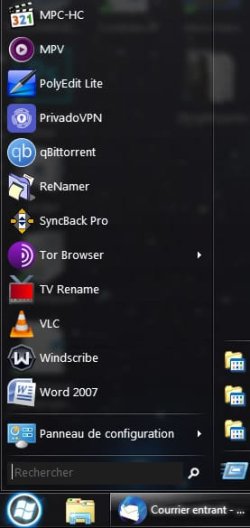
I use Open Shell with ExplorerPatcher to make it look like Win 7.
 

My Computer My Computer

At a glance

Windows 11 Proi5-13400F16 GBRTX 4060
OS
Windows 11 Pro
Computer type
PC/Desktop
Manufacturer/Model
Custom Build
CPU
i5-13400F
Motherboard
Gigabyte B-760M
Memory
16 GB
Graphics Card(s)
RTX 4060
Sound Card
internal
Monitor(s) Displays
AOC 27 gaming
Screen Resolution
1920 x 1080
Hard Drives
Kingston 2 TB M.2
PSU
Thermaltake 700W
Case
DarkFlash C285P
Cooling
Kingsman KA-R240 ARGB Liquid Cooling
Keyboard
Redragon Kala
Mouse
Marvo G945
Internet Speed
400 Mbps DL/UL
Browser
Firefox, Mullvad
Antivirus
Kaspersky Standard
Other Info
Adguard for Desktop, Kerish PC Doctor, PerfectDisk Pro with OptiWrite, AOMEI Backupper Pro, Open-Shell, ExplorerPatcher
Open Shell with SAB , works fine on my Win11-rig ( latest ).............. :wink:
 

My Computers My Computers

  • At a glance

    Windows11 Pro 25H2i732GBnVidia
    OS
    Windows11 Pro 25H2
    Computer type
    PC/Desktop
    Manufacturer/Model
    Asus
    CPU
    i7
    Motherboard
    z97k
    Memory
    32GB
    Graphics Card(s)
    nVidia
    Sound Card
    Realtek
    Hard Drives
    3
    Cooling
    air
    Browser
    Edge
    Antivirus
    ESET
  • At a glance

    Windows11 ProIntel i516GBIntel
    Operating System
    Windows11 Pro
    Computer type
    PC/Desktop
    Manufacturer/Model
    ASUS
    CPU
    Intel i5
    Motherboard
    ASUS Basic
    Memory
    16GB
    Graphics card(s)
    Intel
    Sound Card
    Realtek
    Monitor(s) Displays
    Samsung
    Hard Drives
    one intern , 0ne extern, OS on SSD
    Cooling
    air
    Keyboard
    wireless Logitech
    Mouse
    wireless Logitech
    Internet Speed
    1GB
    Browser
    Edge
    Antivirus
    ESET
I've tried a few, but I've settled with both. Start11 gives me a functional start menu, but also gives me the option to use the crippled Windows 11 menu.
Same here - Start11.
 

My Computers My Computers

  • At a glance

    Windows 11 Pro 25H2 RP channelRyzen 9 5900XCorsair Vengeance RGB PRO 64GB (2x32GB) DDR4 ...ASUS GeForce RTX 4070 Super OC 12GB DDR6 / ZO...
    OS
    Windows 11 Pro 25H2 RP channel
    Computer type
    PC/Desktop
    Manufacturer/Model
    Home built
    CPU
    Ryzen 9 5900X
    Motherboard
    MSI MPG X570S Edge Max WiFi
    Memory
    Corsair Vengeance RGB PRO 64GB (2x32GB) DDR4 3600 (PC4-28800) C18
    Graphics Card(s)
    ASUS GeForce RTX 4070 Super OC 12GB DDR6 / ZOTAC RTX 3060 Twin Edge OC 12GB GDDR6
    Sound Card
    Proprietary on MB / FiiO K5Pro DAC
    Monitor(s) Displays
    ViewSonic XG2530 25"/Benq XL2411P 24"/ ASUS VA24DQSB) 23.8"
    Screen Resolution
    1920x1080 240Hz/144Hz/60Hz (based on monitor setup above)
    Hard Drives
    SK hynix Gold P31 1TB PCIe NVMe Gen3 M.2 2280 Internal SSD
    ADATA XPG SX8200 Pro 1TB
    Samsung SSD 860 EVO 1TB 2.5 Inch SATA III Internal SSD
    PSU
    Corsair RM1000e
    Case
    Phanteks Enthoo Pro Full Tower Chassis with Window
    Cooling
    Corsair iCUE H60i RGB PRO XT Liquid CPU Cooler
    Keyboard
    Corsair K70
    Mouse
    Logitech MX Master 3
    Internet Speed
    ~950Mb/s download / ~700Mb/s upload
    Browser
    Edge (Chromium)
    Antivirus
    Norton 360
  • At a glance

    Windows 11 ProRyzen 7 3700X32MB DDR4I forget, but it's old. I can't see the need ...
    Operating System
    Windows 11 Pro
    Computer type
    PC/Desktop
    Manufacturer/Model
    Home Built
    CPU
    Ryzen 7 3700X
    Motherboard
    MSI B550 Gaming GEN3 Gaming Motherboard
    Memory
    32MB DDR4
    Graphics card(s)
    I forget, but it's old. I can't see the need to upgrade it.
    Sound Card
    Propietary
    Monitor(s) Displays
    ACER LED 24" (dual monitor setup)
    Screen Resolution
    1920X1080
    Hard Drives
    1TB Samsung SSD 3.5"
    Case
    Corsair
    Cooling
    Stock
    Keyboard
    Logitech
    Mouse
    Logitech
    Internet Speed
    ~750Mb/s download / ~750Mb/s upload
    Browser
    Edge
    Antivirus
    Defender and Malware Bytes
  • ASUS Vivobook 16X, 16" WUXGA(1920x1200) Business Laptop Computer, AMD Ryzen 7, 16GB DDR4 RAM, 1TB SSD, Windows 11 Pro, Wi-Fi 6, USB-C, Full-Sized Keyboard, Webcam, HDMI
I use the regular Windows 11 Start with SAB only for its colorization and dark magic features.
 

My Computer My Computer

At a glance

Windows 11 Pro 25H2 26200.7840Intel Core i3-8145U16GB
OS
Windows 11 Pro 25H2 26200.7840
Computer type
Laptop
Manufacturer/Model
Lenovo IdeaPad L340
CPU
Intel Core i3-8145U
Memory
16GB
Hard Drives
500 GB M2 1 TB HDD
Internet Speed
400 MB
Browser
Chrome | Edge
Antivirus
Microsoft Defender | Block unknown executables | Various ASR rules enabled | Smart App Control
Do you use a Windows third party start menu? In particular, do you use one with Windows 11?

Absolutely! Metro is a colostomy bag rupture of a design philosophy, and has been actively user-unfriendly (let's be honest, it's user-antagonistic to the point of being user-exclusory) literally since its inception. Have tried several options, but been a fan of ClassicStartMenu for years now.

The advent of w11 however, necessitates something more comprehensive, it turns out; as even O&O's ShutUp doesn't fully purge the system of spyware, greyware, bloatware, and unauthorised functionality Microsoft thinks it can get away with hijacking my hardware for.
I need something to eliminate the interface spacing optimisation for fingerpaint interfaces, for example. Touchscreens are fine for Koko the gorilla, but I don't want fingers on my screen. Something to fix the absurd lack of frames and edges everywhere, and the invisibly thin scrollbars that give you ZERO clue where you are in the document. Something to return the lost menu bars, local program documentation, and banish the repugnant ribbon. The list grows longer and longer, day by day. I'm still shopping around to find something to fulfill this need. Does anyone know of such a utility? Perhaps a build of Ameliorated?
 

My Computer My Computer

At a glance

98SE, XP, 7, 10, and grudgingly 11Yes!Even that, yes.What can I say, I was feeling splurgy.
OS
98SE, XP, 7, 10, and grudgingly 11
Computer type
PC/Desktop
Manufacturer/Model
Own assembly
CPU
Yes!
Motherboard
Absolutely!
Memory
Even that, yes.
Graphics Card(s)
What can I say, I was feeling splurgy.
Sound Card
Of course not, don't be daft. My last soundcard was in an Amstrad that also had a joystick card.
Monitor(s) Displays
Whatever program I'm using at the time, I suppose? What does yours display?
Screen Resolution
I am firmly committed to keeping my screen, yes.
Hard Drives
Just checked, all absolutely 100% solid.
PSU
Bless you.
Case
No, my components just hover in an antigravity field. Bit noisier, but SO much more convenient.
Cooling
The antigravity field allows for perfect airflow
Keyboard
Well OBVIOUSLY... how else would I type this???
Mouse
Yup, Stuart's fine. He's sleeping peacefully, balled up in his shredded toiletpaper roll.
Internet Speed
My dealer lives four doors down, so there's no upside to buying it online
Browser
Naaaah, Princess Peach got herself into trouble, she can get herself out. No need for me to throw myself at a stream of incoming fireballs.
Antivirus
Well depends on the virus I suppose. I don't want to categorically deny them ALL rights, but I wouldn't call it racist to insist they have an alarmingly high percentage of extremely destructive members in their ranks.
Other Info
TONS! Names of family, friends, pets, former pets, former appliances, manuals (yes, including for former appliances; I like manuals).... might be easier if you asked me something more concrete.
I agree with you about the thin scrollbars :-) But there is a work around to make them thicker - I believe it's a tutorial on here.

Other than that, I've got used to using the Windows 11 start menu and it doesn't bother me any more. I keep it in the centre and pin my most used programs to the taskbar - so then it's a bit like when it used to be XP :-) I pin some to the start menu as well. So rarely have to do the "backwards" click to look at the full menu.
 

My Computers My Computers

  • At a glance

    Windows 11 Home 25H2Core i5-1035G132gb
    OS
    Windows 11 Home 25H2
    Computer type
    Laptop
    Manufacturer/Model
    HP Pavilion 14-ce3606sa
    CPU
    Core i5-1035G1
    Memory
    32gb
    Hard Drives
    Samsung 870 evo sata ssd
    Cooling
    Could be better
    Internet Speed
    50 mbps Starlink
    Browser
    Firefox
    Other Info
    Originally came installed with a 500gb H10 Optane ssd
  • At a glance

    Windows 11 HomeIntel Core i5-1035G116gb
    Operating System
    Windows 11 Home
    Computer type
    Laptop
    Manufacturer/Model
    HP Pavilion ce3606sa
    CPU
    Intel Core i5-1035G1
    Memory
    16gb
    Hard Drives
    Hynix Gold P31 2TB
    Internet Speed
    200mbps Starlink
    Browser
    Firefox
    Antivirus
    Defender
@MsAnthrope
Open-Shell (former ClassicShell) not only retains the Classic Start Menu component [of ClassicShell], but also retains the Classic Explorer component [also of ClassicShell]. Especially when combined with ExplorerPatcher's Windows 10 taskbar and when also combined with ExplorerPatcher's File Explorer ➜ Control Interface: Windows 10 Ribbon, Classic Explorer already goes a very, very long way. E.g., if the ribbon of Windows 10 bothers you in File Explorer, then you could always decide to simply collapse it by clicking on the little expand/collapse triangle button on the right, and maybe also consider enabling the button bar of Classic Explorer so that you can use that one instead with all the various customization options that it still has in store even after all those years. BTW, Open-Shell still comes with the original helpfile (.chm) that Ivo Beltchev wrote. In it, you'll find the explanation (complete with batch code examples) of how to use Classic Explorer's command bar features to build your own advanced custom commands. Just to give only one example of what's possible with Classic Explorer.

It gets even better when you also add on a few additional tweaks of Winaero Tweaker and of Ultimate Windows Tweaker. That is, also in addition to several other tweaks, e.g., some of Windows registry tweaks, a lot of which can be found in the Tutorials section, here on the Elevenforum website.
 

My Computers My Computers

  • At a glance

    11 Homei7 13650HX16GB DDR5GeForce RTX 4060 Mobile
    OS
    11 Home
    Computer type
    Laptop
    Manufacturer/Model
    Asus TUF Gaming F16 (2024)
    CPU
    i7 13650HX
    Memory
    16GB DDR5
    Graphics Card(s)
    GeForce RTX 4060 Mobile
    Sound Card
    Eastern Electric MiniMax DAC Supreme; Emotiva UMC-200; Astell & Kern AK240
    Monitor(s) Displays
    Sony Bravia XR-55X90J
    Screen Resolution
    3840×2160
    Hard Drives
    512GB SSD internal
    37TB external
    PSU
    Li-ion
    Cooling
    2× Arc Flow Fans, 4× exhaust vents, 5× heatpipes
    Keyboard
    Logitech K800
    Mouse
    Logitech G402
    Internet Speed
    30Mbit/s up, 500Mbit/s down
    Browser
    FF
    Antivirus
    What's an antivirus?
  • At a glance

    11 Homei5 1135G716GB DDR4Intel Iris Xe
    Operating System
    11 Home
    Computer type
    Laptop
    Manufacturer/Model
    Medion S15450
    CPU
    i5 1135G7
    Memory
    16GB DDR4
    Graphics card(s)
    Intel Iris Xe
    Sound Card
    Eastern Electric MiniMax DAC Supreme; Emotiva UMC-200; Astell & Kern AK240
    Monitor(s) Displays
    Sony Bravia XR-55X90J
    Screen Resolution
    3840×2160
    Hard Drives
    2TB SSD internal
    37TB external
    PSU
    Li-ion
    Keyboard
    Logitech K800
    Mouse
    Logitech G402
    Internet Speed
    30Mbit/s up, 500Mbit/s down
    Browser
    FF
No on most all third-party customizations, I have to see what my clients see. \

For the scrollbars I use the built-in setting, quite acceptable.

1709560430021.png
 

My Computers My Computers

  • At a glance

    Win11 Pro RTM Version 24H2 Build 26100.4202Intel Core i5 11th Gen. 2.40GHz12GB
    OS
    Win11 Pro RTM Version 24H2 Build 26100.4202
    Computer type
    Laptop
    Manufacturer/Model
    Dell Vostro 3400
    CPU
    Intel Core i5 11th Gen. 2.40GHz
    Memory
    12GB
    Hard Drives
    256GB SSD NVMe M.2
  • At a glance

    Win11 Pro RTM Version 24H2 Build 26100.4202Intel Core i5 10th Gen. 2.90GHz16GBOnboard, no VGA, using a DisplayPort-to-VGA a...
    Operating System
    Win11 Pro RTM Version 24H2 Build 26100.4202
    Computer type
    PC/Desktop
    Manufacturer/Model
    Dell Vostro 5890
    CPU
    Intel Core i5 10th Gen. 2.90GHz
    Memory
    16GB
    Graphics card(s)
    Onboard, no VGA, using a DisplayPort-to-VGA adapter
    Monitor(s) Displays
    24" Dell
    Hard Drives
    512GB SSD NVMe, 4TB Seagate HDD
    Browser
    Firefox, Edge
    Antivirus
    Windows Defender/Microsoft Security
I've been using Open-Shell (previously Classic Shell) since Win 7, and now with Win 11. I love it. 😀

I just with the menu itself was transparent. It used to be, then transparency was lost with some Win 11 update and they've been unable to get it back. :confused:

304466763-af14a0cf-6c71-40ea-8f16-4b106bd848f6.jpg
 

My Computer My Computer

At a glance

Windows 11AMD Ryzen 7700DDR5 = 32 GB = 2x16 GB (Corsair Dominator - D...Not yet
OS
Windows 11
Computer type
PC/Desktop
Manufacturer/Model
Personal build
CPU
AMD Ryzen 7700
Motherboard
Asus TUF Gaming B650M-Plus WiFi
Memory
DDR5 = 32 GB = 2x16 GB (Corsair Dominator - DDR5 RGB - 6000 MT/s)
Graphics Card(s)
Not yet
Sound Card
No
Monitor(s) Displays
Philips BDM3270QP2
Screen Resolution
2560x1440
Hard Drives
M.2 = 2 TB (Samsung 990 Pro)
SATA = 12 TB (Western Digital Red - WD120EFAX - 5400 rpm)
PSU
Corsair RM850e (850W - ATX 3.0)
Case
Corsair Crystal 280X TG (White, RGB)
Cooling
Intake = 2x120mm fans (Corsair LL120 RGB) / Exhaust = 2x120mm AIO (Aerocool Mirage L240)
Keyboard
Corsair K55 RGB
Mouse
Vertical mouse from AliExpress, very good for the price and a lifesaver for my wrist :)
Internet Speed
Fiber
Browser
Firefox, Brave, Tor
Antivirus
Windows Defender
Other Info
UPS = 1000VA (Nitram PB1000 LCD), protecting PC + Monitor + Speakers
transparency was lost
It's not that important IMO, as background pictures can also help to make it look nicer. I ditched TranslucentTB because Open-Shell has taskbar opacity and taskbar texture, which works well if you use ExplorerPatcher to bring back the Windows 10 taskbar on Windows 11.

vCHtQ71.png
 
Last edited:

My Computers My Computers

  • At a glance

    11 Homei7 13650HX16GB DDR5GeForce RTX 4060 Mobile
    OS
    11 Home
    Computer type
    Laptop
    Manufacturer/Model
    Asus TUF Gaming F16 (2024)
    CPU
    i7 13650HX
    Memory
    16GB DDR5
    Graphics Card(s)
    GeForce RTX 4060 Mobile
    Sound Card
    Eastern Electric MiniMax DAC Supreme; Emotiva UMC-200; Astell & Kern AK240
    Monitor(s) Displays
    Sony Bravia XR-55X90J
    Screen Resolution
    3840×2160
    Hard Drives
    512GB SSD internal
    37TB external
    PSU
    Li-ion
    Cooling
    2× Arc Flow Fans, 4× exhaust vents, 5× heatpipes
    Keyboard
    Logitech K800
    Mouse
    Logitech G402
    Internet Speed
    30Mbit/s up, 500Mbit/s down
    Browser
    FF
    Antivirus
    What's an antivirus?
  • At a glance

    11 Homei5 1135G716GB DDR4Intel Iris Xe
    Operating System
    11 Home
    Computer type
    Laptop
    Manufacturer/Model
    Medion S15450
    CPU
    i5 1135G7
    Memory
    16GB DDR4
    Graphics card(s)
    Intel Iris Xe
    Sound Card
    Eastern Electric MiniMax DAC Supreme; Emotiva UMC-200; Astell & Kern AK240
    Monitor(s) Displays
    Sony Bravia XR-55X90J
    Screen Resolution
    3840×2160
    Hard Drives
    2TB SSD internal
    37TB external
    PSU
    Li-ion
    Keyboard
    Logitech K800
    Mouse
    Logitech G402
    Internet Speed
    30Mbit/s up, 500Mbit/s down
    Browser
    FF
@hdmi in my case I have also icons on the desktop, which would be a problem with full menu transparency.
On Win 7 with Classic Shell, this wasn't a problem. The menu was just opaque enough (see the icons below?):

2023.09.19 - 01.21.jpg

On Win 11 I have yet to find this kind of semi-opaqueness on my Open-Shell start menu. And I won't be using another start menu because I just like Open-Shell for that purpose. :-)

BTW sorry for the question, but why bring back Win 10 taskbar on Win 11? I don't even know what ExplorerPatcher is, so... 😅
 

My Computer My Computer

At a glance

Windows 11AMD Ryzen 7700DDR5 = 32 GB = 2x16 GB (Corsair Dominator - D...Not yet
OS
Windows 11
Computer type
PC/Desktop
Manufacturer/Model
Personal build
CPU
AMD Ryzen 7700
Motherboard
Asus TUF Gaming B650M-Plus WiFi
Memory
DDR5 = 32 GB = 2x16 GB (Corsair Dominator - DDR5 RGB - 6000 MT/s)
Graphics Card(s)
Not yet
Sound Card
No
Monitor(s) Displays
Philips BDM3270QP2
Screen Resolution
2560x1440
Hard Drives
M.2 = 2 TB (Samsung 990 Pro)
SATA = 12 TB (Western Digital Red - WD120EFAX - 5400 rpm)
PSU
Corsair RM850e (850W - ATX 3.0)
Case
Corsair Crystal 280X TG (White, RGB)
Cooling
Intake = 2x120mm fans (Corsair LL120 RGB) / Exhaust = 2x120mm AIO (Aerocool Mirage L240)
Keyboard
Corsair K55 RGB
Mouse
Vertical mouse from AliExpress, very good for the price and a lifesaver for my wrist :)
Internet Speed
Fiber
Browser
Firefox, Brave, Tor
Antivirus
Windows Defender
Other Info
UPS = 1000VA (Nitram PB1000 LCD), protecting PC + Monitor + Speakers
Started with Classic Shell when Windows 8 came along. Later switched to Open-Shell. Like the extensive customization options. No plans to ever rely on boring Windows Start Menu again.
 

My Computer My Computer

At a glance

Windows 11 ProIntel Core Ultra 265KTeamGroup T-Force Vulcan DDR5 6400MHz 32GBMSI GeForce RTX 3050
OS
Windows 11 Pro
Computer type
PC/Desktop
Manufacturer/Model
Self Build
CPU
Intel Core Ultra 265K
Motherboard
Gigabyte Z890 AOROS Elite
Memory
TeamGroup T-Force Vulcan DDR5 6400MHz 32GB
Graphics Card(s)
MSI GeForce RTX 3050
Sound Card
GPU NVIDIA High Definition Audio via HDMI to Denon AVR-S670BT Receiver
Monitor(s) Displays
LG 32UN650 32" 4k
Screen Resolution
3840x2160 @ 60Hz (175% scaling)
Hard Drives
Samsung 980 Pro NVMe 1TB x2
PSU
Corsair RM850x
Case
be quiet! Pure Base 600
Cooling
Thermalright Phantom Spirit 120SE & be quiet! Silent Wings Pro x3 case fans
Keyboard
Arteck Backlit USB Wired
Mouse
Logitech M510
Internet Speed
500Mb down/12Mb up
Browser
Firefox & Edge
Antivirus
Windows Defender & Free MBAM
Other Info
Main PC
Back
Top Bottom