
- Local time
- 9:39 AM
- Posts
- 807
- OS
- W11 Pro Future Platform 29600 branch latest build
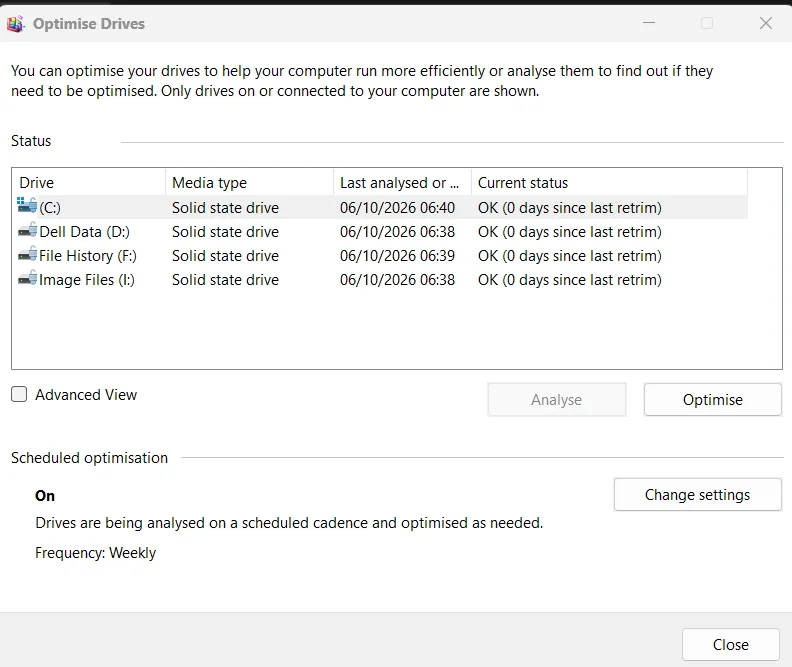
My main Future Platform Build (latest builds) has suddenly stopped optimising drives weekly. If I run a PowerShell command:
for each partition I can see in the readout in PowerShell that xyz number of GB have been trimmed. The standard user interface then shows that Optimise has occurred.
(Note... my second PC running a two week old clean install of 26H2 reports that Optimise has never run and that all drives need optimising but it never runs, even when left idle)
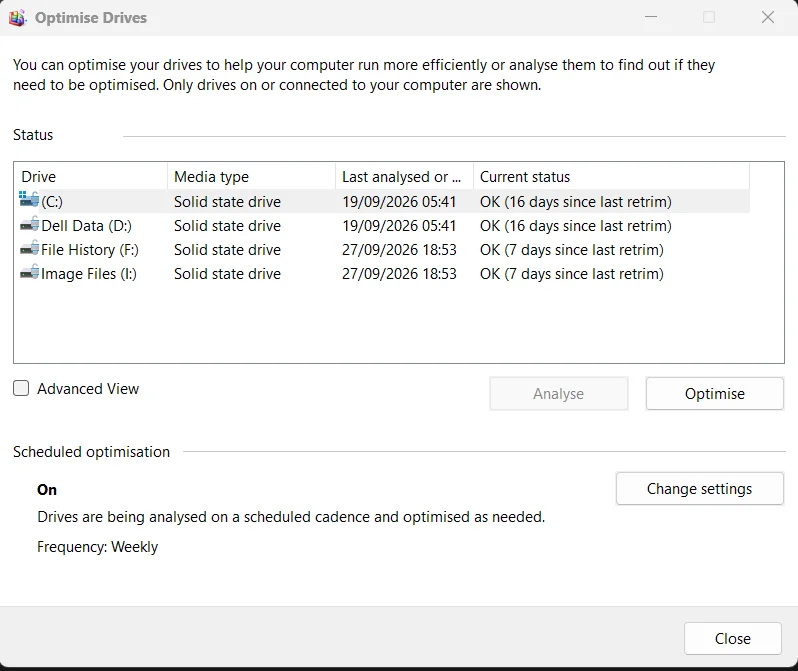
After PowerShell command:
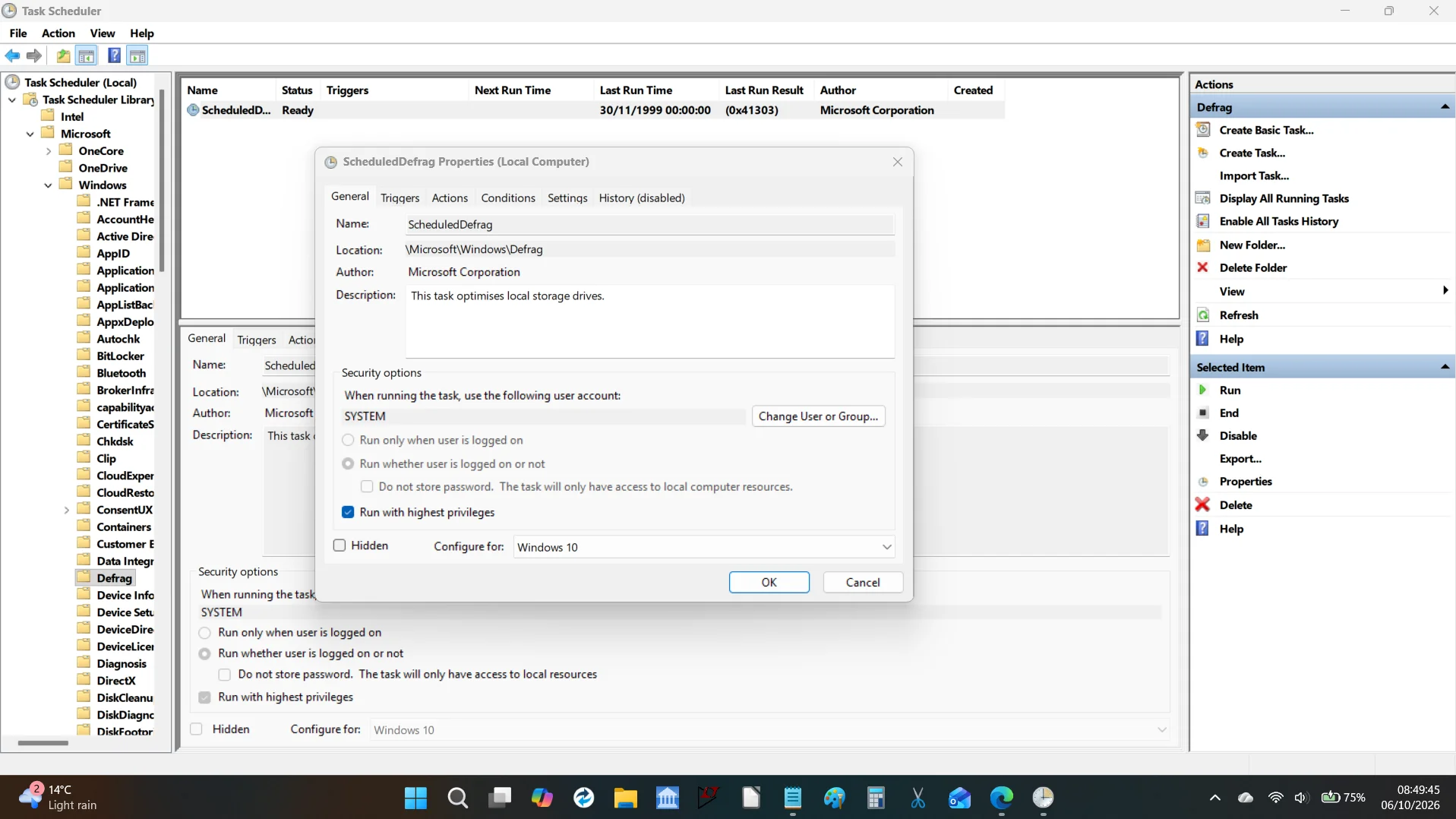
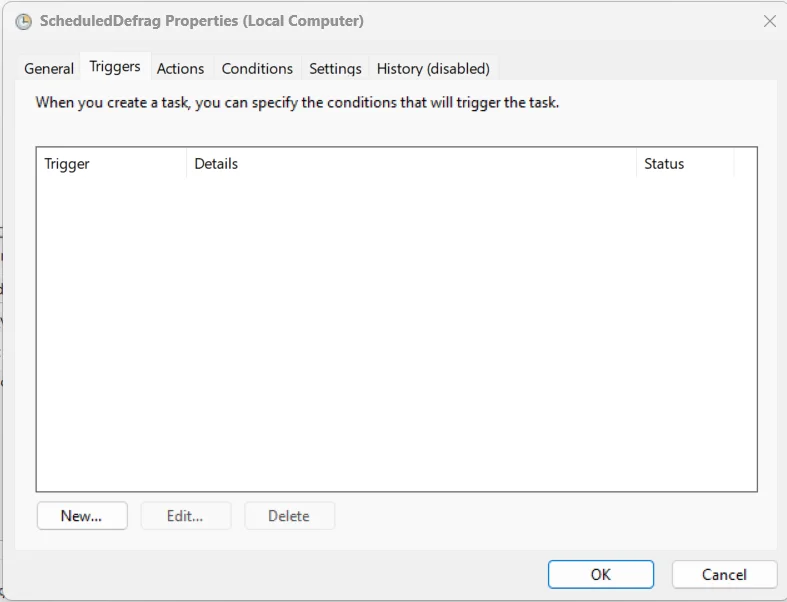
Task Scheduler library shows that all seems OK (I think) but the triggers tab is empty. Look at the last run time and date.
And the trigger tab:
Code:
Optimize-Volume -DriveLetter C -ReTrim -Verbosefor each partition I can see in the readout in PowerShell that xyz number of GB have been trimmed. The standard user interface then shows that Optimise has occurred.
(Note... my second PC running a two week old clean install of 26H2 reports that Optimise has never run and that all drives need optimising but it never runs, even when left idle)
After PowerShell command:
Task Scheduler library shows that all seems OK (I think) but the triggers tab is empty. Look at the last run time and date.
And the trigger tab:
My Computer
At a glance
W11 Pro Future Platform 29600 branch latest b...Intel i58GbIntel HD Graphics
- OS
- W11 Pro Future Platform 29600 branch latest build
- Computer type
- Laptop
- Manufacturer/Model
- Dell 7760 Mobile Precision 17"
- CPU
- Intel i5
- Motherboard
- Unknown
- Memory
- 8Gb
- Graphics Card(s)
- Intel HD Graphics
- Sound Card
- Realtek
- Monitor(s) Displays
- Internal
- Hard Drives
- 2 x 256Gb SSD
- PSU
- Dell 240 watt
- Mouse
- Dell Premier Bluetooth
- Internet Speed
- 50Mbps
- Browser
- Edge
- Antivirus
- Default Microsoft Security






