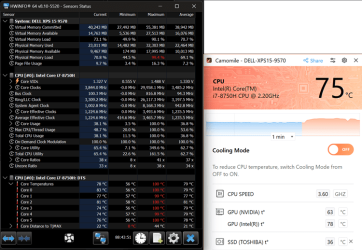
I see threads on this forum where user's computers are running hot and the normal advice is to go to a lot of trouble to fix it. Usually one is advised to take steps as shown the 'Crucial' article below, but then I have just read an article saying that an app can achieve the same result effortlessly. See 'Camomile' app below.
I have no vested interest in this app but I was wondering "Can it be true? Can it be that simple? Just install the app and select the 'Enable Cooling Mode' and that's it?"
Has anyone tested this app and found it genuinely works? I can't see the app reporting false CPU temperature reduction claims since they would soon get found out if they tried that.
If it does work then it seems to be another tool that can save time and money.
Just thought it may help some users.

 www.crucial.com
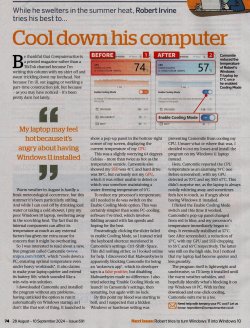
I have no vested interest in this app but I was wondering "Can it be true? Can it be that simple? Just install the app and select the 'Enable Cooling Mode' and that's it?"
Has anyone tested this app and found it genuinely works? I can't see the app reporting false CPU temperature reduction claims since they would soon get found out if they tried that.
If it does work then it seems to be another tool that can save time and money.
Just thought it may help some users.
How to cool down your PC or Laptop
Whether you're a regular computer user or a hardcore gamer, cool down your PC, Mac or laptop with our easy and cost-effective tips to prevent overheating
www.crucial.com
Camomile - Free CPU Optimizer, Reduce PC Temperature & Noise
CPU optimization tool for your PC. Automatically reduce high loads, PC temperature and fan noise. Extend your battery life and boost performance!
camomileapp.com
My Computers
-
At a glance
Windows 11 ProAMD Ryzen 9 8945HS32GB DDR5 SO-DIMMIntegrated AMD Radeon 780M (4.00 GHz)- OS
- Windows 11 Pro
- Computer type
- PC/Desktop
- Manufacturer/Model
- GMKtec K11
- CPU
- AMD Ryzen 9 8945HS
- Memory
- 32GB DDR5 SO-DIMM
- Graphics Card(s)
- Integrated AMD Radeon 780M (4.00 GHz)
- Monitor(s) Displays
- Benq 2250HM
- Screen Resolution
- 1920 x 1080
- Hard Drives
- 1 TB PCIe 4.0 NVMe M.2 SSD
- Antivirus
- Bit Defender Total Security
-
At a glance
Windows 11 HomeIntel® Core™ Ultra 7 - 255H processor16 GB LPDDR5 SDRAMIntel Arc 140T onboard graphics- Operating System
- Windows 11 Home
- Computer type
- Laptop
- Manufacturer/Model
- ASUS Zenbook 14 OLED 14" Laptop - UX3405CA-QL192W
- CPU
- Intel® Core™ Ultra 7 - 255H processor
- Memory
- 16 GB LPDDR5 SDRAM
- Graphics card(s)
- Intel Arc 140T onboard graphics
- Screen Resolution
- 1920 x 1200 (16:10 WUXGA resolution) OLED Touchscreen
- Hard Drives
- 1TB SSD
- Antivirus
- Bit Defender Total Security