System Enable or Disable Show Battery Percentage on Taskbar in Windows 11


Battery_banner.webp

This tutorial will show you how to turn on or off displaying the battery percentage on the taskbar for your account in Windows 11.

By default, you can always check your PC's battery status and more when you hover over the battery icon in the taskbar system tray.

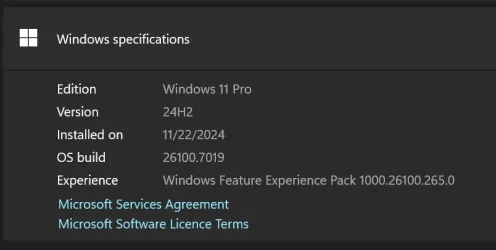
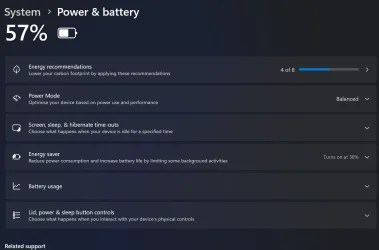
Starting with Windows 11 build 26100.7019 (24H2) and build 26200.7019 (25H2), the battery icons are now improved to display colored icons to indicate charging states, simplified overlays that don’t block the percentage bars, and an option to turn on battery percentage. A green battery icon shows that your PC is charging and is in a good state. A yellow icon indicates your battery is less than or equal to 20%. You can also enable the ability to see the battery percentage next to the battery icon in the system tray. The new battery icons, featuring color indicators and battery percentage, now appear in the lower-right corner of the lock screen.


Contents

  • Option One: Turn On or Off Show Battery Percentage on Taskbar in Settings
  • Option Two: Turn On or Off Show Battery Percentage on Taskbar using REG file
  • Option Three: Turn On or Off Show Battery Percentage on Taskbar in Registry Editor


EXAMPLE: Show battery percentage on taskbar with icon in black, yellow, and green to indicate different charging states

battery-icon-colors.webp


Option One

Turn On or Off Show Battery Percentage on Taskbar in Settings


1 Open Settings (Win+I).

2 Click/tap on System on the left side, and click/tap on Power & battery on the right side. (see screenshot below)


Battery_percentage_on_taskbar-1.webp

3 Turn on or off (default) Battery percentage for what you want. (see screenshot below)

Battery_percentage_on_taskbar-2.webp

4 You can now close Settings if you like.


Option Two

Turn On or Off Show Battery Percentage on Taskbar using REG file


This option will not work when Administrator protection is turned on.


1 Do step 2 (on) or step 3 (off) below for what you want.

2 Turn On Show Battery Percentage on Taskbar

A) Click/tap on the Download button below to download the file below, and go to step 4 below.​

Turn_ON_show_battery_percentage_on_taskbar.reg


(Contents of REG file for reference)
Code:
Windows Registry Editor Version 5.00

[HKEY_CURRENT_USER\Software\Microsoft\Windows\CurrentVersion\Explorer\Advanced]
"IsBatteryPercentageEnabled"=dword:00000001

3 Turn Off Show Battery Percentage on Taskbar

This is the default setting.


A) Click/tap on the Download button below to download the file below, and go to step 4 below.​

Turn_OFF_show_battery_percentage_on_taskbar.reg


(Contents of REG file for reference)
Code:
Windows Registry Editor Version 5.00

[HKEY_CURRENT_USER\Software\Microsoft\Windows\CurrentVersion\Explorer\Advanced]
"IsBatteryPercentageEnabled"=dword:00000000

4 Save the .reg file to your desktop.

5 If you have Smart App Control turned on, you will need to unblock the downloaded REG file.

6 Double click/tap on the downloaded .reg file to merge it.

7 When prompted, click/tap on Run, Yes (UAC), Yes, and OK to approve the merge.

8 You can now delete the downloaded .reg file if you like.


Option Three

Turn On or Off Show Battery Percentage on Taskbar in Registry Editor


1 Open Registry Editor (regedit.exe).

2 Navigate to the key location below in the left pane of Registry Editor. (see screenshot below step 3)

HKEY_USERS\<SID>\Software\Microsoft\Windows\CurrentVersion\Explorer\Advanced

Substitute <SID> in the key path above with the actual SID for the account you want to apply this to.

For example:
HKEY_USERS\S-1-5-21-2498639629-3946114050-4100787084-1001\Software\Microsoft\Windows\CurrentVersion\Explorer\Advanced


3 In the right pane of the Advanced key, double click/tap on the IsBatteryPercentageEnabled DWORD to modify it. (see screenshot below)

IsBatteryPercentageEnabled-1.webp

4 Enter 0 (off - default) or 1 (on) for what you want, and click/tap on OK. (see screenshot below)

IsBatteryPercentageEnabled-2.webp

5 You can now close Registry Editor if you like.


That's it,
Shawn Brink


Attachments

Last edited:
This didn't work, probably because I am not on the insider build?
 

My Computer My Computer

At a glance

Windows 11 Pro x3i9-14900K / i9-14900HX / AMD Z1E64 GSkill / 64 Gskill / 24EVGA 3080 Ultra FTW 3 / 4070 Mobile / Z1E
OS
Windows 11 Pro x3
Computer type
PC/Desktop
Manufacturer/Model
Asus / Asus / Asus
CPU
i9-14900K / i9-14900HX / AMD Z1E
Motherboard
Asus Apex Encore / Asus G16 (2024) / ROG Ally X
Memory
64 GSkill / 64 Gskill / 24
Graphics Card(s)
EVGA 3080 Ultra FTW 3 / 4070 Mobile / Z1E
Sound Card
Logitech G Pro
Screen Resolution
2560 x 1080 / 2560 x 1600 / 1920 x 1080
Hard Drives
990 pro 4 TB, 4x 980 1TB, 980 pro 2TB
This didn't work, probably because I am not on the insider build?

Hello, :alien:

Correct. This feature is currently only available in the Dev channel for Insiders.
 

My Computers My Computers

  • At a glance

    Windows 11 Pro for WorkstationsIntel i7-8700K 5 GHz64 GB (4x16GB) G.SKILL TridentZ RGB DDR4 3600...ASUS ROG-STRIX-GTX1080TI-O11G-GAMING (11GB GD...
    OS
    Windows 11 Pro for Workstations
    Computer type
    PC/Desktop
    Manufacturer/Model
    Custom self build
    CPU
    Intel i7-8700K 5 GHz
    Motherboard
    ASUS ROG Maximus XI Formula Z390
    Memory
    64 GB (4x16GB) G.SKILL TridentZ RGB DDR4 3600 MHz (F4-3600C18D-32GTZR)
    Graphics Card(s)
    ASUS ROG-STRIX-GTX1080TI-O11G-GAMING (11GB GDDR5X)
    Sound Card
    Integrated Digital Audio (S/PDIF)
    Monitor(s) Displays
    2 x Samsung Odyssey G75 27"
    Screen Resolution
    2560x1440
    Hard Drives
    1TB Samsung 990 PRO M.2,
    4TB Samsung 990 PRO M.2,
    TerraMaster F8 SSD Plus NAS
    PSU
    Seasonic Prime Titanium 850W
    Case
    Thermaltake Core P3 wall mounted
    Cooling
    Corsair Hydro H115i
    Keyboard
    Amazon Basics Wired Full Keyboard MD005
    Mouse
    Logitech MX Master 4
    Internet Speed
    2 Gbps Download and 100 Mbps Upload
    Browser
    Chrome and Edge
    Antivirus
    Microsoft Defender
    Other Info
    Logitech Z625 speaker system,
    Logitech BRIO 4K Pro webcam,
    HP Color LaserJet Pro MFP M477fdn,
    CyberPower CP1500PFCLCD
    Galaxy S23 Plus phone
  • At a glance

    Windows 11 ProSnapdragon X Elite (12 core) 3.42 GHz16 GB LPDDR5x-7467 MHz
    Operating System
    Windows 11 Pro
    Computer type
    Laptop
    Manufacturer/Model
    Surface Laptop 7 Copilot+ PC
    CPU
    Snapdragon X Elite (12 core) 3.42 GHz
    Memory
    16 GB LPDDR5x-7467 MHz
    Monitor(s) Displays
    15" HDR
    Screen Resolution
    2496 x 1664
    Hard Drives
    1 TB SSD
    Internet Speed
    Wi-Fi 7 and Bluetooth 5.4
    Browser
    Chrome and Edge
    Antivirus
    Microsoft Defender
Hello, :alien:

Correct. This feature is currently only available in the Dev channel for Insiders.
Yeah I just read that also in your post. Whelp... Sorry.
 

My Computer My Computer

At a glance

Windows 11 Pro x3i9-14900K / i9-14900HX / AMD Z1E64 GSkill / 64 Gskill / 24EVGA 3080 Ultra FTW 3 / 4070 Mobile / Z1E
OS
Windows 11 Pro x3
Computer type
PC/Desktop
Manufacturer/Model
Asus / Asus / Asus
CPU
i9-14900K / i9-14900HX / AMD Z1E
Motherboard
Asus Apex Encore / Asus G16 (2024) / ROG Ally X
Memory
64 GSkill / 64 Gskill / 24
Graphics Card(s)
EVGA 3080 Ultra FTW 3 / 4070 Mobile / Z1E
Sound Card
Logitech G Pro
Screen Resolution
2560 x 1080 / 2560 x 1600 / 1920 x 1080
Hard Drives
990 pro 4 TB, 4x 980 1TB, 980 pro 2TB

My Computers My Computers

  • At a glance

    Windows 11 Pro for WorkstationsIntel i7-8700K 5 GHz64 GB (4x16GB) G.SKILL TridentZ RGB DDR4 3600...ASUS ROG-STRIX-GTX1080TI-O11G-GAMING (11GB GD...
    OS
    Windows 11 Pro for Workstations
    Computer type
    PC/Desktop
    Manufacturer/Model
    Custom self build
    CPU
    Intel i7-8700K 5 GHz
    Motherboard
    ASUS ROG Maximus XI Formula Z390
    Memory
    64 GB (4x16GB) G.SKILL TridentZ RGB DDR4 3600 MHz (F4-3600C18D-32GTZR)
    Graphics Card(s)
    ASUS ROG-STRIX-GTX1080TI-O11G-GAMING (11GB GDDR5X)
    Sound Card
    Integrated Digital Audio (S/PDIF)
    Monitor(s) Displays
    2 x Samsung Odyssey G75 27"
    Screen Resolution
    2560x1440
    Hard Drives
    1TB Samsung 990 PRO M.2,
    4TB Samsung 990 PRO M.2,
    TerraMaster F8 SSD Plus NAS
    PSU
    Seasonic Prime Titanium 850W
    Case
    Thermaltake Core P3 wall mounted
    Cooling
    Corsair Hydro H115i
    Keyboard
    Amazon Basics Wired Full Keyboard MD005
    Mouse
    Logitech MX Master 4
    Internet Speed
    2 Gbps Download and 100 Mbps Upload
    Browser
    Chrome and Edge
    Antivirus
    Microsoft Defender
    Other Info
    Logitech Z625 speaker system,
    Logitech BRIO 4K Pro webcam,
    HP Color LaserJet Pro MFP M477fdn,
    CyberPower CP1500PFCLCD
    Galaxy S23 Plus phone
  • At a glance

    Windows 11 ProSnapdragon X Elite (12 core) 3.42 GHz16 GB LPDDR5x-7467 MHz
    Operating System
    Windows 11 Pro
    Computer type
    Laptop
    Manufacturer/Model
    Surface Laptop 7 Copilot+ PC
    CPU
    Snapdragon X Elite (12 core) 3.42 GHz
    Memory
    16 GB LPDDR5x-7467 MHz
    Monitor(s) Displays
    15" HDR
    Screen Resolution
    2496 x 1664
    Hard Drives
    1 TB SSD
    Internet Speed
    Wi-Fi 7 and Bluetooth 5.4
    Browser
    Chrome and Edge
    Antivirus
    Microsoft Defender
Love that you include info on how to do this with the registry, makes scripting a lot easier!
 

My Computer My Computer

At a glance

Windows 11
OS
Windows 11
Computer type
Laptop
You can try checking if the battery feature is hidden on your current release:
Code:
vivetool /enable /id:48822452,48433719


My Computer My Computer

At a glance

Windows 7
OS
Windows 7
Tutorial updated to add option three. :alien:
 

My Computers My Computers

  • At a glance

    Windows 11 Pro for WorkstationsIntel i7-8700K 5 GHz64 GB (4x16GB) G.SKILL TridentZ RGB DDR4 3600...ASUS ROG-STRIX-GTX1080TI-O11G-GAMING (11GB GD...
    OS
    Windows 11 Pro for Workstations
    Computer type
    PC/Desktop
    Manufacturer/Model
    Custom self build
    CPU
    Intel i7-8700K 5 GHz
    Motherboard
    ASUS ROG Maximus XI Formula Z390
    Memory
    64 GB (4x16GB) G.SKILL TridentZ RGB DDR4 3600 MHz (F4-3600C18D-32GTZR)
    Graphics Card(s)
    ASUS ROG-STRIX-GTX1080TI-O11G-GAMING (11GB GDDR5X)
    Sound Card
    Integrated Digital Audio (S/PDIF)
    Monitor(s) Displays
    2 x Samsung Odyssey G75 27"
    Screen Resolution
    2560x1440
    Hard Drives
    1TB Samsung 990 PRO M.2,
    4TB Samsung 990 PRO M.2,
    TerraMaster F8 SSD Plus NAS
    PSU
    Seasonic Prime Titanium 850W
    Case
    Thermaltake Core P3 wall mounted
    Cooling
    Corsair Hydro H115i
    Keyboard
    Amazon Basics Wired Full Keyboard MD005
    Mouse
    Logitech MX Master 4
    Internet Speed
    2 Gbps Download and 100 Mbps Upload
    Browser
    Chrome and Edge
    Antivirus
    Microsoft Defender
    Other Info
    Logitech Z625 speaker system,
    Logitech BRIO 4K Pro webcam,
    HP Color LaserJet Pro MFP M477fdn,
    CyberPower CP1500PFCLCD
    Galaxy S23 Plus phone
  • At a glance

    Windows 11 ProSnapdragon X Elite (12 core) 3.42 GHz16 GB LPDDR5x-7467 MHz
    Operating System
    Windows 11 Pro
    Computer type
    Laptop
    Manufacturer/Model
    Surface Laptop 7 Copilot+ PC
    CPU
    Snapdragon X Elite (12 core) 3.42 GHz
    Memory
    16 GB LPDDR5x-7467 MHz
    Monitor(s) Displays
    15" HDR
    Screen Resolution
    2496 x 1664
    Hard Drives
    1 TB SSD
    Internet Speed
    Wi-Fi 7 and Bluetooth 5.4
    Browser
    Chrome and Edge
    Antivirus
    Microsoft Defender
This is weird. I had it for a few days and now its gone again...
 

My Computer My Computer

At a glance

Windows 11 Pro x3i9-14900K / i9-14900HX / AMD Z1E64 GSkill / 64 Gskill / 24EVGA 3080 Ultra FTW 3 / 4070 Mobile / Z1E
OS
Windows 11 Pro x3
Computer type
PC/Desktop
Manufacturer/Model
Asus / Asus / Asus
CPU
i9-14900K / i9-14900HX / AMD Z1E
Motherboard
Asus Apex Encore / Asus G16 (2024) / ROG Ally X
Memory
64 GSkill / 64 Gskill / 24
Graphics Card(s)
EVGA 3080 Ultra FTW 3 / 4070 Mobile / Z1E
Sound Card
Logitech G Pro
Screen Resolution
2560 x 1080 / 2560 x 1600 / 1920 x 1080
Hard Drives
990 pro 4 TB, 4x 980 1TB, 980 pro 2TB
I'm not on the developpers channel which I guess I cannot find the "Advanced" in
HKEY_USERS\<SID>\Software\Microsoft\Windows\CurrentVersion\Explorer\Advanced
and I'm afraid to add it.

I hate wasting your time to answer but we are now in September and this important feature has still not been made available to regular users. Is there another way/tool to get percentage on the taskbar?

Is Vivetool safe to use?
Thanks.
 

My Computer My Computer

At a glance

Windows 11 home version 10.0.22631 Build 22631Intel 7 ultra 155H, 3800 Mhz, 16 Cores, 22 lo...16
OS
Windows 11 home version 10.0.22631 Build 22631
Computer type
Laptop
Manufacturer/Model
Asus/zenbook 14 UX34055MA Q425MA
CPU
Intel 7 ultra 155H, 3800 Mhz, 16 Cores, 22 logical proc
Motherboard
ASUTEK
Memory
16
Hard Drives
1TB
I'm not on the developpers channel which I guess I cannot find the "Advanced" in
HKEY_USERS\<SID>\Software\Microsoft\Windows\CurrentVersion\Explorer\Advanced
and I'm afraid to add it.

I hate wasting your time to answer but we are now in September and this important feature has still not been made available to regular users. Is there another way/tool to get percentage on the taskbar?

Is Vivetool safe to use?
Thanks.

Hello, :alien:

Option 3 is only needed if you are not able to do option 2.

However, if you don't have option 1 available, then you don't have the setting available anyways.

Other than a possible 3rd party app, you could see if the options below may help until this is available to the public builds.


My Computers My Computers

  • At a glance

    Windows 11 Pro for WorkstationsIntel i7-8700K 5 GHz64 GB (4x16GB) G.SKILL TridentZ RGB DDR4 3600...ASUS ROG-STRIX-GTX1080TI-O11G-GAMING (11GB GD...
    OS
    Windows 11 Pro for Workstations
    Computer type
    PC/Desktop
    Manufacturer/Model
    Custom self build
    CPU
    Intel i7-8700K 5 GHz
    Motherboard
    ASUS ROG Maximus XI Formula Z390
    Memory
    64 GB (4x16GB) G.SKILL TridentZ RGB DDR4 3600 MHz (F4-3600C18D-32GTZR)
    Graphics Card(s)
    ASUS ROG-STRIX-GTX1080TI-O11G-GAMING (11GB GDDR5X)
    Sound Card
    Integrated Digital Audio (S/PDIF)
    Monitor(s) Displays
    2 x Samsung Odyssey G75 27"
    Screen Resolution
    2560x1440
    Hard Drives
    1TB Samsung 990 PRO M.2,
    4TB Samsung 990 PRO M.2,
    TerraMaster F8 SSD Plus NAS
    PSU
    Seasonic Prime Titanium 850W
    Case
    Thermaltake Core P3 wall mounted
    Cooling
    Corsair Hydro H115i
    Keyboard
    Amazon Basics Wired Full Keyboard MD005
    Mouse
    Logitech MX Master 4
    Internet Speed
    2 Gbps Download and 100 Mbps Upload
    Browser
    Chrome and Edge
    Antivirus
    Microsoft Defender
    Other Info
    Logitech Z625 speaker system,
    Logitech BRIO 4K Pro webcam,
    HP Color LaserJet Pro MFP M477fdn,
    CyberPower CP1500PFCLCD
    Galaxy S23 Plus phone
  • At a glance

    Windows 11 ProSnapdragon X Elite (12 core) 3.42 GHz16 GB LPDDR5x-7467 MHz
    Operating System
    Windows 11 Pro
    Computer type
    Laptop
    Manufacturer/Model
    Surface Laptop 7 Copilot+ PC
    CPU
    Snapdragon X Elite (12 core) 3.42 GHz
    Memory
    16 GB LPDDR5x-7467 MHz
    Monitor(s) Displays
    15" HDR
    Screen Resolution
    2496 x 1664
    Hard Drives
    1 TB SSD
    Internet Speed
    Wi-Fi 7 and Bluetooth 5.4
    Browser
    Chrome and Edge
    Antivirus
    Microsoft Defender
Last i knew, this was completely removed pending some big bugs? It was enabled at one time on both my portable devices then it disappeared on its own.
 

My Computer My Computer

At a glance

Windows 11 Pro x3i9-14900K / i9-14900HX / AMD Z1E64 GSkill / 64 Gskill / 24EVGA 3080 Ultra FTW 3 / 4070 Mobile / Z1E
OS
Windows 11 Pro x3
Computer type
PC/Desktop
Manufacturer/Model
Asus / Asus / Asus
CPU
i9-14900K / i9-14900HX / AMD Z1E
Motherboard
Asus Apex Encore / Asus G16 (2024) / ROG Ally X
Memory
64 GSkill / 64 Gskill / 24
Graphics Card(s)
EVGA 3080 Ultra FTW 3 / 4070 Mobile / Z1E
Sound Card
Logitech G Pro
Screen Resolution
2560 x 1080 / 2560 x 1600 / 1920 x 1080
Hard Drives
990 pro 4 TB, 4x 980 1TB, 980 pro 2TB
Last i knew, this was completely removed pending some big bugs? It was enabled at one time on both my portable devices then it disappeared on its own.

Correct. It's been added, removed, and re-added so many times.
 

My Computers My Computers

  • At a glance

    Windows 11 Pro for WorkstationsIntel i7-8700K 5 GHz64 GB (4x16GB) G.SKILL TridentZ RGB DDR4 3600...ASUS ROG-STRIX-GTX1080TI-O11G-GAMING (11GB GD...
    OS
    Windows 11 Pro for Workstations
    Computer type
    PC/Desktop
    Manufacturer/Model
    Custom self build
    CPU
    Intel i7-8700K 5 GHz
    Motherboard
    ASUS ROG Maximus XI Formula Z390
    Memory
    64 GB (4x16GB) G.SKILL TridentZ RGB DDR4 3600 MHz (F4-3600C18D-32GTZR)
    Graphics Card(s)
    ASUS ROG-STRIX-GTX1080TI-O11G-GAMING (11GB GDDR5X)
    Sound Card
    Integrated Digital Audio (S/PDIF)
    Monitor(s) Displays
    2 x Samsung Odyssey G75 27"
    Screen Resolution
    2560x1440
    Hard Drives
    1TB Samsung 990 PRO M.2,
    4TB Samsung 990 PRO M.2,
    TerraMaster F8 SSD Plus NAS
    PSU
    Seasonic Prime Titanium 850W
    Case
    Thermaltake Core P3 wall mounted
    Cooling
    Corsair Hydro H115i
    Keyboard
    Amazon Basics Wired Full Keyboard MD005
    Mouse
    Logitech MX Master 4
    Internet Speed
    2 Gbps Download and 100 Mbps Upload
    Browser
    Chrome and Edge
    Antivirus
    Microsoft Defender
    Other Info
    Logitech Z625 speaker system,
    Logitech BRIO 4K Pro webcam,
    HP Color LaserJet Pro MFP M477fdn,
    CyberPower CP1500PFCLCD
    Galaxy S23 Plus phone
  • At a glance

    Windows 11 ProSnapdragon X Elite (12 core) 3.42 GHz16 GB LPDDR5x-7467 MHz
    Operating System
    Windows 11 Pro
    Computer type
    Laptop
    Manufacturer/Model
    Surface Laptop 7 Copilot+ PC
    CPU
    Snapdragon X Elite (12 core) 3.42 GHz
    Memory
    16 GB LPDDR5x-7467 MHz
    Monitor(s) Displays
    15" HDR
    Screen Resolution
    2496 x 1664
    Hard Drives
    1 TB SSD
    Internet Speed
    Wi-Fi 7 and Bluetooth 5.4
    Browser
    Chrome and Edge
    Antivirus
    Microsoft Defender
Thank you all.
If it is buggy I might as well wait some more.....
 

My Computer My Computer

At a glance

Windows 11 home version 10.0.22631 Build 22631Intel 7 ultra 155H, 3800 Mhz, 16 Cores, 22 lo...16
OS
Windows 11 home version 10.0.22631 Build 22631
Computer type
Laptop
Manufacturer/Model
Asus/zenbook 14 UX34055MA Q425MA
CPU
Intel 7 ultra 155H, 3800 Mhz, 16 Cores, 22 logical proc
Motherboard
ASUTEK
Memory
16
Hard Drives
1TB
it's weird, i installed KB5067036 but i don't see this option in power settings.

Screenshot 2025-10-30 054658.webp

Screenshot 2025-10-30 053816.webp

Screenshot 2025-10-30 053622.webp
 

My Computer My Computer

At a glance

Windows 10
OS
Windows 10

My Computers My Computers

  • At a glance

    Windows 117800X3D
    OS
    Windows 11
    Computer type
    PC/Desktop
    CPU
    7800X3D
    Case
    Fractal Design Ridge
  • At a glance

    Windows 11i7-1195G7
    Operating System
    Windows 11
    Computer type
    Laptop
    Manufacturer/Model
    LG Gram 17Z95P-K.ADB9U1 (2021)
    CPU
    i7-1195G7
Still buggy on official release to my laptops in Jan 2026 (a year after it was pulled to be reworked - ouch). On 2 different Dell Windows 11 laptops the feature installed and seemed to work fine. Then days later, after installing unrelated programs and rebooting, the percentage disappeared from the system tray and the option for it disappeared from "Power and sleep settings". A few more days later the same thing happened to the other laptop.

- On both laptops reboot (not quick reboot) did not restore percentage indicator or setting.

- On both laptops full power down with no power cables or peripherals attached to the laptops, then power up, restored percentage indicator.

- Since then the percentage and setting disappeared again from one of the laptops, this time when the computer was rebooted naturally (not as part of program installation).

- A full power cycle with mouse USB receiver still attached did not rectify but another full power cycle forced by holding power button without mouse USB receiver attached did rectify (for now).

Note: the previous power cycles that rectified the issue were graceful - done through menus; not by holding power button. Differences in results could be due to the amount of time machine was powered off. Mouse USB receiver might be coincidental, TBD.

In any event, this seems to no longer be a matter of the feature being repeatedly added and removed unless there is some broken and inconsistent installation loop or something like that. The pattern of events I've seen might speak to untoward events occurring at restart or power cycle, e.g., confusion between bios and OS (there should be none of that on these boxes) but goodness gracious, this feature is simply placing a number that is visible elsewhere in the taskbar.

Thanks for the various inputs here. I'll pass on the ViVetool workaround for now but will file it away. Meanwhile, if it occurs again I'm going to see if the registry entry itself is also disappearing.
 
Last edited:

My Computer My Computer

At a glance

Windows 10
OS
Windows 10
Computer type
Laptop
Manufacturer/Model
Dell
Hi there, I do have the setting to show the percentage and it is turned on, also checked in the registery (1), but I still get no percentage icon. My build is 26200.7623 - any ideas what I might be doing wrong? Thank you!
 

My Computer My Computer

At a glance

Win11
OS
Win11
Computer type
Laptop
Manufacturer/Model
Microsoft
Hi there, I do have the setting to show the percentage and it is turned on, also checked in the registery (1), but I still get no percentage icon. My build is 26200.7623 - any ideas what I might be doing wrong? Thank you!

Hello, and welcome to the forum. :alien:

You might see if toggling the setting off and on may refresh it to show the battery percentage if it's a glitch.
 

My Computers My Computers

  • At a glance

    Windows 11 Pro for WorkstationsIntel i7-8700K 5 GHz64 GB (4x16GB) G.SKILL TridentZ RGB DDR4 3600...ASUS ROG-STRIX-GTX1080TI-O11G-GAMING (11GB GD...
    OS
    Windows 11 Pro for Workstations
    Computer type
    PC/Desktop
    Manufacturer/Model
    Custom self build
    CPU
    Intel i7-8700K 5 GHz
    Motherboard
    ASUS ROG Maximus XI Formula Z390
    Memory
    64 GB (4x16GB) G.SKILL TridentZ RGB DDR4 3600 MHz (F4-3600C18D-32GTZR)
    Graphics Card(s)
    ASUS ROG-STRIX-GTX1080TI-O11G-GAMING (11GB GDDR5X)
    Sound Card
    Integrated Digital Audio (S/PDIF)
    Monitor(s) Displays
    2 x Samsung Odyssey G75 27"
    Screen Resolution
    2560x1440
    Hard Drives
    1TB Samsung 990 PRO M.2,
    4TB Samsung 990 PRO M.2,
    TerraMaster F8 SSD Plus NAS
    PSU
    Seasonic Prime Titanium 850W
    Case
    Thermaltake Core P3 wall mounted
    Cooling
    Corsair Hydro H115i
    Keyboard
    Amazon Basics Wired Full Keyboard MD005
    Mouse
    Logitech MX Master 4
    Internet Speed
    2 Gbps Download and 100 Mbps Upload
    Browser
    Chrome and Edge
    Antivirus
    Microsoft Defender
    Other Info
    Logitech Z625 speaker system,
    Logitech BRIO 4K Pro webcam,
    HP Color LaserJet Pro MFP M477fdn,
    CyberPower CP1500PFCLCD
    Galaxy S23 Plus phone
  • At a glance

    Windows 11 ProSnapdragon X Elite (12 core) 3.42 GHz16 GB LPDDR5x-7467 MHz
    Operating System
    Windows 11 Pro
    Computer type
    Laptop
    Manufacturer/Model
    Surface Laptop 7 Copilot+ PC
    CPU
    Snapdragon X Elite (12 core) 3.42 GHz
    Memory
    16 GB LPDDR5x-7467 MHz
    Monitor(s) Displays
    15" HDR
    Screen Resolution
    2496 x 1664
    Hard Drives
    1 TB SSD
    Internet Speed
    Wi-Fi 7 and Bluetooth 5.4
    Browser
    Chrome and Edge
    Antivirus
    Microsoft Defender
Hello, and welcome to the forum. :alien:

You might see if toggling the setting off and on may refresh it to show the battery percentage if it's a glitch.
Thank you, I did try that but it doesn't change anything (also tried restarting Windows Explorer)
 

My Computer My Computer

At a glance

Win11
OS
Win11
Computer type
Laptop
Manufacturer/Model
Microsoft

Latest Support Threads

Back
Top Bottom