Windows IT Pro Blog:
At Ignite this year, we’re unveiling how Windows is evolving from an operating system into the canvas for AI, embedding intelligence across system, silicon, and hardware. This transformation helps organizations to move beyond experimentation and deliver AI-driven outcomes. For those aiming to become Frontier Firms — the world’s most ambitious organizations blending human ingenuity with intelligent systems — Windows is the foundation that makes it possible.
Windows is evolving to include agent-like functions built into the operating system, new tools offered by Microsoft 365 Copilot on Windows, and capabilities powered by Copilot+ PC hardware. As organizations seek to leverage AI, we’re envisioning Windows as an OS that aims to make interactions more natural, increase productivity, and offer a strong platform and ecosystem for AI innovation.
In this blog, we’ll provide a deeper dive into the Windows AI innovations we’re sharing at Ignite and what this means for your organization. We’re committed to ensuring Windows is the secure, manageable, and future-ready platform that prepares your organization to adopt AI and agentic innovations.
Simple, personalized AI experiences on Windows 11
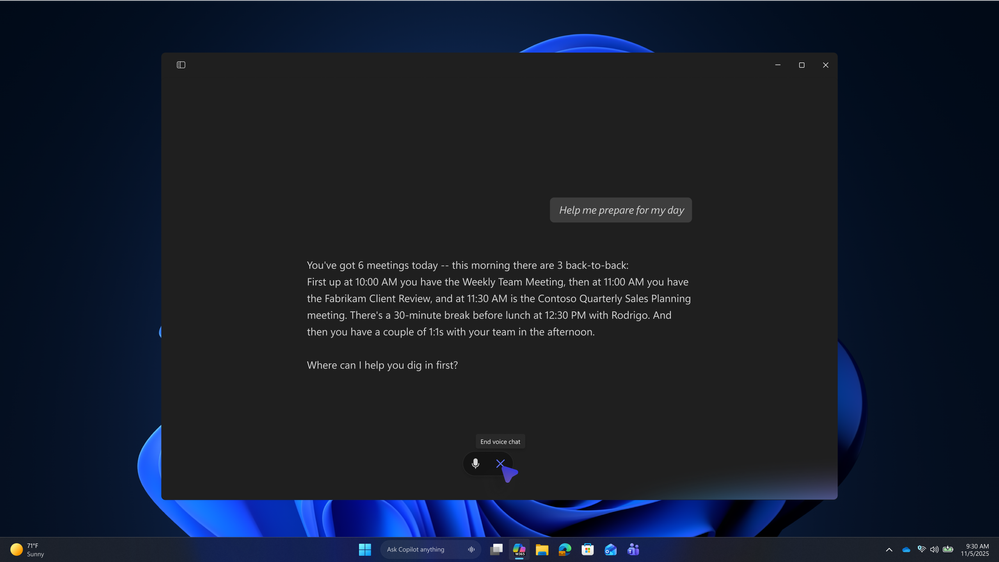
Windows empowers organizations to deliver flexible user experiences that feel truly personal — where employees can work how they want, without friction or compromise. With support for multi-modal interaction and deeper integration of Microsoft 365 Copilot capabilities in Windows 11, AI becomes more than just a natural part of everyday workflows; it makes every interaction intuitive and intelligent.- A key example of new interaction models in Windows is voice in Microsoft 365 Copilot, which helps users quickly capture ideas for brainstorming, drafting responses, or preparing meetings. Simply say “Hey Copilot” (available in Frontier in the coming weeks) or press the Copilot key (Win+C shortcut for devices without a Copilot key) to open the quick view input box to activate voice. This allows you to stay focused or multitask, tapping into Copilot without any interruption of switching apps and windows. Start a back-and-forth conversation with Copilot, receiving real-time spoken responses based on both web and work data. Voice in Microsoft 365 Copilot is available now.

Enable or Disable Hey Copilot in Windows 11
This tutorial will show you how to enable or disable "Hey Copilot" for the Copilot app for your account in Windows 11. Starting with Copilot app (version 1.25051.10.0 and higher), Microsoft is beginning to roll out Hey Copilot across all Insider Channels via the Microsoft Store. Windows... www.elevenforum.com
Voice in Microsoft 365 Copilot enables back-and-forth conversation and real-time spoken responses.
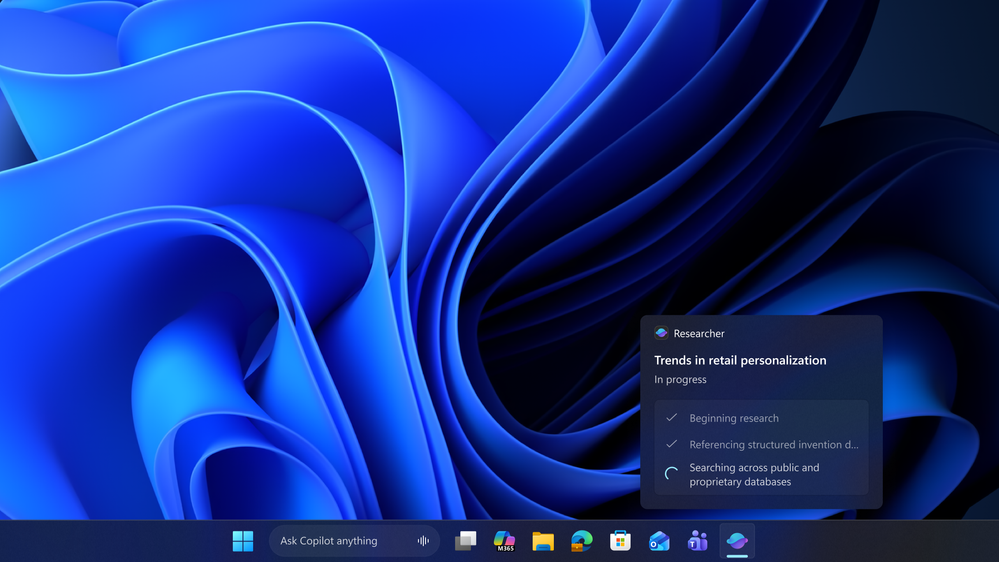
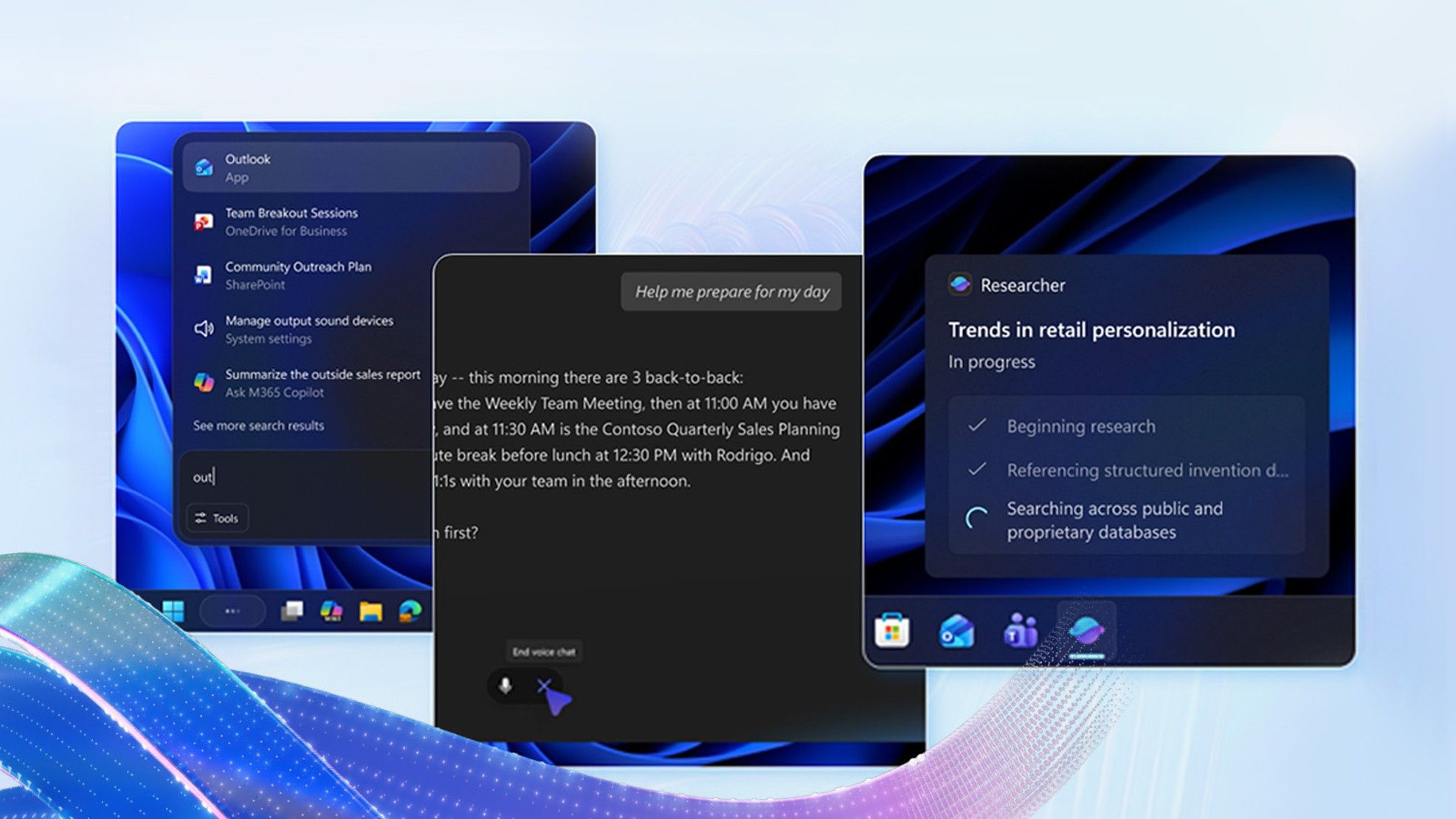
- When using AI agents that need a longer time to complete their tasks, like Researcher, Agents on the taskbar will show at-a-glance status and chain-of-thought logic, making it easy to check in on the agent’s progress and see its completion status. Coming soon in preview, this unifies how users invoke and manage AI agents across the OS and makes agents seamlessly accessible and interactive.
Monitor long-running agents directly on the Windows taskbar.
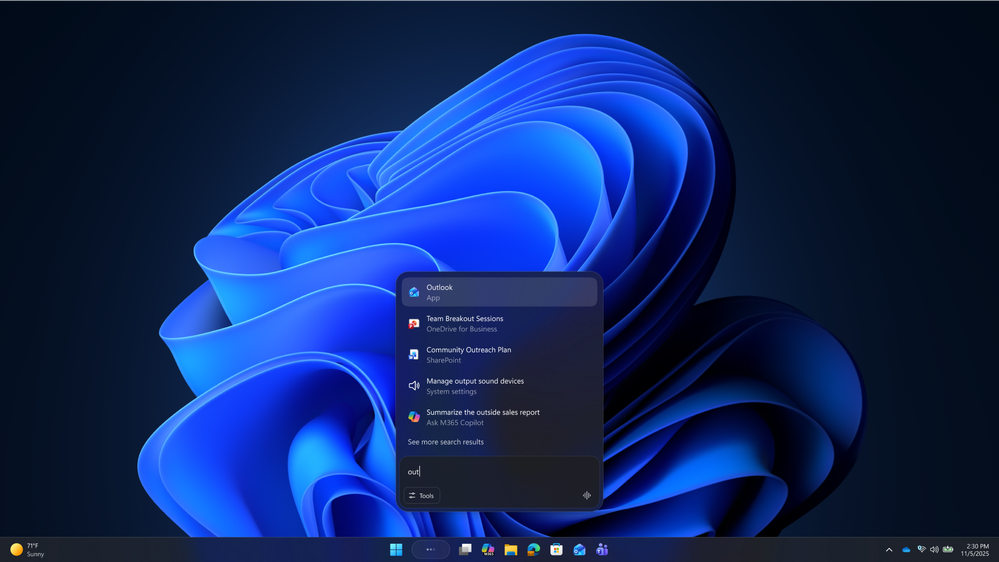
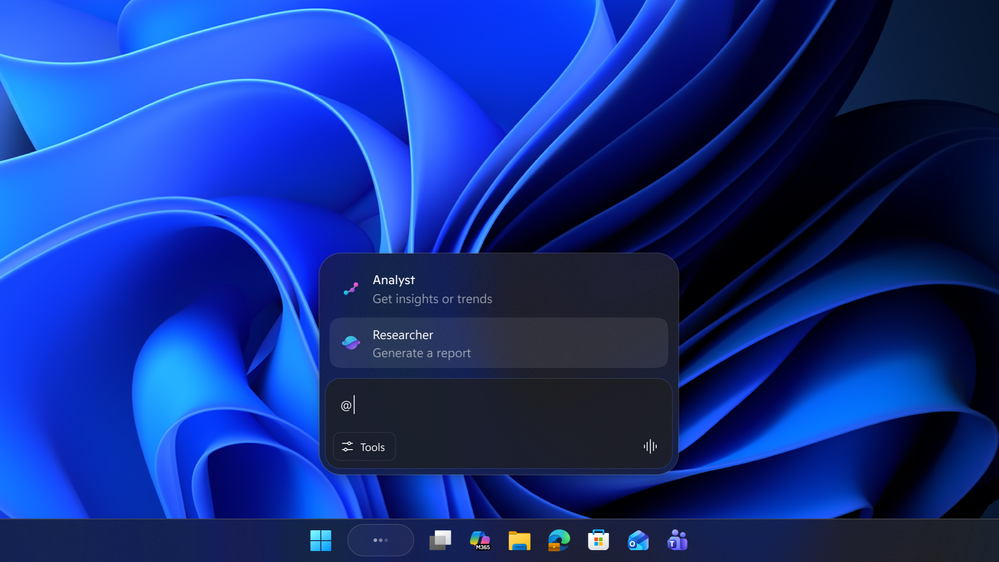
- Also coming soon in preview, users can conveniently use search and Ask Copilot on the taskbar in the new composer experience. Additionally, AI agents can be started directly from Ask Copilot on the taskbar by using the “tools” menu or typing ‘@’.

Add or Remove Ask Copilot on Taskbar in Windows 11
This tutorial will show you how to turn on or off the Ask Copilot experience on the taskbar for your account in Windows 11. Starting with Windows 11 build 26220.7051 (Dev and Beta), Microsoft is introducing Ask Copilot in taskbar. With the new Ask Copilot in taskbar, Copilot becomes a natural...
www.elevenforum.com
Use search and Ask Microsoft 365 Copilot directly in the taskbar with the new composer experience.
Tag an AI agent directly in Ask Copilot on the taskbar by typing “@”.
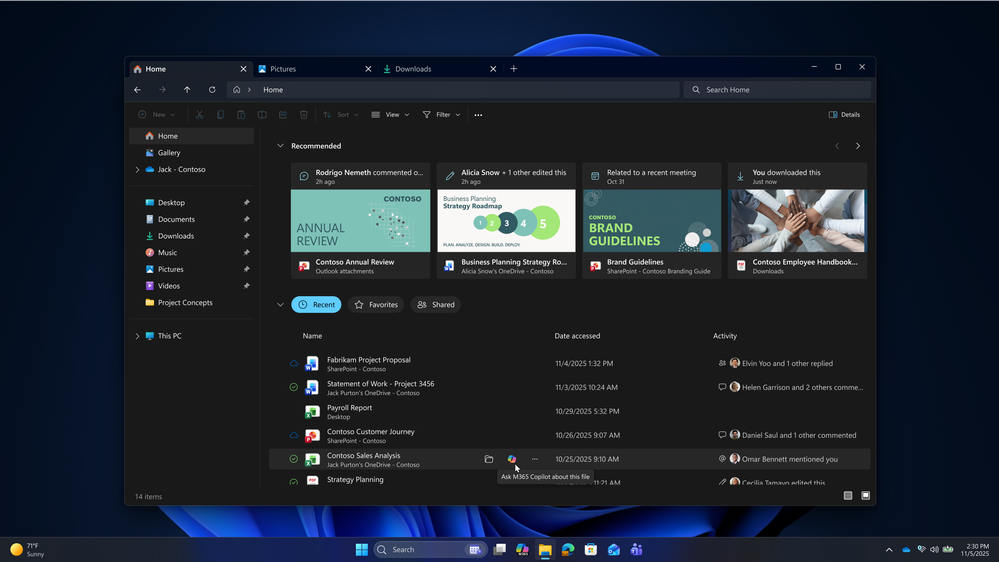
- In File Explorer Home, users will be able to hover over files in File Explorer and Ask M365 Copilot for on-demand assistance or insights. Users can enjoy streamlined file productivity without leaving their current context. This is rolling out before the end of 2025.
Hover over files in File Explorer Home and Ask M365 Copilot for on-demand assistance or insights.
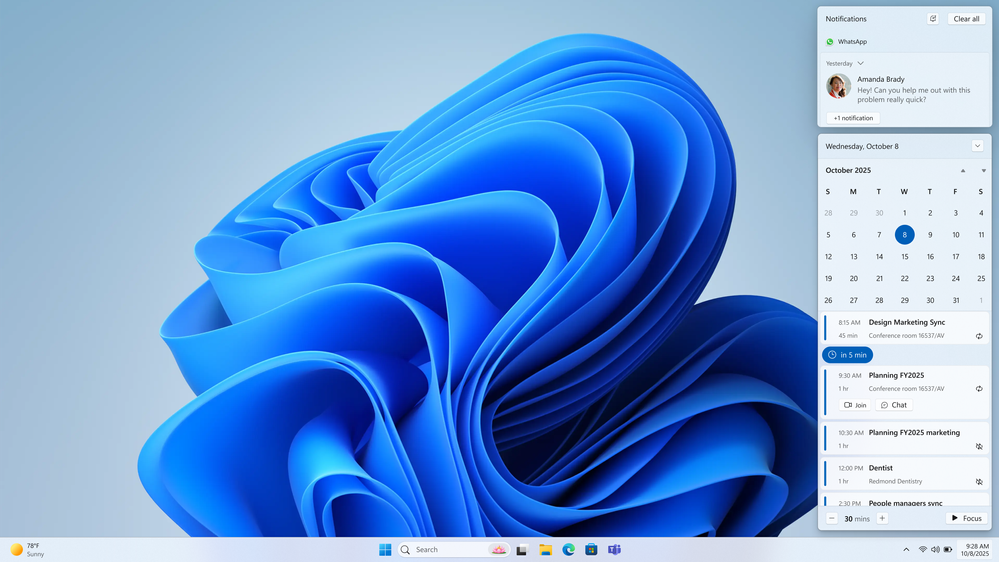
- Need assistance with organizing your day? Coming soon to preview in December 2025, the new Agenda view appears right in Notification Center—offering a quick-glance, chronological list of your upcoming events, seamlessly integrated with Calendar in one unified interface. Users will also be able to interact directly with the events shown in their Agenda view, such as joining a scheduled meeting or engaging with Microsoft 365 Copilot. This makes it easier to prepare for upcoming meetings and streamline your day.
Agenda view provides a chronological list of upcoming events in one unified interface.
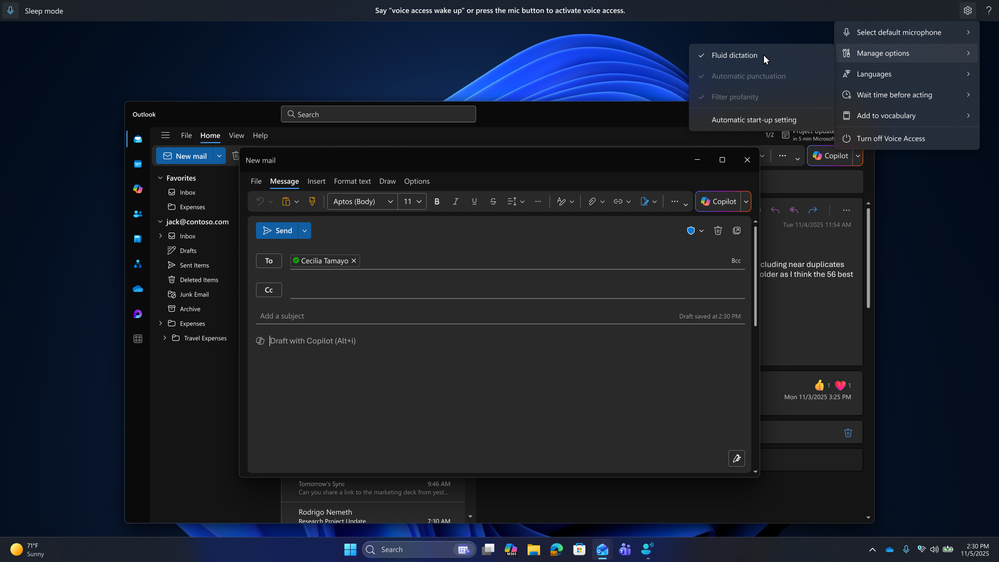
- Now in preview for Copilot+ PC users, AI-powered fluid dictation makes voice typing fast, accurate, and natural — enabling people to turn speech into text with minimal effort and need for manual corrections. Fluid dictation is available via the Win+H shortcut and dictation tools like voice typing and voice access, leveraging local, on-device models.

Enable or Disable Fluid Dictation in Voice Typing on Windows 11
This tutorial will show you how to turn on or off the fluid dictation feature in voice typing for your account on Windows 11 Copilot+ PCs. Voice typing allows you to enter text on your PC by speaking. You can use voice typing commands to manually insert punctuation marks. Starting with...
www.elevenforum.com

Enable or Disable Fluid Dictation in Voice Access on Windows 11
This tutorial will show you how to turn on or off the fluid dictation feature in voice access for your account on Windows 11 Copilot+ PCs. Voice access in Windows 11 enables everyone, including people with mobility disabilities, to control their PC and author text using their voice. For...
www.elevenforum.com
Fluid dictation for Copilot+ PCs leverages on-device AI models to make voice typing fast, accurate, and natural.
- Windows is also offering users a natural and life-like reading experience powered by Azure’s latest on-device text-to-speech models for English (US). These high-definition voices — now available in Windows Narrator and Magnifier voices — are built on advanced generative AI and adapt tone and pace contextually to make interactions feel intuitive and engaging. The cloud version of HD models is generally available in Azure Speech services.
- Narrator announcements today are verbose and generic, offering little flexibility. In preview soon, AI-powered Narrator personalization addresses this by giving users precise control over what is announced and how. Users can now customize verbosity for control types and reorder their properties and create app-based profiles, so Narrator behaves differently in Word, Excel, or Outlook. They can make these adjustments using natural language and preview changes instantly before saving. This brings flexibility, speed, and focus to Narrator — allowing users to shape their experience to their work, not the other way around.
"Having Microsoft 365 Copilot directly in Windows 11 and my everyday tools makes it feel like part of my workflow, not another app to learn." - Ryan Katreeb, Finance Manager, Levi's
Expanded productivity capabilities on Copilot+ PCs
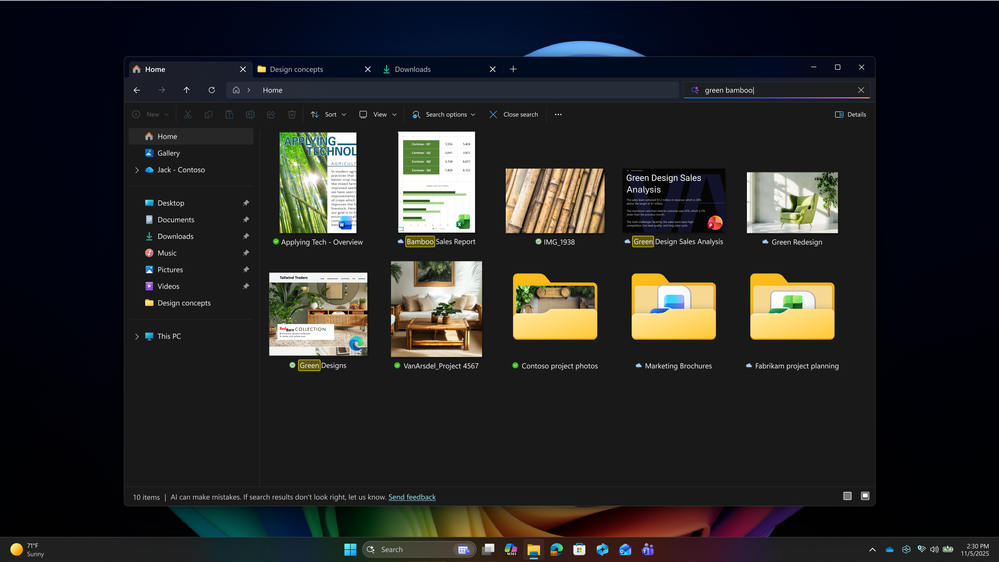
In today’s fast-paced work environment, efficiency isn’t optional — it’s essential. Copilot+ PCs redefine what productivity looks like by bringing AI directly into Windows. Instead of navigating endless menus or switching between apps, employees gain an intuitive experience where AI anticipates intent and delivers context-aware guidance. Copilot+ PCs transform routine tasks into seamless actions, enabling teams to focus on creativity and problem-solving rather than process. The following features are exclusive to Copilot+ PCs:- Find what you need, simply by describing it with improved Windows search. This semantic search capability enables you to find the right file without needing to remember exact file names or words in file content. Improved Windows search spans both local files and now cloud-based Microsoft 365 files, improving discoverability. This is gradually rolling out to commercial Microsoft 365 Copilot customers on Copilot+ PCs.
Improved Windows search on Copilot+ PCs now spans both local files and cloud-based Microsoft 365 files, improving discoverability.
- Act on what’s on your screen with Click to Do. You can send content to and Ask Microsoft 365 Copilot a question about what is on your screen without needing to switch context. Or, a table you see on your screen can instantly become a usable Excel table. Whether it’s an image from the web or something that’s being shown in a Teams meeting, Click to Do makes it easy to convert a table to Excel.
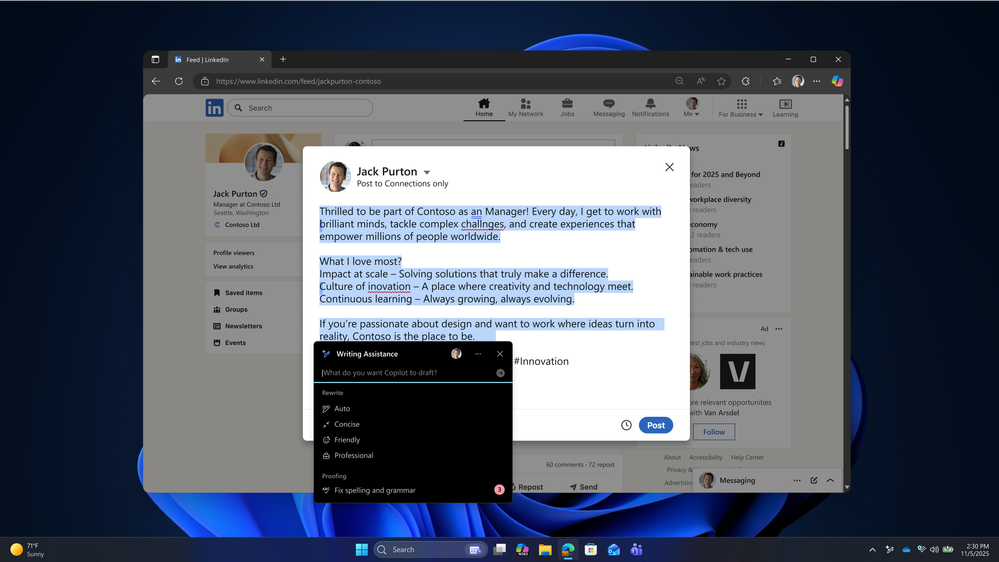
- Write with efficiency, confidence, and clarity. In preview soon, Writing Assistance with Microsoft 365 Copilot helps employees craft compelling content with AI-powered rewrite and proofreading. This is also available offline to Copilot+ PC users, as Writing Assistance leverages the on-device NPU on Copilot+ PCs to run AI models locally, reducing dependency on connectivity.
Writing Assistance with Microsoft 365 Copilot provides AI-powered rewrite and proofreading capabilities.
- Users can also summarize lengthy emails directly in Outlook, even when offline for Copilot+ PC users. This is rolling out to Copilot+ PC users at the end of the month.
Windows for the agentic ecosystem
It’s not just Windows 11 and Copilot+ PCs that demonstrate what’s possible when Windows and AI work together.- Windows also provides platform primitives for enterprises and developers to build and enable agentic workflows. Today, we’re introducing native support for the Model Context Protocol (MCP) in public preview, giving AI agents a standardized way to connect with apps and tools to automate routine scenarios and perform tasks on behalf of users. Built-in agent connectors for File Explorer and Windows Settings make it easy for agents to manage local files and modify device configurations seamlessly. In private preview, the new Agent workspace provides a contained, policy-controlled, and auditable environment where agents can operate like people — performing tasks in parallel without disrupting the user’s primary session. Finally, we’re expanding on-device AI capabilities with Microsoft Foundry on Windows, introducing new Windows AI APIs like Video Super Resolution (VSR) and Stable Diffusion XL (SDXL) to power next-generation AI experiences. Learn more about these new platform capabilities.
- Windows 365 for Agents enables AI-powered systems — such as Copilots, agents, and autonomous workflows — to access a full Cloud PC. These agents can browse websites, process data, and automate tasks, all within a secured, policy-controlled Cloud PC streamed from the Microsoft Cloud. Windows 365 is the backbone of some of the most advanced Microsoft AI initiatives and partner solutions. It serves as the execution platform for computer-using agents built into Microsoft Copilot Studio computer use — Microsoft’s toolkit for building custom Copilot AI agents to automate web tasks right from a prompt. Leading agent makers — Manus AI, Fellou, Genspark, Simular, and TinyFish — are already looking forward to leveraging Windows 365 to deliver next-generation AI solutions. Learn more about Windows 365 for Agents, now in preview.
A secure and manageable foundation
Windows continues to deliver innovation without compromising on security or manageability, to meet the needs of your organization, wherever you may be on your AI journey. With Windows Autopatch, update readiness, hotpatch, and the Windows Resiliency Initiative, we continue to provide organizations with the tools needed to maintain a secure, resilient foundation.- Available soon in public preview, IT admins will be able to manage agentic capabilities in Windows using familiar enterprise tools like Intune, Entra, and Group Policy. This includes enabling or disabling agent connectors and workspaces, setting minimum security policies for agent connectors, and deploying agent connectors with MSIX. Event logs provide visibility into agent activity, and advanced controls are planned for 2026, ensuring organizations can adopt AI on their terms. Learn more about enterprise management policies and capabilities.
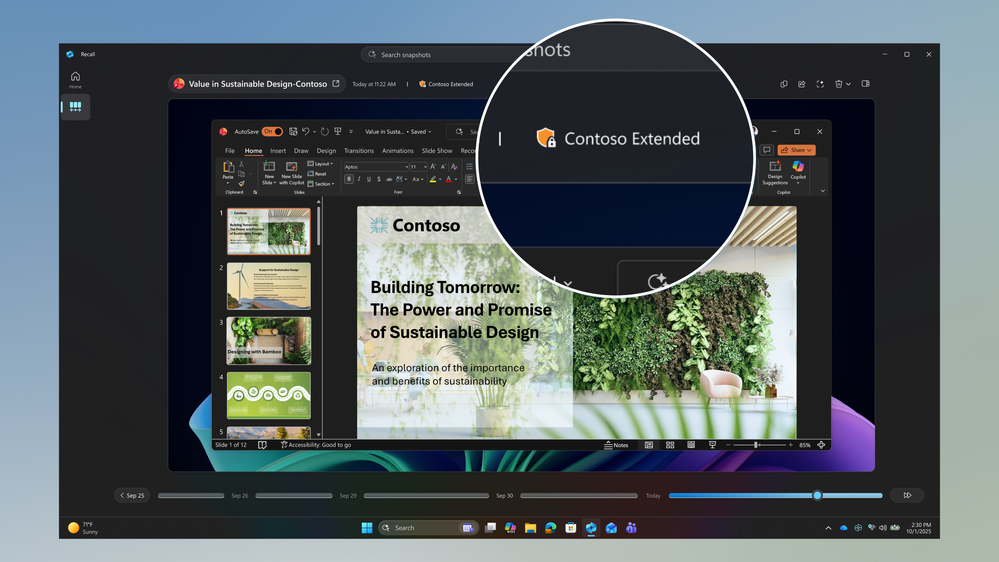
- Recall with Microsoft Purview integration enables organizations to take advantage of Recall’s productivity features on Copilot+ PCs, while still maintaining robust data loss prevention controls. Recall is enterprise-ready, respecting organizational policies and Purview safeguards to help secure sensitive data across Office, Outlook, and Teams. This is now in preview for organizations with Copilot+ PCs. Read the blog, case study, and learn how to manage Recall in your organization.
Recall and Purview integration on Copilot+ PCs is now in preview.
Join early access to get the latest features
To get early access to these features, join the relevant Windows and Microsoft 365 pre-release programs:- Join the Windows Insider Program
Enroll devices in the Windows Insider Program (Dev or Beta Channel) to get pre-release builds of Windows. - Enable Targeted Release for Microsoft 365
In the Microsoft 365 admin center, set your tenant or selected users to Targeted Release to receive early updates to Microsoft 365 and Copilot. - Join the Office Insider Program (optional but recommended for local app previews)
Get early access to new features in Word, Excel, PowerPoint, and other desktop apps.
Learn more
Read more about the Windows and AI at Microsoft Ignite 2025: Windows at the Frontier of Work. We look forward to seeing you in person and online at Microsoft Ignite:- Tuesday, November 18th, 2:30PM PST: BRK344 Agents at Work: Windows Powers the Era of Intelligent Productivity
- Tuesday, November 18th, 5PM PST: BRK346 Secure & Manage the Most Productive, Intelligent OS: Windows 11
- Thursday, November 20th, 9AM PST: THR786 Copilot+ PCs & Microsoft 365: Secure, Smart, Efficient Windows
Source:
Evolving Windows: new Copilot and AI experiences at Ignite 2025 | Microsoft Community Hub
Ignite 2025 is here — learn more about new Copilot and AI experiences in Windows.
 techcommunity.microsoft.com
Last edited: