Exclamation Mark On Blue Circle Appearing On Top Of OneDrive Taskbar Icon


Davy49

Well-known member
Member
VIP
Local time
7:46 AM
Posts
271
Location
USA - MS
OS
Windows11Pro (x64)
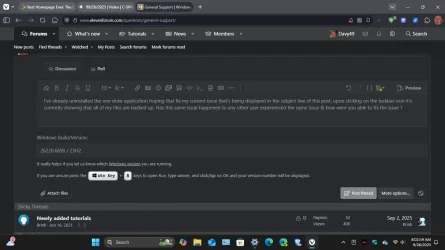
I've already uninstalled the one drive application hoping that fix my current issue that's being displayed in the subject line of this post, upon clicking on the taskbar icon it's currently showing that all of my files are backed up. Has this same issue happened to any other user experienced the same issue & how were you able to fix the issue ?
 
Windows Build/Version
26220.6690 / 25H2

Attachments

  • Screenshot (59).webp
    Screenshot (59).webp
    57.9 KB · Views: 10

My Computer

System One

  • OS
    Windows11Pro (x64)
    Computer type
    PC/Desktop
    Manufacturer/Model
    HP/HP8300EliteSFF
    CPU
    Intel(R) Core(TM) i5-3470 CPU @ 3.20GHz 3.20 GHz
    Memory
    8.00 GB (7.88 GB usable)
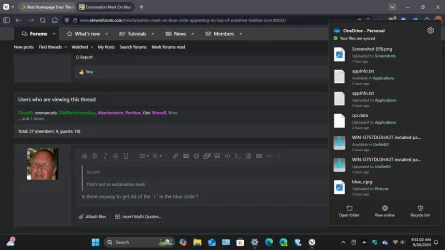
That's not an exclamation mark.

Blue circle with an "i"​

If you see a blue circle with an informational letter "i" in it over a OneDrive cloud icon in the notification area, it means there are new messages about how best to use OneDrive, or to inform you about new or unused features.

Select the OneDrive cloud icon to see any messages and actions to take.

What do the OneDrive icons mean?
 

My Computer

System One

  • OS
    Windows 11
    Computer type
    Laptop

Attachments

  • Screenshot (60).webp
    Screenshot (60).webp
    59.2 KB · Views: 4

My Computer

System One

  • OS
    Windows11Pro (x64)
    Computer type
    PC/Desktop
    Manufacturer/Model
    HP/HP8300EliteSFF
    CPU
    Intel(R) Core(TM) i5-3470 CPU @ 3.20GHz 3.20 GHz
    Memory
    8.00 GB (7.88 GB usable)
You did not uninstall OneDrive all the way. If you did, it would no longer show in your TaskBar.


My Computer

System One

  • OS
    Windows 11 Pro Insider 64 bit 25H2 26200.5742
    Computer type
    PC/Desktop
    Manufacturer/Model
    Gigabyte Z390 UD
    CPU
    Intel Core i7 9700K 3.60
    Motherboard
    Gigabyte Z390 UD
    Memory
    16 GB
    Graphics Card(s)
    nVidia GEForce RTX 2060 Super
    Sound Card
    onboard
    Monitor(s) Displays
    Two 27" Dell 4K monitors
    Screen Resolution
    3840 x 2160
    Hard Drives
    M.2 NVME SSD, 500 GB; Two 2TB Mechanical HDD's
    PSU
    850w PSU
    Case
    Cyberpower PC
    Cooling
    Water cooled
    Keyboard
    Backlit Cyberpower gaming keyboard
    Mouse
    Backlit Cyberpower gaming mouse
    Internet Speed
    1 GB mbps
    Browser
    Brave
    Antivirus
    Windows Security
To everyone who responded to my question I'm so grateful & thankful. Several insider builds back I don't remember the one drive icon displaying like this as it has always appeared just the normal whitesh color. Once again I'm so glad that I decided to become a member of this great forum that contains a wealth of information, along with people who are actually willing to help provide solutions to other members who are in need of pertnant information.
 

My Computer

System One

  • OS
    Windows11Pro (x64)
    Computer type
    PC/Desktop
    Manufacturer/Model
    HP/HP8300EliteSFF
    CPU
    Intel(R) Core(TM) i5-3470 CPU @ 3.20GHz 3.20 GHz
    Memory
    8.00 GB (7.88 GB usable)
So, did our advice help you?
If so, tell us what you did to solve your issue and you can mark this thread Solved.

right hand side around the same height as the thread title, should be a big button that says mark as solved
 

My Computer

System One

  • OS
    Windows 11 Pro Insider 64 bit 25H2 26200.5742
    Computer type
    PC/Desktop
    Manufacturer/Model
    Gigabyte Z390 UD
    CPU
    Intel Core i7 9700K 3.60
    Motherboard
    Gigabyte Z390 UD
    Memory
    16 GB
    Graphics Card(s)
    nVidia GEForce RTX 2060 Super
    Sound Card
    onboard
    Monitor(s) Displays
    Two 27" Dell 4K monitors
    Screen Resolution
    3840 x 2160
    Hard Drives
    M.2 NVME SSD, 500 GB; Two 2TB Mechanical HDD's
    PSU
    850w PSU
    Case
    Cyberpower PC
    Cooling
    Water cooled
    Keyboard
    Backlit Cyberpower gaming keyboard
    Mouse
    Backlit Cyberpower gaming mouse
    Internet Speed
    1 GB mbps
    Browser
    Brave
    Antivirus
    Windows Security

My Computer

System One

  • OS
    Windows 11 Pro
Thanks for all the suggestions, what fixed my issue was what was suggested here:
2. Unlocking my Personal Vault will remove the exclamation point until it gets locked again either by the timeout value or if I do it manually.
 
Last edited:

My Computer

System One

  • OS
    Windows11Pro (x64)
    Computer type
    PC/Desktop
    Manufacturer/Model
    HP/HP8300EliteSFF
    CPU
    Intel(R) Core(TM) i5-3470 CPU @ 3.20GHz 3.20 GHz
    Memory
    8.00 GB (7.88 GB usable)
Same here. Are you on an insider version of OneDrive as I am? My thought was that going back to the official release might fix the problem but even though I opted out of insider releases reinstalling the latest production version re enables it and I get the same pre release version. I even installed an insider release that is the most current and I still get the blue exclamation point.

Two interesting things about the exclamation point.

1. Uninstalling and reinstalling OneDrive will produce the exclamation point. When going into the OneDrive options there is a notification that wants me to select whether I want to send diagnostic data to MS. When I select an option the exclamation point disappears only to return if I logoff/logon, restart, and maybe if I exit OneDrive and restart it.

2. Unlocking my Personal Vault will remove the exclamation point until it gets locked again either by the timeout value or if I do it manually.

So... is the exclamation point a notification indicating the Personal Vault is locked in the insider release? If it is there is no message stating this.

BTW I am on 24H2.
 

My Computer

System One

  • OS
    Windows 11
    Computer type
    PC/Desktop
    Manufacturer/Model
    Home Built
    CPU
    13th Gen Intel(R) Core(TM) i9-13900K
    Motherboard
    ASUS Maximus Hero Z790
    Memory
    Corsair 2x32GB @ 6600
    Graphics Card(s)
    PNY RTX3080 TI
    Sound Card
    Realtek on motherboard.
    Monitor(s) Displays
    Corsair 4k, BenQ 4k.
    Screen Resolution
    3840x2160

My Computer

System One

  • OS
    Windows 11
    Computer type
    PC/Desktop
    Manufacturer/Model
    Home Built
    CPU
    13th Gen Intel(R) Core(TM) i9-13900K
    Motherboard
    ASUS Maximus Hero Z790
    Memory
    Corsair 2x32GB @ 6600
    Graphics Card(s)
    PNY RTX3080 TI
    Sound Card
    Realtek on motherboard.
    Monitor(s) Displays
    Corsair 4k, BenQ 4k.
    Screen Resolution
    3840x2160
Same here. Are you on an insider version of OneDrive as I am? My thought was that going back to the official release might fix the problem but even though I opted out of insider releases reinstalling the latest production version re enables it and I get the same pre release version. I even installed an insider release that is the most current and I still get the blue exclamation point.

Two interesting things about the exclamation point.

1. Uninstalling and reinstalling OneDrive will produce the exclamation point. When going into the OneDrive options there is a notification that wants me to select whether I want to send diagnostic data to MS. When I select an option the exclamation point disappears only to return if I logoff/logon, restart, and maybe if I exit OneDrive and restart it.

2. Unlocking my Personal Vault will remove the exclamation point until it gets locked again either by the timeout value or if I do it manually.

So... is the exclamation point a notification indicating the Personal Vault is locked in the insider release? If it is there is no message stating this.

BTW I am on 24H2.

I'm having the exact same issue and these mentioned temporary fixes have the same effect. No idea how to fix this.
 

My Computer

System One

  • OS
    Windows Pro 11 23H2 Build 22631.3737
    Computer type
    PC/Desktop
    Manufacturer/Model
    Custom built
    CPU
    i5-12600K
    Motherboard
    Gigabyte Z690 UD DDR4
    Memory
    Transcend 16GB
    Graphics Card(s)
    Zotac 4070Ti Trinity
    Sound Card
    Internal: Realtek® ALC892 codec
    Monitor(s) Displays
    Asus VZ239-H
    Screen Resolution
    1080p
    Hard Drives
    Kingston 500GB nVME
    Case
    Fractal Focus 2 RGB White
    Cooling
    Xilence LQ240PRO Watercooling
    Browser
    Edge Chromium
I'm having the exact same issue and these mentioned temporary fixes have the same effect. No idea how to fix this.
did you try the registry edits i suggested in your other thread?
 

My Computer

System One

  • OS
    Windows 11 Pro
The key you specified in the other post does not exist in my registry. Perhaps I need to create it and set it to some value. If so, what type is it?
 

My Computer

System One

  • OS
    Windows 11
    Computer type
    PC/Desktop
    Manufacturer/Model
    Home Built
    CPU
    13th Gen Intel(R) Core(TM) i9-13900K
    Motherboard
    ASUS Maximus Hero Z790
    Memory
    Corsair 2x32GB @ 6600
    Graphics Card(s)
    PNY RTX3080 TI
    Sound Card
    Realtek on motherboard.
    Monitor(s) Displays
    Corsair 4k, BenQ 4k.
    Screen Resolution
    3840x2160
no, the point was to rename them (or just outright delete them if present). if they are not present than that will not resolve the issue.
 

My Computer

System One

  • OS
    Windows 11 Pro
I have noticed this happening after a clean install as well - I think One Drive automatically gets activated now and the i is to alert you to it and so on. Because it's not even a grey cloud is it? It's automatically activated. On top of that, when you right click on it to go to settings to unlink it from this computer - that option isn't there. In the end I think I just fiddled around a bit - put one drive in the search box, went to settings (still nothing there), and eventually when right clicking, the option to unlink it was there. On one occasion I think I just uninstalled it as there was nowhere to unlink it. Hasn't come back :-) It will come back if you install office though.

 

My Computers

System One System Two

  • OS
    Windows 11 Home 25H2
    Computer type
    Laptop
    Manufacturer/Model
    HP Pavilion 14-ce3606sa
    CPU
    Core i5-1035G1
    Memory
    32gb
    Hard Drives
    Samsung 870 evo sata ssd
    Cooling
    Could be better
    Internet Speed
    50 mbps Starlink
    Browser
    Firefox
    Other Info
    Originally came installed with a 500gb H10 Optane ssd
  • Operating System
    Windows 11 Home
    Computer type
    Laptop
    Manufacturer/Model
    HP Pavilion ce3606sa
    CPU
    Intel Core i5-1035G1
    Memory
    16gb
    Hard Drives
    Hynix Gold P31 2TB
    Internet Speed
    200mbps Starlink
    Browser
    Firefox
    Antivirus
    Defender
i dont use onedrive, so i'm just digging up info from the net... try these:

OneDrive's File On-Demand feature allows you to see all your files in File Explorer without downloading them all, but it sometimes adds overlays like the "blue circle" with "I".

Right-click the OneDrive tray icon > Settings > Settings tab > uncheck "Save space and download files as you use them" (turns off File On-Demand)

or

Registry Editor > HKEY_CURRENT_USER\Software\Microsoft\Windows\CurrentVersion\Explorer\CloudStorage (If CloudStorage key doesn't exist, create it) > New DWORD named > DisableCloudStorageOverlay with value of 1

Restart Explorer
 

My Computer

System One

  • OS
    Windows 11 Pro
i dont use onedrive, so i'm just digging up info from the net... try these:


Right-click the OneDrive tray icon > Settings > Settings tab > uncheck "Save space and download files as you use them" (turns off File On-Demand)

or

Registry Editor > HKEY_CURRENT_USER\Software\Microsoft\Windows\CurrentVersion\Explorer\CloudStorage (If CloudStorage key doesn't exist, create it) > New DWORD named > DisableCloudStorageOverlay with value of 1

Restart Explorer
Didn't work for me.
 

My Computer

System One

  • OS
    Windows 11
    Computer type
    PC/Desktop
    Manufacturer/Model
    Home Built
    CPU
    13th Gen Intel(R) Core(TM) i9-13900K
    Motherboard
    ASUS Maximus Hero Z790
    Memory
    Corsair 2x32GB @ 6600
    Graphics Card(s)
    PNY RTX3080 TI
    Sound Card
    Realtek on motherboard.
    Monitor(s) Displays
    Corsair 4k, BenQ 4k.
    Screen Resolution
    3840x2160
Didn't work for me.
Ok let’s dig deeper. Go to

HKEY_LOCAL_MACHINE\SOFTWARE\Microsoft\Windows\CurrentVersion\Explorer\ShellIconOverlayIdentifiers

Export the key.

Delete the OneDrive1, etc one by one to find the i overlay icon. Not sure if an Explorer restart works or if you have to reboot per…


I tracked down what they go to. None are that i overlay. See other response on next page for alternate option to try.
 
Last edited:

My Computer

System One

  • OS
    Windows 11 Pro
The unwanted overlay is on a taskbar icon not in file explorer.
 

My Computer

System One

  • OS
    Windows 11
    Computer type
    Laptop
Back
Top Bottom