

- Local time
- 12:42 PM
- Posts
- 4,795
- OS
- Windows 11 Pro
Yep, that’s what the thread says.The unwanted overlay is on a taskbar icon not in file explorer.
Anyways, I tracked down what each of those numbered keys are since posting and only one crosses over from the tray icon to the file explorer overlays and that’s the sync circular arrows.
As far as I can tell any thread on the internet relating to this i overlay is tied to personal vault.
EDIT:
Apparently this can disable it, but I assume you all have already tried this. Almost seems too simple
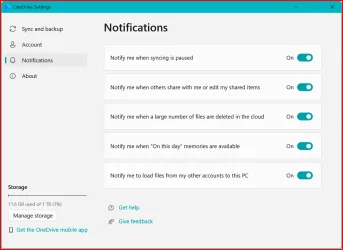
Right click tray icon > settings > notifications tab > uncheck “Show me OneDrive notifications for tips, feature announcements, and suggestions”
Last edited:
My Computer
At a glance
Windows 11 Pro
- OS
- Windows 11 Pro



 Unless you actually want to keep one drive which is a different thing. The main reason to unlink it is to then uninstall it. No one drive, no i! Once it's unlinked and uninstalled it won't come back - unless you install office. Then it needs unlinking and uninstalling again.





