Faststone Capture: How to save video as Mp4


ariespaan

Well-known member
Local time
7:56 PM
Posts
65
OS
windows 11
Hi,

I work with Windows-11 and use often: Faststone Capture for Scteenshots and Video capturing
On the internet i see that Videos may be saved as WMV or Mp4
But i do not know how i should save an captured video as an MP4-file

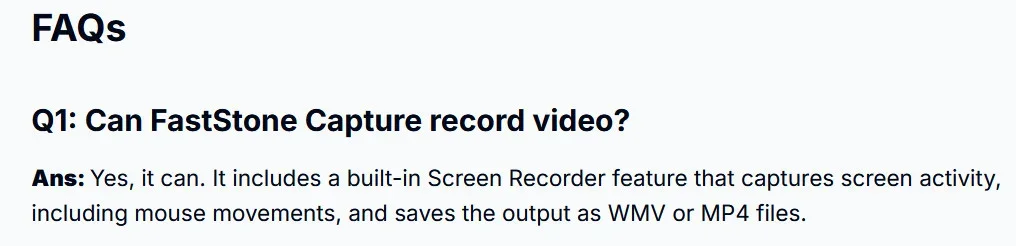
Many internet forums say that Faststone Capture can save videos as WMV or Mp4

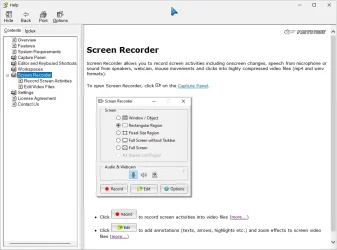
(See attached screeshot

But: How is that to be done?
 

Attachments
  • Fs Cap 0375.webp
    Fs Cap 0375.webp
    27 KB · Views: 2

My Computer

System One

  • OS
    windows 11
Another FS Capture user here - the program's help file has a couple of pages on this subject that explain the feature, in case you haven't already looked.
When you save your recorded video you're given a choice of format/size/quality within the save dialog box. Referring to the latest version (11.2) for reference.
 

Attachments

  • 2026-04-15_103843 fsc.webp
    2026-04-15_103843 fsc.webp
    54.4 KB · Views: 1

My Computer

System One

  • OS
    Win11Pro 24H2 (26100.7462)
    Computer type
    PC/Desktop
    Manufacturer/Model
    self-built
    CPU
    i7-12700f
    Motherboard
    gigabyte auros b660
    Memory
    32gb ddr4
    Graphics Card(s)
    nvidia rtx3060ti
    Sound Card
    onboard realtek
    Monitor(s) Displays
    1 x benq, 2 x lg
    Screen Resolution
    1 at 2560x1080, 2 at 1920x1080
    Hard Drives
    nvme 1tb crucial ssd
    sata 1tb samsung ssd
    1tb HDD, 3tb HDD
    PSU
    corsair rm750
    Case
    NZXT H710
    Cooling
    BeQuiet Dark Rock
    Keyboard
    steelseries apex 3
    Mouse
    generic usb
    Internet Speed
    500 down 20 up
    Browser
    librewolf
    Antivirus
    eset nod32

My Computer

System One

  • OS
    Win11Pro 24H2 (26100.7462)
    Computer type
    PC/Desktop
    Manufacturer/Model
    self-built
    CPU
    i7-12700f
    Motherboard
    gigabyte auros b660
    Memory
    32gb ddr4
    Graphics Card(s)
    nvidia rtx3060ti
    Sound Card
    onboard realtek
    Monitor(s) Displays
    1 x benq, 2 x lg
    Screen Resolution
    1 at 2560x1080, 2 at 1920x1080
    Hard Drives
    nvme 1tb crucial ssd
    sata 1tb samsung ssd
    1tb HDD, 3tb HDD
    PSU
    corsair rm750
    Case
    NZXT H710
    Cooling
    BeQuiet Dark Rock
    Keyboard
    steelseries apex 3
    Mouse
    generic usb
    Internet Speed
    500 down 20 up
    Browser
    librewolf
    Antivirus
    eset nod32
I read all the Help-files of FS-Capture, never found how to save to the MP4-format
Faststone claimed that saving can be done with WMV and MP4, but never mentioned how to do that, strange!
I think i use WMV therefore
 

My Computer

System One

  • OS
    windows 11
Fastone capture uses your default media player settings. It's automatic. I use VLC so mp4 is the default save output.
 

My Computer

System One

  • OS
    windows 10 21h2

Latest Support Threads

Back
Top Bottom