
bmbell4040
New member
- Local time
- 10:31 AM
- Posts
- 2
- OS
- Windows 11
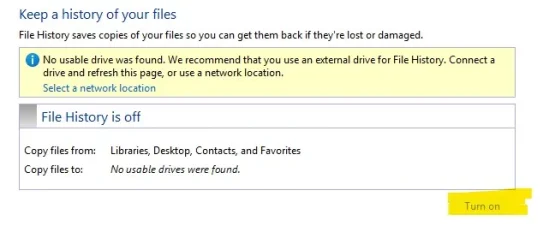
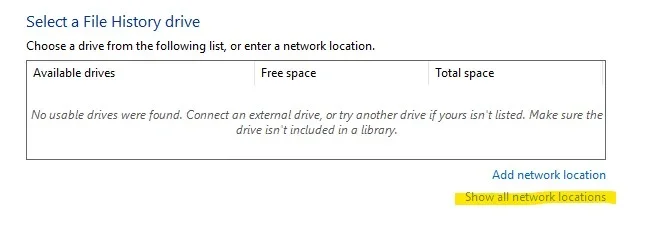
First time caller, long time fan. File History...where to begin. It worked (mostly) alright in Windows 10. And now it's virtually useless in Windows 11. Lots of symptoms and behaviors to cover. In no particular order, for starters, it will not recognize any local USB drive as a storage option. And the same goes for network locations. In fact, "show all network locations" is grayed out. My share settings seem to be allowable for LAN backups, or so I think. And last but not least, I can't even toggle File History off or on. It's off now and seems to be stuck as such. Like I said, it wasn't perfect in Windows 10. But it worked. Not it's bricked. I do have OneDrive, but I prefer/enjoy local backups as well.
- Windows Build/Version
- Windows 11 Home 24H2
Attachments
My Computer
At a glance
Windows 11
- OS
- Windows 11
- Computer type
- Laptop
- Manufacturer/Model
- HP Laptop 15






