Solved Finding the UEFI's DBX SVN number using PowerShell


The scheduled task is only written to perform exactly the steps MS intended it do. It's not a general purpose tool for adding other certs.

There are ways to append certs (if they're signed EDK binary files) to the UEFI variables from a live Windows without Mosby. I have a working script, but it can't be shared until MS fixes a really stupid mistake they've done to a reference JSON file on their GitHub.
I'll look forward to seeing the script one day, I'm sure it will be welcomed and appreciated by all.
 

My Computer My Computer

At a glance

Windows 11
OS
Windows 11
Thank you @garlin for sharing this clear-cut valuable information with us. It is much appreciated.
 

My Computers My Computers

  • At a glance

    Windows 11 Pro build 26200.8524Intel i7-4790Teams DDR3-1600 4x4 GBMSI Nvidia GeForce GTX 1050Ti
    OS
    Windows 11 Pro build 26200.8524
    Computer type
    PC/Desktop
    Manufacturer/Model
    Home Built
    CPU
    Intel i7-4790
    Motherboard
    Asus H97 Pro Gamer with add-on TPM1.2 module
    Memory
    Teams DDR3-1600 4x4 GB
    Graphics Card(s)
    MSI Nvidia GeForce GTX 1050Ti
    Sound Card
    Realtek ALC1150
    Monitor(s) Displays
    Dell P2425D
    Screen Resolution
    2560 by 1440 pixels
    Hard Drives
    Corsair NVMe M.2 Core XT 1000 GB (Windows 11 v.25H2); Samsung SATA Evo 870 500 GB (Windows 11 v.25H2);
    PSU
    Corsair HX850
    Case
    Gigabyte Solo 210
    Cooling
    Zalman CNPS7X Tower
    Keyboard
    Microsoft AIO Wireless (includes touchpad)
    Mouse
    HP S1000 Plus Wireless
    Internet Speed
    500 Mb fiber optic
    Browser
    Chrome; MS Edge
    Antivirus
    Windows Defender
  • At a glance

    MacOS 12 MontereyIntel Core i58 GBIntel integrated
    Operating System
    MacOS 12 Monterey
    Computer type
    Laptop
    Manufacturer/Model
    Apple Macbook Air
    CPU
    Intel Core i5
    Memory
    8 GB
    Graphics card(s)
    Intel integrated
    Screen Resolution
    1440 by 900 pixels
    Hard Drives
    128 GB
    Keyboard
    Built-in
    Mouse
    Microsoft Wireless
    Internet Speed
    802.11 ac
    Browser
    Chrome; Safari
    Antivirus
    N/A

My Computer My Computer

At a glance

Windows 11 Pro 25H212th Gen Intel(R) Core(TM) i7-1255U (1.70 GHz16.0 GBIntel iRIS Xe
OS
Windows 11 Pro 25H2
Computer type
Laptop
Manufacturer/Model
HP 15s-fq5xxx
CPU
12th Gen Intel(R) Core(TM) i7-1255U (1.70 GHz
Memory
16.0 GB
Graphics Card(s)
Intel iRIS Xe
Screen Resolution
1920 x 1080
Hard Drives
Samsung SSD 512 GB
Mouse
Logitech Pebble
Internet Speed
500/50 Mb/sec
Browser
Chrome
Antivirus
Defender
But also... some systems have a setting in Secure Boot section of BIOS to allow image execution even if the Boot Manager files aren't signed or are signed by an untrusted certificate. This effectively the same as disabling Secure Boot.

MSI motherboard BIOS's (in particular) are known to ship with that as the default setting, you have to disable Allow Image Execute to get true protections of Secure Boot. But I believe there may be others.

Nope, no setting like that in my HP BIOS.
Only 3 settings related to secure boot

Secure Boot on/off
Remove all keys
Load factory Default Keys

The later 2 are greyed out until Secure Boot turned off, then "Remove all Keys" becomes available and, I would assume, if you do that then "Load Factory Defaults" would become available, but I haven't been game to try that. :lie:
 

My Computer My Computer

At a glance

Windows 11 Pro 25H212th Gen Intel(R) Core(TM) i7-1255U (1.70 GHz16.0 GBIntel iRIS Xe
OS
Windows 11 Pro 25H2
Computer type
Laptop
Manufacturer/Model
HP 15s-fq5xxx
CPU
12th Gen Intel(R) Core(TM) i7-1255U (1.70 GHz
Memory
16.0 GB
Graphics Card(s)
Intel iRIS Xe
Screen Resolution
1920 x 1080
Hard Drives
Samsung SSD 512 GB
Mouse
Logitech Pebble
Internet Speed
500/50 Mb/sec
Browser
Chrome
Antivirus
Defender
Applying SVN 7.0 prevents an older version of the boot manager from loading. 24H2 always had the right boot files (for SVN enforcement) from the start.

Thankyou @garlin for the information and all your valuable input, much appreciated.
 

My Computer My Computer

At a glance

Windows 11 Pro 25H212th Gen Intel(R) Core(TM) i7-1255U (1.70 GHz16.0 GBIntel iRIS Xe
OS
Windows 11 Pro 25H2
Computer type
Laptop
Manufacturer/Model
HP 15s-fq5xxx
CPU
12th Gen Intel(R) Core(TM) i7-1255U (1.70 GHz
Memory
16.0 GB
Graphics Card(s)
Intel iRIS Xe
Screen Resolution
1920 x 1080
Hard Drives
Samsung SSD 512 GB
Mouse
Logitech Pebble
Internet Speed
500/50 Mb/sec
Browser
Chrome
Antivirus
Defender
The scheduled task is only written to perform exactly the steps MS intended it do.
Yep, I did figure that was the case. But then...there are frequently undocumented features in a lot of tools MS intended to make available but just never told us about. Seeing that, I was wondering if someone had found one out.
 

My Computers My Computers

  • At a glance

    Windows 11 ProRyzen 7 5800XGSkill 3200, 2x8GBMSI RX 6800 XT Gaming Z
    OS
    Windows 11 Pro
    Computer type
    PC/Desktop
    Manufacturer/Model
    DIY
    CPU
    Ryzen 7 5800X
    Motherboard
    Gigabyte B550M Aorus Pro
    Memory
    GSkill 3200, 2x8GB
    Graphics Card(s)
    MSI RX 6800 XT Gaming Z
    Sound Card
    on-board Realtek
    Monitor(s) Displays
    MSI 180hz
    Screen Resolution
    1440p
    Hard Drives
    Samsung 980 Pro, Samsung 870 Evo, generic PCIe NVME, WD 1TB 2.5" laptop spinner
    PSU
    Corsair RM 650
    Case
    mATX
    Cooling
    BeQuiet 240mm AIO and a bunch of case fans
    Keyboard
    one that clacks softly
    Mouse
    logitech
    Internet Speed
    bunches of bps
    Browser
    Firefox
    Antivirus
    Windows' own
  • At a glance

    Win11 ProRyzen 7 170016GB DDR4RX-480
    Operating System
    Win11 Pro
    Computer type
    PC/Desktop
    Manufacturer/Model
    DIY
    CPU
    Ryzen 7 1700
    Motherboard
    GA-AB350M G-3
    Memory
    16GB DDR4
    Graphics card(s)
    RX-480
    Sound Card
    In-Built Realtek
    Monitor(s) Displays
    Samsung
    Screen Resolution
    1440p
    Hard Drives
    NVME/SSD's
    PSU
    Thermaltake BX1 550W
    Case
    Some junky thing
    Cooling
    ThermalTake Assassin(?)
    Browser
    FF/Edge
    Antivirus
    Whatever Windows does
    Other Info
    Secure Boot enabled updated to 2023 CA keys, TPM2.0 enabled with system drive Bitlocker'd.
Nope, no setting like that in my HP BIOS.
Only 3 settings related to secure boot

Secure Boot on/off
Remove all keys
Load factory Default Keys

The later 2 are greyed out until Secure Boot turned off, then "Remove all Keys" becomes available and, I would assume, if you do that then "Load Factory Defaults" would become available, but I haven't been game to try that. :lie:
This is exactly the problem, why vendors were expected to ship new firmware for all PC's.

If you had to start over (for whatever reason), a "factory reset" would result in the base firmware keys. It could be the CA 2011 keys. On new PC's, MS says it's OK to only provide the CA 2023 keys if the vendor wants that. But I presume they'll either not ship a new firmware for outdated PC's, or ship new PC's with a mix of both keys.

Mosby or the tool I'm working can just re-apply CA 2023 certs to a factory reset PC that only lists CA 2011. On the worst case, you turn off Secure Boot. Re-apply the keys, and confirm it's good. Then re-enable Secure Boot. Back to normal operations..

Thankyou @garlin for the information and all your valuable input, much appreciated.
Thanks for the feedback.
 

My Computer My Computer

At a glance

Windows 7
OS
Windows 7
Nope, no setting like that in my HP BIOS.
Only 3 settings related to secure boot

Secure Boot on/off
Remove all keys
Load factory Default Keys

The later 2 are greyed out until Secure Boot turned off, then "Remove all Keys" becomes available and, I would assume, if you do that then "Load Factory Defaults" would become available, but I haven't been game to try that. :lie:
It would work as you probably suspect: it clears all keys and then reloads the default keys that shipped with the BIOS. That would remove the 2023 keys Microsoft loaded with these updates.

But clearing keys also puts it in what's called Setup Mode, when you can load a unique PK (Platform Key) and then build a chain of trust that's independent of the OEM, which is what MOSBY needs.
 

My Computers My Computers

  • At a glance

    Windows 11 ProRyzen 7 5800XGSkill 3200, 2x8GBMSI RX 6800 XT Gaming Z
    OS
    Windows 11 Pro
    Computer type
    PC/Desktop
    Manufacturer/Model
    DIY
    CPU
    Ryzen 7 5800X
    Motherboard
    Gigabyte B550M Aorus Pro
    Memory
    GSkill 3200, 2x8GB
    Graphics Card(s)
    MSI RX 6800 XT Gaming Z
    Sound Card
    on-board Realtek
    Monitor(s) Displays
    MSI 180hz
    Screen Resolution
    1440p
    Hard Drives
    Samsung 980 Pro, Samsung 870 Evo, generic PCIe NVME, WD 1TB 2.5" laptop spinner
    PSU
    Corsair RM 650
    Case
    mATX
    Cooling
    BeQuiet 240mm AIO and a bunch of case fans
    Keyboard
    one that clacks softly
    Mouse
    logitech
    Internet Speed
    bunches of bps
    Browser
    Firefox
    Antivirus
    Windows' own
  • At a glance

    Win11 ProRyzen 7 170016GB DDR4RX-480
    Operating System
    Win11 Pro
    Computer type
    PC/Desktop
    Manufacturer/Model
    DIY
    CPU
    Ryzen 7 1700
    Motherboard
    GA-AB350M G-3
    Memory
    16GB DDR4
    Graphics card(s)
    RX-480
    Sound Card
    In-Built Realtek
    Monitor(s) Displays
    Samsung
    Screen Resolution
    1440p
    Hard Drives
    NVME/SSD's
    PSU
    Thermaltake BX1 550W
    Case
    Some junky thing
    Cooling
    ThermalTake Assassin(?)
    Browser
    FF/Edge
    Antivirus
    Whatever Windows does
    Other Info
    Secure Boot enabled updated to 2023 CA keys, TPM2.0 enabled with system drive Bitlocker'd.
Mosby wants total independence on the PK trust chain. But that's not technically required. You're supposed to wait for a vendor-signed KEK (signed by the vendor's PK) to be applied. Once that's done, MS (through Windows) can handle everything from there.

At this moment, vendors are still checking in their KEK's to MS.

If your vendor has truly abandoned you, and if you're allowed key management in the UEFI menu (it depends if you have the basic UEFI "shell" or a fancy GUI like the ASUS/ASR motherboards), it's possible to read a signed .der or .crt file off a FAT32 disk device. With that certificate you can enroll the KEK CA 2023 from MS without your vendor's assistance. But it's a manual process of clicking through the menu options.

The nuclear option is MS provides the Windows OEM PK cert. You basically replace the default vendor PK with a MS one, since your vendor's abandoned you anyway. Mosby does something similar, except it's constructed as an one-stop self-signing, self-enrolling PK solution. But it's not required you stray that far, unless that's your wish because you believe in self-signing.

Self-signing and deploying UEFI certs has existed on Linux for years. But MS is hesitant to have users play around it with it.
 

My Computer My Computer

At a glance

Windows 7
OS
Windows 7
But MS is hesitant to have users play around it with it.
Why do you think they are? If a user self-signs their PK, then builds the chain on that by signing Microsoft's KEK and, in turn, DB certs then would it be any different from building it from an OEM's PK as far as Windows would see it?
 
Last edited:

My Computers My Computers

  • At a glance

    Windows 11 ProRyzen 7 5800XGSkill 3200, 2x8GBMSI RX 6800 XT Gaming Z
    OS
    Windows 11 Pro
    Computer type
    PC/Desktop
    Manufacturer/Model
    DIY
    CPU
    Ryzen 7 5800X
    Motherboard
    Gigabyte B550M Aorus Pro
    Memory
    GSkill 3200, 2x8GB
    Graphics Card(s)
    MSI RX 6800 XT Gaming Z
    Sound Card
    on-board Realtek
    Monitor(s) Displays
    MSI 180hz
    Screen Resolution
    1440p
    Hard Drives
    Samsung 980 Pro, Samsung 870 Evo, generic PCIe NVME, WD 1TB 2.5" laptop spinner
    PSU
    Corsair RM 650
    Case
    mATX
    Cooling
    BeQuiet 240mm AIO and a bunch of case fans
    Keyboard
    one that clacks softly
    Mouse
    logitech
    Internet Speed
    bunches of bps
    Browser
    Firefox
    Antivirus
    Windows' own
  • At a glance

    Win11 ProRyzen 7 170016GB DDR4RX-480
    Operating System
    Win11 Pro
    Computer type
    PC/Desktop
    Manufacturer/Model
    DIY
    CPU
    Ryzen 7 1700
    Motherboard
    GA-AB350M G-3
    Memory
    16GB DDR4
    Graphics card(s)
    RX-480
    Sound Card
    In-Built Realtek
    Monitor(s) Displays
    Samsung
    Screen Resolution
    1440p
    Hard Drives
    NVME/SSD's
    PSU
    Thermaltake BX1 550W
    Case
    Some junky thing
    Cooling
    ThermalTake Assassin(?)
    Browser
    FF/Edge
    Antivirus
    Whatever Windows does
    Other Info
    Secure Boot enabled updated to 2023 CA keys, TPM2.0 enabled with system drive Bitlocker'd.
Thank you Garlin for the tutorial and script.
I now have SVN7.
 

My Computer My Computer

At a glance

Windows 11AMD Ryzen 8700G64 GBOnboard
OS
Windows 11
Computer type
PC/Desktop
Manufacturer/Model
Generic
CPU
AMD Ryzen 8700G
Motherboard
Gigabyte B650 UD AC
Memory
64 GB
Graphics Card(s)
Onboard
Sound Card
Onboard
Monitor(s) Displays
Del U2723QE
Screen Resolution
3840 x 2160
Hard Drives
Corsiar MP600 1TB
PSU
Silverstone 750 GOLD
Case
Silverstone FARA 513
Why do you think they are? If a user self-signs their PK, then build the chain on that by signing Microsoft's KEK and, in turn, DB certs then would it be any different from building it from an OEM's PK as far as Windows would see it? I can see why they couldn't easily build the chain with their own self-signed DB certs if the Boot Manager files are maintained by Microsoft with periodic updates though.

I had not heard of the "nuclear option" or a Microsoft PK. That's interesting since I'm pretty sure Microsoft can't push that one into firmware from an scheduled task! A user would have to prepare a system the same as for using MOSBY: put it in setup mode by deleting all the keys including PK.
There's no difference from the UEFI perspective. The problem is user support. An experienced user with the right guidance and tools can do this with not that much difficulty. Like the tool I'm writing, it takes the uncertainty out of the picture.

You've probably spent enough time on different user forums. How many over-inquisitive and under-experienced, or determined but not very technical people you have you seen who attempt a technical feat and either (temporarily) brick their PC or get frustrated at the whole process? Multiple that by hundreds and thousands and millions more.

The good thing is MS is respecting the UEFI community and releasing the same certs to the public, and not making it a "Windows only" path to upgrading security. The only thing they can't release is the original PK keys for obvious reasons. But on the GitHub, they've provided pre-signed certs and post-signed binary objects. This how Mosby and Linux's fwupd tool can inter-operate with MS, by taking on the published objects.
 

My Computer My Computer

At a glance

Windows 7
OS
Windows 7
I am very much the amateur, just trying to learn and stay safe. 🍻🍻
 

My Computer My Computer

At a glance

Windows 11AMD Ryzen 8700G64 GBOnboard
OS
Windows 11
Computer type
PC/Desktop
Manufacturer/Model
Generic
CPU
AMD Ryzen 8700G
Motherboard
Gigabyte B650 UD AC
Memory
64 GB
Graphics Card(s)
Onboard
Sound Card
Onboard
Monitor(s) Displays
Del U2723QE
Screen Resolution
3840 x 2160
Hard Drives
Corsiar MP600 1TB
PSU
Silverstone 750 GOLD
Case
Silverstone FARA 513
I am very much the amateur, just trying to learn and stay safe. 🍻🍻


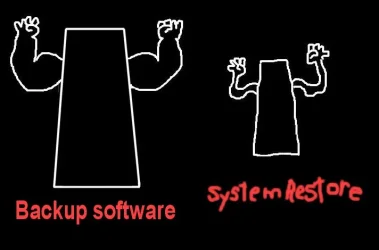
Best way to stay safe...


With a fresh backup, you can break almost anything, software wise, and just restore from a backup.

Backup Software.webp
 

My Computers My Computers

  • At a glance

    Win 11 Home ♦♦♦26200.8737 ♦♦♦♦♦♦♦25H2AMD Ryzen 7 3700XG.Skill (F4-3200C14D-16GTZKW)EVGA RTX 2070 (08G-P4-2171-KR)
    OS
    Win 11 Home ♦♦♦26200.8737 ♦♦♦♦♦♦♦25H2
    Computer type
    PC/Desktop
    Manufacturer/Model
    Built by Ghot® [May 2020]
    CPU
    AMD Ryzen 7 3700X
    Motherboard
    Asus Pro WS X570-ACE (BIOS 5302)
    Memory
    G.Skill (F4-3200C14D-16GTZKW)
    Graphics Card(s)
    EVGA RTX 2070 (08G-P4-2171-KR)
    Sound Card
    Realtek ALC1220P / ALC S1220A
    Monitor(s) Displays
    Dell U3011 30"
    Screen Resolution
    2560 x 1600
    Hard Drives
    2x Samsung 860 EVO 500GB,
    WD 4TB Black FZBX - SATA III,
    WD 8TB Black FZBX - SATA III,
    DRW-24B1ST CD/DVD Burner
    PSU
    PC Power & Cooling 750W Quad EPS12V
    Case
    Cooler Master ATCS 840 Tower
    Cooling
    CM Hyper 212 EVO (push/pull)
    Keyboard
    Ducky DK9008 Shine II Blue LED
    Mouse
    Logitech Optical M-100
    Internet Speed
    300/300
    Browser
    Firefox (latest)
    Antivirus
    Bitdefender Total Security
    Other Info
    Speakers: Klipsch Pro Media 2.1
  • At a glance

    Windows XP Pro 32bit w/SP3AMD Athlon 64 X2 5000+ (OC'd @ 3.2Ghz)TWIN2X2048-6400C4DHX (2 x 1GB, DDR2 800)EVGA 256-P2-N758-TR GeForce 8600GT SSC
    Operating System
    Windows XP Pro 32bit w/SP3
    Computer type
    PC/Desktop
    Manufacturer/Model
    Built by Ghot® (not in use)
    CPU
    AMD Athlon 64 X2 5000+ (OC'd @ 3.2Ghz)
    Motherboard
    ASUS M2N32-SLI Deluxe Wireless Edition
    Memory
    TWIN2X2048-6400C4DHX (2 x 1GB, DDR2 800)
    Graphics card(s)
    EVGA 256-P2-N758-TR GeForce 8600GT SSC
    Sound Card
    Onboard
    Monitor(s) Displays
    ViewSonic G90FB Black 19" Professional (CRT)
    Screen Resolution
    up to 2048 x 1536
    Hard Drives
    WD 36GB 10,000rpm Raptor SATA
    Seagate 80GB 7200rpm SATA
    Lite-On LTR-52246S CD/RW
    Lite-On LH-18A1P CD/DVD Burner
    PSU
    PC Power & Cooling Silencer 750 Quad EPS12V
    Case
    Generic Beige case, 80mm fans
    Cooling
    ZALMAN 9500A 92mm CPU Cooler
    Keyboard
    Logitech Classic Keybooard 200
    Mouse
    Logitech Optical M-BT96a
    Internet Speed
    300/300
    Browser
    Firefox 3.x ??
    Antivirus
    Symantec (Norton)
    Other Info
    Still assembled, still runs. Haven't turned it on for 15 years?
Back
Top Bottom