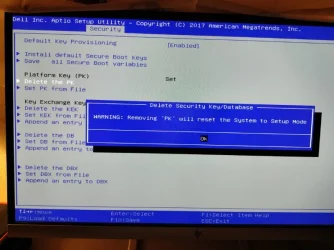
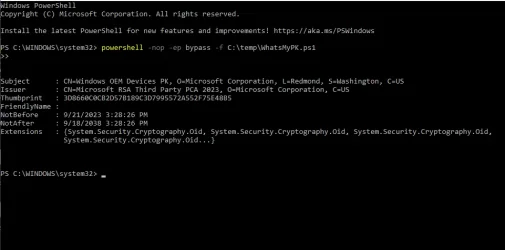
Solved garlin's PowerShell scripts for updating Secure Boot CA 2023


I'm guessing when the NVRAM is exhausted, that's time to install a new motherboard. :D

I thought this was an interesting feature in the latest version:

Mosby v3.2 x64
UEFI v2.40 (Lenovo, 0x00001450)
LENOVO R06ET71W (1.45 )
LENOVO 20FN002JUS
NVRAM: 11.10/153.9 KB used (141.9 KB free)
System SBAT is 2025051000, Embedded SBAT is 2025051000
Not installing SBAT since this system's SBAT is either the same or newer
Generating Secure Boot DB signing credentials...
Saved Secure Boot DB signing credentials as 'MosbyKey'
Generating PK certificate...
Installing DBX: 'DBX for x86 (64 bit) [2025.10.16]'
Installing DBX: 'Windows Bootmgr SVN 8.0 DBX update [2026-04-10]'
Installing DB: 'Microsoft Windows Production PCA 2011'
Installing DB: 'Microsoft Corporation UEFI CA 2011'
Installing DB: 'Windows UEFI CA 2023'
Installing DB: 'Microsoft UEFI CA 2023'
Installing DB: 'Microsoft Option ROM UEFI CA 2023'
Installing DB: 'MosbyKey [2026.06.11]'
Installing KEK: 'Microsoft Corporation KEK CA 2011'
Installing KEK: 'Microsoft Corporation KEK 2K CA 2023'
Installing PK: 'Mosby Generated PK [2026.06.11]'
NVRAM: 44.7/153.9 KB used (109.1 KB free)
 

My Computer My Computer

At a glance

Windows 11
OS
Windows 11
Exhaustion of available NVRAM space is huge concern with older BIOS'es. Back then, Secure Boot was relatively new and not that much thinking was placed on how fast the DBX (banned list) would grow over time.
[...]
Suppose you are concerned about NVRAM space, you would need to perform one of two options:

1. If your BIOS supports deleting all of DBX (just the DBX), delete the current entries. Re-run the update script, and it will repopulate the DBX but without the 151 retired hashes.

2. Delete all keys, and repeat the whole update process. Since you wiped everything and applied the April 2026 (or later) changes, you don't have those extra 151 entries.

[...]
Thanks Garlin for this detailed explanation. The laptop was purchased late 2015, and was updated to the latest BIOS dating back from December 2015. I revoked the CA 2011 in March 2026.
The Desktop was purchased early 2020 and was updated to the latest BIOS dating back from October 2020. The CA 2011 hasn't been revoked on this PC yet.
Is my laptop using one of the older BIOS?
Anyway, I know how to "fix" the problem, if ever the NRAM is running out of space. I'll have to go with option 2.
 

My Computer My Computer

At a glance

Windows 10 x64 PRO N with ESUi3-4005U8 GB DDR3Intel HD Graphics 4400 / NVIDIA GeForce 920M
OS
Windows 10 x64 PRO N with ESU
Computer type
Laptop
Manufacturer/Model
Acer
CPU
i3-4005U
Memory
8 GB DDR3
Graphics Card(s)
Intel HD Graphics 4400 / NVIDIA GeForce 920M
Hard Drives
512 GB SSD
Browser
Firefox
Other Info
10 years old, still running
It's not so much a problem of an older BIOS, as how much physical memory is in the chip where the NVRAM is stored. A lot of this is implementation dependent, meaning every vendor knows the overall specs for how to handle Secure Boot variables but how each BIOS is written can vary.

The specific Acer concern is their BIOS implementation artificially limits the assigned variables space, even if the total (shared) space left in the NVRAM is still enough to fit new updates. The concerned thread in their support forums was pleading for Acer to make that fix.

Someone else's BIOS might come from a different vendor (they're mostly licensed from a handful of BIOS companies). That same concern may not apply to everyone's PC. Unfortunately, BIOS'es are treated as highly proprietary and for security reasons, very few details are shared outside of the HW vendors. What you will get are from BIOS modders and security researchers trying to reverse engineer this knowledge.

Should you panic? For most users, if your BIOS looks like it's friendly to adding or deleting keys through a well-organized UI, I wouldn't worry. It's probably sized well enough and done correctly that you shouldn't be concerned you'll hit a wall if you keep it for a few more years. The pace of adding banned EFI files has slowed down because the major players (Windows and Linux) have moved away from DBX signatures as a blocking mechanism.

There will still be a few files that pop up, but the rate of increase has dropped. It's stabilized to probably a handful of new banned files every year.

It's the super ancient PC's from before the 2020's which are more concerning. The further back in time, it's less likely those BIOS implementations were giving major thought to what happens with the DBX's list size. If you hit that wall where you can't add more DBX entries, then you'll have to disable Secure Boot or finally retire that PC. At this point, a 10 year-old PC has already had a good run.
 

My Computer My Computer

At a glance

Windows 7
OS
Windows 7

Latest Support Threads

Back
Top Bottom