Google Security Blog:
Online scams and social engineering tactics are constantly evolving, but as these threats grow and adapt, so do our defenses. In 2020, we launched the Enhanced Protection mode of Safe Browsing in Chrome to better address these increasingly sophisticated threats, and in 2025, we shared that more than 1 billion Chrome users had it enabled. Since then, we’ve added even more features to Enhanced Protection, making its users ten times safer from phishing, social engineering, notifications abuse, and other scams when compared to Safe Browsing's Standard Protection mode. 1 Here's a look at some of the new features we've introduced in 2026 to further strengthen these protections.
Introducing suspicious site warnings
In a previous post on securing the Chrome downloads experience, we discussed a two-tier download warning taxonomy for suspicious vs. dangerous files. We are now introducing a similar taxonomy for Safe Browsing's site warnings in Chrome when Enhanced Protection mode is enabled:
- Suspicious sites (lower confidence verdict, possible risk of user harm)
- Dangerous sites (high confidence verdict, high risk of user harm)
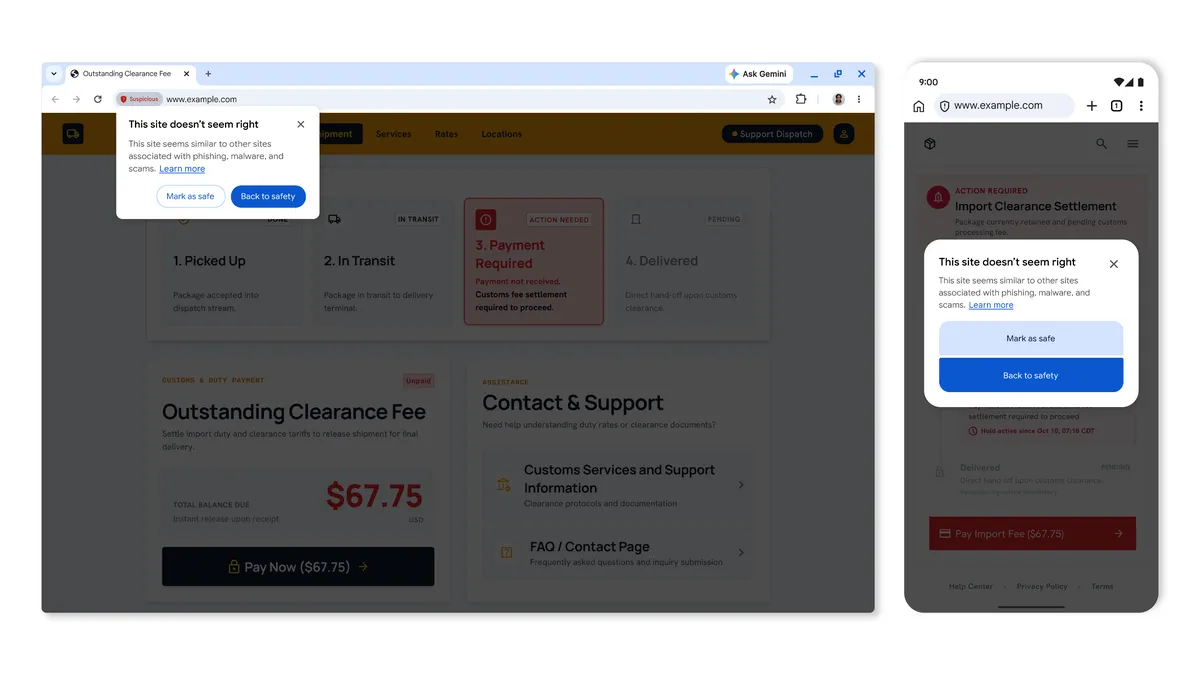
Suspicious site warnings in Chrome.
On the other hand, dangerous site warnings notify users when a page is known to be malicious and there is a high risk of user harm. These will continue to display as the full-page red interstitial warning that users already know.
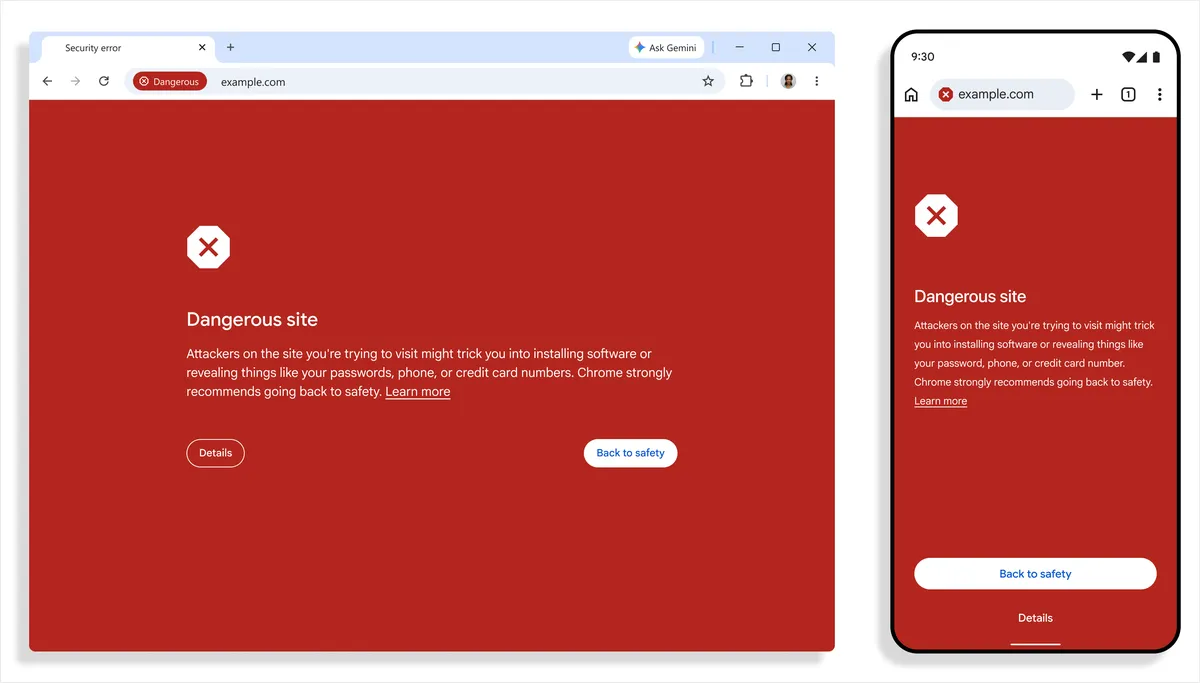
Dangerous site warnings in Chrome.
Strengthening scam detection with Gemini
Last year, Chrome introduced on-device Gemini integration to provide Enhanced Protection users on supported devices with an additional, real-time layer of defense against tech support scams. This feature proved successful in combating this category of scam, and helped prove the viability of LLM-assisted detection.
To expand this feature to all users who have turned on Enhanced Protection, and protect those users from a broader range of threats, like fake antivirus and browser update scams, we have transitioned to a more powerful server-side Gemini model. This model evaluates page content to analyze key indicators, such as the brand represented, the intent of the page, and a scam likeliness score, giving us rich threat data needed to identify deceptive sites. Safe Browsing then considers Gemini's analysis, in combination with domain reputation and other security signals, to generate a final verdict.
Throughout this process, Chrome minimizes the amount of data shared with the server by only analyzing page text when a site exhibits high-confidence scam indicators. And whenever page content is sent off the device, it is processed ephemerally – meaning it is never logged, retained or used to train models.
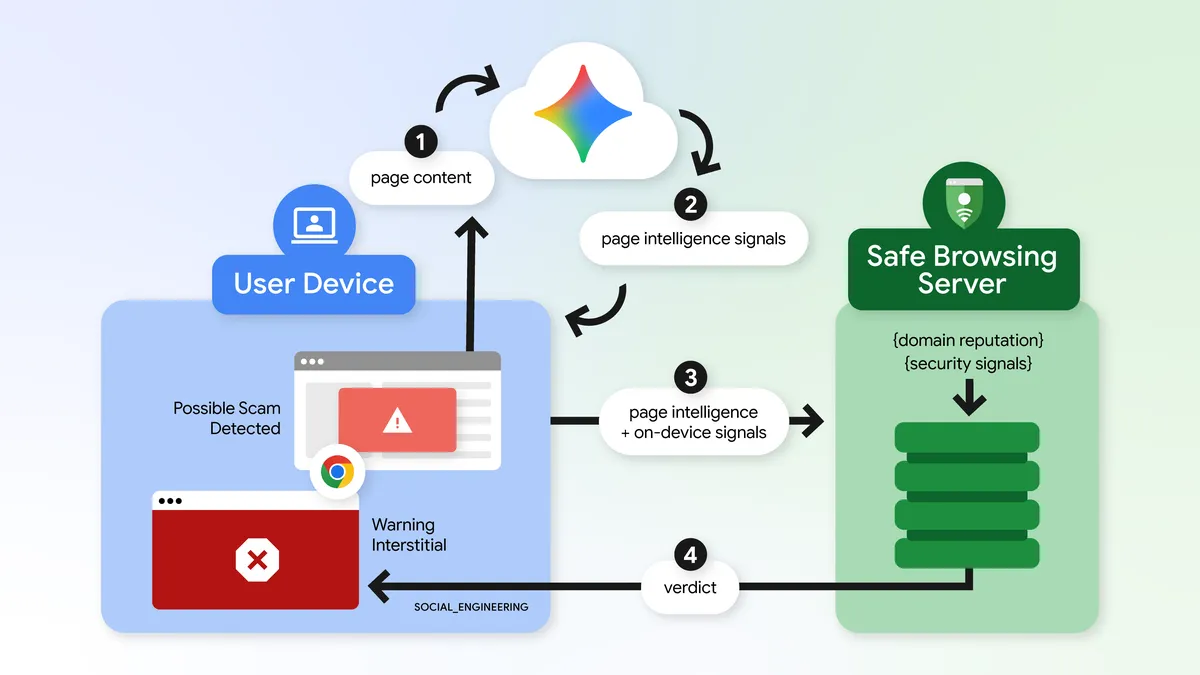
At a high level, here's how we’re using Gemini for scam protection.
Protecting against ClickFix social engineering
ClickFix is a social engineering technique that tricks users into manually copying and executing malicious commands on their own computers in order to "fix" a fake issue. When a user follows a ClickFix instruction to paste and run a command (which is often not the command shown on the page), that command almost always invokes Living Off the Land Binaries (LOLBins) – legitimate, pre-installed operating system tools and executables, such as PowerShell, or cmd.exe, that attackers repurpose to carry out malicious actions such as downloading and setting up malware. Because these utilities are native to the system and trusted by security software, bad actors use them to blend in and hide their activity, and by shifting the download process out of the browser and into the terminal, attackers completely sidestep existing Chrome and Safe Browsing download protections.
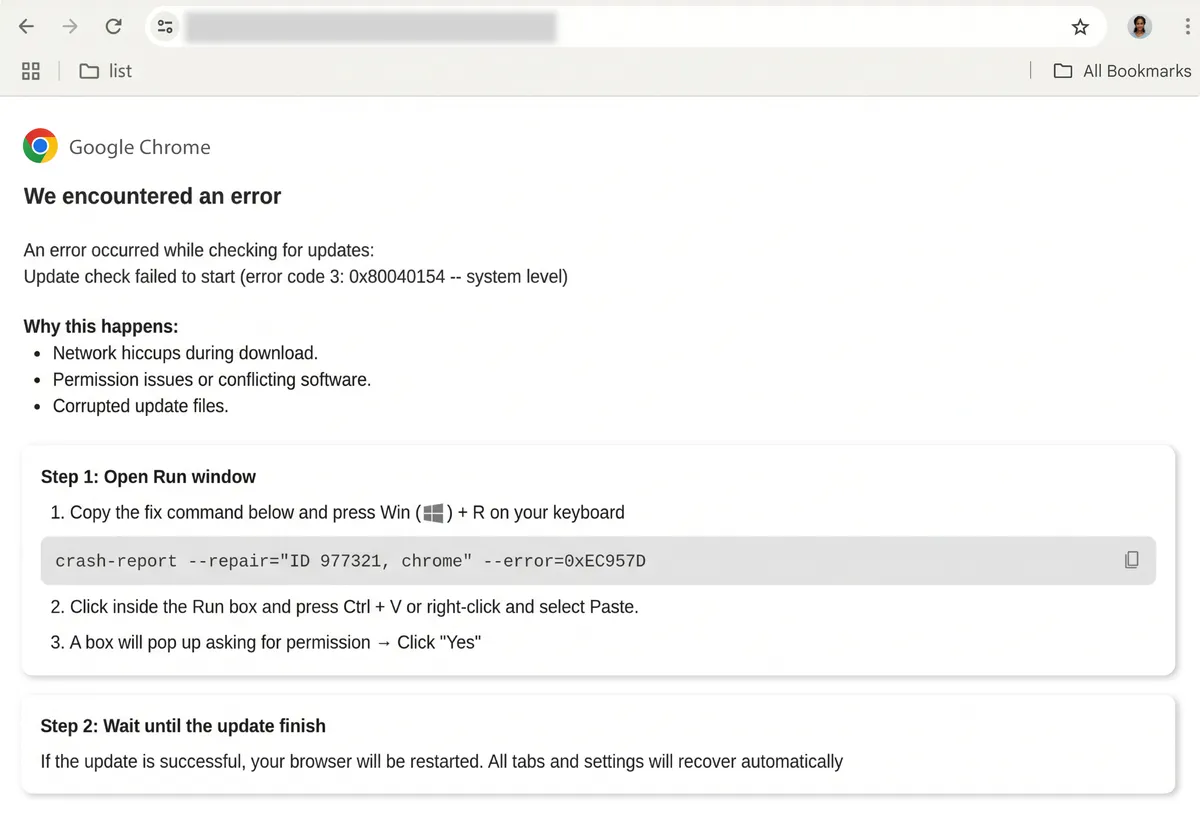
A ClickFix scam – Chrome will never ask you to repair it in this manner!
To combat this technique, Chrome now detects when an Enhanced Protection user is tricked into copying suspicious commands. If a potential ClickFix script is copied, the clipboard payload is scrubbed of PII and sent to Safe Browsing for further analysis, and if a dangerous verdict is returned, Chrome shows a warning. This system is designed to be high precision, in order to protect users in real time while minimizing disruption to legitimate developer activity.
As scammers find new ways to take advantage of people, Chrome and Safe Browsing will continue to develop smarter, real-time defenses to make the web safer for everyone. To make sure you're the first to get the latest protections against phishing, scams, social engineering and malware, enable Enhanced Protection on Chrome and your Google Account to help you stay one step ahead of attackers.
Source:

Our latest defenses against evolving web scams
Google Chrome's Enhanced Protection mode makes users ten times safer from phishing, social engineering, and other attacks when compared to Standard Protection mode. Buil…