
Hi, I am using the terminal with the following settings for music visualisation:
"defaults":
{
"opacity": 50,
"padding": "0",
"useAcrylic": true
},
When a window is active, it looks like this:
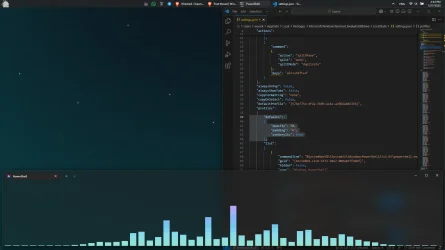
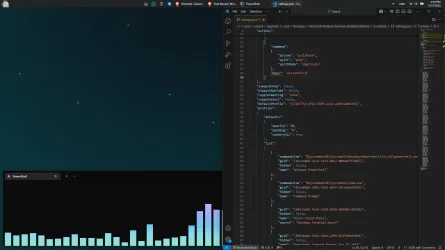
When another window gets active, the terminal gets black. How can I disable this?
I was trying to play with the unfocusedAppearance setting in the terminal's settings.JSON, but it had no effect.
"profiles": {
"defaults": {
"useAcrylic": true,
"opacity": 50,
"unfocusedAppearance": {
"useAcrylic": true,
"opacity": 50
}
}
}
"defaults":
{
"opacity": 50,
"padding": "0",
"useAcrylic": true
},
When a window is active, it looks like this:
When another window gets active, the terminal gets black. How can I disable this?
I was trying to play with the unfocusedAppearance setting in the terminal's settings.JSON, but it had no effect.
"profiles": {
"defaults": {
"useAcrylic": true,
"opacity": 50,
"unfocusedAppearance": {
"useAcrylic": true,
"opacity": 50
}
}
}
- Windows Build/Version
- Latest Windows 11
My Computer
At a glance
11
- OS
- 11
- Computer type
- Laptop
- Manufacturer/Model
- L14






