Esteban2060
New member
- Local time
- 9:01 AM
- Posts
- 1
- OS
- Windows 11
Hello people
Security

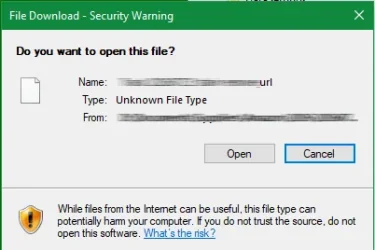
How to fix, Internet security settings prevented one or more files from opening. How to fix the Internet security settings prevented the opening of one or more files. When I download one program or another, it prevents you from opening it. GRAPH 1 I have tried three ways without any result.
1. Apps: Advanced App Settings Choose where you want to get apps – From anywhere.
2. Network Reset Network and Internet – Advanced Network Settings- Network Reset. This will remove and reinstall all network adapters and restore the original configuration of other network components
3. Internet Properties: FIGURE 2 1. Apps: Advanced App Settings Choose where you want to get apps – From anywhere.
2. Network Reset Network and Internet – Advanced Network Settings- Network Reset. This will remove and reinstall all network adapters and restore the original configuration of other network components
Security
Internet - A click on the Custom Level box displays: Internet Zone Security Settings GRAFICO3 - Default Level, is disabled.Internet Local - A click on the Custom Level box displays: Internet Zone Security Settings. GRAPH 3 - A click on the Default level box does not respond.
Trusted sites - A click on the Custom Level box displays: Internet Zone Security Settings. GRAPH 3 - In the Default Level box, it is disabled.
Restricted Sites - A click on the Custom Level box displays: Internet Zone Security Settings. GRAPH 3 - In the Default Level box, it is disabled. Reset all zones to default level is unresponsive What is the reason for this failure will be the win 11 system, it has an AVAST antivirus installed, it is browsing normally, the IP and DNS can be changed, but I cannot open files downloaded from the Internet. The solution: reset the win 11, accidentally deleted, format, I would like the way to reset it via commands.
Thank you people
Trusted sites - A click on the Custom Level box displays: Internet Zone Security Settings. GRAPH 3 - In the Default Level box, it is disabled.
Restricted Sites - A click on the Custom Level box displays: Internet Zone Security Settings. GRAPH 3 - In the Default Level box, it is disabled. Reset all zones to default level is unresponsive What is the reason for this failure will be the win 11 system, it has an AVAST antivirus installed, it is browsing normally, the IP and DNS can be changed, but I cannot open files downloaded from the Internet. The solution: reset the win 11, accidentally deleted, format, I would like the way to reset it via commands.
Thank you people
- Windows Build/Version
- win 11 23H2
Attachments


My Computer
At a glance
Windows 11
- OS
- Windows 11
- Computer type
- Laptop
- Manufacturer/Model
- lenovo