Solved How to remove a file from quarantine?


kiwiaz

Well-known member
Local time
8:49 PM
Posts
88
OS
Win11
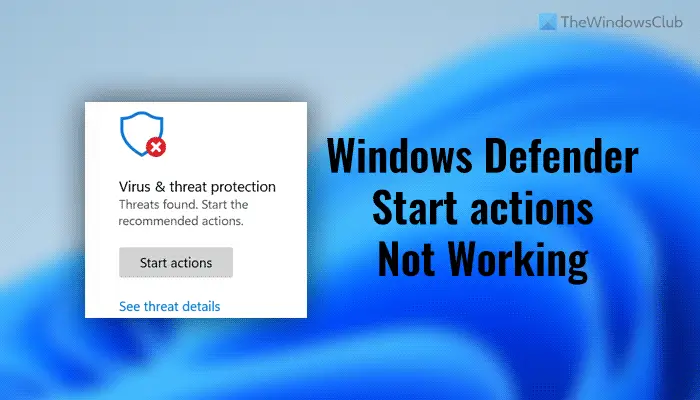
Windows has quarantined a file it doesn't like, but I do. No actions are available from the protection history tab.
I'm not conversant in Power Shell, but that seems to be the only alternative avenue. Is there a tutorial that I missed?
 
Windows Build/Version
22H2

My Computer My Computer

At a glance

Win11Ryzen 7 7700X32GB DDR5 G.SkillRTX 4060
OS
Win11
Computer type
PC/Desktop
Manufacturer/Model
Custom
CPU
Ryzen 7 7700X
Motherboard
Gigabyte B-650 Aorus Elite AX
Memory
32GB DDR5 G.Skill
Graphics Card(s)
RTX 4060
Sound Card
On-board
Monitor(s) Displays
Dell U2518 Dell U3223
Screen Resolution
3840x2160
Hard Drives
1TB M.2 AData, Samsung 860 EVO, WD 5000AADS, WD10EZEX
PSU
EVGA 850
Cooling
AK400
Keyboard
Logi MXKeys
Mouse
Logi MX Master 3
Internet Speed
200 Mbps
Browser
Firefox, Vivaldi, Brave

Hmmmm...I've always been able to go to History and Restore those that mistakenly get quarantined. If you click the down arrow under Filters you might be able to see something. Oddly though in my case under Protection history mine are only showing 2022 dates yet I know I have tweaked some in 2023. Perhaps an Update from MS has changed things?
 

My Computer My Computer

At a glance

Win 7/10/11
OS
Win 7/10/11
Computer type
PC/Desktop
Other Info
I'm a computer enthusiast so have quite a few systems that I run. More like an advanced hobby.
It would be helpful to know the file name and what created it. As a general answer,the only thing I would to know to try is:
If no items are available to restore from protection history and WD shows the item removed, I would think the only way to restore it would be disable WD, uninstall the app that created the file, restart, then reinstall the app that created the file. Add the file to WD exclusions. Enable WD.
 

My Computers My Computers

  • At a glance

    Windows 11 Pro 25H2 26200.8655i9-10900 10 core 20 threads32 gbnone-Intel UHD Graphics 630
    OS
    Windows 11 Pro 25H2 26200.8655
    Computer type
    PC/Desktop
    Manufacturer/Model
    Dell Optiplex 7080
    CPU
    i9-10900 10 core 20 threads
    Motherboard
    DELL 0J37VM
    Memory
    32 gb
    Graphics Card(s)
    none-Intel UHD Graphics 630
    Sound Card
    Integrated Realtek
    Monitor(s) Displays
    Benq 27
    Screen Resolution
    2560x1440
    Hard Drives
    2x1tb Solidigm m.2 nvme /External drives 512gb Samsung m.2 sata+2tb Kingston m2.nvme
    PSU
    500w
    Case
    MT
    Cooling
    Dell Premium
    Keyboard
    Logitech wired
    Mouse
    Logitech wireless
    Internet Speed
    so slow I'm too embarrassed to tell
    Browser
    #1 Edge #2 Firefox
    Antivirus
    Defender+MWB Premium
  • At a glance

    Windows 11 Pro 24H2 26200.8457AMD Ryzen 7 6800U32 gbintegrated
    Operating System
    Windows 11 Pro 24H2 26200.8457
    Computer type
    PC/Desktop
    Manufacturer/Model
    Beelink Mini PC SER5
    CPU
    AMD Ryzen 7 6800U
    Memory
    32 gb
    Graphics card(s)
    integrated
    Sound Card
    integrated
    Monitor(s) Displays
    Benq 27
    Screen Resolution
    2560x1440
    Hard Drives
    1TB Crucial nvme
    Keyboard
    Logitech wired
    Mouse
    Logitech wireless
    Internet Speed
    still too embarrassed to tell
    Browser
    Firefox
    Antivirus
    Defender
    Other Info
    System 3 is non compliant Dell 9020 i7-4770/24gb ram Win11 PRO 26200.8457
On your Windows device, open Windows Security. Select Virus & threat protection and then, under Current threats, select Protection history. If you have a list of items, you can filter on Quarantined Items. Select an item you want to keep, and choose an action, such as Restore.
You should also add the exception to the file you want to run, or it will get quarantined again.
 

My Computer My Computer

At a glance

Windows 11AMD Ryzen 7 5700GMicron Technology DDR4-3200 16GBNVIDIA GeForce RTX 3060
OS
Windows 11
Computer type
PC/Desktop
Manufacturer/Model
HP Pavilion
CPU
AMD Ryzen 7 5700G
Motherboard
Erica6
Memory
Micron Technology DDR4-3200 16GB
Graphics Card(s)
NVIDIA GeForce RTX 3060
Sound Card
Realtek ALC671
Monitor(s) Displays
Samsung SyncMaster U28E590
Screen Resolution
3840 x 2160
Hard Drives
SAMSUNG MZVLQ1T0HALB-000H1
Thanks all for giving this consideration.

The file is an .exe
No actions are available - that is, the drop down actions menu is not present at all.
 

My Computer My Computer

At a glance

Win11Ryzen 7 7700X32GB DDR5 G.SkillRTX 4060
OS
Win11
Computer type
PC/Desktop
Manufacturer/Model
Custom
CPU
Ryzen 7 7700X
Motherboard
Gigabyte B-650 Aorus Elite AX
Memory
32GB DDR5 G.Skill
Graphics Card(s)
RTX 4060
Sound Card
On-board
Monitor(s) Displays
Dell U2518 Dell U3223
Screen Resolution
3840x2160
Hard Drives
1TB M.2 AData, Samsung 860 EVO, WD 5000AADS, WD10EZEX
PSU
EVGA 850
Cooling
AK400
Keyboard
Logi MXKeys
Mouse
Logi MX Master 3
Internet Speed
200 Mbps
Browser
Firefox, Vivaldi, Brave

Thanks all for giving this consideration.

The file is an .exe
No actions are available - that is, the drop down actions menu is not present at all.
What AV software you're running? One might assume Windows Defender, but you know what they say about assumptions.
 

My Computer My Computer

At a glance

Windows 10/11
OS
Windows 10/11
Computer type
Laptop
Manufacturer/Model
Acer
What AV software you're running? One might assume Windows Defender, but you know what they say about assumptions.
Yes, just WD.
Malwarebytes scans OK (with an exception for the exe file).
 

My Computer My Computer

At a glance

Win11Ryzen 7 7700X32GB DDR5 G.SkillRTX 4060
OS
Win11
Computer type
PC/Desktop
Manufacturer/Model
Custom
CPU
Ryzen 7 7700X
Motherboard
Gigabyte B-650 Aorus Elite AX
Memory
32GB DDR5 G.Skill
Graphics Card(s)
RTX 4060
Sound Card
On-board
Monitor(s) Displays
Dell U2518 Dell U3223
Screen Resolution
3840x2160
Hard Drives
1TB M.2 AData, Samsung 860 EVO, WD 5000AADS, WD10EZEX
PSU
EVGA 850
Cooling
AK400
Keyboard
Logi MXKeys
Mouse
Logi MX Master 3
Internet Speed
200 Mbps
Browser
Firefox, Vivaldi, Brave
Can you post a screenshot? Here's an example of what you should see:

1703909122822.png
 

My Computer My Computer

At a glance

Windows 10/11
OS
Windows 10/11
Computer type
Laptop
Manufacturer/Model
Acer
Mine is just like that - except under Learn more, there is no Actions drop down. It isn't greyed out, it isn't there at all.
 

My Computer My Computer

At a glance

Win11Ryzen 7 7700X32GB DDR5 G.SkillRTX 4060
OS
Win11
Computer type
PC/Desktop
Manufacturer/Model
Custom
CPU
Ryzen 7 7700X
Motherboard
Gigabyte B-650 Aorus Elite AX
Memory
32GB DDR5 G.Skill
Graphics Card(s)
RTX 4060
Sound Card
On-board
Monitor(s) Displays
Dell U2518 Dell U3223
Screen Resolution
3840x2160
Hard Drives
1TB M.2 AData, Samsung 860 EVO, WD 5000AADS, WD10EZEX
PSU
EVGA 850
Cooling
AK400
Keyboard
Logi MXKeys
Mouse
Logi MX Master 3
Internet Speed
200 Mbps
Browser
Firefox, Vivaldi, Brave
Assuming your account is an Administrator, I can't think of a reason for the option to not be there. I found this article:


But it looks like mostly a list of the usual "fixes". Couldn't hurt to take a look though.
 

My Computer My Computer

At a glance

Windows 10/11
OS
Windows 10/11
Computer type
Laptop
Manufacturer/Model
Acer
@LesFerch Thanks for that link. Everything in the Group Policies checks out. The DisableAntiSpyware key was already deleted from the registry. I will look into SFC and DISM.
 

My Computer My Computer

At a glance

Win11Ryzen 7 7700X32GB DDR5 G.SkillRTX 4060
OS
Win11
Computer type
PC/Desktop
Manufacturer/Model
Custom
CPU
Ryzen 7 7700X
Motherboard
Gigabyte B-650 Aorus Elite AX
Memory
32GB DDR5 G.Skill
Graphics Card(s)
RTX 4060
Sound Card
On-board
Monitor(s) Displays
Dell U2518 Dell U3223
Screen Resolution
3840x2160
Hard Drives
1TB M.2 AData, Samsung 860 EVO, WD 5000AADS, WD10EZEX
PSU
EVGA 850
Cooling
AK400
Keyboard
Logi MXKeys
Mouse
Logi MX Master 3
Internet Speed
200 Mbps
Browser
Firefox, Vivaldi, Brave
Although WD can be managed from PowerShell and files can be restored via the command prompt, in my case it was easier to add an exception and reinstall the program. There are no other threats quarantined, so I can't tell if the Actions box is permanently MIA, or just in this instance.
Thanks to all who investigated.
 

My Computer My Computer

At a glance

Win11Ryzen 7 7700X32GB DDR5 G.SkillRTX 4060
OS
Win11
Computer type
PC/Desktop
Manufacturer/Model
Custom
CPU
Ryzen 7 7700X
Motherboard
Gigabyte B-650 Aorus Elite AX
Memory
32GB DDR5 G.Skill
Graphics Card(s)
RTX 4060
Sound Card
On-board
Monitor(s) Displays
Dell U2518 Dell U3223
Screen Resolution
3840x2160
Hard Drives
1TB M.2 AData, Samsung 860 EVO, WD 5000AADS, WD10EZEX
PSU
EVGA 850
Cooling
AK400
Keyboard
Logi MXKeys
Mouse
Logi MX Master 3
Internet Speed
200 Mbps
Browser
Firefox, Vivaldi, Brave
Hello, I just came across this thread as the same thing had happened to me.
A file had been quarantined, and there was no Actions button in the entry in Protection History.
I uninstalled and reinstalled the offending application, ran it, and Defender quarantined it again.
However, this time in Protection History, the Actions button had reappeared; I was able to restore and allow the file.
Hope that helps anyone coming across this topic.
 

My Computer My Computer

At a glance

win11
OS
win11
Computer type
PC/Desktop
Manufacturer/Model
homebuilt

Latest Support Threads

Back
Top Bottom