In Windows 11, Winlogo + V = Clipboard History Torture


Command line warrior

Well-known member
Local time
3:07 PM
Posts
6
OS
Microsoft Windows 11 x64 Home && GNU/Linux Mint 20.4
GOLhpme.jpeg

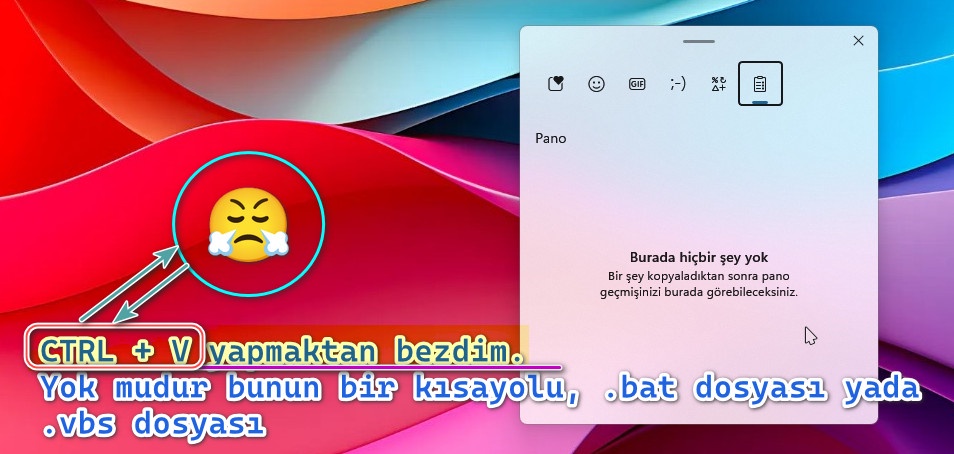
"NOTE:

I mistakenly wrote the shortcut key combination in the picture incorrectly. The correct one is"
Winlogo + V​

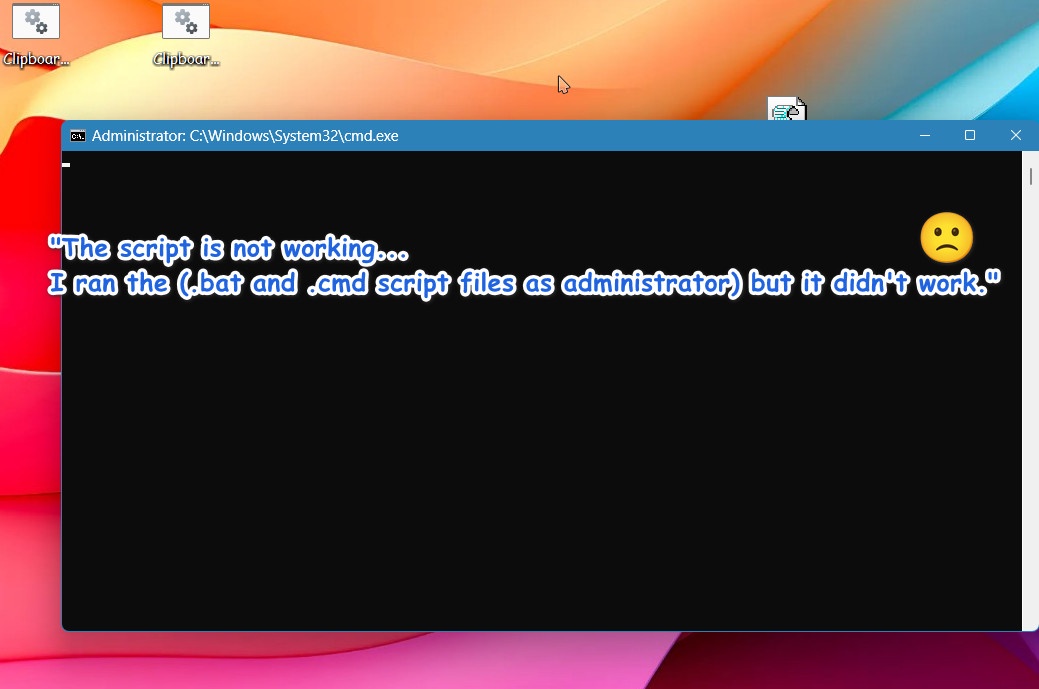
I'm tired of using the Winlogo+V shortcut, is there no way? A .bat, .cmd or .vbs file that I can run by just clicking on it...

Windows Version
qLOrOnY.jpeg
 
Windows Build/Version
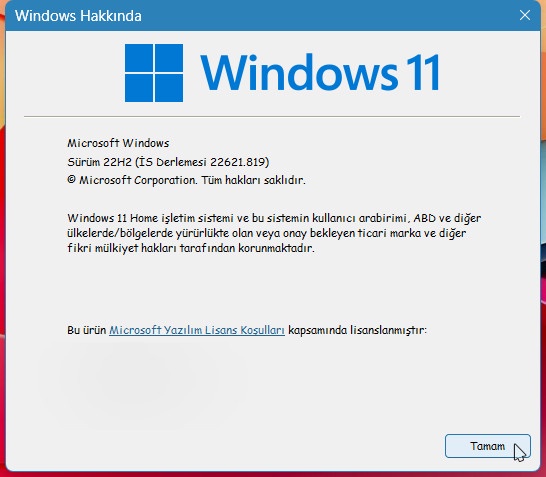
Windows 11 22H2 (Sun Valey , 2009)

My Computer My Computer

At a glance

Microsoft Windows 11 x64 Home && GNU/Linux Mi...816GBİntel XRİ G700 (2GB) /NVIDA GeForce RTX 3050 ...
OS
Microsoft Windows 11 x64 Home && GNU/Linux Mint 20.4
Computer type
Laptop
Manufacturer/Model
Levono / Gaming IP 3 PRO
CPU
8
Motherboard
LEVONO
Memory
16GB
Graphics Card(s)
İntel XRİ G700 (2GB) /NVIDA GeForce RTX 3050 Tİ (4GB)
Sound Card
RealTEKS 2100
Monitor(s) Displays
Samsung
Screen Resolution
1920X1080
Hard Drives
256GB SAMSUNG MZ SERİES SSD /1TB SEGATE HDD
PSU
LEVONO
Case
STABLE
Cooling
LEVONO İNTEL CPU 4XFAN@3000RPM
Keyboard
LEVONO RGB
Mouse
LEVONO GAMİNG MOUSE 4İN1
Internet Speed
TURKCELL
Browser
VİVALDİ
Antivirus
WEBROOT
I have this script for Windows 10 should work for Windows 11 hopefully It's what you're looking for.

Code:
:: Add Clipboard History Context Menu in Windows 10

@Echo Off & Cls


(Net session >nul 2>&1)||(PowerShell start """%~0""" -verb RunAs & Exit /B)

:choice

Cls & Mode CON  LINES=11 COLS=70 & Color 0E & Title Created By FreeBooter
Echo.
Echo.
Echo.
Echo        Add Clipboard History to Context Menu      (A)?   
Echo.       
Echo        Delete Clipboard History from Context Menu (D)?
Echo.


Set /p input= RESPONSE:

If /i  Not %input%==A (Goto :_Ex) Else (Goto :_Add)

:_Ex
If /i Not %input%==D  (Goto :choice) Else (Goto :_Disable)


:_Add

Reg.exe add "HKCR\DesktopBackground\Shell\ClipboardHistory" /v "Icon" /t REG_SZ /d "Shell32.dll,-16763" /f
Reg.exe add "HKCR\DesktopBackground\Shell\ClipboardHistory" /v "MUIVerb" /t REG_SZ /d "Clipboard History" /f
Reg.exe add "HKCR\DesktopBackground\Shell\ClipboardHistory" /v "Position" /t REG_SZ /d "Middle" /f
Reg.exe add "HKCR\DesktopBackground\Shell\ClipboardHistory" /v "SubCommands" /t REG_SZ /d "" /f
Reg.exe add "HKCR\DesktopBackground\Shell\ClipboardHistory\Shell\1Enable" /v "MUIVerb" /t REG_SZ /d "Enable Clipboard History" /f
Reg.exe add "HKCR\DesktopBackground\Shell\ClipboardHistory\Shell\1Enable" /v "Icon" /t REG_SZ /d "DxpTaskSync.dll,-52" /f
Reg.exe add "HKCR\DesktopBackground\Shell\ClipboardHistory\Shell\1Enable\command" /ve /t REG_SZ /d "reg add hkcu\software\microsoft\clipboard /v enableclipboardhistory /t reg_dword /d 1 /f" /f
Reg.exe add "HKCR\DesktopBackground\Shell\ClipboardHistory\Shell\2Disable" /v "MUIVerb" /t REG_SZ /d "Disable Clipboard History" /f
Reg.exe add "HKCR\DesktopBackground\Shell\ClipboardHistory\Shell\2Disable" /v "Icon" /t REG_SZ /d "Shell32.dll,-16763" /f
Reg.exe add "HKCR\DesktopBackground\Shell\ClipboardHistory\Shell\2Disable\command" /ve /t REG_SZ /d "reg add hkcu\software\microsoft\clipboard /v enableclipboardhistory /t reg_dword /d 0 /f" /f


Cls & Mode CON  LINES=11 COLS=60 & Color 0E & Title Created By FreeBooter
Echo.
Echo.
Echo.
Echo.
Echo         Adding Clipboard History to Context Menu
Echo.
Echo.
Echo.
Ping -n 5 localhost >Nul
Exit


:_Disable


Reg.exe delete "HKCR\DesktopBackground\Shell\ClipboardHistory" /f


Cls & Mode CON  LINES=11 COLS=60 & Color 0E & Title Created By FreeBooter
Echo.
Echo.
Echo.
Echo.
Echo        Deleting Clipboard History from Context Menu
Echo.
Echo.
Echo.
Ping -n 5 localhost >Nul
 

My Computer My Computer

At a glance

Windows 11AMD Ryzen 7 5700GMicron Technology DDR4-3200 16GBNVIDIA GeForce RTX 3060
OS
Windows 11
Computer type
PC/Desktop
Manufacturer/Model
HP Pavilion
CPU
AMD Ryzen 7 5700G
Motherboard
Erica6
Memory
Micron Technology DDR4-3200 16GB
Graphics Card(s)
NVIDIA GeForce RTX 3060
Sound Card
Realtek ALC671
Monitor(s) Displays
Samsung SyncMaster U28E590
Screen Resolution
3840 x 2160
Hard Drives
SAMSUNG MZVLQ1T0HALB-000H1
I'm tired of using the Winlogo+V shortcut, is there no way? A .bat, .cmd or .vbs file that I can run by just clicking on it...
I wonder if you can program a custom swipe or tap gesture. Just a thought.
 

My Computers My Computers

  • At a glance

    Windows 11 Pro
    OS
    Windows 11 Pro
    Computer type
    PC/Desktop
    Manufacturer/Model
    ASUS ROG Strix
  • At a glance

    Windows 11 Pro
    Operating System
    Windows 11 Pro
    Computer type
    Laptop
    Manufacturer/Model
    ASUS VivoBook
  • ASUS VivoBook 'Lite' ~ Windows 11 Home
y6IwQpC.jpeg


"I had the script code analyzed by the GPT-4 AI model. It says it's for Windows 10, but I still tried it and it didn't work. Is there any forum member who can suggest another solution?"

GPT-4o

The script you've provided is a batch file for Windows that adds or removes a "Clipboard History" option from the context menu when you right-click on the desktop. Here's a brief explanation of how it works:

1. **Administrator Check**: The script first checks if it is running with administrative privileges. If not, it restarts itself with elevated permissions.

2. **User Choice**: It presents the user with two options:
- (A) Add Clipboard History to the context menu.
- (D) Delete Clipboard History from the context menu.

3. **Adding Clipboard History**: If the user chooses to add it, the script creates several registry entries under `HKCR\DesktopBackground\Shell\ClipboardHistory`. These entries define the context menu item and its subcommands for enabling and disabling clipboard history.

4. **Disabling Clipboard History**: If the user chooses to delete it, the script removes the entire `ClipboardHistory` registry key.

5. **User Feedback**: After performing the action, the script provides feedback to the user and waits for a few seconds before exiting.

### Important Notes:
- **Registry Changes**: Modifying the Windows registry can have significant effects on your system. Always back up the registry before making changes.
- **Running as Administrator**: The script requires administrative privileges to modify the registry.
- **Compatibility**: This script is designed for Windows 10 and may not work on earlier versions of Windows.

If you have any specific questions about the script or need further assistance, feel free to ask!

Web:DuckDuckGo AI Chat at DuckDuckGo
 

My Computer My Computer

At a glance

Microsoft Windows 11 x64 Home && GNU/Linux Mi...816GBİntel XRİ G700 (2GB) /NVIDA GeForce RTX 3050 ...
OS
Microsoft Windows 11 x64 Home && GNU/Linux Mint 20.4
Computer type
Laptop
Manufacturer/Model
Levono / Gaming IP 3 PRO
CPU
8
Motherboard
LEVONO
Memory
16GB
Graphics Card(s)
İntel XRİ G700 (2GB) /NVIDA GeForce RTX 3050 Tİ (4GB)
Sound Card
RealTEKS 2100
Monitor(s) Displays
Samsung
Screen Resolution
1920X1080
Hard Drives
256GB SAMSUNG MZ SERİES SSD /1TB SEGATE HDD
PSU
LEVONO
Case
STABLE
Cooling
LEVONO İNTEL CPU 4XFAN@3000RPM
Keyboard
LEVONO RGB
Mouse
LEVONO GAMİNG MOUSE 4İN1
Internet Speed
TURKCELL
Browser
VİVALDİ
Antivirus
WEBROOT
I wonder if you can program a custom swipe or tap gesture. Just a thought.
"Unfortunately, I am not that skilled of a Windows user..."
 

My Computer My Computer

At a glance

Microsoft Windows 11 x64 Home && GNU/Linux Mi...816GBİntel XRİ G700 (2GB) /NVIDA GeForce RTX 3050 ...
OS
Microsoft Windows 11 x64 Home && GNU/Linux Mint 20.4
Computer type
Laptop
Manufacturer/Model
Levono / Gaming IP 3 PRO
CPU
8
Motherboard
LEVONO
Memory
16GB
Graphics Card(s)
İntel XRİ G700 (2GB) /NVIDA GeForce RTX 3050 Tİ (4GB)
Sound Card
RealTEKS 2100
Monitor(s) Displays
Samsung
Screen Resolution
1920X1080
Hard Drives
256GB SAMSUNG MZ SERİES SSD /1TB SEGATE HDD
PSU
LEVONO
Case
STABLE
Cooling
LEVONO İNTEL CPU 4XFAN@3000RPM
Keyboard
LEVONO RGB
Mouse
LEVONO GAMİNG MOUSE 4İN1
Internet Speed
TURKCELL
Browser
VİVALDİ
Antivirus
WEBROOT
I converted the right-menu entries in the above .bat script to "Windows Registry" code, it was placed in the right-menu but it doesn't open the mini window... Only the command prompt window opens and closes.

Addition:

Code:
Windows Registry Editor Version 5.00

[HKEY_CLASSES_ROOT\DesktopBackground\Shell\ClipboardHistory]
"Icon"="Shell32.dll,-16763"
"MUIVerb"="Clipboard History"
"Position"="Middle"
"SubCommands"=""

[HKEY_CLASSES_ROOT\DesktopBackground\Shell\ClipboardHistory\Shell\Enable]
"MUIVerb"="Enable Clipboard History"
"Icon"="DxpTaskSync.dll,-52"

[HKEY_CLASSES_ROOT\DesktopBackground\Shell\ClipboardHistory\Shell\Enable\command]
@="reg add hkcu\\software\\microsoft\\clipboard /v enableclipboardhistory /t reg_dword /d 1 /f"

[HKEY_CLASSES_ROOT\DesktopBackground\Shell\ClipboardHistory\Shell\Disable]
"MUIVerb"="Disable Clipboard History"
"Icon"="Shell32.dll,-16763"

[HKEY_CLASSES_ROOT\DesktopBackground\Shell\ClipboardHistory\Shell\Disable\command]
@="reg add hkcu\\software\\microsoft\\clipboard /v enableclipboardhistory /t reg_dword /d 0 /f"

Deletion:

Code:
Windows Registry Editor Version 5.00

[-HKEY_CLASSES_ROOT\DesktopBackground\Shell\ClipboardHistory]
 

My Computer My Computer

At a glance

Microsoft Windows 11 x64 Home && GNU/Linux Mi...816GBİntel XRİ G700 (2GB) /NVIDA GeForce RTX 3050 ...
OS
Microsoft Windows 11 x64 Home && GNU/Linux Mint 20.4
Computer type
Laptop
Manufacturer/Model
Levono / Gaming IP 3 PRO
CPU
8
Motherboard
LEVONO
Memory
16GB
Graphics Card(s)
İntel XRİ G700 (2GB) /NVIDA GeForce RTX 3050 Tİ (4GB)
Sound Card
RealTEKS 2100
Monitor(s) Displays
Samsung
Screen Resolution
1920X1080
Hard Drives
256GB SAMSUNG MZ SERİES SSD /1TB SEGATE HDD
PSU
LEVONO
Case
STABLE
Cooling
LEVONO İNTEL CPU 4XFAN@3000RPM
Keyboard
LEVONO RGB
Mouse
LEVONO GAMİNG MOUSE 4İN1
Internet Speed
TURKCELL
Browser
VİVALDİ
Antivirus
WEBROOT
There are a number of 3rd party clipboard managers which you should be able to create shortcuts for.
If your goal is to quickly "clear the clipboard" without having to open clipboard to do it, your can create a shortcut
on your desktop with a target of C:\Windows\System32\cmd.exe /c "echo off | clip"
Name it, assign it an icon, and pin it to the taskbar or start menu. You can then delete it from the desktop.
Clicking on the shorcut clears all stored clipboard sata
 

My Computers My Computers

  • At a glance

    Windows 11 Pro 25H2 26200.9168i9-10900 10 core 20 threads32 gbnone-Intel UHD Graphics 630
    OS
    Windows 11 Pro 25H2 26200.9168
    Computer type
    PC/Desktop
    Manufacturer/Model
    Dell Optiplex 7080
    CPU
    i9-10900 10 core 20 threads
    Motherboard
    DELL 0J37VM
    Memory
    32 gb
    Graphics Card(s)
    none-Intel UHD Graphics 630
    Sound Card
    Integrated Realtek
    Monitor(s) Displays
    Benq 27
    Screen Resolution
    2560x1440
    Hard Drives
    2x1tb Solidigm m.2 nvme /External drives 512gb Samsung m.2 sata+2tb Kingston m2.nvme
    PSU
    500w
    Case
    MT
    Cooling
    Dell Premium
    Keyboard
    Logitech wired
    Mouse
    Logitech wireless
    Internet Speed
    so slow I'm too embarrassed to tell
    Browser
    #1 Edge #2 Firefox
    Antivirus
    Defender+MWB Premium
  • At a glance

    Windows 11 Pro 24H2 26200.9168AMD Ryzen 7 6800U32 gbintegrated
    Operating System
    Windows 11 Pro 24H2 26200.9168
    Computer type
    PC/Desktop
    Manufacturer/Model
    Beelink Mini PC SER5
    CPU
    AMD Ryzen 7 6800U
    Memory
    32 gb
    Graphics card(s)
    integrated
    Sound Card
    integrated
    Monitor(s) Displays
    Benq 27
    Screen Resolution
    2560x1440
    Hard Drives
    1TB Crucial nvme
    Keyboard
    Logitech wired
    Mouse
    Logitech wireless
    Internet Speed
    still too embarrassed to tell
    Browser
    Firefox
    Antivirus
    Defender
  • System 3 is non compliant Dell 9020 i7-4770/24gb ram Win11 PRO 26200.9168

My Computers My Computers

  • At a glance

    Windows 11 Pro
    OS
    Windows 11 Pro
    Computer type
    PC/Desktop
    Manufacturer/Model
    ASUS ROG Strix
  • At a glance

    Windows 11 Pro
    Operating System
    Windows 11 Pro
    Computer type
    Laptop
    Manufacturer/Model
    ASUS VivoBook
  • ASUS VivoBook 'Lite' ~ Windows 11 Home

Latest Support Threads

Back
Top Bottom