DrR3EMAN2026
New member
- Local time
- 10:54 AM
- Posts
- 5
- OS
- .
Hi,
Yes, it looks great but if you don't mind, tell me how to install the Proofing Pack for MS Office 2016 Standard 32-bit. I tried back and forth changing languages in Windows - English primary, then Romanian secondary, then reversed it again - i work better in English.
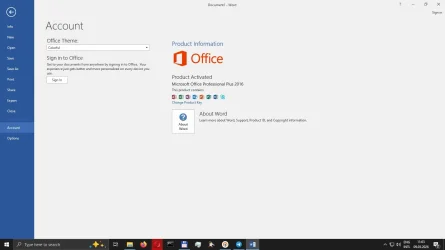
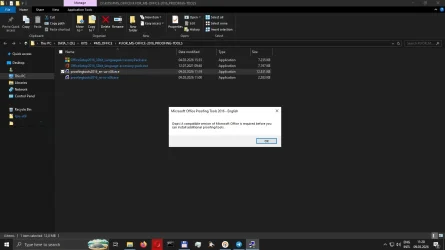
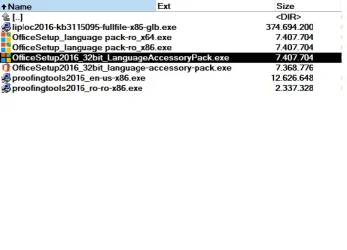
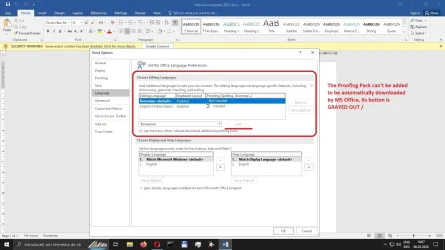
Ofcourse I tried to install it in MS Office 2016 Std. 32-bit first but as you see in below attached images, the button for adding the Proofing Language Pack is grayed out that meaning it is inactive.
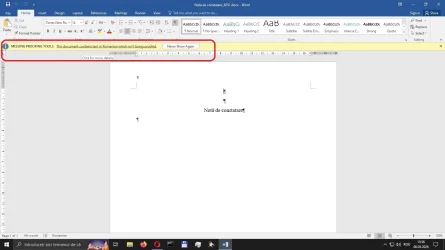
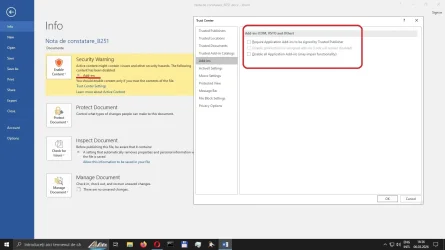
From when i begun working in this file in Romanian language from time to time it shows me that 3rd image with Security Warning from Trusted Center->Add-ins section and it won't disapear until I get lowest possible setting for Add-ins, ActiveX, Macro. Ofcourse no real effect over Language Pack I observed until now even i restarted MS Office 2016.
Best regards,
Dr.Freeman
Yes, it looks great but if you don't mind, tell me how to install the Proofing Pack for MS Office 2016 Standard 32-bit. I tried back and forth changing languages in Windows - English primary, then Romanian secondary, then reversed it again - i work better in English.
Ofcourse I tried to install it in MS Office 2016 Std. 32-bit first but as you see in below attached images, the button for adding the Proofing Language Pack is grayed out that meaning it is inactive.
From when i begun working in this file in Romanian language from time to time it shows me that 3rd image with Security Warning from Trusted Center->Add-ins section and it won't disapear until I get lowest possible setting for Add-ins, ActiveX, Macro. Ofcourse no real effect over Language Pack I observed until now even i restarted MS Office 2016.
Best regards,
Dr.Freeman
Attachments
My Computer
At a glance
.
- OS
- .
- Hard Drives
- 1TB Seagate