Invalid Data Access Trap


BorgerMoncher

Member
Local time
1:44 AM
Posts
5
OS
Windows 10
Good afternoon!

I'm looking to upgrade to Windows 11. I recently activated Secure Boot and TPM through the Asus BIOS, after which PC Health Check indicated that the system met all requirements to upgrade.

After running the Windows 11 Installation Assistant file, the update commenced and after a couple of restarts, I received the blue screen noting that the error was an invalid data access trap.

Running the logs through Copilot indicated that RasMigPlugin.dll was causing the problem.

Here are two onedrive links with the logs:

setupact.txt
setuperr.txt


I appreciate any advice to get this upgrade over the line!
 
Windows Build/Version
Windows 10 version: Version 22H2 (OS Build 19045.6332)

My Computer My Computer

At a glance

Windows 10Intel i9-9900KF64 GBNvidia Quadro P2000 5GB
OS
Windows 10
Computer type
PC/Desktop
CPU
Intel i9-9900KF
Motherboard
Asus
Memory
64 GB
Graphics Card(s)
Nvidia Quadro P2000 5GB
Hard Drives
2 TB HDD ST2000DM008-2FR102
512 GB SSD Intel SSDPEKNW
This is what AI has to say:

To resolve
rasmigplugin.dll problems on Windows 11, run a System File Checker scan with sfc /scannow and use the Deployment Image Servicing and Management (DISM) tool with DISM /Online /Cleanup-Image /RestoreHealth in an administrator Command Prompt to repair corrupted system files. If the issue began after an update, perform a clean boot to identify software conflicts, update your device drivers, and ensure you have enough free disk space for Windows updates.

1. Run System File Checker (SFC)

  1. Open Command Prompt as an administrator by right-clicking the Start button and selecting "Windows Terminal (Admin)".
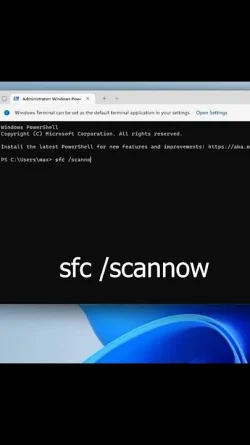
  2. Type sfc /scannow and press Enter to scan for and repair corrupted system files.
This video demonstrates how to run the SFC scan to fix corrupted files on Windows 11:
Related video thumbnailFaviconYouTube • RightSolutions

01:00


2. Use DISM (Deployment Image Servicing and Management)

  1. If the SFC scan doesn't fully resolve the issue, run the DISM tool.
  2. In the same administrator Command Prompt, type DISM /Online /Cleanup-Image /RestoreHealth and press Enter.
3. Perform a Clean Boot
  1. A clean boot starts Windows with a minimal set of drivers and startup programs, helping to identify software conflicts.
  2. To perform a clean boot, you can search for "msconfig" in the Start menu, go to the Services tab, and disable all non-Microsoft services. Then, go to the Startup tab and disable all startup items.
4. Update Device Drivers

  1. Ensure all your device drivers are updated, especially storage and network drivers, to their latest versions.
  2. You can check for driver updates in Device Manager or visit your computer manufacturer's website.
5. Check Disk Space

  1. Make sure you have enough free disk space on your system drive for Windows to function correctly and perform necessary updates.
6. Consider an In-Place Upgrade

  1. If the problems persist after these steps, you can try an in-place upgrade by downloading the Windows 11 Installation Assistant or creating an installation media. This acts like an update, replacing system files without affecting your personal files and installed software.
Why the problem occurs
The rasmigplugin.dll error can happen for several reasons, including:

  • Corrupted or missing system files.
  • Missing critical program files.
  • Malware infections.
  • System crashes or power outages while loading the file.
  • Issues with device drivers.
 

My Computers My Computers

  • At a glance

    Windows 11 Home 25H2 26200.8655AMD Ryzen 3 5300G8gbRadeon Graphics 4.00GHZ
    OS
    Windows 11 Home 25H2 26200.8655
    Computer type
    PC/Desktop
    Manufacturer/Model
    HP Pavilion TP01-2xxx
    CPU
    AMD Ryzen 3 5300G
    Memory
    8gb
    Graphics Card(s)
    Radeon Graphics 4.00GHZ
    Monitor(s) Displays
    ViewSonic
    Keyboard
    HP
    Mouse
    wireless Microsoft
    Browser
    FireFox
    Antivirus
    Avira
  • At a glance

    Updated Windows 10 to 11 25H2 26200.8655Intel Core i3 8100 @3.60 GHz8.GBIntel UHD 360 (HP)
    Operating System
    Updated Windows 10 to 11 25H2 26200.8655
    Computer type
    PC/Desktop
    Manufacturer/Model
    HP
    CPU
    Intel Core i3 8100 @3.60 GHz
    Motherboard
    HP 8653 (U3E1)
    Memory
    8.GB
    Graphics card(s)
    Intel UHD 360 (HP)
    Sound Card
    Realtek High Def
    Monitor(s) Displays
    ViewSonic
    Other Info
    #3 System: HP laptop Windows 25H2 11Pro 26200.8524
  • Sad
Reactions: OAT
Please perform these steps > post share links using drop box or google drive


1) V2 log collector:


2) upgrade_failure_info


3) tuneup_plus


My Computer My Computer

At a glance

Windows 10Intel(R) Core(TM) i7-4800MQ CPU @ 2.70GHz16 GB Total: Manufacturer : Samsung MemoryTyp...NVIDIA Quadro K3100M; Intel(R) HD Graphics 4600
OS
Windows 10
Computer type
Laptop
Manufacturer/Model
HP
CPU
Intel(R) Core(TM) i7-4800MQ CPU @ 2.70GHz
Motherboard
Product : 190A Version : KBC Version 94.56
Memory
16 GB Total: Manufacturer : Samsung MemoryType : DDR3 FormFactor : SODIMM Capacity : 8GB Speed : 1600
Graphics Card(s)
NVIDIA Quadro K3100M; Intel(R) HD Graphics 4600
Sound Card
IDT High Definition Audio CODEC; PNP Device ID HDAUDIO\FUNC_01&VEN_111D&DEV_76E0
Hard Drives
Model Hitachi HTS727575A9E364
Antivirus
Microsoft Defender
Other Info
Mobile Workstation
Hi and Welcome @BorgerMoncher.

Unfortunately, this is the wrong Setupact.log in the attachment.

You can find the correct Setupact logs there:

C:\$WINDOWS.~BT\Sources\Panther\setupact.log

And

C:\$Windows.~BT\Sources\Rollback\setupact.log

Please also check if you can find a dump file named setupmem.dmp in the Panther or Rollback folder.


Greetings
 

My Computer My Computer

At a glance

Win 11
OS
Win 11

My Computer My Computer

At a glance

Windows 10Intel i9-9900KF64 GBNvidia Quadro P2000 5GB
OS
Windows 10
Computer type
PC/Desktop
CPU
Intel i9-9900KF
Motherboard
Asus
Memory
64 GB
Graphics Card(s)
Nvidia Quadro P2000 5GB
Hard Drives
2 TB HDD ST2000DM008-2FR102
512 GB SSD Intel SSDPEKNW
The computer recently had 13 BSODs.


Please perform the following steps:


1) Download Memory integrity system readiness scan tool from Official Microsoft Download Center

AMD

hvciscan_amd64.exe


2) Open administrative command prompt and copy and paste:

cd /users /Valued Customer /downloads

hvciscan_amd64.exe

Post a share link.


3) Turn off Windows fast startup:


4) Create a new restore point:


5) Read this link on Windows Driver Verifier (WDV):

Enable and Disable Driver Verifier in Windows 10


6) Learn the methods to recover from BSOD caused by WDV by booting into safe mode and running one or more of these commands:

verifier /reset

verifier /bootmode resetonbootfail


(option six and five)


7) Plan to run the tool with various customized test settings.

a) Test all non-Microsoft drivers

b) Test no Microsoft drivers

c) For the first run of WDV select the 3 customized tests displayed in the TF tutorial


8) Whenever the WDV tool is started if there is no immediate BSOD then open administrative command prompt and copy and paste:

verifier /querysettings

Post a share link.


Customized tests will then be posted for the next run of WDV.


WDV can run continuously during the testing.


For any BSOD post a new V2 share link into the newest post.
 

My Computer My Computer

At a glance

Windows 10Intel(R) Core(TM) i7-4800MQ CPU @ 2.70GHz16 GB Total: Manufacturer : Samsung MemoryTyp...NVIDIA Quadro K3100M; Intel(R) HD Graphics 4600
OS
Windows 10
Computer type
Laptop
Manufacturer/Model
HP
CPU
Intel(R) Core(TM) i7-4800MQ CPU @ 2.70GHz
Motherboard
Product : 190A Version : KBC Version 94.56
Memory
16 GB Total: Manufacturer : Samsung MemoryType : DDR3 FormFactor : SODIMM Capacity : 8GB Speed : 1600
Graphics Card(s)
NVIDIA Quadro K3100M; Intel(R) HD Graphics 4600
Sound Card
IDT High Definition Audio CODEC; PNP Device ID HDAUDIO\FUNC_01&VEN_111D&DEV_76E0
Hard Drives
Model Hitachi HTS727575A9E364
Antivirus
Microsoft Defender
Other Info
Mobile Workstation
Hi @BorgerMoncher

Thanks for the log files.

The Windows Setup Monitor driver crashes during the upgrade.

In short, I would temporarily uninstall Malwarebytes,

afterwards run the Malwarebytes Support tool too: https://downloads.malwarebytes.com/file/mbst

and then uninstall the Egnyte desktop app as well.

Then try upgrade again.

Once the Win11 upgrade has been successfully installed, you can reinstall both programs.


Greetings
 

My Computer My Computer

At a glance

Win 11
OS
Win 11

My Computer My Computer

At a glance

Windows 10Intel i9-9900KF64 GBNvidia Quadro P2000 5GB
OS
Windows 10
Computer type
PC/Desktop
CPU
Intel i9-9900KF
Motherboard
Asus
Memory
64 GB
Graphics Card(s)
Nvidia Quadro P2000 5GB
Hard Drives
2 TB HDD ST2000DM008-2FR102
512 GB SSD Intel SSDPEKNW
Make another new restore point.


Please restart WDV with these group of customized tests:


Group a
Code:
    [ ] 0x00000010 I/O verification.
    [ ] 0x00000200 Force pending I/O requests.
    [ ] 0x00000400 IRP logging.
    [ ] 0x00002000 Invariant MDL checking for stack.
    [ ] 0x00004000 Invariant MDL checking for driver.
    [ ] 0x00200000 NDIS/WIFI verification.
    [ ] 0x00800000 Kernel synchronization delay fuzzing.


Group b
Code:
    [ ] 0x00000020 Deadlock detection.
    [ ] 0x00000080 DMA checking.
    [ ] 0x00000100 Security checks.
    [ ] 0x00000800 Miscellaneous checks.
    [ ] 0x01000000 VM switch verification.
    [ ] 0x02000000 Code integrity checks.
    [ ] 0x00040000 Systematic low resources simulation.


Group c
Code:
    [ ] 0x00000001 Special pool.
    [ ] 0x00008000 Power framework delay fuzzing.
    [ ] 0x00010000 Port/miniport interface checking.
    [ ] 0x00000002 Force IRQL checking.
    [ ] 0x00000008 Pool tracking.
    [ ] 0x00020000 DDI compliance checking.
    [ ] 0x00080000 DDI compliance checking (additional).


Select all non-Microsoft drivers:

select driver names from a list > click the column heading "Provider" so that it sorts > click all rows that do not display Microsoft Corporation > scroll up and down to make sure that all non-Microsoft drivers are seen


For each group if there is no immediate BSOD then open administrative command prompt and copy and paste:

verifier /querysettings

Post a share link.


For any BSOD post a new V2 share link into the newest post.
 

My Computer My Computer

At a glance

Windows 10Intel(R) Core(TM) i7-4800MQ CPU @ 2.70GHz16 GB Total: Manufacturer : Samsung MemoryTyp...NVIDIA Quadro K3100M; Intel(R) HD Graphics 4600
OS
Windows 10
Computer type
Laptop
Manufacturer/Model
HP
CPU
Intel(R) Core(TM) i7-4800MQ CPU @ 2.70GHz
Motherboard
Product : 190A Version : KBC Version 94.56
Memory
16 GB Total: Manufacturer : Samsung MemoryType : DDR3 FormFactor : SODIMM Capacity : 8GB Speed : 1600
Graphics Card(s)
NVIDIA Quadro K3100M; Intel(R) HD Graphics 4600
Sound Card
IDT High Definition Audio CODEC; PNP Device ID HDAUDIO\FUNC_01&VEN_111D&DEV_76E0
Hard Drives
Model Hitachi HTS727575A9E364
Antivirus
Microsoft Defender
Other Info
Mobile Workstation

My Computer My Computer

At a glance

Windows 10Intel i9-9900KF64 GBNvidia Quadro P2000 5GB
OS
Windows 10
Computer type
PC/Desktop
CPU
Intel i9-9900KF
Motherboard
Asus
Memory
64 GB
Graphics Card(s)
Nvidia Quadro P2000 5GB
Hard Drives
2 TB HDD ST2000DM008-2FR102
512 GB SSD Intel SSDPEKNW
The software / drivers that Tekkie Boy reported in post #7 were uninstalled before WDV testing.

Please attempt an upgrade.

For any upgrade failure post new scripts for:
upgrade failure info
V2


asusgio2 Asusgio2 \??\c:\windows\system32\drivers\asio2.sys
can be troubleshooted if there is a recurrent upgrade failure.
 

My Computer My Computer

At a glance

Windows 10Intel(R) Core(TM) i7-4800MQ CPU @ 2.70GHz16 GB Total: Manufacturer : Samsung MemoryTyp...NVIDIA Quadro K3100M; Intel(R) HD Graphics 4600
OS
Windows 10
Computer type
Laptop
Manufacturer/Model
HP
CPU
Intel(R) Core(TM) i7-4800MQ CPU @ 2.70GHz
Motherboard
Product : 190A Version : KBC Version 94.56
Memory
16 GB Total: Manufacturer : Samsung MemoryType : DDR3 FormFactor : SODIMM Capacity : 8GB Speed : 1600
Graphics Card(s)
NVIDIA Quadro K3100M; Intel(R) HD Graphics 4600
Sound Card
IDT High Definition Audio CODEC; PNP Device ID HDAUDIO\FUNC_01&VEN_111D&DEV_76E0
Hard Drives
Model Hitachi HTS727575A9E364
Antivirus
Microsoft Defender
Other Info
Mobile Workstation
The Windows 11 upgrade is complete. Great success!

I did get a security message about different driver (asio.sys) being vulnerable. I uninstalled Asus AI Suite 3 and deleted the driver to address this.

Thanks again!
 

My Computer My Computer

At a glance

Windows 10Intel i9-9900KF64 GBNvidia Quadro P2000 5GB
OS
Windows 10
Computer type
PC/Desktop
CPU
Intel i9-9900KF
Motherboard
Asus
Memory
64 GB
Graphics Card(s)
Nvidia Quadro P2000 5GB
Hard Drives
2 TB HDD ST2000DM008-2FR102
512 GB SSD Intel SSDPEKNW

Latest Support Threads

Back
Top Bottom