Is it good practice to create a system restore point before installing (or uninstalling) software?


classic35mm

Member
Local time
7:05 AM
Posts
57
OS
Windows 11 23H2 22631.3527
This tutorial describes how to manually create a system restore point in Windows 11.
  • In your experience, is it worthwhile to manually create a system restore point before installing software or apps?
  • Or are system restore points created automatically before software is installed or Windows updates are applied? I'm confused. It seems from this other tutorial that System Restore is "on" by default. But it's unclear to me what System Restore being "on" actually means.
I realize that System Restore is NOT a substitute for creating backups. But I wonder if System Restore has any usefulness -- in reading these forums, I see a lot of references to System Restore failing users.
 
Windows Build/Version
23H2, 22631.3880

My Computer My Computer

At a glance

Windows 11 23H2 22631.3527
OS
Windows 11 23H2 22631.3527
Computer type
PC/Desktop
Manufacturer/Model
Lenovo ThinkStation P3

I have never used System Restore in Windows 10 or 11. I tried it in Windows 7 and it was not reliable .
 

My Computers My Computers

  • At a glance

    Windows11 Pro 26200.8894Intel Core i9 14900F (24 -Core, 68 MB Total C...32GB DDR5RTX 4080 Super w/610.74
    OS
    Windows11 Pro 26200.8894
    Computer type
    PC/Desktop
    Manufacturer/Model
    Dell Alienware Aurora R16
    CPU
    Intel Core i9 14900F (24 -Core, 68 MB Total Cache)
    Motherboard
    Dell Alienware
    Memory
    32GB DDR5
    Graphics Card(s)
    RTX 4080 Super w/610.74
    Sound Card
    Realtec
    Monitor(s) Displays
    Corsair XENEON 32QHD165
    Screen Resolution
    2560 X 1440
    Hard Drives
    1-2TB Samsung 990 Pro PCIe NVMe M2 SSD
    1-4TB Samsung 990 Pro PCIe NVMe M2 SSD
    PSU
    1000 Watt Platinum Dell
    Case
    Alienware
    Cooling
    Liquid Closed Loop
    Keyboard
    Corsair Strafe RGB
    Mouse
    Logitech MK270 Wireless
    Internet Speed
    100Gb's Down-20 Up
    Browser
    Firefox 152.0.6
    Antivirus
    Defender
    Other Info
    Very Quiet And Fast
    CyberPower UPS CP1500PFCLCD
  • At a glance

    PClinuxOS Mate (2025.7)13th Gen Inter(R) Core(TM) i3-1315U64 GB DDR4 @3200 MHz.Internal
    Operating System
    PClinuxOS Mate (2025.7)
    Computer type
    PC/Desktop
    Manufacturer/Model
    Intel
    CPU
    13th Gen Inter(R) Core(TM) i3-1315U
    Motherboard
    Intel
    Memory
    64 GB DDR4 @3200 MHz.
    Graphics card(s)
    Internal
    Sound Card
    None
    Monitor(s) Displays
    Dell 2419HGCF
    Screen Resolution
    1920 X 1080
    Hard Drives
    SAMSUNG 980 PRO SSD 2TB, PCIe 4.0 M.2 2280
    PSU
    Chicony 30 Watt
    Case
    Small
    Keyboard
    Dell
    Mouse
    Razor
    Internet Speed
    1GB
    Browser
    Slimjet
Why not create system restore points if it will not fail to help you resolve system problem, i create one just to have more bullets for my recovery operation.
 

My Computer My Computer

At a glance

Windows 11AMD Ryzen 7 5700GMicron Technology DDR4-3200 16GBNVIDIA GeForce RTX 3060
OS
Windows 11
Computer type
PC/Desktop
Manufacturer/Model
HP Pavilion
CPU
AMD Ryzen 7 5700G
Motherboard
Erica6
Memory
Micron Technology DDR4-3200 16GB
Graphics Card(s)
NVIDIA GeForce RTX 3060
Sound Card
Realtek ALC671
Monitor(s) Displays
Samsung SyncMaster U28E590
Screen Resolution
3840 x 2160
Hard Drives
SAMSUNG MZVLQ1T0HALB-000H1
@classic35mm

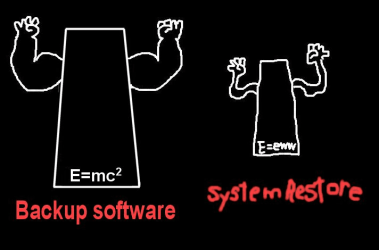
Pick one of these, and use it.
Your plan is a good one. Make a backup before any major changes.


Backup Software.png


The trick is to keep the "used space" on your Windows partition.... small (like 60GB or less).
Then your backups and restores will be very fast.

Install large games or large programs on a storage drive, instead of on the Windows partition. :-)


My Computers My Computers

  • At a glance

    Win 11 Home ♦♦♦26200.8875 ♦♦♦♦♦♦♦25H2AMD Ryzen 7 3700XG.Skill (F4-3200C14D-16GTZKW)EVGA RTX 2070 (08G-P4-2171-KR)
    OS
    Win 11 Home ♦♦♦26200.8875 ♦♦♦♦♦♦♦25H2
    Computer type
    PC/Desktop
    Manufacturer/Model
    Built by Ghot® [May 2020]
    CPU
    AMD Ryzen 7 3700X
    Motherboard
    Asus Pro WS X570-ACE (BIOS 5302)
    Memory
    G.Skill (F4-3200C14D-16GTZKW)
    Graphics Card(s)
    EVGA RTX 2070 (08G-P4-2171-KR)
    Sound Card
    Realtek ALC1220P / ALC S1220A
    Monitor(s) Displays
    Dell U3011 30"
    Screen Resolution
    2560 x 1600
    Hard Drives
    2x Samsung 860 EVO 500GB,
    WD 4TB Black FZBX - SATA III,
    WD 8TB Black FZBX - SATA III,
    DRW-24B1ST CD/DVD Burner
    PSU
    PC Power & Cooling 750W Quad EPS12V
    Case
    Cooler Master ATCS 840 Tower
    Cooling
    CM Hyper 212 EVO (push/pull)
    Keyboard
    Ducky DK9008 Shine II Blue LED
    Mouse
    Logitech Optical M-100
    Internet Speed
    300/300
    Browser
    Firefox (latest)
    Antivirus
    Bitdefender Total Security
    Other Info
    Speakers: Klipsch Pro Media 2.1
  • At a glance

    Windows XP Pro 32bit w/SP3AMD Athlon 64 X2 5000+ (OC'd @ 3.2Ghz)TWIN2X2048-6400C4DHX (2 x 1GB, DDR2 800)EVGA 256-P2-N758-TR GeForce 8600GT SSC
    Operating System
    Windows XP Pro 32bit w/SP3
    Computer type
    PC/Desktop
    Manufacturer/Model
    Built by Ghot® (not in use)
    CPU
    AMD Athlon 64 X2 5000+ (OC'd @ 3.2Ghz)
    Motherboard
    ASUS M2N32-SLI Deluxe Wireless Edition
    Memory
    TWIN2X2048-6400C4DHX (2 x 1GB, DDR2 800)
    Graphics card(s)
    EVGA 256-P2-N758-TR GeForce 8600GT SSC
    Sound Card
    Onboard
    Monitor(s) Displays
    ViewSonic G90FB Black 19" Professional (CRT)
    Screen Resolution
    up to 2048 x 1536
    Hard Drives
    WD 36GB 10,000rpm Raptor SATA
    Seagate 80GB 7200rpm SATA
    Lite-On LTR-52246S CD/RW
    Lite-On LH-18A1P CD/DVD Burner
    PSU
    PC Power & Cooling Silencer 750 Quad EPS12V
    Case
    Generic Beige case, 80mm fans
    Cooling
    ZALMAN 9500A 92mm CPU Cooler
    Keyboard
    Logitech Classic Keybooard 200
    Mouse
    Logitech Optical M-BT96a
    Internet Speed
    300/300
    Browser
    Firefox 3.x ??
    Antivirus
    Symantec (Norton)
    Other Info
    Still assembled, still runs. Haven't turned it on for 15 years?
Some years ago, SR was sketchy at best. It failed me way more than once, both on my system but mostly on systems belonging to others. Fast forward to today, SR may be better now or it may not be, I can't tell you because I do not use it myself. However, a lot of folks here do and do not seem to have issues with it. I guess I got burned too many times to ever have faith in it again.
My strategy is to image my system once a week so if I get into trouble, I'm never more than 6-7 days out of date. My personal files are on a separate drive so my system images are small. It takes me 5 minutes. Also, if I'm making registry changes I always manually backup any registry key before I add/change/delete any of its subkeys.

To answer your question about the system making restore points, yes the system does make some restore points automatically. An automatic restore point is made before a Windows update is installed, an unsigned driver is installed, or a program is installed from an MSI. (An automatic restore point is not made when installed using an EXE) A restore point is also made every seven days if no other automatic restore point has been otherwise made.

Like others said, you can make manual restore points if it will make you feel better. If you ever have a need to use one, if it works for you, great. .But if it doesn't, be prepared with a plan B. Decide on a imaging schedule that works for you and do it.
 

My Computers My Computers

  • At a glance

    Windows 11 Pro 25H2 26200.8875i9-10900 10 core 20 threads32 gbnone-Intel UHD Graphics 630
    OS
    Windows 11 Pro 25H2 26200.8875
    Computer type
    PC/Desktop
    Manufacturer/Model
    Dell Optiplex 7080
    CPU
    i9-10900 10 core 20 threads
    Motherboard
    DELL 0J37VM
    Memory
    32 gb
    Graphics Card(s)
    none-Intel UHD Graphics 630
    Sound Card
    Integrated Realtek
    Monitor(s) Displays
    Benq 27
    Screen Resolution
    2560x1440
    Hard Drives
    2x1tb Solidigm m.2 nvme /External drives 512gb Samsung m.2 sata+2tb Kingston m2.nvme
    PSU
    500w
    Case
    MT
    Cooling
    Dell Premium
    Keyboard
    Logitech wired
    Mouse
    Logitech wireless
    Internet Speed
    so slow I'm too embarrassed to tell
    Browser
    #1 Edge #2 Firefox
    Antivirus
    Defender+MWB Premium
  • At a glance

    Windows 11 Pro 24H2 26200.8875AMD Ryzen 7 6800U32 gbintegrated
    Operating System
    Windows 11 Pro 24H2 26200.8875
    Computer type
    PC/Desktop
    Manufacturer/Model
    Beelink Mini PC SER5
    CPU
    AMD Ryzen 7 6800U
    Memory
    32 gb
    Graphics card(s)
    integrated
    Sound Card
    integrated
    Monitor(s) Displays
    Benq 27
    Screen Resolution
    2560x1440
    Hard Drives
    1TB Crucial nvme
    Keyboard
    Logitech wired
    Mouse
    Logitech wireless
    Internet Speed
    still too embarrassed to tell
    Browser
    Firefox
    Antivirus
    Defender
    Other Info
    System 3 is non compliant Dell 9020 i7-4770/24gb ram Win11 PRO 26200.8875
Although I do create system restore points weekly, I have seldom had to use them. When I have resorted to a system restore point, I have always done so in Safe Mode, which maximizes the chances that the restore will be successful. SR is very prone to failure in Normal Boot mode because there is too much running.

I also create full system images weekly, alternating between the paid versions of Macrium Reflect Home and Easeus Todo Backup Home. As has already been mentioned, I would not trust SR to always work.

For registry backups, I really like the Tweaking.com "Registry Backup" program. Tweaking was taken over last year. Their Forums are not functional. The former list of utilities has disappeared, except for the Windows Repair program. I run the Registry Backup utility every week or when I am going to make registry changes, which is seldom. You can still download it here: https://www.bleepingcomputer.com/download/registry-backup/

It runs perfectly on Windows 11 Pro. It is fast and thorough and FREE. I highly recommend it. I believe in backup redundancies. I like having my registry all backed up by itself, just in case . . .

Have a great day.

Regards,
Phil
 

My Computers My Computers

  • At a glance

    Windows 11 Pro Version 25H2 (Build 26200.8894Intel i7-9700K 4700 MHz32 GB (4 x 8GB SK Hynix DDR4 @1333 MHz) (2666...NVIDIA GeForce RTX 2060 (6 GB) GDDR6 300 MHz
    OS
    Windows 11 Pro Version 25H2 (Build 26200.8894
    Computer type
    PC/Desktop
    Manufacturer/Model
    Dell XPS8930 SE
    CPU
    Intel i7-9700K 4700 MHz
    Motherboard
    Dell XPS 8930
    Memory
    32 GB (4 x 8GB SK Hynix DDR4 @1333 MHz) (2666 MHz)
    Graphics Card(s)
    NVIDIA GeForce RTX 2060 (6 GB) GDDR6 300 MHz
    Sound Card
    None
    Monitor(s) Displays
    Dell UltraSharp U2518D 25"
    Screen Resolution
    2560 x 1440
    Hard Drives
    NVMe Intel 1024 TB
    Seagate 2 TB, SATA-III
    Western Digital Black 4TB
    PSU
    850 W Gold Standard
    Case
    Dell XPS 8930 Base (Special Edition)
    Cooling
    Air
    Keyboard
    Dell 0G4D2W
    Mouse
    Dell MOCZUL
    Internet Speed
    Download 553 Mbps, Upload 686 Mbps
    Browser
    Google Chrome
    Antivirus
    ESET Smart Security Premium, plus Malwarebytes Premium
    Other Info
    BIOS Version 1.1.31
  • At a glance

    Windows 11 Pro Version 25H2 (Build 26200.8894)i7-9750H 4.5 GHz16 GB (2 x 8GB @ 1333 MHz) DDR4-2666 MHzNVIDIA GeForce 1650 4 GB GDDR5
    Operating System
    Windows 11 Pro Version 25H2 (Build 26200.8894)
    Computer type
    Laptop
    Manufacturer/Model
    Dell XPS 15 7590
    CPU
    i7-9750H 4.5 GHz
    Motherboard
    Dell XPS 15 7590
    Memory
    16 GB (2 x 8GB @ 1333 MHz) DDR4-2666 MHz
    Graphics card(s)
    NVIDIA GeForce 1650 4 GB GDDR5
    Sound Card
    None
    Monitor(s) Displays
    Dell XPS 15 7590, 15.6" InfinityEdge Anti-Glare, Non-Touch
    Screen Resolution
    1920 x 1080
    Hard Drives
    512 GB M.2 PCle NVMe SK Hynix
    PSU
    130W Power Adapter
    Case
    Dell XPS 15 7590
    Cooling
    Air
    Keyboard
    Laptop
    Mouse
    Logitech M510
    Internet Speed
    Download: 400 Mbps, Upload: 203 Mbps
    Browser
    Google Chrome
    Antivirus
    ESET Smart Security Premium, plus Malwarebytes Premium
    Other Info
    BIOS Version 1.35.0
As Ghot suggest, use a good backup software.
I use Macrium with daily backups.
I also use Revo Uninstaller Pro for software removal as it can make a registry backup before an uninstall.
If i am removing some biggish software (Office or Acrobat) i usually take a Macrium image just in cast it goes wrong.
My documents and email are on a separate drive (with daily backups) so if i revert to a different "C" drive backup nothing is lost.
 

My Computer My Computer

At a glance

Win 11 ProAMD Ryzen 7 9700XG.Skill Trident Z5 Neo RGB 64GB Kit (2x32GB) ...PowerColor Radeon RX 9060 XT Reaper GDDR6 16GB
OS
Win 11 Pro
Computer type
PC/Desktop
Manufacturer/Model
N/A
CPU
AMD Ryzen 7 9700X
Motherboard
Asrock 870E Nova WiFi
Memory
G.Skill Trident Z5 Neo RGB 64GB Kit (2x32GB) DDR5-6000 C30
Graphics Card(s)
PowerColor Radeon RX 9060 XT Reaper GDDR6 16GB
Sound Card
USB Out NAD M51 DAC with Adams A8 powered speakers
Monitor(s) Displays
Dell 3219Q
Screen Resolution
3840 x 2160
Hard Drives
5 x WD_BLACK SN850x PCIe Gen4 NVMe M.2 SSD - 4TB
PSU
be quiet! DARK POWER 13 1000W Titanium PCIe 5.0 ATX Modular PSU
Case
Fractal Design Define 7 Full Tower Case (Black)
Cooling
Noctua NH-D15 G2 LBC - High Performance Multi-Socket PWM CPU Cooler
Keyboard
Razer Huntsman V2
Mouse
Razer Viper Ultimate
Internet Speed
Starlink 94Mbps down 20Mbps up
Browser
Brave
Antivirus
ESET
This is a perennial discussion.

One needs to understand how a system restore works and how an image restore works.

Think back to VCR days. You could put a new tape in or rewind an existing tape.

An image restore is like putting in a tape that is a copy of current state at a certain date.
If you do an image restore, you get a faithful copy of the C drive at time backup was made.
However, any data on C drive made after the backup get lost - that is why I store data on a separate drive.

A system restore was like rewinding a tape on a vcr to a previous position. It only really deals with the registry settings. If you installed programs since the restore was made you lose them BUT you do not lose the data on the C drive. A system restore is not a backup of whole pc but only some elements of the pc.

Flash back in time to much slower pcs and drives, where an image backup could take 30 minutes or more, a system restore was useful as quicker if you got issues, especially if messing with registry or installing new apps. The problem is a system restore was not always reliable and would often "undo" and not be updated.

However nowadays an image restore is much faster (particularly if using SSDs), and is far more reliable (works every time). Some tools e.g. Macrium Reflect Home (paid), Hasleo Backup Suite (Free), Casper Backup (Paid) even have a Rapid Delta Restore function (restore by change differences) which is really fast - often less than 1 minute.

Frankly, system restore points have had their day and (imo) not even worth bothering with. I turn them off 100% with the CAVEAT that data is stored on a separate drive.
 

My Computer My Computer

At a glance

Windows 11 Pro + Win11 Canary VM.I9 13th gen i9-13900H 2.60 GHZ16 GB solderedIntegrated Intel Iris XE
OS
Windows 11 Pro + Win11 Canary VM.
Computer type
Laptop
Manufacturer/Model
ASUS Zenbook 14
CPU
I9 13th gen i9-13900H 2.60 GHZ
Motherboard
Yep, Laptop has one.
Memory
16 GB soldered
Graphics Card(s)
Integrated Intel Iris XE
Sound Card
Realtek built in
Monitor(s) Displays
laptop OLED screen
Screen Resolution
2880x1800 touchscreen
Hard Drives
1 TB NVME SSD (only weakness is only one slot)
PSU
Internal + 65W thunderbolt USB4 charger
Case
Yep, got one
Cooling
Stella Artois (UK pint cans - 568 ml) - extra cost.
Keyboard
Built in UK keybd
Mouse
Bluetooth , wireless dongled, wired
Internet Speed
900 mbs (ethernet), wifi 6 typical 350-450 mb/s both up and down
Browser
Edge
Antivirus
Defender
Other Info
TPM 2.0, 2xUSB4 thunderbolt, 1xUsb3 (usb a), 1xUsb-c, hdmi out, 3.5 mm audio out/in combo, ASUS backlit trackpad (inc. switchable number pad)

Macrium Reflect Home V8
Office 365 Family (6 users each 1TB onedrive space)
Hyper-V (a vm runs almost as fast as my older laptop)
I havent had a system restore work in quite awhile. Even on clean installs of windows sometimes it just doesn't work and I am honestly not sure why.

So I personally have not bothered with it. Windows seems to have it disabled by default now anyway on a new install.
 

My Computers My Computers

  • At a glance

    Windows 11 ProRyzen 7 5700 X3D64 GB DDR4 3600mhz Gskill Ripjaws VRTX 4070 Super , 12GB VRAM Asus EVO Overclock
    OS
    Windows 11 Pro
    Computer type
    PC/Desktop
    Manufacturer/Model
    Custom Built
    CPU
    Ryzen 7 5700 X3D
    Motherboard
    MSI MPG B550 GAMING PLUS
    Memory
    64 GB DDR4 3600mhz Gskill Ripjaws V
    Graphics Card(s)
    RTX 4070 Super , 12GB VRAM Asus EVO Overclock
    Monitor(s) Displays
    Gigabyte M27Q (rev. 2.0) 2560 x 1440 @ 170hz HDR
    Hard Drives
    2TB Samsung nvme ssd
    4TB Western Digital nvme ssd
    PSU
    CORSAIR RMx SHIFT Series™ RM750x 80 PLUS Gold Fully Modular ATX Power Supply
    Case
    CORSAIR 3500X ARGB Mid-Tower ATX PC Case – Black
    Cooling
    ID-COOLING FROSTFLOW X 240 CPU Water Cooler
    Keyboard
    Logitech G213
    Mouse
    Logitech G203
    Internet Speed
    1.2gbps Fiber 😎
  • At a glance

    Chrome OSIntel Pentium Quad Core4GB LPDDR4
    Operating System
    Chrome OS
    Computer type
    Laptop
    Manufacturer/Model
    HP Chromebook
    CPU
    Intel Pentium Quad Core
    Memory
    4GB LPDDR4
    Monitor(s) Displays
    14 Inch HD SVA anti glare micro edge display
    Hard Drives
    64 GB emmc
Thanks to a great programmer and also a great Moderator (thanks Brink) I have a little script that when run will force a new System Restore point to be created.
On a new install, if SR is not turned ON, I will turn it on. Then I install that little script in my "Startup" folder, so it runs ever time I boot up my PC.
My PC boots up in about ten seconds, so the SR script really doesn't slow it down, much.
And if in my fumbling around, I screw up my desktop or something, a quick System Restore will fix it. OH, I also keep a shortcut to System Restore on my Desktop, with Shortcuts to my other valuable softwares. OH, by the way, that shortcut is: C:\Windows\System32\rstrui.exe
And, the script I'm using to create a new SR restore point is:

' Created by: Shawn Brink
' Ten Forums - Windows 10 Help and Support Forum
' Tutorial: Create System Restore Point shortcut in Windows 10


Function GetOS
Set objWMI = GetObject("winmgmts:{impersonationLevel=impersonate}!\\" & ".\root\cimv2")
Set colOS = objWMI.ExecQuery("Select * from Win32_OperatingSystem")
For Each objOS in colOS
If instr(objOS.Caption, "Windows 11") Then
GetOS = "Windows 11"
End If
Next
End Function

If GetOS = "Windows 11" Then
If WScript.Arguments.length =0 Then
Set objShell = CreateObject("Shell.Application")
objShell.ShellExecute "wscript.exe", Chr(34) & WScript.ScriptFullName & Chr(34) & " Run", , "runas", 1
Else
const HKEY_LOCAL_MACHINE = &H80000002
strComputer = "."
Set oReg=GetObject("winmgmts:{impersonationLevel=impersonate}!\\" & strComputer & "\root\default:StdRegProv")
strKeyPath = "SOFTWARE\Microsoft\Windows NT\CurrentVersion\SystemRestore"
strValueName = "SystemRestorePointCreationFrequency"
oReg.SetDWORDValue HKEY_LOCAL_MACHINE,strKeyPath,strValueName,0
CreateSRP
End If
End If


Sub CreateSRP

GetObject("winmgmts:\\.\root\default:Systemrestore").CreateRestorePoint "Instant Restore Point", 0, 100

End Sub
 
I havent had a system restore work in quite awhile. Even on clean installs of windows sometimes it just doesn't work and I am honestly not sure why.

So I personally have not bothered with it. Windows seems to have it disabled by default now anyway on a new install.
Well another thing that happens or should say used to happen all the time to me. I dont do restore points anymore cause one reason is for me everytime Windows updated it would wipe my restore points. I also used too use up until about a year ago automated task of creating a restore point per day or per week but same thing happened to them, after an update my tasks were wiped out as well. So now I manually create a weekly image using EaseUs Todo Pro Backup. I dont understand why windows does that crap to itself. Why even have system restore baked in. Remove the code in my opinion.
 

My Computer My Computer

At a glance

Windows 11 Pro Version 23H2(OS Build 22631.4890)12-Core AMD Ryzen 9 5900X, 4950 MHz (49.5 x 100)4 - G Skill Trident Z Neo F4-3600C16-16GTZNCPCI Express 4.0 x16: PowerColor RX 6800
OS
Windows 11 Pro Version 23H2(OS Build 22631.4890)
Computer type
PC/Desktop
Manufacturer/Model
AMD
CPU
12-Core AMD Ryzen 9 5900X, 4950 MHz (49.5 x 100)
Motherboard
Gigabyte X570 Aorus Master
Memory
4 - G Skill Trident Z Neo F4-3600C16-16GTZNC
Graphics Card(s)
PCI Express 4.0 x16: PowerColor RX 6800
Sound Card
Realtek ALC1220 @ AMD K19.2 - High Definition Audio Controller
Monitor(s) Displays
2 - 27 inch Westinghouse
Screen Resolution
1920 x 1080
Hard Drives
2 SSD - 2 TB each
1 SSD - 4TB
1 HDD - 2TB
Keyboard
logitech
Mouse
logitech
Internet Speed
1 GB
Browser
Firefox
Antivirus
Eset Endpoint Security
I have never used System Restore in Windows 10 or 11. I tried it in Windows 7 and it was not reliable .
I agree so I disable SR on all PCs and rely on Macrium Reflect backups which have never failed me.
 

My Computer My Computer

At a glance

Windows 11 ProCore i7-13700K64 GB Kingston Fury Beast DDR5Gigabyte GeForce RTX 2060 Super Gaming OC 8G
OS
Windows 11 Pro
Computer type
PC/Desktop
Manufacturer/Model
Self build
CPU
Core i7-13700K
Motherboard
Asus TUF Gaming Plus WiFi Z790
Memory
64 GB Kingston Fury Beast DDR5
Graphics Card(s)
Gigabyte GeForce RTX 2060 Super Gaming OC 8G
Sound Card
Realtek S1200A
Monitor(s) Displays
Viewsonic VP2770 & Dell (secondary)
Screen Resolution
2560 x 1440
Hard Drives
Kingston KC3000 2TB NVME SSD & SATA HDDs & SSD
PSU
EVGA SuperNova G2 850W
Case
Nanoxia Deep Silence 1
Cooling
Noctua NH-D14
Keyboard
Microsoft Digital Media Pro
Mouse
Logitech Wireless
Internet Speed
80 Mb / s
Browser
Chrome
Antivirus
Defender, Malwarebytes Free & AdwCleaner
I dont do restore points anymore cause one reason is for me everytime Windows updated it would wipe my restore points
Interesting, that never has happened for me. There would be tons of restore points, but none of them would ever work. And when I noticed on clean installs it was turned off by default, I figured it was being deprecated at some point.

You could always try this:


I had done that as well at one point to see if the restore points created just were not enough.
 

My Computers My Computers

  • At a glance

    Windows 11 ProRyzen 7 5700 X3D64 GB DDR4 3600mhz Gskill Ripjaws VRTX 4070 Super , 12GB VRAM Asus EVO Overclock
    OS
    Windows 11 Pro
    Computer type
    PC/Desktop
    Manufacturer/Model
    Custom Built
    CPU
    Ryzen 7 5700 X3D
    Motherboard
    MSI MPG B550 GAMING PLUS
    Memory
    64 GB DDR4 3600mhz Gskill Ripjaws V
    Graphics Card(s)
    RTX 4070 Super , 12GB VRAM Asus EVO Overclock
    Monitor(s) Displays
    Gigabyte M27Q (rev. 2.0) 2560 x 1440 @ 170hz HDR
    Hard Drives
    2TB Samsung nvme ssd
    4TB Western Digital nvme ssd
    PSU
    CORSAIR RMx SHIFT Series™ RM750x 80 PLUS Gold Fully Modular ATX Power Supply
    Case
    CORSAIR 3500X ARGB Mid-Tower ATX PC Case – Black
    Cooling
    ID-COOLING FROSTFLOW X 240 CPU Water Cooler
    Keyboard
    Logitech G213
    Mouse
    Logitech G203
    Internet Speed
    1.2gbps Fiber 😎
  • At a glance

    Chrome OSIntel Pentium Quad Core4GB LPDDR4
    Operating System
    Chrome OS
    Computer type
    Laptop
    Manufacturer/Model
    HP Chromebook
    CPU
    Intel Pentium Quad Core
    Memory
    4GB LPDDR4
    Monitor(s) Displays
    14 Inch HD SVA anti glare micro edge display
    Hard Drives
    64 GB emmc

Similar threads

Replies
13
Views
47K
Back
Top Bottom