Win Update KB5008353 Cumulative Update Preview for Windows 11 Build 22000.469 - Jan. 25


UPDATE 2/8:

KB5008353 Build 22000.469 also released to Windows Insiders in the Beta and Release Preview channels.


January 25, 2022—KB5008353 (OS Build 22000.469) Preview​


For information about Windows update terminology, see the article about the types of Windows updates and the monthly quality update types. For an overview of Windows 11 (original release), see its update history page.

Note Follow @WindowsUpdate to find out when new content is published to the Windows release health dashboard.

Highlights​

  • Updates an issue that causes the audio service to stop responding on some devices that support hardware-accelerated Bluetooth audio.
  • Updates an issue that affects icons for apps when the apps are not running. On the taskbar, these icons might display as active as if the apps are running.
  • Adds a new Your Microsoft Account page to the Accounts category in Windows Settings for Home and Professional editions.
  • Updates an issue that incorrectly shows the volume icon in the taskbar as muted.
  • Updates an issue that causes a device to stop working when it’s connected to multiple displays.
  • Updates an issue that affects the auto-hide feature of the taskbar. The taskbar might not reliably appear when you hover over the primary or secondary display.
  • Updates an issue that might prevent icons from appearing on the taskbar of a secondary display.
  • Improves auto brightness to provide a better response under low light conditions on all the supported systems.
  • Updates daylight savings time to start in February 2022 instead of March 2022 in Jordan.
  • Adds the HelpWith feature, which uses Microsoft Bing technologies to suggest Help topics that are relevant for each Settings page.
  • Updates an issue that displays outdated battery percentages for connected Bluetooth devices on the Bluetooth and other devices page in Settings.
  • Updates a known issue that might prevent some image editing programs from rendering colors correctly on certain high dynamic range (HDR) displays. This frequently affects white colors that might display in bright yellow or other colors.

Improvements and fixes​

This non-security update includes quality improvements. Key changes include:
  • Improves the reliability of application installations on ARM64 devices.
  • Updates daylight savings time to start in February 2022 instead of March 2022 in Jordan.
  • Addresses an issue that causes ARM64 devices to stop responding when they hibernate or resume from hibernation.
  • Addresses an issue that affects predictive pre-rendering in Microsoft Edge Internet Explorer mode.
  • Addresses an issue that sometime prevents you from entering strings in the Input Method Editor (IME).
  • Addresses an issue that causes the audio service to stop responding on some devices that support hardware-accelerated Bluetooth audio.
  • Addresses an issue in which the text that informs a customer about the Windows update progress is incorrect for Japanese.
  • Addresses an issue that affects icons for apps when the apps are not running. On the taskbar, these icons might display as active as if the apps are running.
  • Addresses an issue that might cause VPN profiles to disappear. This issue occurs when you use Microsoft Intune or a third-party mobile device management (MDM) tool to deploy VPN profiles on Windows 11 (original release).
  • Addresses an issue that affects applications that are written to only integrate with Azure Active Directory (AAD). These applications will not work on machines that are joined to Active Directory Federation Services (ADFS).
  • Addresses an issue that might cause the Get-TPM PowerShell command to fail when it attempts to report Trusted Platform Module (TPM) information. The command fails with the error, “0x80090011 Microsoft.Tpm.Commands.TpmWmiException,Microsoft.Tpm.Commands.GetTpmCommand”.
  • Addresses an issue that causes a remote desktop protocol (RDP) session to disconnect or the screen to be blank for Server Core. This issue occurs when you install the AppCompat feature.
  • Addresses an issue that affects windows.system.profile.retailinfo.dll.
  • Addresses some issues that affect File Explorer’s performance when you browse for files and select files.
  • Adds a new Your Microsoft Account page to the Accounts category in Windows Settings for Home and Professional editions.
  • Addresses an issue that incorrectly shows the volume icon in the taskbar as muted.
  • Addresses a reliability issue that causes File Explorer and desktop context menus to stop working.
  • Addresses an issue that fails to pass the Shift KeyUpevent to an application when you use the Korean IME.
  • Adds the HelpWith feature, which uses Microsoft Bing technologies to suggest Help topics that are relevant for each Settings page.
  • Addresses an issue that prevents the touch keyboard from appearing on the lock screen when a device has a Microsoft account (MSA).
  • Addresses an issue that affects the loading of badging information on the taskbar, which sometimes causes a device to stop working.
  • Addresses an issue that prevents some options from appearing on the Win+X menu.
  • Addresses an issue that causes a device to stop working when it’s connected to multiple displays.
  • Addresses an issue that affects the auto-hide feature of the taskbar. The taskbar might not reliably appear when you hover over the primary or secondary display.
  • Addresses an issue that sometimes prevents you from using the Chinese Simplified IME.
  • Addresses an issue that might prevent icons from appearing on the taskbar of a secondary display.
  • Addresses an issue that fails to install certain printer companion applications when the printer device driver is installing.
  • Addresses an issue that displays outdated battery percentages for connected Bluetooth devices on the Bluetooth and other devices page in Settings.
  • Addresses an issue that prevents IP cameras from connecting and streaming to certain DirectShow (DShow) applications.
  • Improves the auto brightness algorithm to provide a better response under low light conditions on all the supported systems.
  • Addresses an issue that causes lsass.exe to stop working and the device restarts. This issue occurs when you query Windows NT Directory Services (NTDS) counters after the NTDS service has stopped.
  • Addresses an issue that causes a deadlock in the WebDav redirector. This issue occurs when you attempt to read a file from the local TfsStore, which causes the system to stop responding.
  • Addresses a performance regression issue that occurs when you enable the update sequence number (USN) journal.
  • Addresses an issue that fails to apply the Group Policy Object (GPO) “Do not allow compression on all NTFS Volume” in some cases.
  • Addresses an issue that prevents Robocopy from retrying the file copy process.
  • Addresses a known issue that might prevent some image editing programs from rendering colors correctly on certain high dynamic range (HDR) displays. This frequently affects white colors that might display in bright yellow or other colors.
  • Addresses an issue that causes Windows to stop working and generates the error, “IRQL_NOT_LESS_OR_EQUAL”.
  • Addresses a memory leak that occurs when you call WinVerifyTrust(). This issue occurs if verification fails for the first signature of a file that has multiple signatures.
  • Adds an audit event to Active Directory domain controllers that identifies clients that are not compliant with RFC 4456. For more information, see KB5005408: Smart card authentication might cause print and scan failures.
If you installed earlier updates, only the new fixes contained in this package will be downloaded and installed on your device.

Windows 11 servicing stack update - 22000.469​

This update makes quality improvements to the servicing stack, which is the component that installs Windows updates. Servicing stack updates (SSU) ensure that you have a robust and reliable servicing stack so that your devices can receive and install Microsoft updates. Key changes include:
  • Addresses multiple Features on Demand package failures that you typically encounter when you attempt to set up or install Windows Mixed Reality.

Known issues in this update​

Applies toSymptomWorkaround
All usersRecent emails might not appear in the search results of the Microsoft Outlook desktop app. This issue is related to emails that have been stored locally in a PST or OST files. It might affect POP and IMAP accounts, as well as accounts hosted on Microsoft Exchange and Microsoft 365. If the default search in the Microsoft Outlook app is set to server search, the issue will only affect the advanced search.To mitigate the issue, you can disable Windows Desktop Search, which will cause Microsoft Outlook to use its built-in search. For instructions, see Outlook Search not showing recent emails after Windows update KB5008212.

We are working on a resolution and will provide an update in an upcoming release.

How to get this update​

Before installing this update

Microsoft combines the latest servicing stack update (SSU) for your operating system with the latest cumulative update (LCU). For general information about SSUs, see Servicing stack updates and Servicing Stack Updates (SSU): Frequently Asked Questions.

Install this update

Release ChannelAvailableNext Step
Windows Update or Microsoft UpdateYesGo to Settings > Update & Security > Windows Update. In the Optional updates available area, you’ll find the link to download and install the update.
Windows Update for BusinessNoNone. These changes will be included in the next security update to this channel.
Microsoft Update CatalogYesTo get the standalone package for this update, go to the Microsoft Update Catalog website.
Windows Server Update Services (WSUS)NoYou can import this update into WSUS manually. See the Microsoft Update Catalog for instructions.

If you want to remove the LCU

To remove the LCU after installing the combined SSU and LCU package, use the DISM/Remove-Package command line option with the LCU package name as the argument. You can find the package name by using this command: DISM /online /get-packages.

Running Windows Update Standalone Installer (wusa.exe) with the /uninstall switch on the combined package will not work because the combined package contains the SSU. You cannot remove the SSU from the system after installation.

File information

For a list of the files that are provided in this update, download the file information for cumulative update 5008353.

For a list of the files that are provided in the servicing stack update, download the file information for the SSU - version 22000.469.


Source:


Direct download links for KB5008353 MSU file from Microsoft Update Catalog:

[fa]fas fa-download[/fa] Download KB5008353 MSU for Windows 11 64-bit (x64) - 226.7 MB

[fa]fas fa-download[/fa] Download KB5008353 MSU for Windows 11 ARM64 - 280.5 MB


UUP Dump:

64-bit ISO download:
Select language for Cumulative Update for Windows 11 (22000.469) amd64

ARM64 ISO download: Select language for Cumulative Update for Windows 11 (22000.469) arm64

 
Last edited:

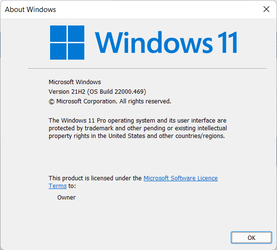
Offered in Windows update on all my machines, including my unsupported one, System Two below. Installed now.


1643159282029.png
 

My Computers My Computers

  • At a glance

    Windows 11 HomeAMD Athlon Silver 3050U8GBRadeon Graphics
    OS
    Windows 11 Home
    Computer type
    Laptop
    Manufacturer/Model
    Acer Aspire 3 A315-23-R9VY
    CPU
    AMD Athlon Silver 3050U
    Memory
    8GB
    Graphics Card(s)
    Radeon Graphics
    Monitor(s) Displays
    laptop screen
    Screen Resolution
    1366x768 native resolution, up to 2560x1440 with Radeon Virtual Super Resolution
    Hard Drives
    1TB Samsung EVO 870 SSD (from April 2026: 250GB EVO 850)
    Internet Speed
    150 Mbps
    Browser
    Edge, Firefox
    Antivirus
    Defender
    Other Info
    fully 'Windows 11 ready' laptop. Windows 10 C: partition migrated from my old unsupported 'main machine' then upgraded to 11. A test migration ran Insider builds for 2 months. When 11 was released on 5th October 2021 it was re-imaged back to 10 and was offered the upgrade in Windows Update on 20th October. Windows Update offered the 22H2 Feature Update on 20th September 2022. It got the 23H2 Feature Update on 4th November 2023 through Windows Update, 24H2 on 3rd October 2024 through Windows Update by setting the Target Release Version for 24H2, and 25H2 on 30th September 2025 through Windows Update by setting the Target Release Version for 25H2.

    UPDATE - 11 April 2026: due to mechanical deterioration this PC has been retired from active duty. The OS with all software and files has been migrated to my System Seven in 'Other systems' to carry on as my general purpose 'main machine'.

    I've now clean installed 25H2 and used Garlin's scripts to update Secure Boot to CA 2023 and revoke the PCA 2011 certificates. It's new role is to test secure boot issues.
  • At a glance

    Windows 11 ProIntel® Core™ i5-520M8GB(integrated graphics) Intel HD Graphics
    Operating System
    Windows 11 Pro
    Computer type
    Laptop
    Manufacturer/Model
    Dell Latitude E4310
    CPU
    Intel® Core™ i5-520M
    Motherboard
    0T6M8G
    Memory
    8GB
    Graphics card(s)
    (integrated graphics) Intel HD Graphics
    Screen Resolution
    1366x768
    Hard Drives
    500GB Crucial MX500 SSD
    Browser
    Firefox, Edge
    Antivirus
    Defender
    Other Info
    unsupported machine: Legacy bios, MBR, TPM 1.2, upgraded from W10 to W11 using W10/W11 hybrid install media workaround.

    In-place upgrade to 22H2 using ISO and a workaround.
    Feature Update to 23H2 by manually installing the Enablement Package.
    In-place upgrade to 24H2 using hybrid 23H2/24H2 install media.
    Upgraded to 25H2 by Enablement Package.

    Also running Insider Dev, and Canary builds and Windows 10 as native boot .vhdx.
  • My SYSTEM THREE is a Dell Latitude 5410, i7-10610U, 32GB RAM, 512GB NVMe ssd, supported device running Windows 11 Pro.

    My SYSTEM FOUR is a 2-in-1 convertible Lenovo Yoga 11e 20DA, Celeron N2930, 8GB RAM, 256GB ssd. Unsupported device: currently running Win10 Pro, plus Win11 Pro RTM and Insider Dev, Beta, and RP 24H2 as native boot vhdx.

    My SYSTEM FIVE is a Dell Latitude 3190 2-in-1, Pentium Silver N5030, 8GB RAM, 1TB NVMe ssd, supported device running Windows 11 Pro, plus Insider Beta, Dev, and Canary builds (and a few others) as a native boot .vhdx.

    My SYSTEM SIX is a Dell Latitude 5550, Core Ultra 7 165H, 64GB RAM, 1TB NVMe SSD, supported device, Windows 11 Pro 24H2, Hyper-V host machine. Updated to 25H2 on 30th September 2025.

    My SYSTEM SEVEN is a Lenovo Thinkpad T580, Intel Core i7-8650U, 16GB RAM, 512GB NVMe SSD + 2nd 512GB NVMe SSD, a supported device for Windows 11. This is my current general purpose 'main machine'. The installed Windows 11 Home from my System One has been migrated to this machine.
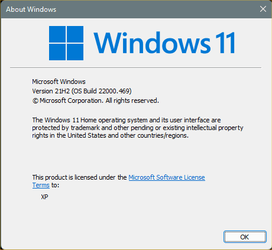
KB5008353.jpg
 

My Computers My Computers

  • At a glance

    Windows 11 Pro for WorkstationsIntel i7-8700K 5 GHz64 GB (4x16GB) G.SKILL TridentZ RGB DDR4 3600...ASUS ROG-STRIX-GTX1080TI-O11G-GAMING (11GB GD...
    OS
    Windows 11 Pro for Workstations
    Computer type
    PC/Desktop
    Manufacturer/Model
    Custom self build
    CPU
    Intel i7-8700K 5 GHz
    Motherboard
    ASUS ROG Maximus XI Formula Z390
    Memory
    64 GB (4x16GB) G.SKILL TridentZ RGB DDR4 3600 MHz (F4-3600C18D-32GTZR)
    Graphics Card(s)
    ASUS ROG-STRIX-GTX1080TI-O11G-GAMING (11GB GDDR5X)
    Sound Card
    Integrated Digital Audio (S/PDIF)
    Monitor(s) Displays
    2 x Samsung Odyssey G75 27"
    Screen Resolution
    2560x1440
    Hard Drives
    1TB Samsung 990 PRO M.2,
    4TB Samsung 990 PRO M.2,
    TerraMaster F8 SSD Plus NAS
    PSU
    Seasonic Prime Titanium 850W
    Case
    Thermaltake Core P3 wall mounted
    Cooling
    Corsair Hydro H115i
    Keyboard
    Amazon Basics Wired Full Keyboard MD005
    Mouse
    Logitech MX Master 4
    Internet Speed
    2 Gbps Download and 100 Mbps Upload
    Browser
    Chrome and Edge
    Antivirus
    Microsoft Defender
    Other Info
    Logitech Z625 speaker system,
    Logitech BRIO 4K Pro webcam,
    HP Color LaserJet Pro MFP M477fdn,
    CyberPower CP1500PFCLCD
    Galaxy S23 Plus phone
  • At a glance

    Windows 11 ProSnapdragon X Elite (12 core) 3.42 GHz16 GB LPDDR5x-7467 MHz
    Operating System
    Windows 11 Pro
    Computer type
    Laptop
    Manufacturer/Model
    Surface Laptop 7 Copilot+ PC
    CPU
    Snapdragon X Elite (12 core) 3.42 GHz
    Memory
    16 GB LPDDR5x-7467 MHz
    Monitor(s) Displays
    15" HDR
    Screen Resolution
    2496 x 1664
    Hard Drives
    1 TB SSD
    Internet Speed
    Wi-Fi 7 and Bluetooth 5.4
    Browser
    Chrome and Edge
    Antivirus
    Microsoft Defender
I installed this update also, on 3 laptops with no issues at all.
Thanks Shawn
 

My Computer My Computer

At a glance

Windows 11 ProIntel Core i7 @ 1.80GHz16gbIntel UHD Graphics 620 and NVIDIA GeForce MX150
OS
Windows 11 Pro
Computer type
Laptop
Manufacturer/Model
HP/Envy-17T
CPU
Intel Core i7 @ 1.80GHz
Motherboard
HP - 8485 (U3E1)
Memory
16gb
Graphics Card(s)
Intel UHD Graphics 620 and NVIDIA GeForce MX150
Sound Card
Realtek High Definition Audio / Intel Display Audio / NVIDIA Virtual Audio Device (Wave Extensible) (WDM)
Monitor(s) Displays
Generic PnP Monitor on Intel UHD Graphics 620
Screen Resolution
1536x864 pixels
Hard Drives
KBG30ZMV256G TOSHIBA (SSD)
ST1000LM049-2GH172 (SSD)
PSU
HP Standard
Cooling
HP CoolSense
Keyboard
Standard PS/2 Keyboard
Mouse
Anker
Internet Speed
95Mbps
Browser
FireFox
Antivirus
WebRoot
Works fine, lasts long time. :D


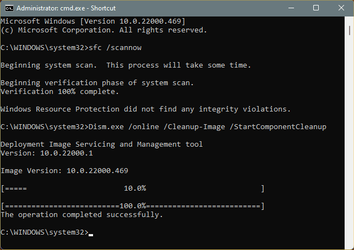
Image1.png Image1.png
 
Last edited:

My Computers My Computers

  • At a glance

    Win 11 Home ♦♦♦26200.8875 ♦♦♦♦♦♦♦25H2AMD Ryzen 7 3700XG.Skill (F4-3200C14D-16GTZKW)EVGA RTX 2070 (08G-P4-2171-KR)
    OS
    Win 11 Home ♦♦♦26200.8875 ♦♦♦♦♦♦♦25H2
    Computer type
    PC/Desktop
    Manufacturer/Model
    Built by Ghot® [May 2020]
    CPU
    AMD Ryzen 7 3700X
    Motherboard
    Asus Pro WS X570-ACE (BIOS 5302)
    Memory
    G.Skill (F4-3200C14D-16GTZKW)
    Graphics Card(s)
    EVGA RTX 2070 (08G-P4-2171-KR)
    Sound Card
    Realtek ALC1220P / ALC S1220A
    Monitor(s) Displays
    Dell U3011 30"
    Screen Resolution
    2560 x 1600
    Hard Drives
    2x Samsung 860 EVO 500GB,
    WD 4TB Black FZBX - SATA III,
    WD 8TB Black FZBX - SATA III,
    DRW-24B1ST CD/DVD Burner
    PSU
    PC Power & Cooling 750W Quad EPS12V
    Case
    Cooler Master ATCS 840 Tower
    Cooling
    CM Hyper 212 EVO (push/pull)
    Keyboard
    Ducky DK9008 Shine II Blue LED
    Mouse
    Logitech Optical M-100
    Internet Speed
    300/300
    Browser
    Firefox (latest)
    Antivirus
    Bitdefender Total Security
    Other Info
    Speakers: Klipsch Pro Media 2.1
  • At a glance

    Windows XP Pro 32bit w/SP3AMD Athlon 64 X2 5000+ (OC'd @ 3.2Ghz)TWIN2X2048-6400C4DHX (2 x 1GB, DDR2 800)EVGA 256-P2-N758-TR GeForce 8600GT SSC
    Operating System
    Windows XP Pro 32bit w/SP3
    Computer type
    PC/Desktop
    Manufacturer/Model
    Built by Ghot® (not in use)
    CPU
    AMD Athlon 64 X2 5000+ (OC'd @ 3.2Ghz)
    Motherboard
    ASUS M2N32-SLI Deluxe Wireless Edition
    Memory
    TWIN2X2048-6400C4DHX (2 x 1GB, DDR2 800)
    Graphics card(s)
    EVGA 256-P2-N758-TR GeForce 8600GT SSC
    Sound Card
    Onboard
    Monitor(s) Displays
    ViewSonic G90FB Black 19" Professional (CRT)
    Screen Resolution
    up to 2048 x 1536
    Hard Drives
    WD 36GB 10,000rpm Raptor SATA
    Seagate 80GB 7200rpm SATA
    Lite-On LTR-52246S CD/RW
    Lite-On LH-18A1P CD/DVD Burner
    PSU
    PC Power & Cooling Silencer 750 Quad EPS12V
    Case
    Generic Beige case, 80mm fans
    Cooling
    ZALMAN 9500A 92mm CPU Cooler
    Keyboard
    Logitech Classic Keybooard 200
    Mouse
    Logitech Optical M-BT96a
    Internet Speed
    300/300
    Browser
    Firefox 3.x ??
    Antivirus
    Symantec (Norton)
    Other Info
    Still assembled, still runs. Haven't turned it on for 15 years?
Came back from supper and the machine was asking for a restart. Easy peasy....
 

My Computers My Computers

  • At a glance

    Win 11 Pro (25H2 RP)Intel(R) Core(TM) i5-9300H CPU @ 2.40GHz 2.40...32GBNvidia GeForce GTX 1650, Intel UHD 630
    OS
    Win 11 Pro (25H2 RP)
    Computer type
    Laptop
    Manufacturer/Model
    Acer AN515-54
    CPU
    Intel(R) Core(TM) i5-9300H CPU @ 2.40GHz 2.40 GHz
    Memory
    32GB
    Graphics Card(s)
    Nvidia GeForce GTX 1650, Intel UHD 630
    Monitor(s) Displays
    Acer CB272D
    Screen Resolution
    1920x1080
    Hard Drives
    256GB and 1T SSD
    Internet Speed
    500MB
    Browser
    Edge (Stable)
    Antivirus
    Microsoft Defender
  • At a glance

    Win 11 Pro (RP)Intel(R) Core(TM) Ultra 9 275HX (2.70 GHz)32GB DDR5-5600NVIDIA® GeForce RTX™ 5060 8GB
    Operating System
    Win 11 Pro (RP)
    Computer type
    Laptop
    Manufacturer/Model
    Lenovo Legion 5 16IAX10 - Type 83NX
    CPU
    Intel(R) Core(TM) Ultra 9 275HX (2.70 GHz)
    Memory
    32GB DDR5-5600
    Graphics card(s)
    NVIDIA® GeForce RTX™ 5060 8GB
    Monitor(s) Displays
    Acer CB272D
    Screen Resolution
    1920x1080 75Hz
    Hard Drives
    WD Green SN3000 (2TB)
    Samsung Portable T5 (2TB)
    Keyboard
    Logi MX Keys
    Mouse
    Logi MX Anywhere 3
    Internet Speed
    500MB
    Browser
    Edge
    Antivirus
    MS Defender
1 unsupported and 1 supported will catch the others at another time !!
Doing Malware Removal tonight privately & remotely.
Chuck
 

My Computer My Computer

At a glance

Windows11 23H2 (OS Build 22631.2428)2.90 gigahertz Intel Core i7-1070016214 Megabytes Usable Installed Memor
OS
Windows11 23H2 (OS Build 22631.2428)
Computer type
PC/Desktop
Manufacturer/Model
HP HP ENVY TE01
CPU
2.90 gigahertz Intel Core i7-10700
Motherboard
Board: HP 8767 A (SMVB)
Memory
16214 Megabytes Usable Installed Memor
Hard Drives
1511.52 Gigabytes Usable Hard Drive Capacity
1418.15 Gigabytes Hard Drive Free Space
Keyboard
Logitech wireless
Mouse
M 185 wireless
Internet Speed
12 ms Jitter 8 ms Download 10.5 Mbps Upload 1.7
Browser
Edge & FF
Antivirus
Windows Defender
All done..
 

My Computers My Computers

  • At a glance

    Windows11intel 8250 I58gbintel uhd 620
    OS
    Windows11
    Computer type
    Laptop
    Manufacturer/Model
    Huawei Matebook X Pro
    CPU
    intel 8250 I5
    Memory
    8gb
    Graphics Card(s)
    intel uhd 620
    Monitor(s) Displays
    built in laptop display
    Screen Resolution
    1920x1280
    Hard Drives
    Samsung 970 Evo 500gb M2
    Browser
    Edge
    Antivirus
    Defender
  • At a glance

    Windows 10AMD Ryzen 7300U16 GB DDR4AMD Raedon RX Vega graphics onboard
    Operating System
    Windows 10
    Computer type
    Laptop
    Manufacturer/Model
    Acer A515-43-R6DE
    CPU
    AMD Ryzen 7300U
    Memory
    16 GB DDR4
    Graphics card(s)
    AMD Raedon RX Vega graphics onboard
    Monitor(s) Displays
    15"6 FHD IPS Slim Bezel
    Hard Drives
    512cb PCie NVME SSD
    Case
    Pure Silver
    Keyboard
    Inbuilt
    Mouse
    Touchpad and Logitech external mouse
    Browser
    Edge
    Antivirus
    Defender
downloading and installing on my main PC...
be back soon.
 

My Computers My Computers

  • At a glance

    Windows 11 Pro (x64)(v25H2)(26200.8894)AMD Ryzen 9 3900X 12-Core/24-threads64GB, 2x G.Skill 32GB (PC3200)(DDR4-2137)ASUS PRIME GeForce RTX 5070 12GB OC Edition, ...
    OS
    Windows 11 Pro (x64)(v25H2)(26200.8894)
    Computer type
    PC/Desktop
    Manufacturer/Model
    [Self-built](custom-build)(June 2020)
    CPU
    AMD Ryzen 9 3900X 12-Core/24-threads
    Motherboard
    Asus PRIME X570-PRO (BIOS_r5044 [01/04/2026])
    Memory
    64GB, 2x G.Skill 32GB (PC3200)(DDR4-2137)
    Graphics Card(s)
    ASUS PRIME GeForce RTX 5070 12GB OC Edition, GPU by NVIDIA.
    Sound Card
    Realtek® ALC1220A 8-Channel High Definition Audio CODEC
    Monitor(s) Displays
    24" DELL Gaming Monitor - G2422HS - DisplayPort used
    Screen Resolution
    1920x1080p at 165Hz (16:9 Aspect Ratio)
    Hard Drives
    2TB Samsung 980 Pro (NVMe)(SSD)
    4TB Samsung 990 Pro (NVMe)(SSD)
    2TB Samsung 870 EVO (SSD)

    NVMe 2TB
    -- OS(Win11 Pro x64),
    -- programs,
    -- programming(MS Visual Studios 2022 Community Ed.),
    -- music

    NVMe 4TB
    video game installs.

    #3 FILE Server!
    PSU
    Thermaltake TOUGHPOWER DPS G RGB Titanium Certified 1250Watt
    Case
    Corsair Graphite Series 780T Full Tower PC Case
    Cooling
    AMD Wraith cooler (stock) & 3x Corsair case fans
    Keyboard
    Redragon K580 VATA RGB LED Backlit Mechanical Gaming Keyboard (brown switches).
    Mouse
    Redragon M602 RGB Wired USB Gaming mouse
    Internet Speed
    2,100Mbps Download, 300Mbps Upload
    Browser
    Firefox & Google Chrome
    Antivirus
    n/a aka "ABOVE TOP SECRET!" lol ;)
    Other Info
    My System is the ULTIMATE GAMING RIG ^_^
    TP-Link BE9300 Tri-Band Wi-Fi 7 Wireless 2.5Gigabit Router
    Model Archer BE550 (v1.0)
    Arris S34 Cable Modem

    printer/scanner/copier: Brother DCP-7065DN

    Nvidia GFX Drivers: (v610.74)
    Realtek UAD Drivers: (v6.0.10010.1)
    Realtek LAN Drivers:(v1125.30.50.508)(2026-06-21)
    Intel LAN Drivers: (v14.01.24.00)(2025-10-03)
  • At a glance

    Windows 11 Pro x64AMD Ryzen 7 5800H32GB GSkill DDR4 2x 16GB sticksRyzen 7 5800H integrated AMD Radeon Graphics ...
    Operating System
    Windows 11 Pro x64
    Computer type
    Laptop
    Manufacturer/Model
    DELL G15 Ryzen edition, model 5515
    CPU
    AMD Ryzen 7 5800H
    Motherboard
    DELL G15 Ryzen edition
    Memory
    32GB GSkill DDR4 2x 16GB sticks
    Graphics card(s)
    Ryzen 7 5800H integrated AMD Radeon Graphics and Nvidia GeForce 3060 6GB
    Sound Card
    Realtek ALC3254 with Nahimic 3D Audio for Gamers
    Monitor(s) Displays
    built-in
    Screen Resolution
    1920x1080
    Hard Drives
    512GB NVMe SSD, 1TB Samsung 970 EVO NVMe SSD
    PSU
    unknown
    Case
    laptop
    Keyboard
    built-in
    Mouse
    Logitech B100 USB
    Internet Speed
    2,100Mbps download, 300Mbps upload
    Browser
    Firefox & Google Chrome
This seemed to fix Windows Spotlight on my main PC which haven't worked for months. (It's on Beta channel)
 

My Computer My Computer

At a glance

Windows 11 Pro 64bit (release preview channel)i5 840016 GB DDR4RTX 3060 Ti
OS
Windows 11 Pro 64bit (release preview channel)
Computer type
PC/Desktop
Manufacturer/Model
Asus
CPU
i5 8400
Motherboard
ROG STRIX Z370-H GAMING
Memory
16 GB DDR4
Graphics Card(s)
RTX 3060 Ti
Sound Card
On Board
Monitor(s) Displays
Acer VG242Y P
Screen Resolution
1080p
Hard Drives
Intel 660p SSD
PSU
800w
Internet Speed
1000 Mbps
Hi, still have an issue where after a cold boot, clicking on any app on the start menu does not work until clicked a second time. Reported this issue in Feeback Hub as well. Anyone else have this issue?
 

My Computers My Computers

  • At a glance

    Windows 11 25H2Intel i9 14900KF64GB Corsair Vengeance RGBMSI 4090 Suprim X
    OS
    Windows 11 25H2
    Computer type
    PC/Desktop
    Manufacturer/Model
    Custom Built
    CPU
    Intel i9 14900KF
    Motherboard
    ASUS Z790 ProArt Creator WiFi
    Memory
    64GB Corsair Vengeance RGB
    Graphics Card(s)
    MSI 4090 Suprim X
    Sound Card
    Onboard
    Monitor(s) Displays
    1 x Asus 24". 1 x Asus 32"
    Screen Resolution
    1920 x 1080 & 2560 x 1440
    Hard Drives
    Multiple
    PSU
    Corsair 1200HX
    Case
    Corsair 7000D RGB
    Cooling
    Corsair H150I Capellix XT
    Keyboard
    Corsair K70 RGB PRO
    Mouse
    Corsair M55 RGB Pro
    Internet Speed
    1000Mbps
    Browser
    Edge
    Antivirus
    Windows Default
  • At a glance

    Windows 11 25H2Intel i7 6800K32GB DDR4 (Corsair)ASUS GTX 1080ti
    Operating System
    Windows 11 25H2
    Computer type
    PC/Desktop
    Manufacturer/Model
    Custom Built
    CPU
    Intel i7 6800K
    Motherboard
    ASUS Z99 Deluxe
    Memory
    32GB DDR4 (Corsair)
    Graphics card(s)
    ASUS GTX 1080ti
    Sound Card
    Onboard
    Monitor(s) Displays
    1x Viewsonic 24" 1x LG 19"
    Screen Resolution
    1920 x 1080 & 1600 x 900
    Hard Drives
    3 x SATA SSD
    PSU
    650W Gigabyte Bronze
    Case
    Coolermaster HAF-X
    Cooling
    Noctua NH-15 Chroma black
    Keyboard
    Generic RGB
    Mouse
    Microsoft Basic
    Internet Speed
    1000Mbps
    Browser
    Edge
    Antivirus
    Windows Default
Done (y)
Edition Windows 11 Pro
Version 21H2
Installed on ‎11/‎5/‎2021
OS build 22000.469
Experience Windows Feature Experience Pack 1000.22000.469.0
 

My Computers My Computers

  • At a glance

    11 Pro5950XCORSAIR Vengeance RGB RT 32GB (4x16GB) DDR4 3...Zotac AMP Extreme Airo 4090/ Lian Li Vertical...
    OS
    11 Pro
    Computer type
    PC/Desktop
    Manufacturer/Model
    Me
    CPU
    5950X
    Motherboard
    ASUS DARK HERO X570
    Memory
    CORSAIR Vengeance RGB RT 32GB (4x16GB) DDR4 3733CL14x16GB
    Graphics Card(s)
    Zotac AMP Extreme Airo 4090/ Lian Li Vertical GPU PCI-E 5.0 v4
    Monitor(s) Displays
    TCL 55"646 Class 6-Series 4K QLED Dolby Vision HDR
    Screen Resolution
    4K
    Hard Drives
    SAMSUNG 980 PRO SSD 1TB/500GB M.2 and 2TB M.2
    PSU
    Seasonic Prime TX-1600 ATX3.1
    Case
    Fractal Meshify 2 XL /3-140X38 Silverstone/3 140x38 BGear
    Cooling
    The Arctic Liquid Freezer III 420 Push/pull x6 Noctua 14 3000rpm
    Mouse
    G502 HERO
    Internet Speed
    Mbps 350.00
    Other Info
    Two CyberPower CP1500PFCLCD PFC Sinewave UPS Battery Backup and Surge Protector, 1500VA/1000W
  • At a glance

    Win 11 pro2700XTRIDENT Z F-43600V15D-16GTZ /G.SKILL DDR4 380...1080Ti
    Operating System
    Win 11 pro
    Computer type
    PC/Desktop
    Manufacturer/Model
    Me
    CPU
    2700X
    Motherboard
    ASUS Prime 450M
    Memory
    TRIDENT Z F-43600V15D-16GTZ /G.SKILL DDR4 3800CL14 FASTEST PRESET 16GB /G-skill16Gb cl16/3600
    Graphics card(s)
    1080Ti
    Monitor(s) Displays
    50'
    Screen Resolution
    4K HDR
    Hard Drives
    M.2 500GB SABRENT / 3TB and 250GB SSD
    PSU
    FSP Hydro PTM PRO 1200W ATX 3.0 PCI-E GEN-5 80 Plus Platinum=EVGA 1300G2 /Corsairs 750w
Installed here very quickly, no issues. Release preview, TPM disabled in BIOS.
 

My Computer My Computer

At a glance

Windows 11 Pro 25H2 (RP channel)AMD Ryzen 7 9800X3D 8-core64GB Corsair Titanium 6000/CL30MSI Suprim 5080 SOC
OS
Windows 11 Pro 25H2 (RP channel)
Computer type
PC/Desktop
Manufacturer/Model
MSI
CPU
AMD Ryzen 7 9800X3D 8-core
Motherboard
MEG X870E Godlike
Memory
64GB Corsair Titanium 6000/CL30
Graphics Card(s)
MSI Suprim 5080 SOC
Sound Card
Soundblaster AE-9
Monitor(s) Displays
ASUS TUF Gaming VG289Q
Screen Resolution
3840x2160
Hard Drives
Samsung 9100 Pro 4TB (gen 5 x4, system drive/games)
Samsung 990 Pro 2TB
Samsung 980 Pro 2TB
Samsung 870 Evo 4TB
Samsung 870 Evo 2TB
Samsung T9 4TB
PSU
Seasonic PX-2200
Case
Bequiet! Dark Base Pro 901
Cooling
Noctua NH-D15S Chromax black
Keyboard
Logitech G915 X (wired)
Mouse
Logitech G903 with PowerPlay charger
Internet Speed
900Mb/sec
Browser
Microsoft Edge
Antivirus
Windows Defender
I guess its hard for them to release a fix for those text bubbles appearing all over the desktop after hovering over icons on the taskbar :)
 

My Computer My Computer

At a glance

Windows 11Intel i3-8100 CPU @ 3.60GHz2 x 8GB 2666MHz TEAM GROUP TED48G2666C1901 (1...Integrated Intel UHD Graphics 630
OS
Windows 11
Computer type
PC/Desktop
Manufacturer/Model
Lenovo ideaCentre 510-15ICB (90HU00BHCY)
CPU
Intel i3-8100 CPU @ 3.60GHz
Motherboard
Intel B360
Memory
2 x 8GB 2666MHz TEAM GROUP TED48G2666C1901 (16GB Total)
Graphics Card(s)
Integrated Intel UHD Graphics 630
Sound Card
High Definition (HD) Audio, Realtek® ALC233 codec
Monitor(s) Displays
24" SAMSUNG LF24T450FQRXEN
Screen Resolution
1920 x 1080 @ 75Hz
Hard Drives
1x SSD GIGABYTE AORUS RGB 256GB M.2 2280 NVME PCI-EXPRESS 3.0 X4
1x 1TB HDD 7200rpm 3.5"
PSU
LENOVO 100-240Vac SFF 180W PSU POWER SUPPLY 00PC745
Case
Factory
Cooling
Factory
Keyboard
A4Tech KL-5
Mouse
Logitech G502 Hero
Internet Speed
100 Mb/s Fiber
Browser
Chrome
Antivirus
Windows Security
Other Info
2.1 Logitech X-210 Speakers
This version changes the Win X menu. It adds default shortcuts that i can remove as they they dont appear at the Win X folder (%LocalAppdata%\Microsoft\Windows\WinX) or Win+X menu editor.
Anyone who knows how to remove some default shortcuts ?
 

My Computer My Computer

At a glance

Windows 11 ProIntel 113700H16GBNVIDIA RTX 3050 ti
OS
Windows 11 Pro
Computer type
Laptop
Manufacturer/Model
HP Pavilion 17 cd2205nw
CPU
Intel 113700H
Memory
16GB
Graphics Card(s)
NVIDIA RTX 3050 ti
Screen Resolution
1980x1020
Hard Drives
Micron 512GB
Mouse
Logitech
Internet Speed
100Mbs
Browser
Vivaldi , Edge
Antivirus
Windows defender
Anyone has any issue with taskbar? Or dunno what, as after I see desktop I have no icons on taskbar except connected devices one. Additionally it refreshes itself trying to start and than whole PC reboots.

Before I had problem with restarting taskbar when I changed volume, but it wasn't that bad tha I couldn't use my PC...

Removing updates changes nothing... And I could remove only Quality one.
 

My Computers My Computers

  • At a glance

    Win11 Pro PL-PL (x64) Insider CanaryAMD Ryzen 5 560032GB DDR4 3600 MHz (2x XPG GAMMIX D10)Sapphire Radeon RX7800XT Nitro
    OS
    Win11 Pro PL-PL (x64) Insider Canary
    Computer type
    PC/Desktop
    CPU
    AMD Ryzen 5 5600
    Motherboard
    Gigabyte B450 AORUS Elite V2
    Memory
    32GB DDR4 3600 MHz (2x XPG GAMMIX D10)
    Graphics Card(s)
    Sapphire Radeon RX7800XT Nitro
    Sound Card
    Realtek ALC1200 (Samsung HT-E5530)
    Monitor(s) Displays
    TCL 43P79K + Lenovo P24h-20
    Screen Resolution
    3840x2160 + 1213x2160
    Hard Drives
    Toshiba XG5 256GB,
    ADATA XPG SX8200 Pro 1TB,
    Samsung 870 QVO 1TB
    PSU
    BeQuiet Dark Power 11
    Case
    Corsair Carbide 330R Blackout
    Cooling
    Deepcool Maelstrom 240 RGB, 3x Deepcool CF140, 2x Deepcool CF120
    Keyboard
    Logitech MX Master 2s
    Mouse
    Logitech MX Keys S
    Internet Speed
    Intel 8118 @1 Gbit
    Browser
    Microsoft Edge
    Antivirus
    Kaspersky Free, Malwarebytes
    Other Info
    Flydigi Vader 4 Pro
  • At a glance

    Win11 Home PL-PL (x64) Insider CanaryAMD Ryzen 5 360016GB DDR3 3600 MHz (2x XPG GAMMIX D10)XFX Radeon RX6600 SPEEDSTER SWFT 210
    Operating System
    Win11 Home PL-PL (x64) Insider Canary
    Computer type
    PC/Desktop
    CPU
    AMD Ryzen 5 3600
    Motherboard
    AsRock B450M Pro4 R2.0
    Memory
    16GB DDR3 3600 MHz (2x XPG GAMMIX D10)
    Graphics card(s)
    XFX Radeon RX6600 SPEEDSTER SWFT 210
    Sound Card
    Realtek ALC892/897 (Onkyo TX-SR307 @HDMI)
    Monitor(s) Displays
    LG 47LS5600
    Screen Resolution
    1920x1080
    Hard Drives
    SK Hynix BC501 256GB,
    Micron 1100 500GB,
    Verbatim Vi5000 1TB
    PSU
    BeQuiet System Power 550W
    Case
    Chieftec Pro Cube CI-02B-OP
    Cooling
    Endorfy Fera 5 Dual Fan
    Keyboard
    Logitech K400 Plus
    Mouse
    Logitech K400 Plus
    Internet Speed
    Realtek RTL8111H @1 Gbit
    Browser
    Microsoft Edge
    Antivirus
    Defender UI, Malwarebytes
    Other Info
    Xbox One PUBG Controller
@ch3mn3y


When Windows breaks, a little or a lot... an In-Place Upgrade can save the day.
It will FIX Windows and leave your programs and files... intact.


Here is the short version of the In-place upgrade tutorial...

DISABLE non-Microsoft:
a) antivirus software
b) firewall software
c) drive encryption software

Make a full OS backup with a program like Macrium Reflect (free)
Macrium Software | Macrium Reflect Free

Go here and get the Windows 11 ISO (use the 3rd option), and save the ISO to your desktop.
Download Windows 11


000000 Win 11 ISO.png


Right click the ISO image and choose: MOUNT
Open File Explorer and you will see a new drive letter. It will "look" like a DVD optical drive.
Double click the new drive letter to open it.
Find setup.exe and double click it to start the in-place upgrade.

Choose the Keep personal files and apps option.

After it's all done... to UNmount the ISO image, right click the new drive letter and choose: EJECT.


The ONLY thing you will lose is some of your personalizations. Your programs and data will be intact.
 

My Computers My Computers

  • At a glance

    Win 11 Home ♦♦♦26200.8875 ♦♦♦♦♦♦♦25H2AMD Ryzen 7 3700XG.Skill (F4-3200C14D-16GTZKW)EVGA RTX 2070 (08G-P4-2171-KR)
    OS
    Win 11 Home ♦♦♦26200.8875 ♦♦♦♦♦♦♦25H2
    Computer type
    PC/Desktop
    Manufacturer/Model
    Built by Ghot® [May 2020]
    CPU
    AMD Ryzen 7 3700X
    Motherboard
    Asus Pro WS X570-ACE (BIOS 5302)
    Memory
    G.Skill (F4-3200C14D-16GTZKW)
    Graphics Card(s)
    EVGA RTX 2070 (08G-P4-2171-KR)
    Sound Card
    Realtek ALC1220P / ALC S1220A
    Monitor(s) Displays
    Dell U3011 30"
    Screen Resolution
    2560 x 1600
    Hard Drives
    2x Samsung 860 EVO 500GB,
    WD 4TB Black FZBX - SATA III,
    WD 8TB Black FZBX - SATA III,
    DRW-24B1ST CD/DVD Burner
    PSU
    PC Power & Cooling 750W Quad EPS12V
    Case
    Cooler Master ATCS 840 Tower
    Cooling
    CM Hyper 212 EVO (push/pull)
    Keyboard
    Ducky DK9008 Shine II Blue LED
    Mouse
    Logitech Optical M-100
    Internet Speed
    300/300
    Browser
    Firefox (latest)
    Antivirus
    Bitdefender Total Security
    Other Info
    Speakers: Klipsch Pro Media 2.1
  • At a glance

    Windows XP Pro 32bit w/SP3AMD Athlon 64 X2 5000+ (OC'd @ 3.2Ghz)TWIN2X2048-6400C4DHX (2 x 1GB, DDR2 800)EVGA 256-P2-N758-TR GeForce 8600GT SSC
    Operating System
    Windows XP Pro 32bit w/SP3
    Computer type
    PC/Desktop
    Manufacturer/Model
    Built by Ghot® (not in use)
    CPU
    AMD Athlon 64 X2 5000+ (OC'd @ 3.2Ghz)
    Motherboard
    ASUS M2N32-SLI Deluxe Wireless Edition
    Memory
    TWIN2X2048-6400C4DHX (2 x 1GB, DDR2 800)
    Graphics card(s)
    EVGA 256-P2-N758-TR GeForce 8600GT SSC
    Sound Card
    Onboard
    Monitor(s) Displays
    ViewSonic G90FB Black 19" Professional (CRT)
    Screen Resolution
    up to 2048 x 1536
    Hard Drives
    WD 36GB 10,000rpm Raptor SATA
    Seagate 80GB 7200rpm SATA
    Lite-On LTR-52246S CD/RW
    Lite-On LH-18A1P CD/DVD Burner
    PSU
    PC Power & Cooling Silencer 750 Quad EPS12V
    Case
    Generic Beige case, 80mm fans
    Cooling
    ZALMAN 9500A 92mm CPU Cooler
    Keyboard
    Logitech Classic Keybooard 200
    Mouse
    Logitech Optical M-BT96a
    Internet Speed
    300/300
    Browser
    Firefox 3.x ??
    Antivirus
    Symantec (Norton)
    Other Info
    Still assembled, still runs. Haven't turned it on for 15 years?
@Ghot
Know about it, but any idea how to do it without access to OS? I have no access to any of apps, Windows or 3rd, and max a minute before reboot...
 

My Computers My Computers

  • At a glance

    Win11 Pro PL-PL (x64) Insider CanaryAMD Ryzen 5 560032GB DDR4 3600 MHz (2x XPG GAMMIX D10)Sapphire Radeon RX7800XT Nitro
    OS
    Win11 Pro PL-PL (x64) Insider Canary
    Computer type
    PC/Desktop
    CPU
    AMD Ryzen 5 5600
    Motherboard
    Gigabyte B450 AORUS Elite V2
    Memory
    32GB DDR4 3600 MHz (2x XPG GAMMIX D10)
    Graphics Card(s)
    Sapphire Radeon RX7800XT Nitro
    Sound Card
    Realtek ALC1200 (Samsung HT-E5530)
    Monitor(s) Displays
    TCL 43P79K + Lenovo P24h-20
    Screen Resolution
    3840x2160 + 1213x2160
    Hard Drives
    Toshiba XG5 256GB,
    ADATA XPG SX8200 Pro 1TB,
    Samsung 870 QVO 1TB
    PSU
    BeQuiet Dark Power 11
    Case
    Corsair Carbide 330R Blackout
    Cooling
    Deepcool Maelstrom 240 RGB, 3x Deepcool CF140, 2x Deepcool CF120
    Keyboard
    Logitech MX Master 2s
    Mouse
    Logitech MX Keys S
    Internet Speed
    Intel 8118 @1 Gbit
    Browser
    Microsoft Edge
    Antivirus
    Kaspersky Free, Malwarebytes
    Other Info
    Flydigi Vader 4 Pro
  • At a glance

    Win11 Home PL-PL (x64) Insider CanaryAMD Ryzen 5 360016GB DDR3 3600 MHz (2x XPG GAMMIX D10)XFX Radeon RX6600 SPEEDSTER SWFT 210
    Operating System
    Win11 Home PL-PL (x64) Insider Canary
    Computer type
    PC/Desktop
    CPU
    AMD Ryzen 5 3600
    Motherboard
    AsRock B450M Pro4 R2.0
    Memory
    16GB DDR3 3600 MHz (2x XPG GAMMIX D10)
    Graphics card(s)
    XFX Radeon RX6600 SPEEDSTER SWFT 210
    Sound Card
    Realtek ALC892/897 (Onkyo TX-SR307 @HDMI)
    Monitor(s) Displays
    LG 47LS5600
    Screen Resolution
    1920x1080
    Hard Drives
    SK Hynix BC501 256GB,
    Micron 1100 500GB,
    Verbatim Vi5000 1TB
    PSU
    BeQuiet System Power 550W
    Case
    Chieftec Pro Cube CI-02B-OP
    Cooling
    Endorfy Fera 5 Dual Fan
    Keyboard
    Logitech K400 Plus
    Mouse
    Logitech K400 Plus
    Internet Speed
    Realtek RTL8111H @1 Gbit
    Browser
    Microsoft Edge
    Antivirus
    Defender UI, Malwarebytes
    Other Info
    Xbox One PUBG Controller
@Ghot
Know about it, but any idea how to do it without access to OS? I have no access to any of apps, Windows or 3rd, and max a minute before reboot...


If you can make the Win 11 install media on a USB stick on a different comp, and then from within Windows run the setup.exe file that's on the USB stick. You could do the same if you already have an ISO image on the computer.
I doubt you will have time to download one.

I don't know internally how it works... but once it starts... it MAY override whatever problem you're having, and be able to finish.
That's just a guess though. It probably won't work... but it might be worth a try.

Step #5 here...


I'm seriously just guessing here. But if the only other choice is clean install... it'd be worth a try.


/edit

If you have a full backup... you should be able to access that with the backup software's bootable rescue media.
Then, once you are restored to before the problem started... immediately do an In-Place upgrade.


/edit2

I don't see either of the CPUs (in your specs), on the compatible Intel processors list.
That may have something to do with this issue?
Although there are a lot of non-compatible comps running Windows 11.
 
Last edited:

My Computers My Computers

  • At a glance

    Win 11 Home ♦♦♦26200.8875 ♦♦♦♦♦♦♦25H2AMD Ryzen 7 3700XG.Skill (F4-3200C14D-16GTZKW)EVGA RTX 2070 (08G-P4-2171-KR)
    OS
    Win 11 Home ♦♦♦26200.8875 ♦♦♦♦♦♦♦25H2
    Computer type
    PC/Desktop
    Manufacturer/Model
    Built by Ghot® [May 2020]
    CPU
    AMD Ryzen 7 3700X
    Motherboard
    Asus Pro WS X570-ACE (BIOS 5302)
    Memory
    G.Skill (F4-3200C14D-16GTZKW)
    Graphics Card(s)
    EVGA RTX 2070 (08G-P4-2171-KR)
    Sound Card
    Realtek ALC1220P / ALC S1220A
    Monitor(s) Displays
    Dell U3011 30"
    Screen Resolution
    2560 x 1600
    Hard Drives
    2x Samsung 860 EVO 500GB,
    WD 4TB Black FZBX - SATA III,
    WD 8TB Black FZBX - SATA III,
    DRW-24B1ST CD/DVD Burner
    PSU
    PC Power & Cooling 750W Quad EPS12V
    Case
    Cooler Master ATCS 840 Tower
    Cooling
    CM Hyper 212 EVO (push/pull)
    Keyboard
    Ducky DK9008 Shine II Blue LED
    Mouse
    Logitech Optical M-100
    Internet Speed
    300/300
    Browser
    Firefox (latest)
    Antivirus
    Bitdefender Total Security
    Other Info
    Speakers: Klipsch Pro Media 2.1
  • At a glance

    Windows XP Pro 32bit w/SP3AMD Athlon 64 X2 5000+ (OC'd @ 3.2Ghz)TWIN2X2048-6400C4DHX (2 x 1GB, DDR2 800)EVGA 256-P2-N758-TR GeForce 8600GT SSC
    Operating System
    Windows XP Pro 32bit w/SP3
    Computer type
    PC/Desktop
    Manufacturer/Model
    Built by Ghot® (not in use)
    CPU
    AMD Athlon 64 X2 5000+ (OC'd @ 3.2Ghz)
    Motherboard
    ASUS M2N32-SLI Deluxe Wireless Edition
    Memory
    TWIN2X2048-6400C4DHX (2 x 1GB, DDR2 800)
    Graphics card(s)
    EVGA 256-P2-N758-TR GeForce 8600GT SSC
    Sound Card
    Onboard
    Monitor(s) Displays
    ViewSonic G90FB Black 19" Professional (CRT)
    Screen Resolution
    up to 2048 x 1536
    Hard Drives
    WD 36GB 10,000rpm Raptor SATA
    Seagate 80GB 7200rpm SATA
    Lite-On LTR-52246S CD/RW
    Lite-On LH-18A1P CD/DVD Burner
    PSU
    PC Power & Cooling Silencer 750 Quad EPS12V
    Case
    Generic Beige case, 80mm fans
    Cooling
    ZALMAN 9500A 92mm CPU Cooler
    Keyboard
    Logitech Classic Keybooard 200
    Mouse
    Logitech Optical M-BT96a
    Internet Speed
    300/300
    Browser
    Firefox 3.x ??
    Antivirus
    Symantec (Norton)
    Other Info
    Still assembled, still runs. Haven't turned it on for 15 years?
As of today, I'm officially one of you...a couple of hours ago I was offered the upgrade to W11.
I also updated to the latest 2200.469.

Boy, there is a lot of tweaking to be redone!!! Well... one step at a time. :)

22000.469.png
 

My Computer My Computer

At a glance

Windows 11 Pro x64Intel® Core™ i7-1165G7 (Tiger Lake)SK Hynix 16GB DDR4 3200MHz SDRAMintel® iRIS® Xe Graphics / NVIDIA T500 2GB GD...
OS
Windows 11 Pro x64
Computer type
Laptop
Manufacturer/Model
DELL Precision 3560
CPU
Intel® Core™ i7-1165G7 (Tiger Lake)
Motherboard
DELL 004N73 / UEFI Ver. 1.18.1
Memory
SK Hynix 16GB DDR4 3200MHz SDRAM
Graphics Card(s)
intel® iRIS® Xe Graphics / NVIDIA T500 2GB GDDR6 SDRAM
Sound Card
Realtek HD Audio
Monitor(s) Displays
15.6"
Screen Resolution
1920x1080 IPS
Hard Drives
Internal: KIOXIA BG4 Series 512 GB PCIe® NVMe™ M.2 SSD
External: 2 x WD Passport 2TB USB 3.0, 1 x Toshiba 500GB USB 3.0
Keyboard
Standard laptop backlit keyboard with numeric keypad
Mouse
hp wheel mouse
Browser
MS Edge Chromium
Antivirus
MS Windows Defender
Other Info
DELL USB slim Optical Drive DW316
Macrium Reflect v8 (backup and.... lifesaver)

Latest Support Threads

Back
Top Bottom