Insider KB5014958 Windows 11 Insider Release Preview Build 22621.169 22H2 - June 30


UPDATE 7/12:


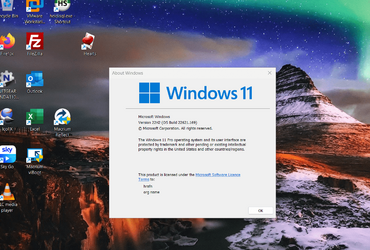
Hello Windows Insiders, today we’re releasing Windows 11 Build 22621.169 (KB5014958) to Insiders in the Release Preview Channel on Windows 11, version 22H2.

This update includes the following improvements:
  • New! We added Server Message Block (SMB) redirector (RDR) specific public File System Control (FSCTL) code FSCTL_LMR_QUERY_INFO.
  • New! We added support for Transport Layer Security (TLS) 1.3 in Windows client and server Lightweight Directory Access Protocol (LDAP) implementations.
  • New! We added support for Transport Layer Security (TLS) 1.3 in Windows client and server Lightweight Directory Access Protocol (LDAP) implementations.
  • We updated the Remove-Item cmdlet to properly interact with Microsoft OneDrive folders
  • We enabled the InternetExplorerModeEnableSavePageAs Group Policy. For more information, see Microsoft Edge Browser Policy Documentation.
  • We fixed an issue that causes the Take Photo button to disappear when you use a common file dialog to open the camera.
  • We fixed an issue that prevents devices from receiving an offer from Windows Update for the same extension driver when that extension driver is already installed without the base driver.
  • We fixed an issue that causes install from media (IFM) creation for Active Directory to fail with the error, “2101 JET_errCallbackFailed”.
  • We fixed an issue that occurs when the Active Directory Lightweight Directory Service (LDS) resets the password for userProxy objects. The password reset fails with an error such as, “00000005: SvcErr: DSID-03380C23, problem 5003 (WILL_NOT_PERFORM), data 0”.
  • We enabled the InternetExplorerModeEnableSavePageAs Group Policy. For more information, see Microsoft Edge Browser Policy Documentation.
  • We fixed an issue that occurs when the Active Directory Lightweight Directory Service (AD LDS) resets the password for userProxy objects. When you try to reset someone else’s password and you are authenticated using a simple bind, the password reset fails. The error is like, “00000005: SvcErr: DSID-03380C23, problem 5003 (WILL_NOT_PERFORM), data 0”.
  • We fixed an issue that prevents Microsoft Edge from being available in Windows Sandbox.
Thanks,
Windows Insider Program Team

Source:

Check Windows Updates


UUP Dump:

64-bit ISO download:
Select language for Windows 11, version 22H2 (22621.169) amd64

ARM64 ISO download: Select language for Windows 11, version 22H2 (22621.169) arm64

 
Last edited:

I got teed about the RP getting a higher build than the Beta, so I swapped channels--always reboot after you do that, btw--I'm downloading the CU right now.

Moved from beta 22621.160 to Release Preview 22621.169 without difficulty. When you change Insider channels it's been my experience that you want to reboot immediately after you change channels but before you attempt downloading the new build for the new channel you're switching to.

I think I'm going to hang in there on the Release Preview channel from now on.
 

My Computer

System One

  • OS
    Win11 Release Beta channel
    Computer type
    PC/Desktop
    Manufacturer/Model
    a cherry-picked assembly
    CPU
    AMD R7 7800X3D
    Motherboard
    MSI x870 Tomahawk Wi-Fi, 8-layer, 2 oz copper, server PCB
    Memory
    GSkill 2x16GB @ 6400MT/s
    Graphics Card(s)
    XFX 9070 XT SWIFT tri-fan (PCIe5.0)
    Sound Card
    Creative Labs G8 USB External Sound device, Gaming DAC, Sound Card & Earphone AMP.. HIGHLY RECOMMENDED, btw. Totally changed my opinion of external USB sound. I like!...;)
    Monitor(s) Displays
    Philips 43" Momentum DisplayHDR 1000-certified
    Screen Resolution
    3840x2160
    Hard Drives
    *Boot: Samsung 980 Pro 2 TB NVMe (PCIe4x4)
    *Samsung 980 EVO NVMe 500GB (PCIe 4x4)
    *Kingston SNV3S2000G 2TB NVMe (PCIe4x4)
    *Samsung 960 EVO 250GB NVMe(PCIe3x2)
    *8TB Toshiba x300 HDD
    *ST4000DM004 S3 4TB HDD
    PSU
    Gigabyte 850W Gold, Rev 2
    Case
    Lian Li Lancool 217, white, with wood trim, very nice looking--tired of black, 5-fans standard
    Cooling
    Air coutesy Lian Li
    Keyboard
    Cherry MX 2.0S RGB
    Mouse
    Razer Basilisk V3 24k DPI
    Internet Speed
    ~950Mbps down and up!
    Browser
    Firefox x64 DE
    Antivirus
    Defender
    Other Info
    Great New system. Exceeds my expectations by quite a bit, btw. I love the USB G8 SoundBlaster, it's quite an improvement over the G6!
I found the One Drive blocking issue is to due to an old reg tweak amongst all my tweaks that I'm using. I don't know which one but I revised them all and got rid of the ones that I suspected were causing the problem.

I am also getting LSA errors with event viewer errors (both related) because the problem has something to do with user account. I disabled my MS account and the errors disappeared. I enabled the MS account and the errors came back.

I guess this needs to be added to feedback hub. :unsure:
 

My Computer

System One

  • OS
    Windows 11 Education
    Computer type
    PC/Desktop
    CPU
    Intel® Core™ i9-13900K Desktop Processor 16 (8P+8E)
    Motherboard
    Asus TUF Gaming Z790-PLUS WIFI D4
    Memory
    G.Skill Ripjaws V Series 32gb (2x16gb) DDR4 3600mhz
    Graphics Card(s)
    Asus Dual Geforce Rtx™ 3060 TI Edition 8gb Gddr6
    Monitor(s) Displays
    BenQ EW3270U 31.5” 3840x2160 UHD 16:9 HDR LED 4K LG 27UK850-W 27'' 4K UHD IPS LED Monitor with HDR10
    Screen Resolution
    3840x2160
    Hard Drives
    Samsung 990 with heatsink PRO PCIe 4.0 Gen 4 NVMe® SSD 1TB
    WD_BLACK SN850X NVMe M.2 2280 1TB PCI-Express 4.0
    Crucial T500 2TB Gen4
    Samsung 970 Evo M.2 2280 2tb Pcie Gen3. X4
    PSU
    Corsair AXi Series AX860i Digital 860W 80 PLUS PSU
    Case
    Fractal Meshify C ATX Mid Tower Case
    Keyboard
    Logi MX Keys
    Mouse
    Logi M705
    Internet Speed
    400 mbs
    Browser
    Firefox
    Antivirus
    Eset NOD32
    Other Info
    Love fast boots

My Computer

System One

  • OS
    windows 8.1
    Computer type
    Laptop
    Manufacturer/Model
    Dell Inc
    CPU
    Intel Core i7 @ 2.80GHz 57 °C Sandy Bridge 32nm Technology
    Motherboard
    Dell Inc. 0K0DNP (CPU 1)
    Memory
    4.00GB Dual-Channel DDR3 @ 665MHz (9-9-9-24)
    Graphics Card(s)
    Generic PnP Monitor (1366x768@40Hz) Intel HD Graphics 3000 (Dell)
    Sound Card
    High Definition Audio Device
    Monitor(s) Displays
    single
    Screen Resolution
    1366 x 768
    Hard Drives
    WDC WD2500BPVT-75JJ5T0
    Keyboard
    Standard PS/2 Keyboard
    Mouse
    PS/2 Compatible Mouse
    Internet Speed
    8mb
    Browser
    ms edge
    Antivirus
    windows defender
    Other Info
    http://u.pc.cd/TPRotalK
Release Preview build works perfectly on my laptop

No issues and the hideous over consumption of CPU by WD isn't here this time.

I went back -- clean installed W10, added my programs and then did update via the Insider release preview -- First as a VM and now back to doing a V2P conversion to install on the "Real hardware". (Simply dump the VM image via Macrium (within the VM) to HDD, then in the real hardware restore to HDD. Windows will grab some real device driver hardware if it's missing.

If you do it this way don't forget to uninstall some of the "Vmware tools, / VBOX additions" or other enhancements you might be using when using VM type of software which does a lot of "Paravirtualisation " so that the "Virtual hardware can run on a huge variety of machines without change.

Windows is pretty good at being restored to different hardware these days -- and if you use vhdx files even better as you will usually keep activations. You don't need to pay for those additions to backup / restore programs that offer to restore to different hardware these days with W10 / W11.

No watermark either

Screenshot 2022-07-02 112857.png

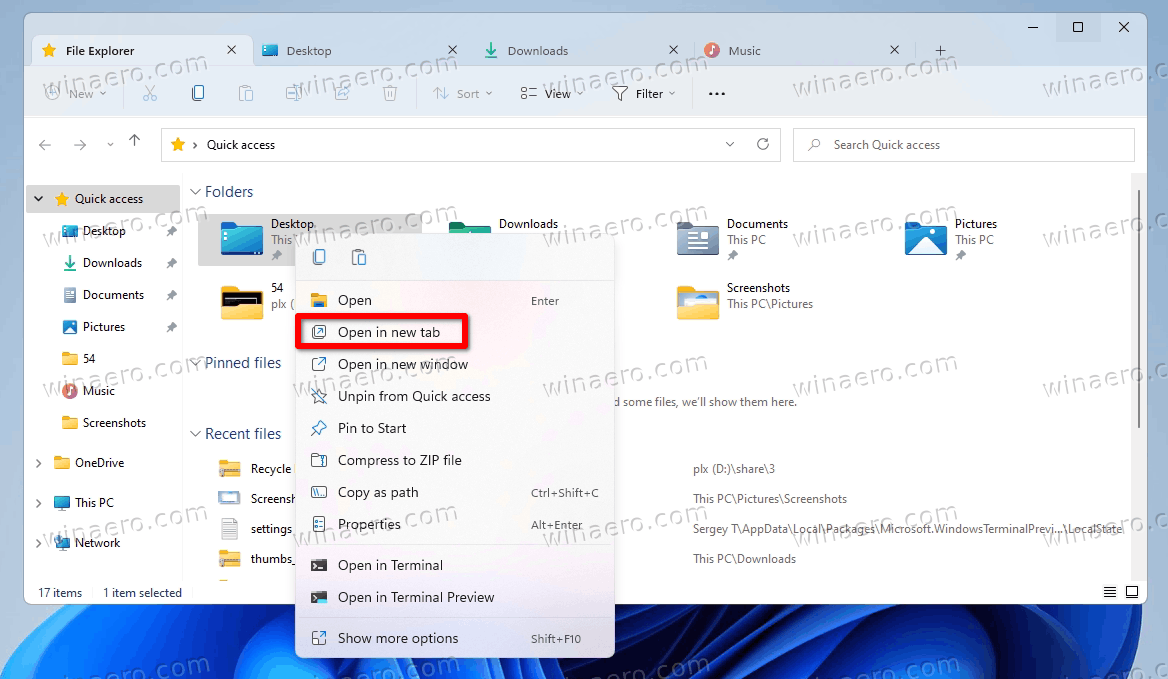
Only thing missing and it's so trivial I can't be bothered is tabbed windows explorer (which works on the 25xxx builds)

Cheers
jimbo
 

My Computer

System One

  • OS
    Windows XP,11 Linux Fedora Rawhide pre-release 45
    Computer type
    PC/Desktop
    CPU
    2 X Intel i7
    Screen Resolution
    4KUHD X 2
Tabs are working fine on Windows 11 Build 22621.169 here.

Only needed to use the vivetool to add those 3 features.
  • vivetool.exe addconfig 39145991 2
  • vivetool.exe addconfig 37634385 2
  • vivetool.exe addconfig 36354489 2

Regards,

Timaximus
 

My Computers

System One System Two

  • OS
    Windows 11 Pro - 25H2 - Build 26220.8474
    Computer type
    Laptop
    Manufacturer/Model
    OMEN by HP Gaming Laptop 16
    CPU
    Intel(R) Core(TM) i7-12700H CPU @ 2.30GHz
    Memory
    32GB
    Graphics Card(s)
    NVIDIA GeForce RTX 3070Ti (mobile)
    Monitor(s) Displays
    iiyama PL3467WQ
    Screen Resolution
    2560x1440 + 3440x1440
    Hard Drives
    1TB SSD + 2TB SSD + 4TB Synology 218+ NAS
    Keyboard
    Logitech PRO X TKL
    Mouse
    Logitech G502 X
    Internet Speed
    1000/100 Mbit Cable
    Browser
    Edge (What Else)
    Antivirus
    Windows Defender + F-Secure
    Other Info
    Razer Nari Essential wireless headphone + BOSE Mini Soundlink
  • Operating System
    Windows Server 2025 - 24H2 - Build 26534.1000
    Computer type
    PC/Desktop
    Manufacturer/Model
    HP Slim Desktop S01
    CPU
    Intel(R) Core(TM) i5-10400 CPU @ 2.90GHz
    Memory
    16 GB
    Monitor(s) Displays
    iiyame PL2453MT - 24" dual touch screen
    Hard Drives
    512GB SSD + 512GB SSD + 256GB SSD + 256GB SSD
    Keyboard
    HP Wireless Keyboard
    Mouse
    Logitech M235 wireless mouse
    Internet Speed
    1000/50 Mbit Cable
    Browser
    Edge (What Else)
    Antivirus
    Windows Defender + F-Secure + MalwareBytes free
Tabs are working fine on Windows 11 Build 22621.169 here.

Only needed to use the vivetool to add those 3 features.
  • vivetool.exe addconfig 39145991 2
  • vivetool.exe addconfig 37634385 2
  • vivetool.exe addconfig 36354489 2

Regards,

Timaximus
Do you get any odd side effects by using these codes? I get odd spacing in the navigation panel, lines too close to text, and File Explorer open with a white screen if using Dark Mode. I have tested this on 2 different computers with the same results. Hope the official version does not have these issues
 

My Computers

System One System Two

  • OS
    Windows 11 25H2
    Computer type
    PC/Desktop
    Manufacturer/Model
    Custom Built
    CPU
    Intel i9 14900KF
    Motherboard
    ASUS Z790 ProArt Creator WiFi
    Memory
    64GB Corsair Vengeance RGB
    Graphics Card(s)
    MSI 4090 Suprim X
    Sound Card
    Onboard
    Monitor(s) Displays
    1 x Asus 24". 1 x Asus 32"
    Screen Resolution
    1920 x 1080 & 2560 x 1440
    Hard Drives
    Multiple
    PSU
    Corsair 1200HX
    Case
    Corsair 7000D RGB
    Cooling
    Corsair H150I Capellix XT
    Keyboard
    Corsair K70 RGB PRO
    Mouse
    Corsair M55 RGB Pro
    Internet Speed
    1000Mbps
    Browser
    Edge
    Antivirus
    Windows Default
  • Operating System
    Windows 11 25H2
    Computer type
    PC/Desktop
    Manufacturer/Model
    Custom Built
    CPU
    Intel i7 6800K
    Motherboard
    ASUS Z99 Deluxe
    Memory
    32GB DDR4 (Corsair)
    Graphics card(s)
    ASUS GTX 1080ti
    Sound Card
    Onboard
    Monitor(s) Displays
    1x Viewsonic 24" 1x LG 19"
    Screen Resolution
    1920 x 1080 & 1600 x 900
    Hard Drives
    3 x SATA SSD
    PSU
    650W Gigabyte Bronze
    Case
    Coolermaster HAF-X
    Cooling
    Noctua NH-15 Chroma black
    Keyboard
    Generic RGB
    Mouse
    Microsoft Basic
    Internet Speed
    1000Mbps
    Browser
    Edge
    Antivirus
    Windows Default
I did not notice any strange side effect so far.

I also used these codes this morning on my Windows Server 2022 build 25151.1010, no side effects either.

I will keep monitoring these useful Tabs.

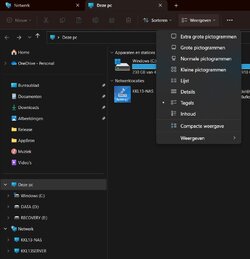
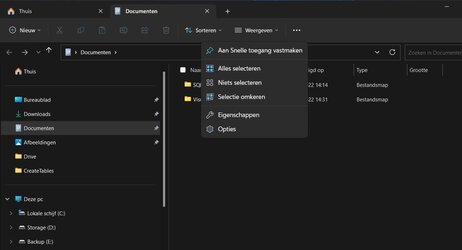
The 'TabPanelsClient' are from my Omen Laptop and the 'TabPanelsServer' are from my Server Desktop.

Regards,

Timaximus
 

Attachments

  • TabPanelsClient.jpg
    TabPanelsClient.jpg
    47.5 KB · Views: 2
  • TabPanelsServer.jpg
    TabPanelsServer.jpg
    39.4 KB · Views: 2

My Computers

System One System Two

  • OS
    Windows 11 Pro - 25H2 - Build 26220.8474
    Computer type
    Laptop
    Manufacturer/Model
    OMEN by HP Gaming Laptop 16
    CPU
    Intel(R) Core(TM) i7-12700H CPU @ 2.30GHz
    Memory
    32GB
    Graphics Card(s)
    NVIDIA GeForce RTX 3070Ti (mobile)
    Monitor(s) Displays
    iiyama PL3467WQ
    Screen Resolution
    2560x1440 + 3440x1440
    Hard Drives
    1TB SSD + 2TB SSD + 4TB Synology 218+ NAS
    Keyboard
    Logitech PRO X TKL
    Mouse
    Logitech G502 X
    Internet Speed
    1000/100 Mbit Cable
    Browser
    Edge (What Else)
    Antivirus
    Windows Defender + F-Secure
    Other Info
    Razer Nari Essential wireless headphone + BOSE Mini Soundlink
  • Operating System
    Windows Server 2025 - 24H2 - Build 26534.1000
    Computer type
    PC/Desktop
    Manufacturer/Model
    HP Slim Desktop S01
    CPU
    Intel(R) Core(TM) i5-10400 CPU @ 2.90GHz
    Memory
    16 GB
    Monitor(s) Displays
    iiyame PL2453MT - 24" dual touch screen
    Hard Drives
    512GB SSD + 512GB SSD + 256GB SSD + 256GB SSD
    Keyboard
    HP Wireless Keyboard
    Mouse
    Logitech M235 wireless mouse
    Internet Speed
    1000/50 Mbit Cable
    Browser
    Edge (What Else)
    Antivirus
    Windows Defender + F-Secure + MalwareBytes free
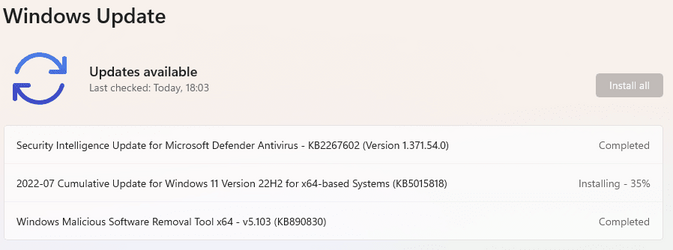
Cumulative Update KB5015818 for 22621 Release Preview channel

1657646677089.png
 

My Computers

System One System Two

  • OS
    Windows 11 Home
    Computer type
    Laptop
    Manufacturer/Model
    Acer Aspire 3 A315-23-R9VY
    CPU
    AMD Athlon Silver 3050U
    Memory
    8GB
    Graphics Card(s)
    Radeon Graphics
    Monitor(s) Displays
    laptop screen
    Screen Resolution
    1366x768 native resolution, up to 2560x1440 with Radeon Virtual Super Resolution
    Hard Drives
    1TB Samsung EVO 870 SSD (from April 2026: 250GB EVO 850)
    Internet Speed
    150 Mbps
    Browser
    Edge, Firefox
    Antivirus
    Defender
    Other Info
    fully 'Windows 11 ready' laptop. Windows 10 C: partition migrated from my old unsupported 'main machine' then upgraded to 11. A test migration ran Insider builds for 2 months. When 11 was released on 5th October 2021 it was re-imaged back to 10 and was offered the upgrade in Windows Update on 20th October. Windows Update offered the 22H2 Feature Update on 20th September 2022. It got the 23H2 Feature Update on 4th November 2023 through Windows Update, 24H2 on 3rd October 2024 through Windows Update by setting the Target Release Version for 24H2, and 25H2 on 30th September 2025 through Windows Update by setting the Target Release Version for 25H2.

    UPDATE - 11 April 2026: due to mechanical deterioration this PC has been retired from active duty. The OS with all software and files has been migrated to my System Seven below to carry on as my general purpose 'main machine'.

    My SYSTEM THREE is a Dell Latitude 5410, i7-10610U, 32GB RAM, 512GB NVMe ssd, supported device running Windows 11 Pro.

    My SYSTEM FOUR is a 2-in-1 convertible Lenovo Yoga 11e 20DA, Celeron N2930, 8GB RAM, 256GB ssd. Unsupported device: currently running Win10 Pro, plus Win11 Pro RTM and Insider Dev, Beta, and RP 24H2 as native boot vhdx.

    My SYSTEM FIVE is a Dell Latitude 3190 2-in-1, Pentium Silver N5030, 8GB RAM, 1TB NVMe ssd, supported device running Windows 11 Pro, plus Insider Beta, Dev, and Canary builds (and a few others) as a native boot .vhdx.

    My SYSTEM SIX is a Dell Latitude 5550, Core Ultra 7 165H, 64GB RAM, 1TB NVMe SSD, supported device, Windows 11 Pro 24H2, Hyper-V host machine. Updated to 25H2 on 30th September 2025.

    My SYSTEM SEVEN is a Lenovo Thinkpad T580, Intel Core i7-8650U, 16GB RAM, 512GB NVMe SSD + 2nd 512GB NVMe SSD, a supported device for Windows 11. This is my current general purpose 'main machine'. The installed Windows 11 Home from my System One has been migrated to this machine.
  • Operating System
    Windows 11 Pro
    Computer type
    Laptop
    Manufacturer/Model
    Dell Latitude E4310
    CPU
    Intel® Core™ i5-520M
    Motherboard
    0T6M8G
    Memory
    8GB
    Graphics card(s)
    (integrated graphics) Intel HD Graphics
    Screen Resolution
    1366x768
    Hard Drives
    500GB Crucial MX500 SSD
    Browser
    Firefox, Edge
    Antivirus
    Defender
    Other Info
    unsupported machine: Legacy bios, MBR, TPM 1.2, upgraded from W10 to W11 using W10/W11 hybrid install media workaround. In-place upgrade to 22H2 using ISO and a workaround. Feature Update to 23H2 by manually installing the Enablement Package. In-place upgrade to 24H2 using hybrid 23H2/24H2 install media. Upgraded to 25H2 by Enablement Package. Also running Insider Dev, and Canary builds and Windows 10 as native boot .vhdx.

    My SYSTEM THREE is a Dell Latitude 5410, i7-10610U, 32GB RAM, 512GB NVMe ssd, supported device running Windows 11 Pro.

    My SYSTEM FOUR is a 2-in-1 convertible Lenovo Yoga 11e 20DA, Celeron N2930, 8GB RAM, 256GB ssd. Unsupported device: currently running Win10 Pro, plus Win11 Pro RTM and Insider Dev, Beta, and RP 24H2 as native boot vhdx.

    My SYSTEM FIVE is a Dell Latitude 3190 2-in-1, Pentium Silver N5030, 8GB RAM, 1TB NVMe ssd, supported device running Windows 11 Pro, plus Insider Beta, Dev, and Canary builds (and a few others) as a native boot .vhdx.

    My SYSTEM SIX is a Dell Latitude 5550, Core Ultra 7 165H, 64GB RAM, 1TB NVMe SSD, supported device, Windows 11 Pro 24H2, Hyper-V host machine. Updated to 25H2 on 30th September 2025.

    My SYSTEM SEVEN is a Lenovo Thinkpad T580, Intel Core i7-8650U, 16GB RAM, 512GB NVMe SSD + 2nd 512GB NVMe SSD, a supported device for Windows 11. This is my current general purpose 'main machine'. The installed Windows 11 Home from my System One has been migrated to this machine.

My Computers

System One System Two

  • OS
    Windows 11 Pro for Workstations
    Computer type
    PC/Desktop
    Manufacturer/Model
    Custom self build
    CPU
    Intel i7-8700K 5 GHz
    Motherboard
    ASUS ROG Maximus XI Formula Z390
    Memory
    64 GB (4x16GB) G.SKILL TridentZ RGB DDR4 3600 MHz (F4-3600C18D-32GTZR)
    Graphics Card(s)
    ASUS ROG-STRIX-GTX1080TI-O11G-GAMING (11GB GDDR5X)
    Sound Card
    Integrated Digital Audio (S/PDIF)
    Monitor(s) Displays
    2 x Samsung Odyssey G75 27"
    Screen Resolution
    2560x1440
    Hard Drives
    1TB Samsung 990 PRO M.2,
    4TB Samsung 990 PRO M.2,
    TerraMaster F8 SSD Plus NAS
    PSU
    Seasonic Prime Titanium 850W
    Case
    Thermaltake Core P3 wall mounted
    Cooling
    Corsair Hydro H115i
    Keyboard
    Amazon Basics Wired Full Keyboard MD005
    Mouse
    Logitech MX Master 4
    Internet Speed
    2 Gbps Download and 100 Mbps Upload
    Browser
    Chrome and Edge
    Antivirus
    Microsoft Defender
    Other Info
    Logitech Z625 speaker system,
    Logitech BRIO 4K Pro webcam,
    HP Color LaserJet Pro MFP M477fdn,
    CyberPower CP1500PFCLCD
    Galaxy S23 Plus phone
  • Operating System
    Windows 11 Pro
    Computer type
    Laptop
    Manufacturer/Model
    Surface Laptop 7 Copilot+ PC
    CPU
    Snapdragon X Elite (12 core) 3.42 GHz
    Memory
    16 GB LPDDR5x-7467 MHz
    Monitor(s) Displays
    15" HDR
    Screen Resolution
    2496 x 1664
    Hard Drives
    1 TB SSD
    Internet Speed
    Wi-Fi 7 and Bluetooth 5.4
    Browser
    Chrome and Edge
    Antivirus
    Microsoft Defender

Latest Support Threads

Back
Top Bottom