UPDATE 12/10:
 www.elevenforum.com
For information about Windows update terminology, see the article about the types of Windows updates and the monthly quality update types. For an overview of Windows 11, version 23H2, see its update history page.
Note Follow @WindowsUpdate to find out when new content is published to the Windows release health dashboard.
This non-security update includes quality improvements. Key changes include:
Microsoft combines the latest servicing stack update (SSU) for your operating system with the latest cumulative update (LCU). For general information about SSUs, see Servicing stack updates and Servicing Stack Updates (SSU): Frequently Asked Questions.
Install this update
To install this update, use one of the following Windows and Microsoft release channels.
If you want to remove the LCU
To remove the LCU after installing the combined SSU and LCU package, use the DISM/Remove-Package command line option with the LCU package name as the argument. You can find the package name by using this command: DISM /online /get-packages.
Running Windows Update Standalone Installer (wusa.exe) with the /uninstall switch on the combined package will not work because the combined package contains the SSU. You cannot remove the SSU from the system after installation.
File information
For a list of the files that are provided in this update, download the file information for cumulative update 5046732.
For a list of the files that are provided in the servicing stack update, download the file information for the SSU (KB5046729) - versions 22621.4539 and 22631.4539.
 support.microsoft.com
Check Windows Updates
UUP Dump:
64-bit ISO download:

ARM64 ISO download:
 www.elevenforum.com
KB5048685 Windows 11 Cumulative Update build 22631.4602 (23H2) - Dec. 10
UPDATE 1/14: https://www.elevenforum.com/t/kb5050021-windows-11-cumulative-update-build-22631-4751-23h2-jan-14.32358/ Microsoft Support: December 10, 2024 - KB5048685 (OS Builds 22621.4602 and 22631.4602) 11/12/24 IMPORTANT Because of minimal operations during the Western holidays and the...
www.elevenforum.com
Microsoft Support:
November 21, 2024 - KB5046732 (OS Builds 22621.4541 and 22631.4541) Preview
IMPORTANT Because of minimal operations during the Western holidays and the upcoming new year, there won’t be a non-security preview release for the month of December 2024. There will be a monthly security release for December 2024. Normal monthly servicing for both security and non-security preview releases will resume in January 2025.
For information about Windows update terminology, see the article about the types of Windows updates and the monthly quality update types. For an overview of Windows 11, version 23H2, see its update history page.
Note Follow @WindowsUpdate to find out when new content is published to the Windows release health dashboard.
Highlights
Gradual rollout
These might not be available to all users because they will roll out gradually.- [Settings] New! Tailored Experiences is now Personalized offers in the out of box experience (OOBE). You can find it on the Recommendations and offers page. Go to Settings > Privacy & security. Here, you can turn off the setting that sends data about your device to enhance Windows.

Enable or Disable Personalized Offers in Windows 11
This tutorial will show you how to enable or disable personalized offers (tailored experiences) for your account or all users in Windows 11. Microsoft uses diagnostic data to keep Windows secure and up to date, troubleshoot problems, and make product improvements as described in more detail...
www.elevenforum.com
- [Taskbar]
- New! The system tray shows a shortened date and time. Also, the notification bell icon might not show if you have set the toggle for “Do not disturb” to on. If the bell icon does not show, click the date and time to view your messages in the notification center. To go back to the long form of the date and time, go to Settings > Date and Time. Then turn on the toggle for “Show time and day in the system tray.” To show the bell icon, go to Settings > System > Notifications. Turn on the toggle for “Notifications.” You can also get to these settings using the context menu. Just right click the system tray clock or bell icon.

Enable or Disable Show Shortened Time and Date on Taskbar in Windows 11
This tutorial will show you how to turn on or off show shortened (abbreviated) time and date on the taskbar system tray clock for your account in Windows 11. The clock on the taskbar system tray shows the system time and date by default. The Show abbreviated time and date setting in this...
www.elevenforum.com
- Fixed: When you choose "Automatically hide the taskbar," the search box shows as an icon, not as a search box.
- New! The system tray shows a shortened date and time. Also, the notification bell icon might not show if you have set the toggle for “Do not disturb” to on. If the bell icon does not show, click the date and time to view your messages in the notification center. To go back to the long form of the date and time, go to Settings > Date and Time. Then turn on the toggle for “Show time and day in the system tray.” To show the bell icon, go to Settings > System > Notifications. Turn on the toggle for “Notifications.” You can also get to these settings using the context menu. Just right click the system tray clock or bell icon.
- [Input Method Editor (IME)] New! After you install this update, the IME toolbar will hide when apps are in full screen mode. This only occurs when the IME toolbar is active and you type Chinese or Japanese characters.
- [Start menu] New! When you right-click apps that you have pinned to the Start menu, jump lists will appear for apps that have jump lists.

Open Jump Lists in Windows 11
This tutorial will show you how to open Jump Lists for apps for your account in Windows 11. Jump Lists are available when you right click on an app on the taskbar or Start Menu that supports having a jump list. Jump Lists are lists of app specific tasks or items you can quickly open or get to...
www.elevenforum.com
- [File Explorer]
- New! You can share content to an Android device from the context menu in File Explorer and on the desktop. To use this feature, you must install and configure Phone Link on your PC.

Send Files to Android Mobile Device from Windows 11 PC
This tutorial will show you how to send files from your Windows 11 PC to your linked Android mobile device. Starting with Windows 11 build 22631.4541 (23H2) and build 22631.4534 (24H2), you can share content to an Android device from the context menu in File Explorer and on the desktop. The...
www.elevenforum.com
- Fixed: There might be more space than you expect between the items listed in the left pane.
- Fixed: The search box is cut off when the File Explorer window is small.
- New! You can share content to an Android device from the context menu in File Explorer and on the desktop. To use this feature, you must install and configure Phone Link on your PC.
- [Touchscreen] New! This update adds a new section for touchscreen edge gestures. Go to Settings > Bluetooth & Devices > Touch. There, you can choose if you would like to turn off the left or right screen edge touch gesture.
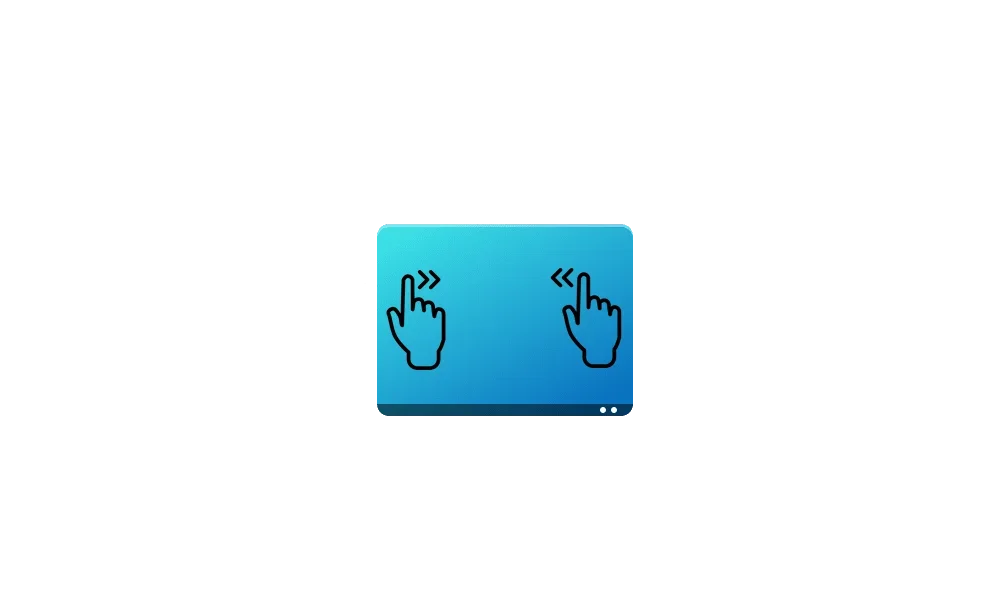
Enable or Disable Touch Screen Edge Swipe Gestures in Windows 11
This tutorial will show you how to enable or disable swipe from the left and/or right edge of the screen for your account or all users in Windows 11. If your Windows 11 device has a touchscreen, you can swipe in from a screen edge to invoke a system UI below. Swipe in from the right side edge...
www.elevenforum.com
- [Mouse] New! This update adds the option to turn off enhanced mouse pointer precision to Settings > Bluetooth & Devices > Mouse. There is also a new option to change the direction in which the mouse scrolls.

Turn On or Off Enhance Pointer Precision in Windows 11
This tutorial will show you how to turn on or off enhance pointer precision for your account in Windows 10 and Windows 11. The mouse pointer, which is sometimes referred to as the cursor, is a bitmap that specifies a focus point on the screen for user input with the mouse. Enhance pointer...
www.elevenforum.com
- [Dynamic Lighting Settings page]
- New! Its page will show a placeholder message when there is no compatible device attached to your computer. Also, the Brightness and Effects controls will be off.
- New! This update adds the Forward, Backward, Outward, and Inward direction options to the Wave effect. The Gradient effect now has the Forward direction option.

Enable or Disable Dynamic Lighting on RGB Devices in Windows 11
This tutorial will show you how to turn on or off using Dynamic Lighting on RGB devices for your account in Windows 11. Lighted accessories have been on the rise and can add energy and emotion to your PC experience. Today, many of these accessories rely on third-party apps and integrations that...
www.elevenforum.com

Turn On or Off Compatible Apps in Foreground Control Dynamic Lighting in Windows 11
This tutorial will show you how to turn on or off letting compatible apps in the foreground always control lighting for your account in Windows 11. If you have Dynamic Lighting-compatible devices (such as LED-lit keyboards, mice, case lighting, or other devices), you can control them both...
www.elevenforum.com

Change Dynamic Lighting Color and Effects in Windows 11
This tutorial will show you how to choose color themes and effects for Dynamic Lighting devices for your account in Windows 11. If you have Dynamic Lighting-compatible devices (such as LED-lit keyboards, mice, case lighting, or other devices), you can control them both individually or as a...
www.elevenforum.com

Change Dynamic Lighting LED Brightness on Devices in Windows 11
This tutorial will show you how to change the LED brightness level of Dynamic Lighting RGB devices for your account in Windows 11. If you have Dynamic Lighting-compatible devices (such as LED-lit keyboards, mice, case lighting, or other devices), you can control them both individually or as a...
www.elevenforum.com

Change App Priority Order for Background Dynamic Lighting Control in Windows 11
This tutorial will show you how to change the priority order of Dynamic Lighting apps to control ambient background lighting of devices for your account in Windows 11. When connected, compatible devices will show up as cards along the top of the page. Select these cards to change individual...
www.elevenforum.com
- [Jump lists] New! If you hold Shift and CTRL and click a jump list item, this opens the item as an admin.
Normal rollout
- [Bluetooth LE Audio] Fixed: Some devices, like hearing aids, do not stream Bluetooth audio.
- [Mouse and game bar] Fixed: Your mouse might unlock from the game window. This occurs when you have multiple monitors and open and close the game bar.
Improvements
: To view the list of addressed issues, click or tap the OS name to expand the collapsible section.Windows 11, version 23H2
: Use EKB KB5027397 to update to Windows 11, version 23H2.This non-security update includes quality improvements. Key changes include:
- This build includes all the improvements in Windows 11, version 22H2.
- No additional issues are documented for this release.
Windows 11, version 22H2: Enterprise and Education editions
This non-security update includes quality improvements. Below is a summary of the key issues that this update addresses when you install this KB. If there are new features, it lists them as well. The bold text within the brackets indicates the item or area of the change we are documenting.Gradual rollout
These might not be available to all users because they will roll out gradually.- [IFilters] New! Windows Search runs IFilters in Less Privileged App Containers (LPAC). LPACs are like app containers, but they deny more permissions by default. A process that runs in an LPAC only has access to the resources it needs. The process does not have access to sensitive system components and data. This reduces the potential damage that a compromised process can cause.
- [Task Manager]
- New! The Disconnect and Logoff dialogs now support dark mode and text scaling.
- New! The Performance section now shows the type for each disk.
Normal rollout
- [Motherboard replacement] Fixed: Windows does not activate after you replace a motherboard.
- [Country and Operator Settings Asset (COSA)] Fixed: This update brings profiles up to date for certain mobile operators.
- [Internet Printing Protocol (IPP) printer] Fixed: Windows stops responding when you use an IPP USB printer.
Windows 11 servicing stack update (KB5046729) - 22621.4539 and 22631.4539
This update makes quality improvements to the servicing stack, which is the component that installs Windows updates. Servicing stack updates (SSU) ensure that you have a robust and reliable servicing stack so that your devices can receive and install Microsoft updates.Known issues in this update
Microsoft is not currently aware of any issues with this update.How to get this update
Before you install this updateMicrosoft combines the latest servicing stack update (SSU) for your operating system with the latest cumulative update (LCU). For general information about SSUs, see Servicing stack updates and Servicing Stack Updates (SSU): Frequently Asked Questions.
Install this update
To install this update, use one of the following Windows and Microsoft release channels.
| Available | Next Step |
|---|---|
| Yes | Go to Settings > Update & Security > Windows Update. In the Optional updates available area, you will find the link to download and install the update. |
| Yes | To get the standalone package for this update, go to the Microsoft Update Catalog website. |
If you want to remove the LCU
To remove the LCU after installing the combined SSU and LCU package, use the DISM/Remove-Package command line option with the LCU package name as the argument. You can find the package name by using this command: DISM /online /get-packages.
Running Windows Update Standalone Installer (wusa.exe) with the /uninstall switch on the combined package will not work because the combined package contains the SSU. You cannot remove the SSU from the system after installation.
File information
For a list of the files that are provided in this update, download the file information for cumulative update 5046732.
For a list of the files that are provided in the servicing stack update, download the file information for the SSU (KB5046729) - versions 22621.4539 and 22631.4539.
Source:
November 21, 2024—KB5046732 (OS Builds 22621.4541 and 22631.4541) Preview | Microsoft Support
November 21, 2024—KB5046732 (OS Builds 22621.4541 and 22631.4541) Preview
support.microsoft.com
Check Windows Updates
UUP Dump:
64-bit ISO download:
Select language for Windows 11, version 23H2 (22631.4541) amd64
Select language for Windows 11, version 23H2 (22631.4541) amd64 on UUP dump. UUP dump lets you download Unified Update Platform files, like Windows Insider updates, directly from Windows Update.
uupdump.net
ARM64 ISO download:
Select language for Windows 11, version 23H2 (22631.4541) arm64
Select language for Windows 11, version 23H2 (22631.4541) arm64 on UUP dump. UUP dump lets you download Unified Update Platform files, like Windows Insider updates, directly from Windows Update.
uupdump.net
UUP Dump - Download Windows Insider ISO
UUP Dump is the most practical and easy way to get ISO images of any Insider Windows 10 or Windows 11 version, as soon as Microsoft has released a new build. UUP Dump creates a download configuration file according to your choices, downloads necessary files directly from Microsoft servers, and...
www.elevenforum.com
Last edited: