UPDATE 5/12:
 www.elevenforum.com
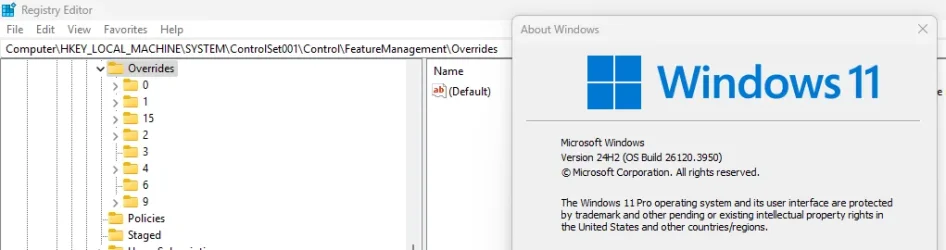
Hello Windows Insiders, today we are releasing Windows 11 Insider Preview Build 26120.3950 (KB5055653) to the Beta Channel for Windows Insiders on Windows 11, version 24H2.
REMINDER: Build 22635.5305 was the last update released to the Beta Channel based on Windows 11, version 23H2. All Insiders in the Beta Channel will be getting upgraded to Windows 11, version 24H2 soon. Until that happens, Insiders on Windows 11, version 23H2 in the Beta Channel can choose to upgrade to Windows 11, version 24H2 and this build today if they want.
Changes in Beta Channel builds and updates are documented in two buckets: new features, improvements, and fixes that are being gradually rolled out for Insiders who have turned on the toggle to get the latest updates as they are available (via Settings > Windows Update*) and then new features, improvements, and fixes rolling out to everyone in the Beta Channel. For more information, see the Reminders section at the bottom of this blog post.
 www.elevenforum.com
This feature, when enabled, intelligently balances your battery use, so it can last longer between charges. It extends battery life by managing power usage efficiently. It limits background activity and reduces screen brightness, ensuring that devices consume less power while maintaining optimal performance. By automatically managing system processes and power usage, the energy saver group policy helps reduce overall energy consumption. This not only saves costs but also contributes to environmental sustainability.
 www.elevenforum.com
IT administrators can activate the policy by using either method below:

New HDR management settings highlighted in a red box.
KB5058496 Windows 11 Insider Beta build 26120.3964 (24H2) - May 12
Windows Blogs: Source: https://blogs.windows.com/windows-insider/2025/05/12/announcing-windows-11-insider-preview-build-26120-3964-beta-channel/ Check Windows Updates UUP Dump: 64-bit ISO download: https://uupdump.net/selectlang.php?id=9690a370-0977-4778-a9f0-fbcd26f2bd3b ARM64 ISO...
www.elevenforum.com
Windows Blogs:
Hello Windows Insiders, today we are releasing Windows 11 Insider Preview Build 26120.3950 (KB5055653) to the Beta Channel for Windows Insiders on Windows 11, version 24H2.
REMINDER: Build 22635.5305 was the last update released to the Beta Channel based on Windows 11, version 23H2. All Insiders in the Beta Channel will be getting upgraded to Windows 11, version 24H2 soon. Until that happens, Insiders on Windows 11, version 23H2 in the Beta Channel can choose to upgrade to Windows 11, version 24H2 and this build today if they want.
Changes in Beta Channel builds and updates are documented in two buckets: new features, improvements, and fixes that are being gradually rolled out for Insiders who have turned on the toggle to get the latest updates as they are available (via Settings > Windows Update*) and then new features, improvements, and fixes rolling out to everyone in the Beta Channel. For more information, see the Reminders section at the bottom of this blog post.
Enable or Disable Get Latest Updates as soon as available in Windows 11
This tutorial will show you how to turn on or off "Get the latest updates as soon as they are available" in Windows 11. Starting with Windows 11 build 22621.1635, Microsoft added a new "Get the latest updates as soon as they are available" toggle under Settings > Windows Update. When you turn...
www.elevenforum.com
New features gradually being rolled out to the Beta Channel with toggle on*
Energy saver now available in Microsoft Intune
We are bringing the ability to manage energy saver in Windows 11 to Microsoft Intune to allow IT administrators to control the energy saver settings on Windows 11 PCs through group policies and Mobile Device Management (MDM) configurations.This feature, when enabled, intelligently balances your battery use, so it can last longer between charges. It extends battery life by managing power usage efficiently. It limits background activity and reduces screen brightness, ensuring that devices consume less power while maintaining optimal performance. By automatically managing system processes and power usage, the energy saver group policy helps reduce overall energy consumption. This not only saves costs but also contributes to environmental sustainability.
Turn On or Off Energy Saver in Windows 11
This tutorial will show you how to turn on or off energy saver for all users in Windows 11. Energy Saver replaces battery saver and exists on Windows 11 24H2 and later versions. It significantly extends battery life and reduces energy consumption by automatically managing power usage across...
www.elevenforum.com
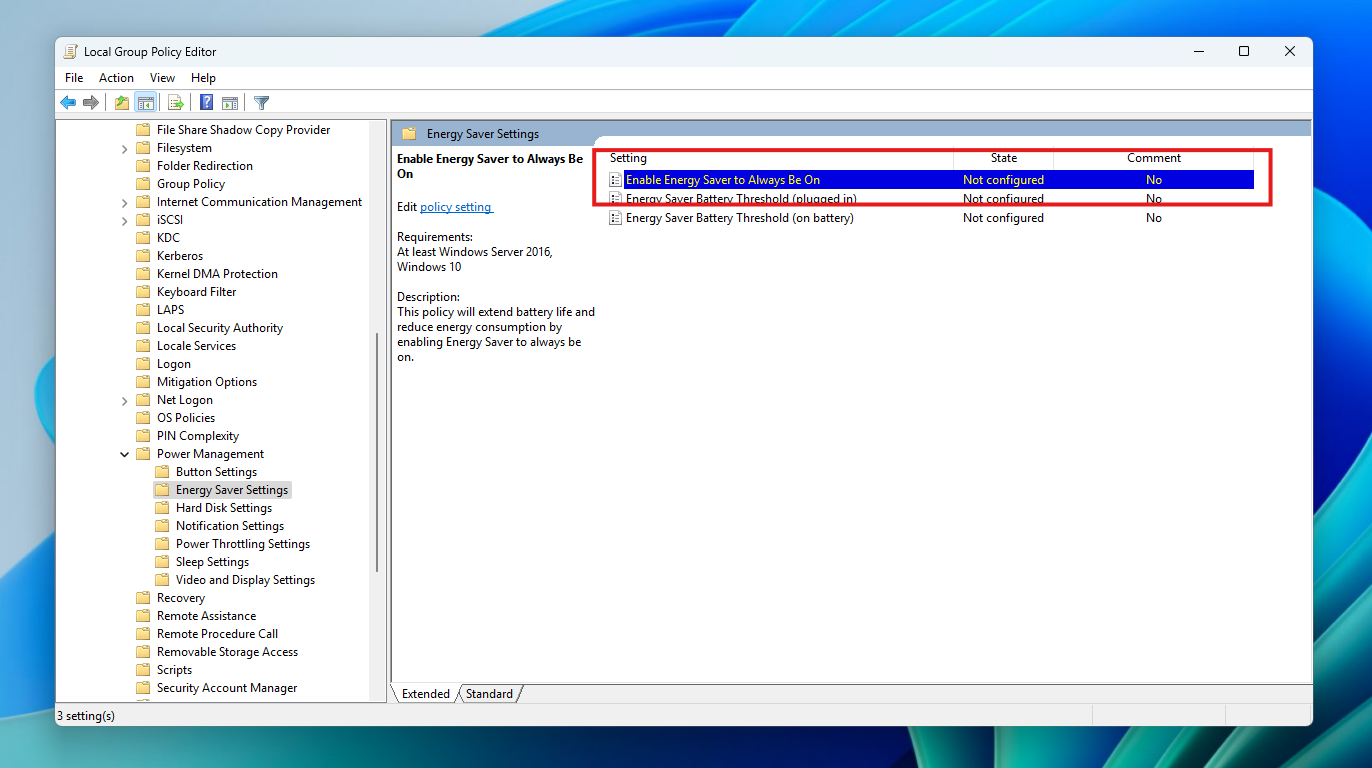
IT administrators can activate the policy by using either method below:
- Local Group Policy Editor in Windows 11
- Microsoft Intune Admin Center

New group policy highlighted in a red box in Local Group Policy Editor.
Changes and Improvements gradually being rolled out to the Beta Channel with toggle on*
[Recall (Preview)]
- We’re trying out different treatments of the UI in Recall including trying out different locations for snapshot actions and the timeline.
[Taskbar & System Tray]
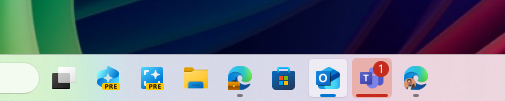
- We have adjusted the needy state pill under apps on the taskbar that need attention to be wider and more visible.

Wider needy state pill UI showing for Microsoft Teams on the taskbar indicating the app needs attention. - Admins can now allow users to unpin specific pinned apps, ensuring they are not pinned again during the next policy refresh cycle. To enable this feature, use the new PinGeneration option. Learn more about configuring pinned apps on the taskbar.

Pin to Taskbar an App, Drive, File, Folder, or Site in Windows 11
This tutorial will show you how to pin an app, drive, file, folder, or site to the taskbar for your account in Windows 11. The taskbar in Windows 11 shows the Start menu, Search, Task View, Widgets, Chat, File Explorer, Microsoft Edge, and Microsoft Store buttons (icons) aligned to the center...
www.elevenforum.com
[Graphics]
We’re introducing some improvements for managing HDR capabilities of your PC via under Settings > System > Display > HDR: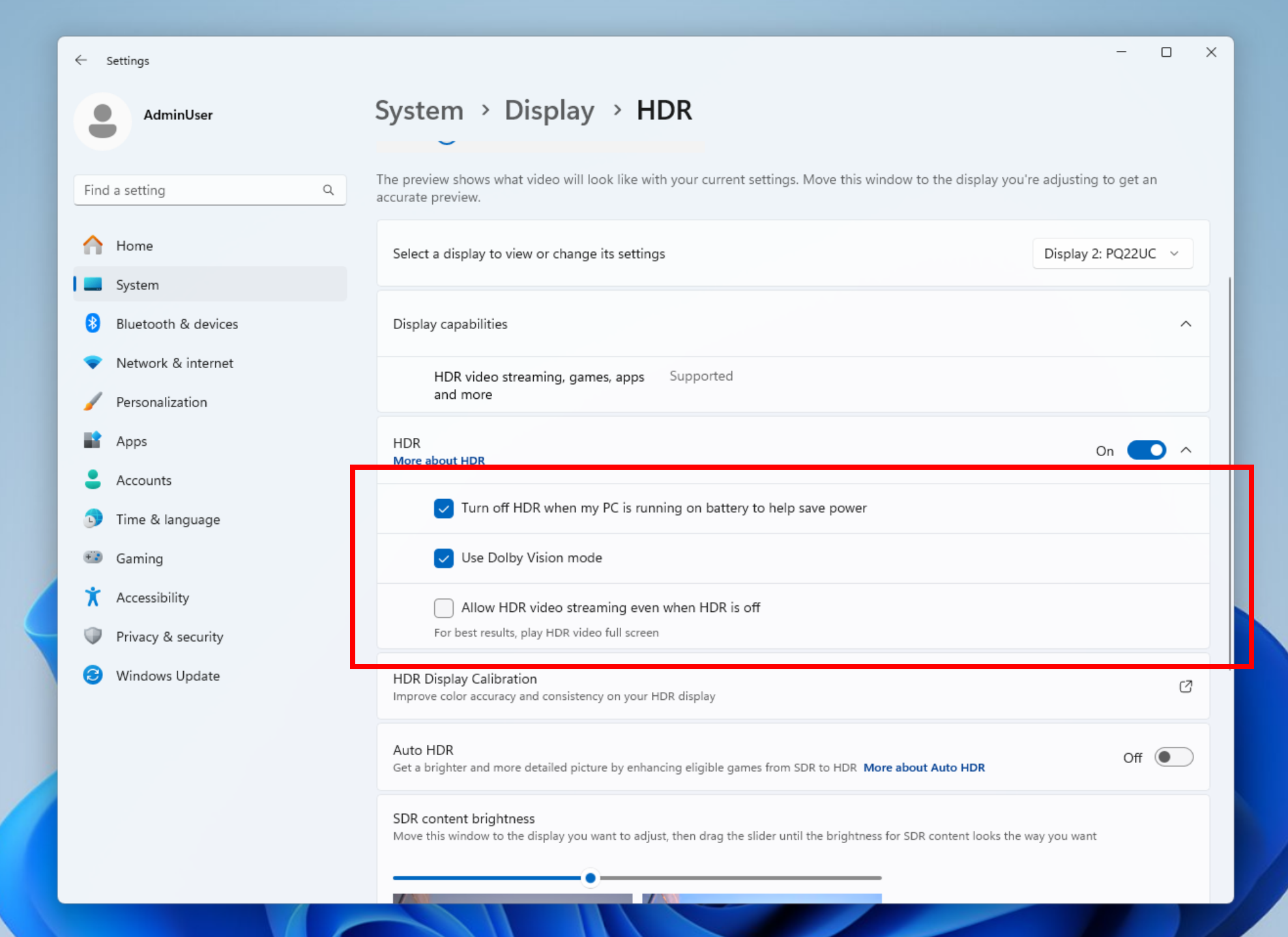
New HDR management settings highlighted in a red box.
- We have changed the wording for “Use HDR” inside display capabilities to improve clarity on supported media types.

Turn On or Off HDR for Display in Windows 11
This tutorial will show you how to turn on or off use HDR for a display in Windows 11. HDR content on Windows offers better brightness and color capabilities compared to traditional content (sometimes called standard dynamic range [SDR] content). Traditional content typically shows details in a...
www.elevenforum.com
- On PCs with HDR displays, we have added the option to allow HDR video streaming even when HDR is off in settings.

Enable or Disable HDR Video Streaming even when HDR is Off in Windows 11
This tutorial will show you how to enable or disable allowing HDR video streaming even when HDR is off for your account in Windows 11. HDR content offers better brightness and color capabilities compared to traditional content (sometimes called standard dynamic range [SDR] content). Traditional...
www.elevenforum.com
- On PCs with Dolby Vision displays, we have added the option to toggle Dolby Vision mode independently from HDR. You can now enjoy HDR with Dolby Vision either on or off based on your preference.
Fixes gradually being rolled out to the Beta Channel with toggle on*
[Taskbar]
- Fixed an underlying issue which was causing keyboard focus to get set to widgets in the taskbar on login, which could make widgets unexpectedly invoke.
- Fixed an issue where WIN + CTRL + <number> wasn’t working to cycle between windows of open apps for that position on the taskbar.
Last edited: