UPDATE 9/29:

 www.elevenforum.com
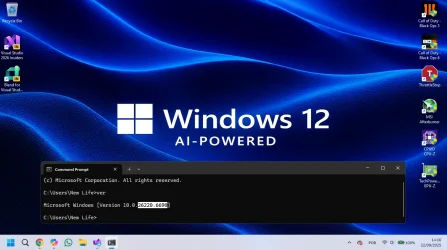
Hello Windows Insiders, today we are releasing Windows 11 Insider Preview Build 26220.6690 (KB5065786) to the Dev Channel for Windows Insiders on Windows 11, version 25H2.
Changes in Dev Channel builds and updates are documented in two buckets: new features, improvements, and fixes that are being gradually rolled out for Insiders who have turned on the toggle to get the latest updates as they are available (via Settings > Windows Update*) and then new features, improvements, and fixes rolling out to everyone in the Dev Channel. For more information, see the Reminders section at the bottom of this blog post.
 www.elevenforum.com
KB5065793 Windows 11 Insider Dev build 26220.6760 (25H2) - Sep. 29
UPDATE 10/06: https://www.elevenforum.com/t/kb5065797-windows-11-insider-dev-build-26220-6772-25h2-oct-6.40604/ Windows Insider Blog: [Updated 10/2/2025] Known Issue: We’ve been hearing your feedback that some Insiders on Dev and Beta Channels have lost some updated features that were rolled...
www.elevenforum.com
Windows Insider Blog:
Hello Windows Insiders, today we are releasing Windows 11 Insider Preview Build 26220.6690 (KB5065786) to the Dev Channel for Windows Insiders on Windows 11, version 25H2.
Changes in Dev Channel builds and updates are documented in two buckets: new features, improvements, and fixes that are being gradually rolled out for Insiders who have turned on the toggle to get the latest updates as they are available (via Settings > Windows Update*) and then new features, improvements, and fixes rolling out to everyone in the Dev Channel. For more information, see the Reminders section at the bottom of this blog post.
Enable or Disable Get Latest Updates as soon as available in Windows 11
This tutorial will show you how to turn on or off "Get the latest updates as soon as they are available" in Windows 11. Starting with Windows 11 build 22621.1635, Microsoft added a new "Get the latest updates as soon as they are available" toggle under Settings > Windows Update. When you turn...
www.elevenforum.com
Changes and Improvements gradually being rolled out to the Dev Channel with toggle on*
[Click to Do (Preview)]
The following changes and improvements are rolling out for Click to Do on Copilot+ PCs:- Translation powered by Microsoft Copilot: We are introducing the ability to do translation with Microsoft Copilot with Click to Do, making it easier for you to translate on-screen text with just a few clicks. When you select text that is in a different language from your Windows display language or preferred language settings, a translation suggestion will appear. The selected text is sent to the Copilot app, which provides the translation seamlessly within the experience. This feature currently works if you have the new Copilot prompt box in Click to Do that began rolling out in the previous flight. This change is not yet rolling out to Windows Insiders in the EEA (European Economic Area) or China.

Use Click to Do in Windows 11
This tutorial will show you how to use Click to Do to perform AI actions with text and images for your account on a Windows 11 Copilot+ PC. Click to Do (preview) helps you get things done faster by identifying text and images on your screen that you can take actions with. Click to Do analyzes...
www.elevenforum.com
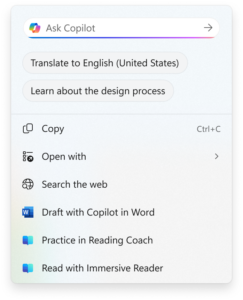
Option to translate to English what’s on your screen show in the Click to Do context menu.
[Taskbar & System Tray]
- Just like being able to share a window to Microsoft Teams when mousing over an opened app on your taskbar, we’re trying out this taskbar capability with Microsoft Copilot. When mousing over an opened app window on the taskbar, you will see an option to share with Copilot where you will be able to quickly start a new conversation with Copilot and use Copilot Vision to scan, analyze, and offer insights on what is shown on your screen from that app at that time.

Enable or Disable Share any Window from Taskbar in Windows 11
This tutorial will show you how to enable or disable the ability to quickly share the content from open app windows directly from the taskbar for your account in Windows 11. Starting with Windows 11 build 22499, Microsoft added the ability to quickly share the content from open app windows...
www.elevenforum.com

Enable or Disable Share with Copilot Vision Controls on Taskbar in Windows 11
This tutorial will show you how to enable or disable start sharing with Copilot Vision from app on taskbar when hovering over an opened app window on the taskbar for your account in Windows 11. Copilot Vision on Windows lets you share any browser or app window on your screen and talking about...
www.elevenforum.com

Ability to share screen with Copilot shown when mousing over Microsoft Edge on the taskbar.

Microsoft Copilot Vision controls shown when an Edge window is shared.
[Desktop Spotlight]
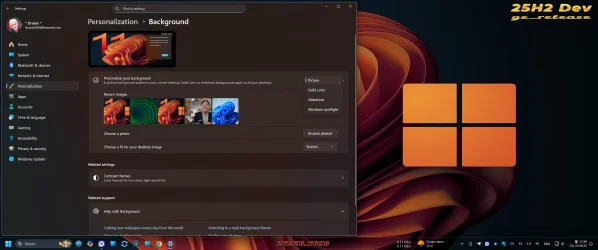
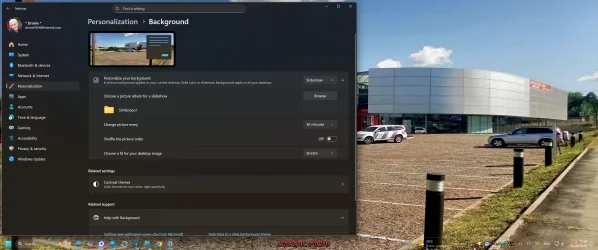
- We are trying out a change that adds “Learn more about this background” and “Next desktop background” to the context menu when you click on your desktop if you have Windows Spotlight chosen as your desktop background under Settings > Personalization > Background.

Add or Remove "Explore background" Desktop Context Menu in Windows 11
This tutorial will show you how to add or remove the Learn about this background or Explore background desktop context menu when using Windows Spotlight as your desktop background for your account or all users in Windows 11. Starting with Windows 11 build 26100.7309 (24H2) and build 26200.7309...
www.elevenforum.com

Add or Remove "Next background" Desktop Context Menu in Windows 11
This tutorial will show you how to add or remove the Next desktop background or Next background desktop context menu when using Windows Spotlight as your desktop background for your account or all users in Windows 11. Starting with Windows 11 build 26100.7309 (24H2) and build 26200.7309 (25H2)...
www.elevenforum.com
[Settings]
- We’ve refreshed the experience to make it easier to add or manage all your accounts in one place under Settings > Accounts. As part of this update, the “Email & accounts” section is now called “Your accounts,” reflecting a more unified and streamlined way to stay connected across Windows and your apps.

Add and Remove Microsoft, Work, or School Accounts used to sign in by other apps in Windows 11
This tutorial will show you how to add and remove accounts used by other apps to sign in with for your account in Windows 11. Windows 11 makes it easy to add the Microsoft accounts or Work or school accounts you use for your apps in one place so you can sign in to your favorite apps easier and...
www.elevenforum.com
Fixes gradually being rolled out to the Dev Channel with toggle on*
[File Explorer]
- Fixed an issue where File Explorer may become unresponsive if a UNC server name was directly typed into address bar.
[Windows Update]
- Fixed an issue causing some Insiders recently to find that installing the latest builds failed with error 0x80070002.
Last edited: