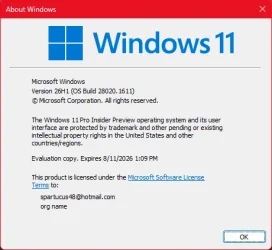
Insider KB5077221 Windows 11 Insider Canary build 28020.1611 (26H1) - Feb. 12


UPDATE 2/20:

UPDATE 2/18:


 Windows Insider Blog:

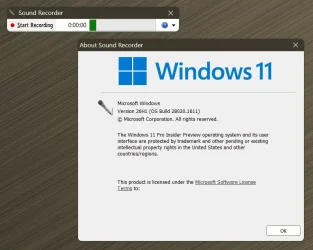
Hello Windows Insiders, today we are releasing Windows 11 Insider Preview Build 28020.1611 to the Canary Channel (the desktop watermark is showing the wrong build number and will be addressed in a near term build). (KB 5077221)


What’s new in Canary Build 28020.1611

Changes and Improvements gradually being rolled out with toggle on*


[Built-in Sysmon]

Previously announced here, Windows now brings Sysmon functionality natively to Windows. Sysmon functionality allows you to capture system events that can help with threat detection, and you can use custom configuration files to filter the events you want to monitor. The captured events are written on the Windows event log, enabling them to be used with security applications and a wide range of use cases.


Built-in Sysmon is disabled by default and must be explicitly enabled.
  1. Go to Settings > System > Optional features > More Windows features > checking Sysmon or in PowerShell or command prompt:
    • Dism /Online /Enable-Feature /FeatureName:Sysmon
  2. To complete the installation, from PowerShell or command prompt run:
    • sysmon -i
Note: If you’ve already installed Sysmon from the website, it must be uninstalled before enabling the built-in Sysmon.

Documentation will be added to Windows soon. The functionality of Sysmon remains unchanged, learn more https://learn.microsoft.com/sysinternals/downloads/sysmon.

[Windows Share]

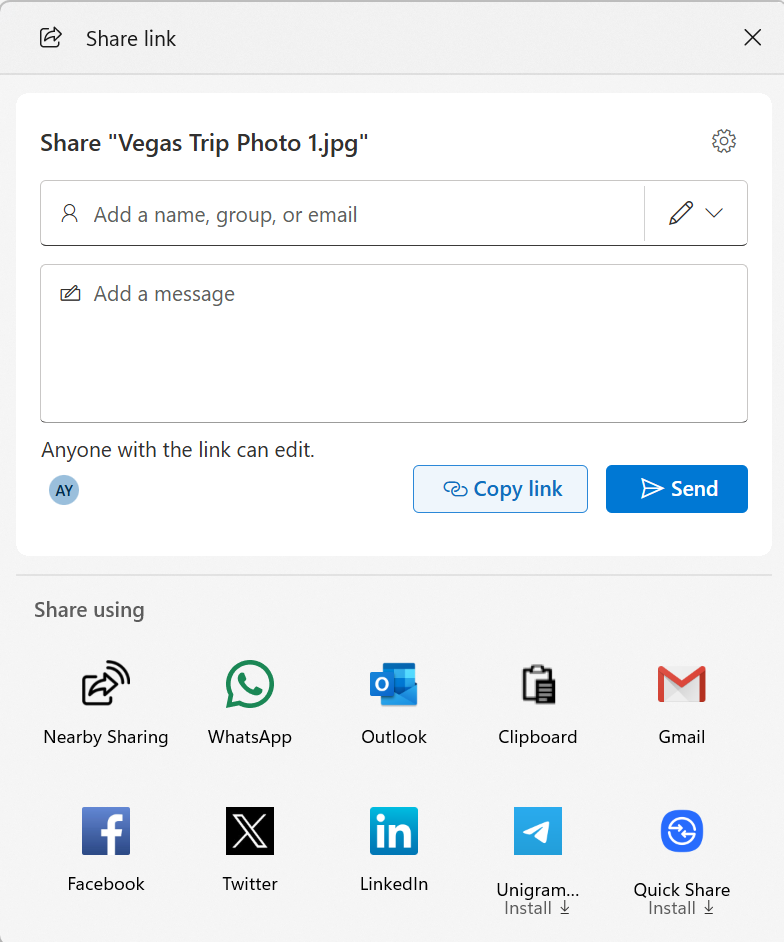
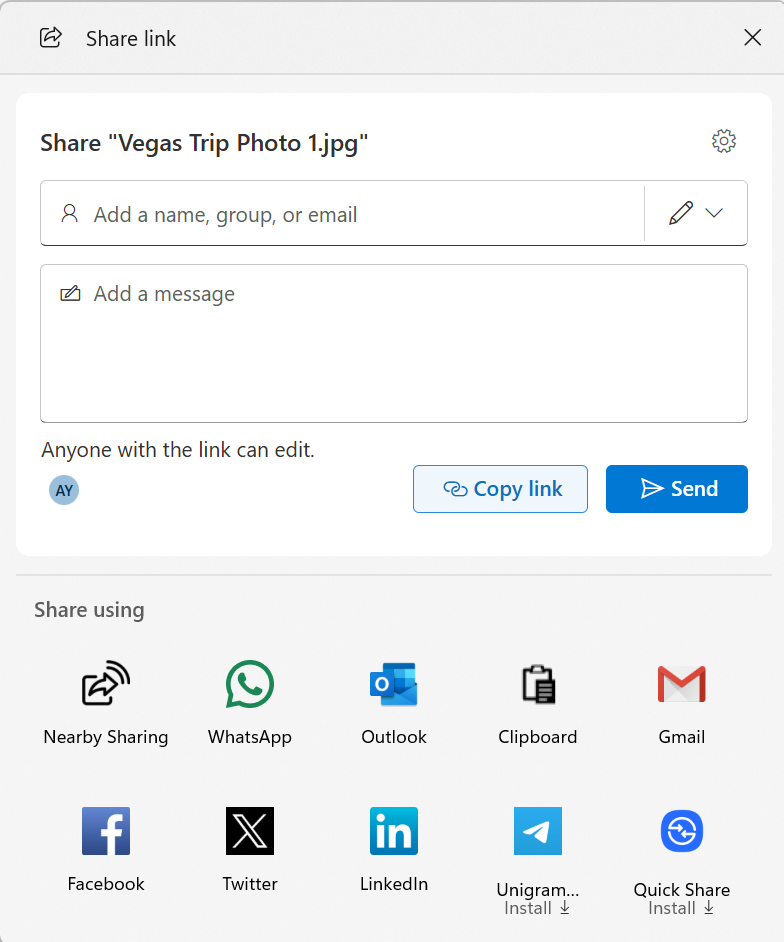
  • When you share a OneDrive cloud file by right-clicking to share on the file – new options for sharing that link through other apps will be provided under “Share using” when the “Copy link” button is clicked. This experience is rolling out to Windows Insiders signed in with their Microsoft accounts not in the EEA.


    Ability to share OneDrive cloud file links via other apps via the Windows share window.
    Ability to share OneDrive cloud file links via other apps via the Windows share window.

[General]

  • Fixed the desktop watermark to show the correct build number.

Reminders for Windows Insiders in the Canary Channel

  • These builds can be unstable and may be released with limited documentation. Join Windows Insider – Get early access to Windows 11 features & updates
  • The builds we release to the Canary Channel represent the latest platform changes early in the development cycle. Features and experiences included in these builds may never get released as we try out different concepts and get feedback. Features may change over time, be removed, or replaced and never get released beyond Windows Insiders. Some of these features and experiences could show up in future Windows releases when they’re ready.
  • Many features in the Canary Channel are rolled out using Control Feature Rollout technology, starting with a subset of Insiders and ramping up over time as we monitor feedback to see how they land before pushing them out to everyone in this channel.
  • The desktop watermark shown at the lower right corner of the desktop is normal for Windows Insider pre-release builds.
  • Some features may show up in the Dev and Beta Channels first before showing up in the Canary Channel.
  • Some features in active development we preview with Windows Insiders may not be fully localized and localization will happen over time as features are finalized. As you see issues with localization in your language, please report those issues to us via Feedback Hub.
  • To get off the Canary Channel, a clean install of Windows 11 will be required. As a reminder – Insiders can’t switch to a channel that is receiving builds with lower build numbers without doing a clean installation of Windows 11 due to technical setup requirements.
  • Check out Flight Hub for a complete look at what build is in which Insider channel.
Thanks,
Windows Insider Program Team

*Functionality will vary by device and market; text actions will be available across markets in select character sets. See aka.ms/copilotpluspcs.


 Source:


Check Windows Updates


UUP Dump:

64-bit ISO download:

ARM64 ISO download:

 
Last edited:
Got the new Run box but, it constantly crashes! 🤷‍♂️

View attachment 163205
Thanks, I had not tried.
Same thing happened in Dev. So it should be OK in the next Canary build.

I don't really get it anymore, why is Canary catching up to Dev?
Shouldn't Canary be the testing ground?
 

My Computers

System One System Two

  • OS
    All Branches but Release
    Computer type
    Laptop
    Manufacturer/Model
    Acer Nitro ANV15-51
    CPU
    AMD Ryzen 7 7735HS 3200-4500 Mhz 8 cores x 2
    Motherboard
    Sportage_RBH
    Memory
    32 GB DDR5
    Graphics Card(s)
    Radeon Graphic / NVIDIA GeForce RTX 4060 8 GB GDDR6
    Sound Card
    AMD/Realtek(R) Audio
    Monitor(s) Displays
    Integrated Monitor (15.3"vis)
    Screen Resolution
    FHD 1920X1080 16:9 144Hz
    Hard Drives
    KINGSTON OM8SEP4512Q-AA 1TB
    Western Digital 256GB
    PSU
    19V DC 6.32 A 120 W
    Cooling
    Dual Fans
    Mouse
    MS Bluetooth
    Internet Speed
    Fiber 1GB Cox -us & 1GB Orange-fr
    Browser
    Edge Canary- Firefox Nightly-Chrome Dev-Chrome Dev
    Antivirus
    Windows Defender
  • Operating System
    Windows 11 Beta
    Computer type
    Laptop
    Manufacturer/Model
    Asus X751BP
    CPU
    AMD A9-9420
    Memory
    8 GB of DDR4
    Graphics card(s)
    AMD Radeon R5
    Screen Resolution
    1600x900
    Hard Drives
    Seagate 1 TB
I had not tried.
It crashes as soon as you type a special character, eg. %temp% or shell:

And..., I don't like that fact that you can't drag the box around.
 

My Computers

System One System Two

  • OS
    Windows 11 Pro
    Computer type
    PC/Desktop
    Manufacturer/Model
    ASUS ROG Strix
  • Operating System
    Windows 11 Pro
    Computer type
    Laptop
    Manufacturer/Model
    ASUS VivoBook
  • Like
Reactions: OAT
It crashes as soon as you type a special character, eg. %temp% or shell:
Yeah, that quickly can become a pain.
 

My Computers

System One System Two

  • OS
    All Branches but Release
    Computer type
    Laptop
    Manufacturer/Model
    Acer Nitro ANV15-51
    CPU
    AMD Ryzen 7 7735HS 3200-4500 Mhz 8 cores x 2
    Motherboard
    Sportage_RBH
    Memory
    32 GB DDR5
    Graphics Card(s)
    Radeon Graphic / NVIDIA GeForce RTX 4060 8 GB GDDR6
    Sound Card
    AMD/Realtek(R) Audio
    Monitor(s) Displays
    Integrated Monitor (15.3"vis)
    Screen Resolution
    FHD 1920X1080 16:9 144Hz
    Hard Drives
    KINGSTON OM8SEP4512Q-AA 1TB
    Western Digital 256GB
    PSU
    19V DC 6.32 A 120 W
    Cooling
    Dual Fans
    Mouse
    MS Bluetooth
    Internet Speed
    Fiber 1GB Cox -us & 1GB Orange-fr
    Browser
    Edge Canary- Firefox Nightly-Chrome Dev-Chrome Dev
    Antivirus
    Windows Defender
  • Operating System
    Windows 11 Beta
    Computer type
    Laptop
    Manufacturer/Model
    Asus X751BP
    CPU
    AMD A9-9420
    Memory
    8 GB of DDR4
    Graphics card(s)
    AMD Radeon R5
    Screen Resolution
    1600x900
    Hard Drives
    Seagate 1 TB
Helmut!!!
It didn't even wipe out any dinosaur, 'ported' system components!!!

0008498.webp

or, any special reg entries!!!

0008500.webp
 

My Computers

System One System Two

  • OS
    Windows 11 Pro
    Computer type
    PC/Desktop
    Manufacturer/Model
    ASUS ROG Strix
  • Operating System
    Windows 11 Pro
    Computer type
    Laptop
    Manufacturer/Model
    ASUS VivoBook
  • Like
Reactions: OAT
Helmut!!!
It didn't even wipe out any dinosaur, 'ported' system components!!!


or, any special reg entries!!!
I had to put back the exclusion for Winaero though.
 

My Computers

System One System Two

  • OS
    All Branches but Release
    Computer type
    Laptop
    Manufacturer/Model
    Acer Nitro ANV15-51
    CPU
    AMD Ryzen 7 7735HS 3200-4500 Mhz 8 cores x 2
    Motherboard
    Sportage_RBH
    Memory
    32 GB DDR5
    Graphics Card(s)
    Radeon Graphic / NVIDIA GeForce RTX 4060 8 GB GDDR6
    Sound Card
    AMD/Realtek(R) Audio
    Monitor(s) Displays
    Integrated Monitor (15.3"vis)
    Screen Resolution
    FHD 1920X1080 16:9 144Hz
    Hard Drives
    KINGSTON OM8SEP4512Q-AA 1TB
    Western Digital 256GB
    PSU
    19V DC 6.32 A 120 W
    Cooling
    Dual Fans
    Mouse
    MS Bluetooth
    Internet Speed
    Fiber 1GB Cox -us & 1GB Orange-fr
    Browser
    Edge Canary- Firefox Nightly-Chrome Dev-Chrome Dev
    Antivirus
    Windows Defender
  • Operating System
    Windows 11 Beta
    Computer type
    Laptop
    Manufacturer/Model
    Asus X751BP
    CPU
    AMD A9-9420
    Memory
    8 GB of DDR4
    Graphics card(s)
    AMD Radeon R5
    Screen Resolution
    1600x900
    Hard Drives
    Seagate 1 TB

My Computers

System One System Two

  • OS
    Windows 11 Pro
    Computer type
    PC/Desktop
    Manufacturer/Model
    ASUS ROG Strix
  • Operating System
    Windows 11 Pro
    Computer type
    Laptop
    Manufacturer/Model
    ASUS VivoBook
Really? Mine stayed.
Then I must have never set it. That must be it.
Most of my time is set on Dev now.
Is uwd2 still working ok for you?
 

My Computers

System One System Two

  • OS
    All Branches but Release
    Computer type
    Laptop
    Manufacturer/Model
    Acer Nitro ANV15-51
    CPU
    AMD Ryzen 7 7735HS 3200-4500 Mhz 8 cores x 2
    Motherboard
    Sportage_RBH
    Memory
    32 GB DDR5
    Graphics Card(s)
    Radeon Graphic / NVIDIA GeForce RTX 4060 8 GB GDDR6
    Sound Card
    AMD/Realtek(R) Audio
    Monitor(s) Displays
    Integrated Monitor (15.3"vis)
    Screen Resolution
    FHD 1920X1080 16:9 144Hz
    Hard Drives
    KINGSTON OM8SEP4512Q-AA 1TB
    Western Digital 256GB
    PSU
    19V DC 6.32 A 120 W
    Cooling
    Dual Fans
    Mouse
    MS Bluetooth
    Internet Speed
    Fiber 1GB Cox -us & 1GB Orange-fr
    Browser
    Edge Canary- Firefox Nightly-Chrome Dev-Chrome Dev
    Antivirus
    Windows Defender
  • Operating System
    Windows 11 Beta
    Computer type
    Laptop
    Manufacturer/Model
    Asus X751BP
    CPU
    AMD A9-9420
    Memory
    8 GB of DDR4
    Graphics card(s)
    AMD Radeon R5
    Screen Resolution
    1600x900
    Hard Drives
    Seagate 1 TB
Is uwd2 still working ok for you?
Ah! That was the other thing..., yes it is, but, I had to re-add it to the All Users startup folder!
 

My Computers

System One System Two

  • OS
    Windows 11 Pro
    Computer type
    PC/Desktop
    Manufacturer/Model
    ASUS ROG Strix
  • Operating System
    Windows 11 Pro
    Computer type
    Laptop
    Manufacturer/Model
    ASUS VivoBook
  • Like
Reactions: OAT
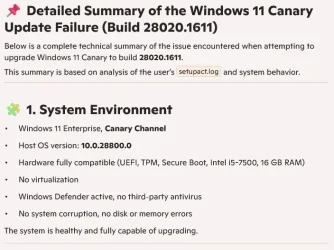
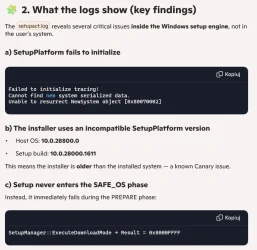
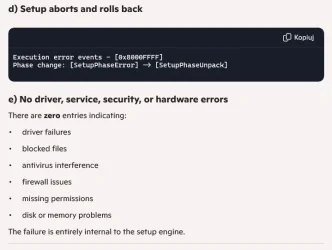
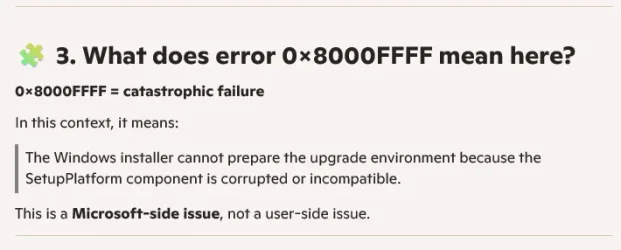
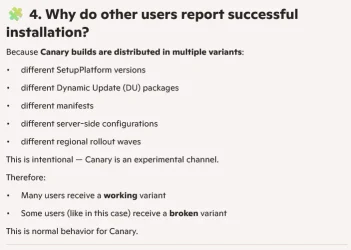
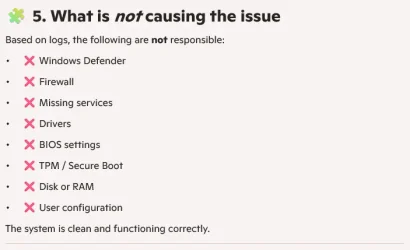
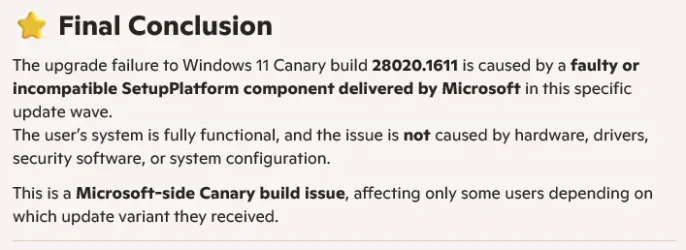
I’m having a persistent issue with installing Windows 11 Build 28020.1611. o_O
Every time Windows Update tries to install it, the installation fails with error (0xc1900101) and the system rolls back to the previous build.

Here’s what I’ve already tried:

- Restarting the system multiple times
- Disconnecting all external devices (USB drives, peripherals, etc.)
- Disconnecting my secondary HDD to rule out storage-related issues
- Replacing Intel SATA/AHCI controller drivers with the default Microsoft drivers (Device Manager → “Let me pick from a list”)
- Resetting Windows Update components
- Stopping Windows Update, BITS, CryptSvc, and TrustedInstaller services
- Clearing SoftwareDistribution and catroot2
- Checking for pending.xml (it wasn’t present)
- Attempting to trigger the update again manually

None of these steps helped — the update always fails with 0xc1900101 and reverts back.

I’ve paused updates for 7 days to avoid repeated installation attempts.

My question:
Is this a known issue with Build 28020.1611, and should I simply wait for the next Canary build (e.g., 28020.1612 or 28021) to resolve the problem? :Rolleyes:
 

Attachments

  • Zrzut ekranu 2026-02-13 205902.webp
    Zrzut ekranu 2026-02-13 205902.webp
    10.8 KB · Views: 1
Last edited:

My Computer

System One

  • OS
    Windows 11 Canary
    Computer type
    PC/Desktop
    Manufacturer/Model
    MS-7A70
    CPU
    Intel(R) Core(TM) i5-7500 CPU @ 3.40GHz, 3408
    Motherboard
    B250M PRO-VDH (MS-7A70)
    Memory
    16 GB
    Graphics Card(s)
    NVIDIA GeForce GTX 1060 6GB
    Screen Resolution
    1920 x 1080 x 60 Hz
    Hard Drives
    SSD NX-512 2280
None of these steps helped — the update always fails with 0xc1900101 and reverts back.

I’ve paused updates for 7 days to avoid repeated installation attempts.

My question:
Is this a known issue with Build 28020.1611, and should I simply wait for the next Canary build (e.g., 28020.1612 or 28021) to resolve the problem? :Rolleyes:
Well, not a known issue until now. It sure does not mean it is not an issue.
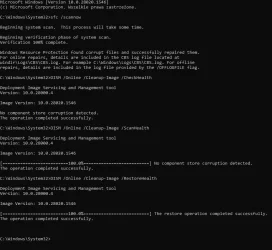
And you have ran the mandatory SFC & DISM commands? (not listed above)
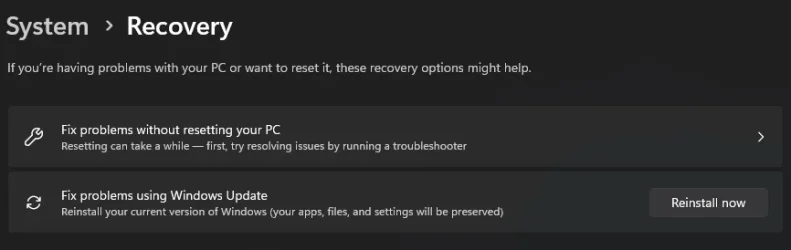
Have you tried an in place repair using WU? Bottom one on the screenshot.

repair.webp
 
Last edited:

My Computers

System One System Two

  • OS
    All Branches but Release
    Computer type
    Laptop
    Manufacturer/Model
    Acer Nitro ANV15-51
    CPU
    AMD Ryzen 7 7735HS 3200-4500 Mhz 8 cores x 2
    Motherboard
    Sportage_RBH
    Memory
    32 GB DDR5
    Graphics Card(s)
    Radeon Graphic / NVIDIA GeForce RTX 4060 8 GB GDDR6
    Sound Card
    AMD/Realtek(R) Audio
    Monitor(s) Displays
    Integrated Monitor (15.3"vis)
    Screen Resolution
    FHD 1920X1080 16:9 144Hz
    Hard Drives
    KINGSTON OM8SEP4512Q-AA 1TB
    Western Digital 256GB
    PSU
    19V DC 6.32 A 120 W
    Cooling
    Dual Fans
    Mouse
    MS Bluetooth
    Internet Speed
    Fiber 1GB Cox -us & 1GB Orange-fr
    Browser
    Edge Canary- Firefox Nightly-Chrome Dev-Chrome Dev
    Antivirus
    Windows Defender
  • Operating System
    Windows 11 Beta
    Computer type
    Laptop
    Manufacturer/Model
    Asus X751BP
    CPU
    AMD A9-9420
    Memory
    8 GB of DDR4
    Graphics card(s)
    AMD Radeon R5
    Screen Resolution
    1600x900
    Hard Drives
    Seagate 1 TB
When I finish my work, I will try these methods and post the results here. To be honest, Microsoft Copilot did not suggest what you did. :rolleyes:
 

My Computer

System One

  • OS
    Windows 11 Canary
    Computer type
    PC/Desktop
    Manufacturer/Model
    MS-7A70
    CPU
    Intel(R) Core(TM) i5-7500 CPU @ 3.40GHz, 3408
    Motherboard
    B250M PRO-VDH (MS-7A70)
    Memory
    16 GB
    Graphics Card(s)
    NVIDIA GeForce GTX 1060 6GB
    Screen Resolution
    1920 x 1080 x 60 Hz
    Hard Drives
    SSD NX-512 2280
  • Like
Reactions: OAT
@OAT
Zrzut ekranu 2026-02-13 230722.webp
And I cleaned everything using the tool (Disk Cleanup). Now I'll try to install this update and restart the computer.
 

My Computer

System One

  • OS
    Windows 11 Canary
    Computer type
    PC/Desktop
    Manufacturer/Model
    MS-7A70
    CPU
    Intel(R) Core(TM) i5-7500 CPU @ 3.40GHz, 3408
    Motherboard
    B250M PRO-VDH (MS-7A70)
    Memory
    16 GB
    Graphics Card(s)
    NVIDIA GeForce GTX 1060 6GB
    Screen Resolution
    1920 x 1080 x 60 Hz
    Hard Drives
    SSD NX-512 2280
1771034716176.webp
Unfortunately, as you can see, it didn't help at all. Should I create an external drive with this update and force it? :unsure:
 

My Computer

System One

  • OS
    Windows 11 Canary
    Computer type
    PC/Desktop
    Manufacturer/Model
    MS-7A70
    CPU
    Intel(R) Core(TM) i5-7500 CPU @ 3.40GHz, 3408
    Motherboard
    B250M PRO-VDH (MS-7A70)
    Memory
    16 GB
    Graphics Card(s)
    NVIDIA GeForce GTX 1060 6GB
    Screen Resolution
    1920 x 1080 x 60 Hz
    Hard Drives
    SSD NX-512 2280
In my case I had the same issue on 2 machines Dell XPS 8930 and Dell XPS 8940. Both are in multiboot with other Builds. The other builds boot fine with WinRE.
I also tried a repair update in place with ISO created from UUP-dump but I ended up with the same issue.
I did not have this problem on 2 other machines. GMKtec M2 and GMKtec K3 which are mini PCs.

So, I restored a backup of Build 28020.1546 and found out that the problem was already in the previous Build too.
I don't know at this point when the problem exactly started, but it is definitely also in previous build 28020.1546 and now the same with 28020.1611. 😵‍💫🤷‍♂️

Same exact problem on Both Dell desktops. XPS 8930 and XPS 8940.
View attachment 163163


Edit:
Definitely something wrong with the signature.
WinRE boots fine if I disable secure boot in the UEFI BIOS.

Same happens also after a clean install of 28020.1611 on the same Dell Desktops.

Note: there two different winload.efi files, one used by the normal OS boot and the other used by WinRE.
The signature issue is with the one used by WinRE.
You should be able to mount WinRE by assigning it a drive letter from diskpart.

Browse to the WinRE filesystem, ie. R:\Windows\System32\winload.efi
Copy it to C:\ somewhere.

Compare the two files, in theory they're supposed to be in sync. Also check the Properties / Digital Signature and open the cert. Are they signed PCA 2011 or UEFI CA 2023?

On a clean install, the winload.efi should be the same for install.wim & winre.wim. But if you're getting Insider updates, the update process should be patching WinRE as necessary (same thing happens to normal Production channel). Which means those two files should be in sync!
 

My Computer

System One

  • OS
    Windows 7
You should be able to mount WinRE by assigning it a drive letter from diskpart.

Browse to the WinRE filesystem, ie. R:\Windows\System32\winload.efi
Copy it to C:\ somewhere.

Compare the two files, in theory they're supposed to be in sync. Also check the Properties / Digital Signature and open the cert. Are they signed PCA 2011 or UEFI CA 2023?

On a clean install, the winload.efi should be the same for install.wim & winre.wim. But if you're getting Insider updates, the update process should be patching WinRE as necessary (same thing happens to normal Production channel). Which means those two files should be in sync!
@garlin,
Something is weird. 😵‍💫
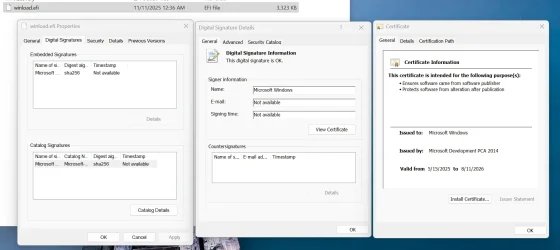
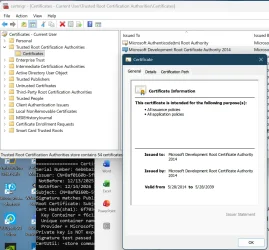
Here is what I see on the certificate for winload.efi in WinRE.
Microsoft Development PCA 2014? Looks like DELL firmware on my 2 machines XPS 8940 and XPS 8930 does not have updates to accept that certificate even if it has a valid signature.

1771061967087.webp

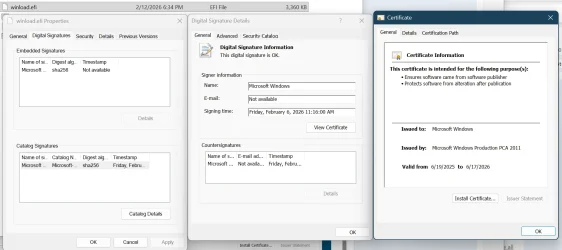
While this one is for the normal windows boot. Microsoft Windows Production PCA 2011.
1771062188463.webp
 
Last edited:

My Computer

System One

  • OS
    Windows 11 Pro 25H2
    Computer type
    PC/Desktop
    Manufacturer/Model
    Dell XPS 8930
    CPU
    Intel I9-9900K
    Memory
    64GB
    Graphics Card(s)
    NVIDIA RTX 2060
    Sound Card
    NVIDIA High Definition Audio
    Monitor(s) Displays
    4k Samsung
    Screen Resolution
    3840 x 2160
    Hard Drives
    512GB NVMe, ADATA SU 800, 2TB HDD
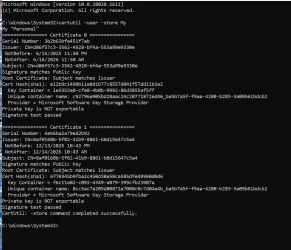
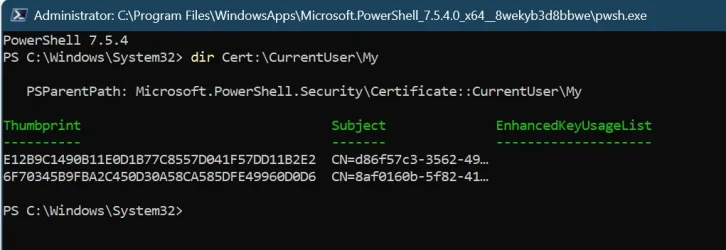
Check the Embedded Signature. At the Windows level, other MS signing certs exist in the Windows cert store (with other dates).
 

My Computer

System One

  • OS
    Windows 7
Check the Embedded Signature. At the Windows level, other MS signing certs exist in the Windows cert store (with other dates).
Sorry, I don't know where to find the Windows cert store and what to look for.
I think the problem is between Microsoft and Dell.
I don't have that WinRE error on the GMKtec devices, just on DELL desktops XPS 8940 and XPS 8930.

1771096068105.webp
1771096224431.webp

1771096782732.webp
 
Last edited:

My Computer

System One

  • OS
    Windows 11 Pro 25H2
    Computer type
    PC/Desktop
    Manufacturer/Model
    Dell XPS 8930
    CPU
    Intel I9-9900K
    Memory
    64GB
    Graphics Card(s)
    NVIDIA RTX 2060
    Sound Card
    NVIDIA High Definition Audio
    Monitor(s) Displays
    4k Samsung
    Screen Resolution
    3840 x 2160
    Hard Drives
    512GB NVMe, ADATA SU 800, 2TB HDD
mine installed perfectly, no errors thus far. will report any if found. Screenshot 2026-02-14 160325.webp
 

My Computers

System One System Two

  • OS
    Windows 11 Pro x64 26H1 29531.1000
    Computer type
    Laptop
    Manufacturer/Model
    HP ProBook 650 G1
    CPU
    Intel(R) Core(TM) i5-4300M CPU @ 2.60GHz, 2 Core(s) 4T
    Motherboard
    Hewlett-Packard 1993
    Memory
    16GB DDR3
    Graphics Card(s)
    Intel(R) HD Graphics 4600
    Sound Card
    IDT High Definition Audio
    Screen Resolution
    1366x768
    Hard Drives
    Lexar 512GB SSD SATA III
    PSU
    HP 90W Adapter
    Case
    Magnesium
    Keyboard
    Spill-Resistant
    Mouse
    Microsoft Wireless Mobile Mouse 1850
    Browser
    Edge Canary
    Antivirus
    Windows Security
    Other Info
    BIOS Version/Date Hewlett-Packard L77 Ver. 01.50, 2/24/2020
  • Operating System
    Windows 11 Home
    Computer type
    Laptop
    Manufacturer/Model
    HP Laptop 15-dy000x
    CPU
    Intel(R) Core(TM) i5-8265U CPU @ 1.60GHz, 1800 Mhz, 4 Core(s), 8 Logical Processor(s)
    Memory
    12GB DDR4
    Graphics card(s)
    Intel UHD Graphics 620
    Sound Card
    Realtek High Definition Audio
    Screen Resolution
    1366x768
    Hard Drives
    INTEL HBRPEKNX0101AH
    Mouse
    Microsoft Wireless Mobile Mouse 1850
    Browser
    Edge
    Antivirus
    Windows Security
I think the problem is between Microsoft and Dell.
I don't have that WinRE error on the GMKtec devices, just on DELL desktops XPS 8940 and XPS 8930.
No, I meant in your original screenshot, you selected the Catalog cert (bottom one), instead of the Embedded Signature cert (top one) to view.
 

My Computer

System One

  • OS
    Windows 7
@OAT @Brink
1771107278379.webp
1771107347159.webp
1771107372191.webp
1771107406135.webp
1771107425375.webp
1771107456969.webp
1771107496365.webp

Can specialists tell me what the heck is going on here? :eek1:o_O Help!
 

My Computer

System One

  • OS
    Windows 11 Canary
    Computer type
    PC/Desktop
    Manufacturer/Model
    MS-7A70
    CPU
    Intel(R) Core(TM) i5-7500 CPU @ 3.40GHz, 3408
    Motherboard
    B250M PRO-VDH (MS-7A70)
    Memory
    16 GB
    Graphics Card(s)
    NVIDIA GeForce GTX 1060 6GB
    Screen Resolution
    1920 x 1080 x 60 Hz
    Hard Drives
    SSD NX-512 2280
Back
Top Bottom