UPDATE 6/26:

 www.elevenforum.com


 blogs.windows.com
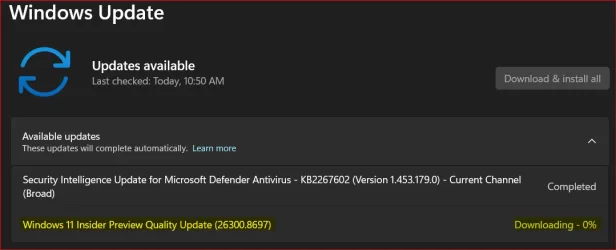
Check Windows Updates
ISO from Microsoft:
 www.elevenforum.com
UUP Dump:
64-bit ISO download:

ARM64 ISO download:
 www.elevenforum.com
Windows 11 Insider Experimental (26H2) build 26300.8758 - June 26
Windows Insider Blog: Source: Check Windows Updates UUP Dump: 64-bit ISO download: x ARM64 ISO download: x https://www.elevenforum.com/t/uup-dump-download-windows-insider-iso.344/
www.elevenforum.com
Windows Insider Blog:
Changes and improvements gradually being rolled out
[General]
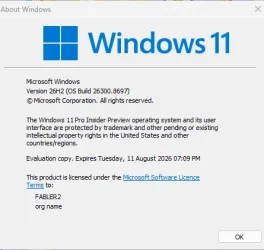
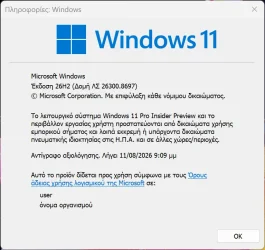
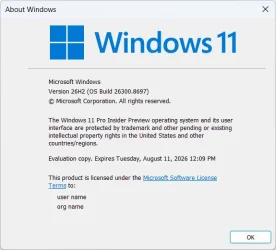
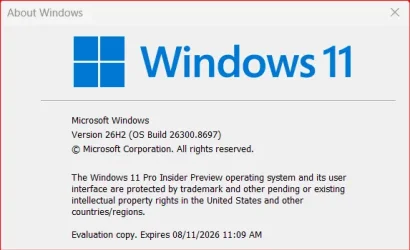
- With today’s build, Windows Insiders in the Experimental channel will see the versioning updated under Settings > System > About (and winver) to version 26H2. For more information, see the Windows Insiders blog.
26H2 Enablement Package (if needed)
Download
[File Explorer]
- We’ve improved the visual consistency and reliability of the Copy dialog in Dark mode, including its launch experience and the expanded progress view.
[Start menu]
- Improved reliability of Start menu reflecting newly installed or removed apps without requiring sign-out or restart.
[Taskbar]
- Fixed an issue for Insiders using the new smaller taskbar option, where the system tray might get cut off or pushed off screen.
[Settings]
- Improved reliability of Settings > Apps > Startup.
[Virtualization]
- This update addresses an issue that could result in bugchecks citing HYPERVISOR_ERROR (0x20001) and KMODE_EXCEPTION_NOT_HANDLED (0x1E) errors after installing the latest flights on some devices during system restarts, virtual machine operations, or while running some gaming applications.
Reminders for Windows Insiders in the Experimental channel
- Updates are based on Windows 11, version 26H2 via an enablement package (Build 26300.8697).
- Many features are rolled out using Controlled Feature Rollout technology, starting with a subset of Insiders and ramping up over time as we monitor feedback to see how they land before pushing them out to everyone in this channel.
- For Windows Insiders who want to be the first to try new features, see the available list of features to toggle on at the Feature flags page under Settings > Windows Update > Windows Insider Program.
- The desktop watermark shown at the lower right corner of the desktop is normal for Windows Insider pre-release builds.
- Features and experiences included in these builds may never get released as we try out different concepts and get feedback. Features may change over time, be removed, or replaced and never get released beyond Windows Insiders. Some of these features and experiences could show up in future Windows releases when they're ready.
- Some features in active development we preview with Windows Insiders may not be fully localized and localization will happen over time as features are finalized. As you see issues with localization in your language, please report those issues to us via Feedback Hub.
- Check out Flight Hub for a complete look at what build is in which Insider channel.
Source:
Windows 11 Insider Experimental Preview Build 26300.8697 - Windows Insider Program
Release notes for Windows 11 Insider Experimental Preview Build 26300.8697
learn.microsoft.com
Announcing new builds for 19 June 2026, version 26H2 for Experimental
Hello Windows Insiders, We have new releases today with builds across Beta and Experimental, including Windows 11, version 26H2 for Experimental. Windows 11, version 26H2 Windows 11, version 26H2 represents our yearly second half
blogs.windows.com
Check Windows Updates
ISO from Microsoft:
Download Official Windows 11 ISO file from Microsoft
This tutorial will show you how to download an official Windows Server or Windows 11 64-bit or ARM64 ISO file from Microsoft. Microsoft provides ISO files for Windows Server and Windows 11 to download. You can use these ISO files to clean install or in-place upgrade Windows 11. The Flight Hub...
www.elevenforum.com
UUP Dump:
64-bit ISO download:
Select language for Windows 11 Insider Preview Feature Update (26300.8697) amd64
Select language for Windows 11 Insider Preview Feature Update (26300.8697) amd64 on UUP dump. UUP dump lets you download Unified Update Platform files, like Windows Insider updates, directly from Windows Update.
uupdump.net
ARM64 ISO download:
Select language for Windows 11 Insider Preview Feature Update (26300.8697) arm64
Select language for Windows 11 Insider Preview Feature Update (26300.8697) arm64 on UUP dump. UUP dump lets you download Unified Update Platform files, like Windows Insider updates, directly from Windows Update.
uupdump.net
UUP Dump - Download Windows Insider ISO
UUP Dump is the most practical and easy way to get ISO images of any Insider Windows 10 or Windows 11 version, as soon as Microsoft has released a new build. UUP Dump creates a download configuration file according to your choices, downloads necessary files directly from Microsoft servers, and...
www.elevenforum.com
Attachments
Last edited: