Microsoft Support:
Changes and improvements gradually being rolled out*
- This update includes a small set of general improvements and fixes that improve the overall experience for Insiders running this build on their PCs.
[Windows Search]
- We're expanding the new Windows Search experience that began rolling out earlier this month with more ways to find what you need and take action directly from Search.

Add or Remove Search Button on Taskbar in Windows 11
This tutorial will show you how to add or remove the Search button on the taskbar for your account or all users in Windows 11. The Search button on the taskbar allows you to quickly use Windows Search (Win+S) to search for apps, documents, email, files, folders, music, people, photos, settings... www.elevenforum.com
- Inline actions: Adjust your volume, screen brightness, or cursor size with inline sliders. Actions are more clearly labeled, and suggested actions help you discover more things you can do.
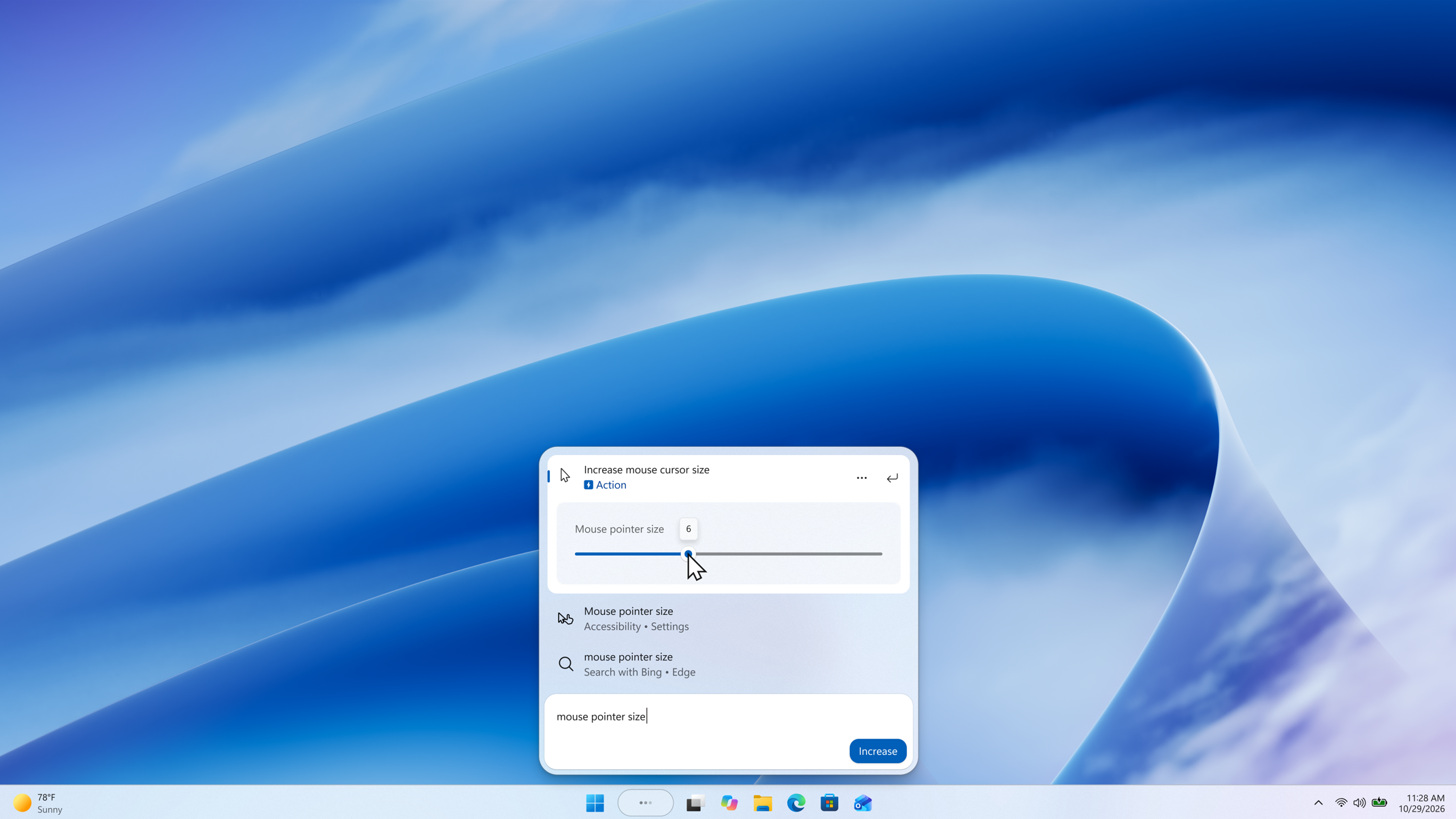
A slider control appears in inline action results, allowing the setting to be adjusted directly from Windows Search. - Phone actions: With a supported phone connected through Phone Link, you can now call or text a friend and access phone actions such as Do Not Disturb. Android support is available now with iPhone support coming early next year.
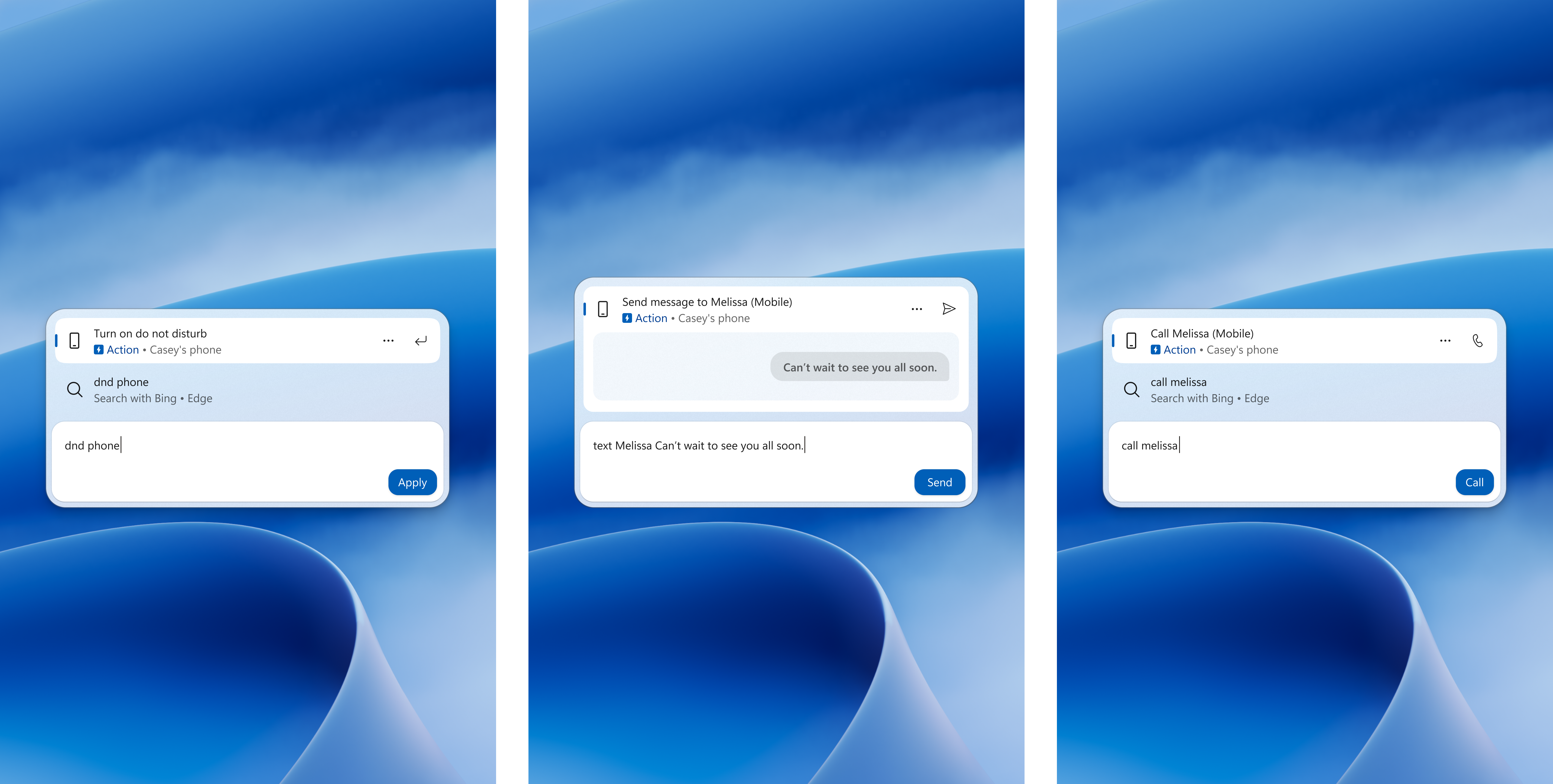
Three Windows Search views show phone actions for turning on Do Not Disturb, sending a text message, and making a call from a connected phone. - Richer results: Preview files and see details such as a file's last modified date, location, and author. Get web answers for weather, stocks, and facts, and discover apps and games from the Microsoft Store. Like web results, app results from the Store can be toggled on or off in Settings > Privacy & security > Search.

Enable or Disable Bing Web Suggested Search Results in Windows Search on Windows 11
This tutorial will show you how to turn on or off showing Bing "Web Searches" suggested search results in Windows Search for your account in Windows 11 Windows Search lets you search from your taskbar to find what you’re looking for, whether it’s on your device, in the cloud, or on the web...
www.elevenforum.com

Enable or Disable Microsoft Store Suggested Search Results in Windows Search on Windows 11
This tutorial will show you how to turn on or off showing Microsoft Store suggested search results in Windows Search for your account in Windows 11 Windows Search lets you search from your taskbar to find what you’re looking for, whether it’s on your device, in the cloud, or on the web. The...
www.elevenforum.com
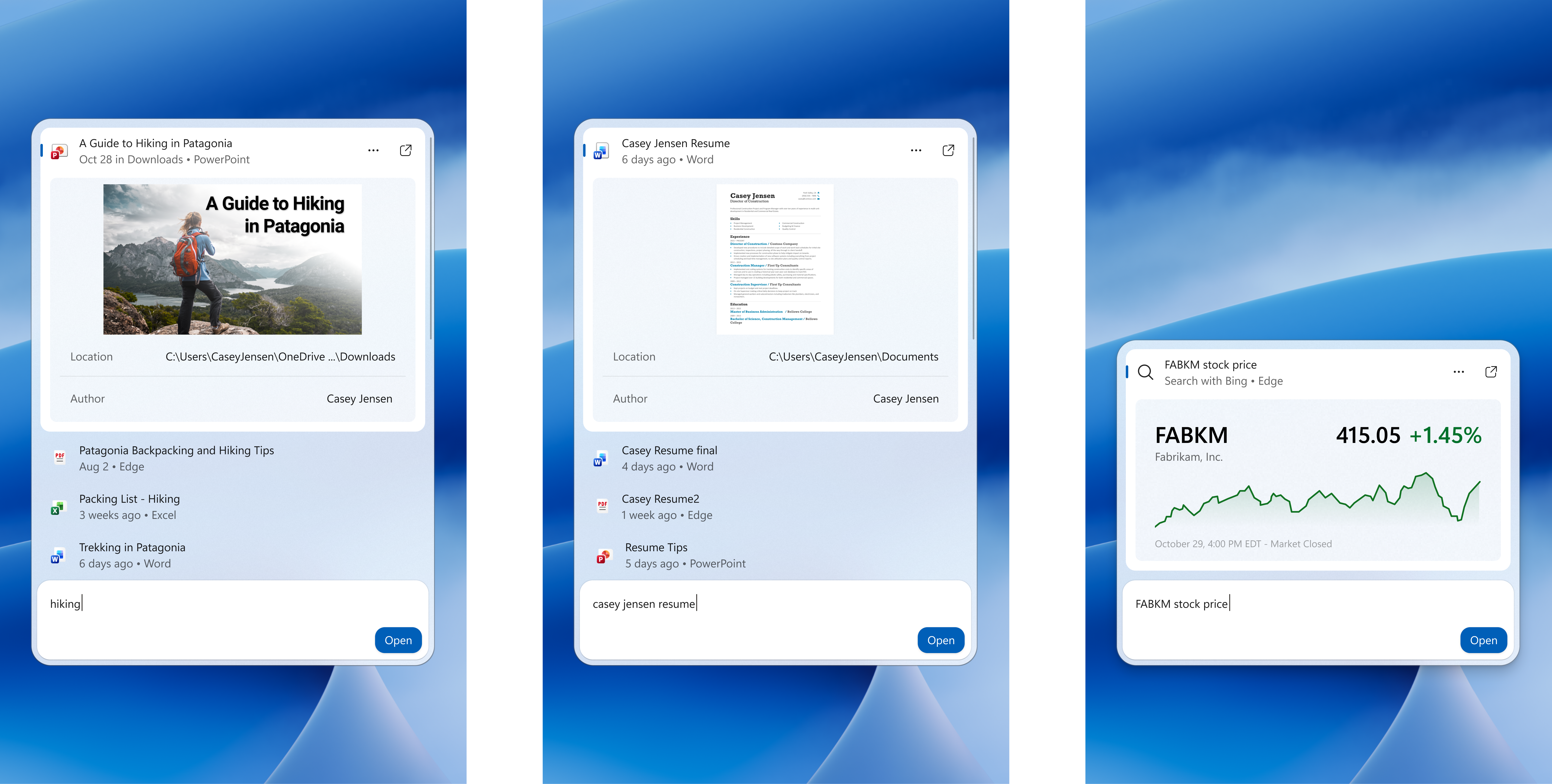
Three Windows Search views show inline previews of a PowerPoint presentation, a Word document, and a stock price. - Result filters: Scroll to see more results and filter by Files & Folders, Settings, Actions, and more.
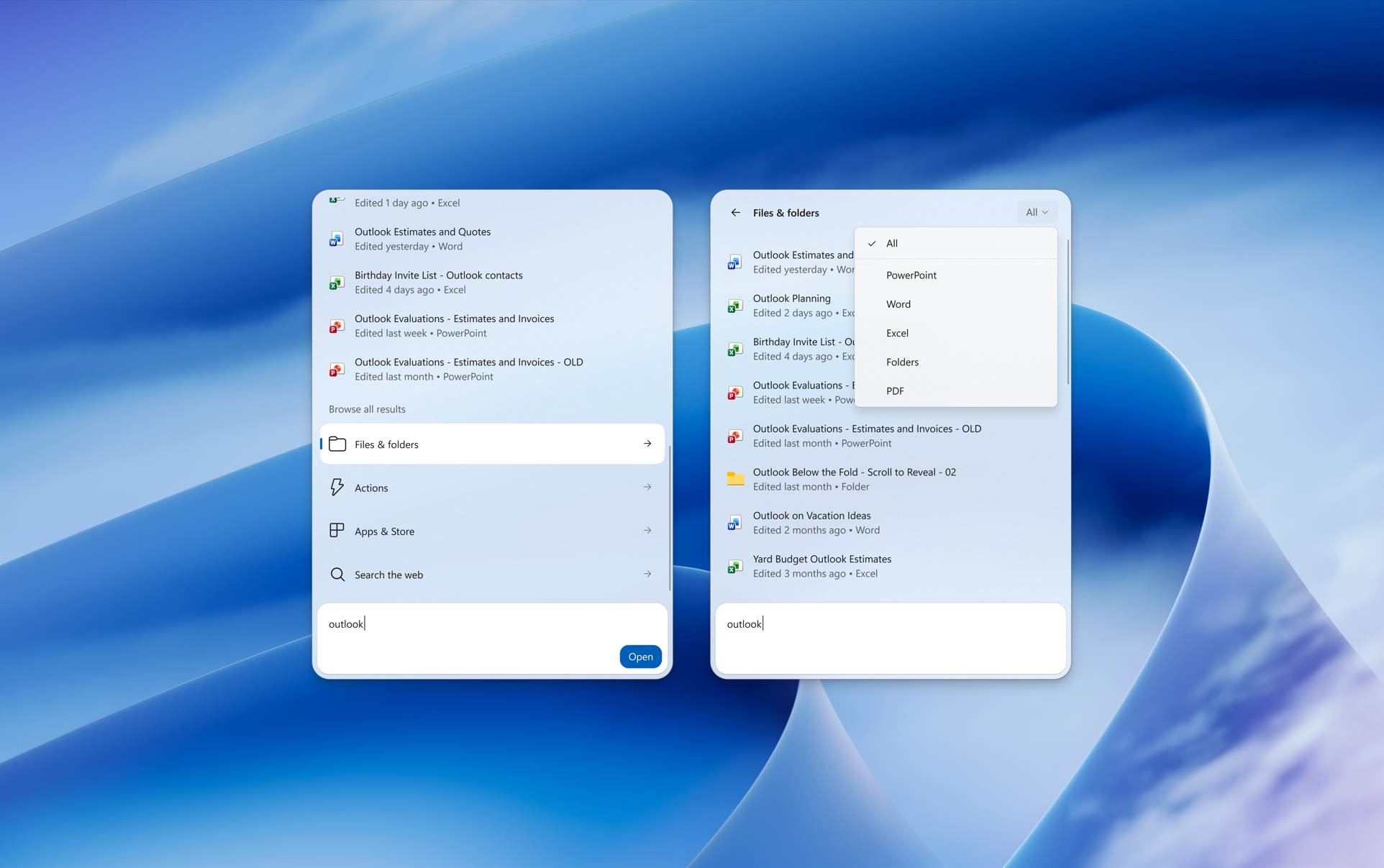
Two views of Windows Search show a search for "outlook" with additional options to filter and find results. - Feedback controls: Right-click a result or suggestion and choose thumbs up or thumbs down to tell us whether it was helpful. Thanks to your feedback, you can also remove items from the initial Search view before you type. We've also made small polish improvements to the look and feel of Windows Search based on what you've shared.
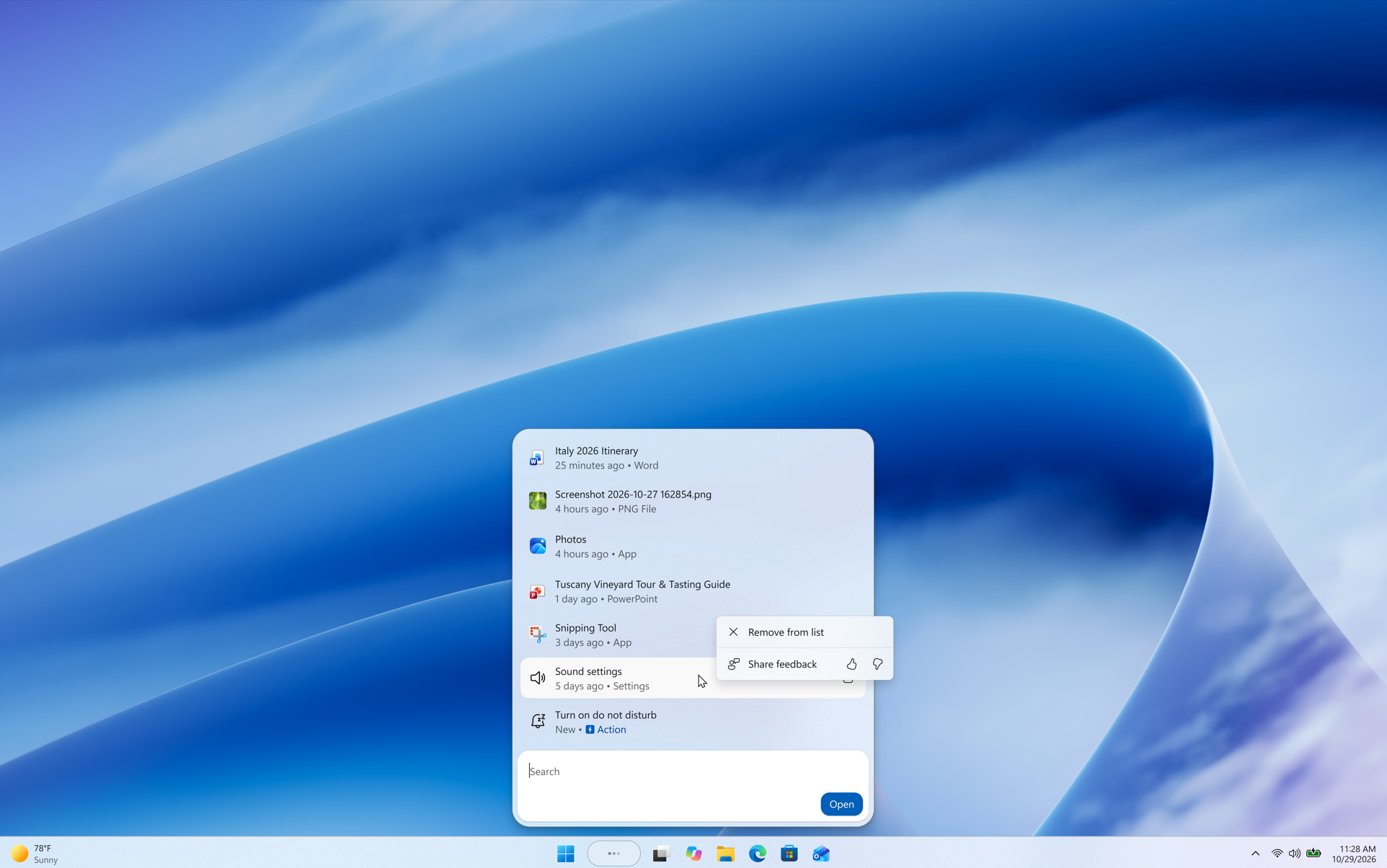
A context menu for a recent item in Windows Search shows "Remove from list" and thumbs up or thumbs down buttons for sharing feedback. - As noted in our blog post, the new Windows Search opens at the bottom center of the screen. Work is underway to have it adapt to different taskbar positions and when using search from the Start menu.
[Modernized AutoPlay experience]
- We've updated the AutoPlay dialog that helps you choose the preferred experience when devices are connected to your PC, such as a phone, camera, or removable drive. Rebuilt with WinUI, the refreshed experience is more consistent with the rest of Windows, supports dark mode, and continues to provide the familiar AutoPlay actions you use today. The experience is also more responsive to text scaling and display settings. Notifications for this dialog are now docked in the notification center for easy access.

Turn On or Off AutoPlay in Windows 11
This tutorial will show you how to turn on or off AutoPlay for all media and devices in your account in Windows 11. AutoPlay lets you choose an action for different kinds of media when you plug in a device or insert media. You can set AutoPlay to open different kinds of content, such as photos...
www.elevenforum.com
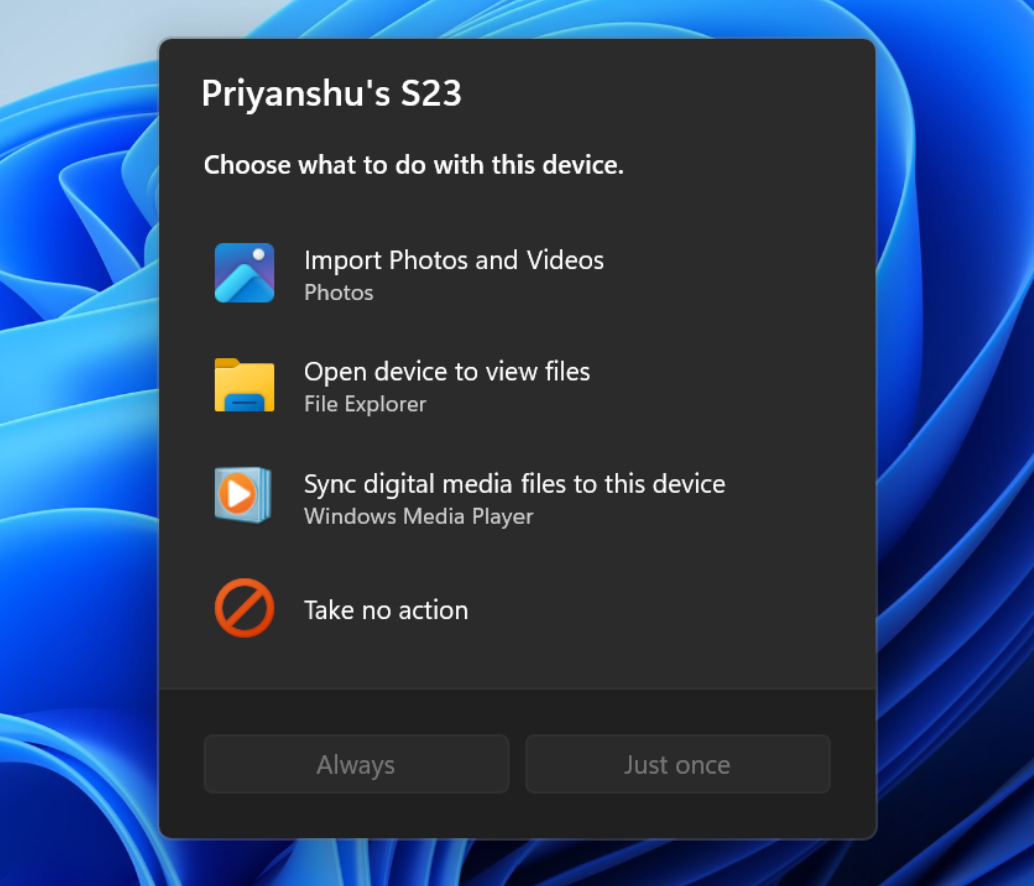
The new AutoPlay experience, shown in dark mode.
[Data Protection API (DPAPI)]
- This update adds a warning before prompt-based protect and unprotect operations. The warning explains that this prompt-based experience will be retired in April 2027. If you or an app use these prompts, stop creating new prompt-protected data, use a supported non-interactive protection flow, and decrypt or migrate existing prompt-protected data before retirement. DPAPI operations that do not use the prompt-based flow aren't affected. For more details, see CRYPTPROTECT_PROMPTSTRUCT structure (dpapi.h).
[Security]
- We've updated the security key PIN entry experience, removing the "other user" icon for a clearer sign-in experience.
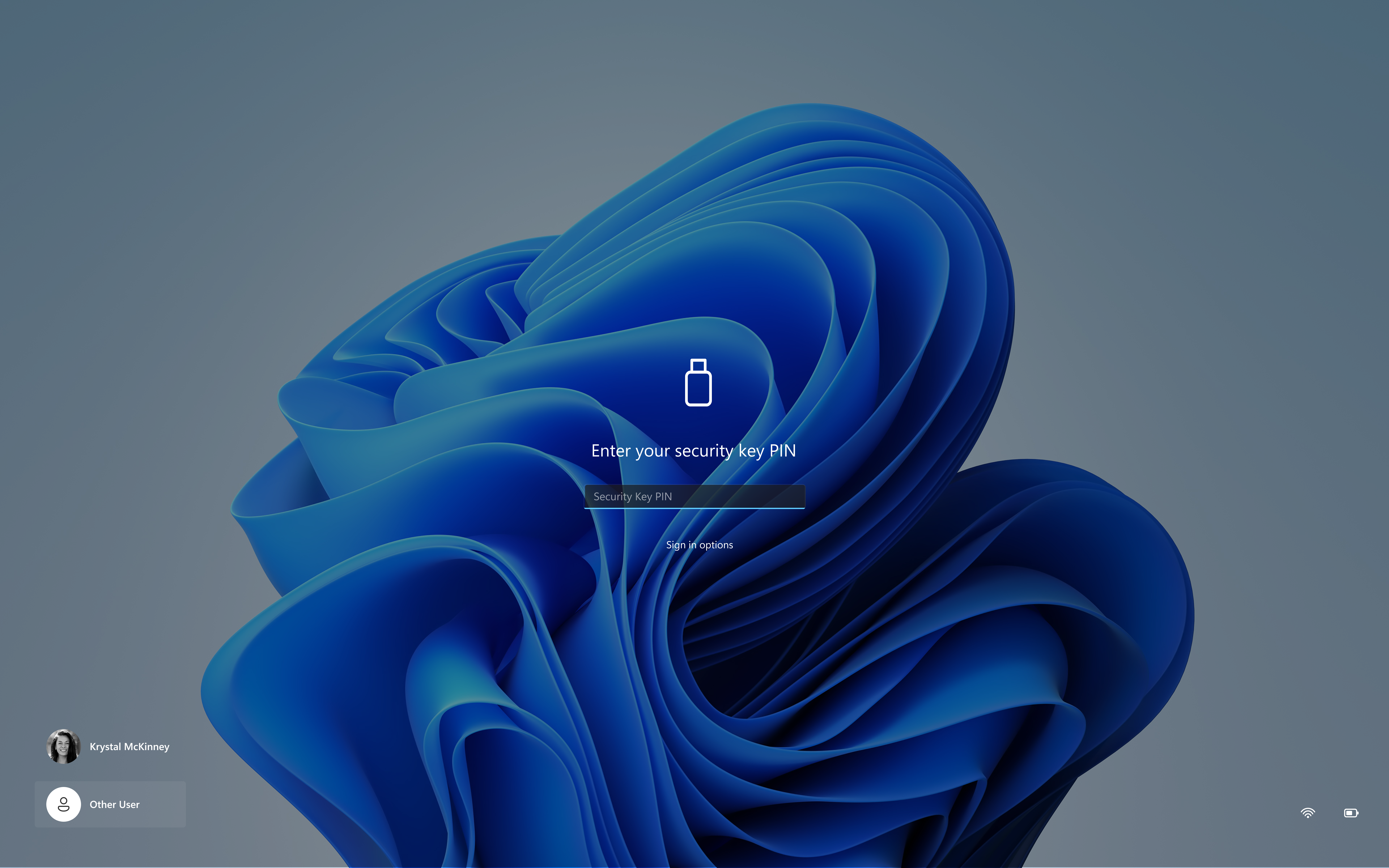
UI showing the updated security key sign-in experience with a streamlined PIN entry screen.
[Gaming]
- We're introducing a refreshed Gaming Task View experience in XBOX mode, featuring a new navigation bar that provides quick access to Exit to Desktop and Power Options. This update makes key system actions easier to access while gaming.
Enter and Exit Xbox Mode in Windows 11
This tutorial will show you how to enter and exit Xbox mode for full screen gaming for your account on Windows 11. Starting with Windows 11 build 26100.8328 (24H2), build 26200.8328 (25H2), and build 28000.2179 (26H1), Xbox mode is now available on Windows 11 PCs, including laptops, desktops...
www.elevenforum.com
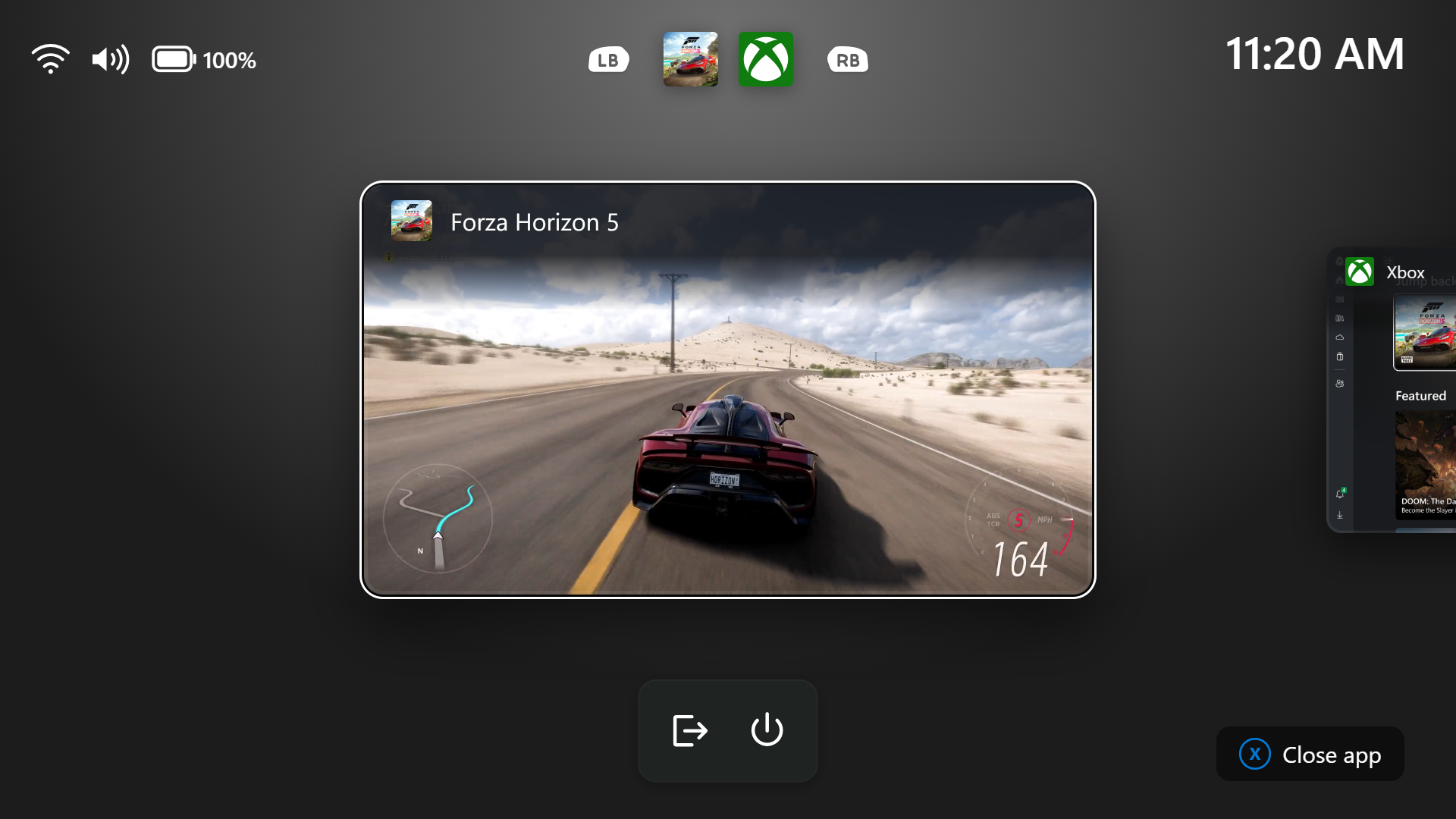
Gaming Task View showing the new navigation bar with Exit to Desktop and Power options.
[File Explorer]
- Launching File Explorer Home is now faster and more responsive.
- The Recommended section on Home now supports touch scrolling, making it easier to browse files in the carousel.
- File sizes in the Details view now display appropriate units (KB, MB, GB) instead of KB-only, making them easier to understand at a glance.
- Middle-click to open a folder in a new tab is now supported in the Address Bar and the Home page for a more consistent and efficient tabbed navigation experience across File Explorer.
- This update improves the reliability of thumbnail previews for cloud files in the Details pane. The pane has also been reorganized so file properties are easier to find and review at a glance.
- This update addresses an issue that caused the Address Bar contents to be cleared when entering edit mode by clicking near the right end of the bar.
[Windows design]
- We are temporarily rolling back the solid (donut) spinners across some of the key Windows scenarios including Boot, Logon, Restart, Shutdown, and Update as we work on a bug. We expect to resume rolling it out soon.
Reminder for Windows Insiders in the Experimental (26H1) channel
- These builds can be unstable and might be released with limited documentation.
- Many features in the Experimental (26H1) channel are rolled out using Controlled Feature Rollout technology, starting with a subset of Insiders and ramping up over time as we monitor feedback to see how they land before pushing them out to everyone in this channel.
- The desktop watermark shown at the lower right corner of the desktop is normal for Windows Insider pre-release builds.
- Some features in active development we preview with Windows Insiders might not be fully localized, and localization will happen over time as features are finalized. As you see issues with localization in your language, report those issues to us via Feedback Hub.
- Check out Flight Hub for a complete look at what build is in which Insider channel.
Source:

Windows 11 Insider Experimental (26H1) Preview Build 28120.3393 - Windows Insider Program
Release notes for Windows 11 Insider Experimental (26H1) Preview Build 28120.3393
learn.microsoft.com

Announcing new builds for 30 October 2026
Hello Windows Insiders, Today, we’re releasing new Windows 11 Insider Preview builds to the Beta and Experimental channels, as well as introducing a new commercial Feedback Hub policy for commercial customers. New builds this week
 blogs.windows.com
Check Windows Updates
UUP Dump:
64-bit ISO download:

Select language for Windows 11 Insider Preview Feature Update (28120.3393) amd64
Select language for Windows 11 Insider Preview Feature Update (28120.3393) amd64 on UUP dump. UUP dump lets you download Unified Update Platform files, like Windows Insider updates, directly from Windows Update.
uupdump.net
ARM64 ISO download:
Select language for Windows 11 Insider Preview Feature Update (28120.3393) arm64
Select language for Windows 11 Insider Preview Feature Update (28120.3393) arm64 on UUP dump. UUP dump lets you download Unified Update Platform files, like Windows Insider updates, directly from Windows Update.
uupdump.net

UUP Dump - Download Windows Insider ISO
UUP Dump is the most practical and easy way to get ISO images of any Insider Windows 10 or Windows 11 version, as soon as Microsoft has released a new build. UUP Dump creates a download configuration file according to your choices, downloads necessary files directly from Microsoft servers, and...
www.elevenforum.com
Last edited: