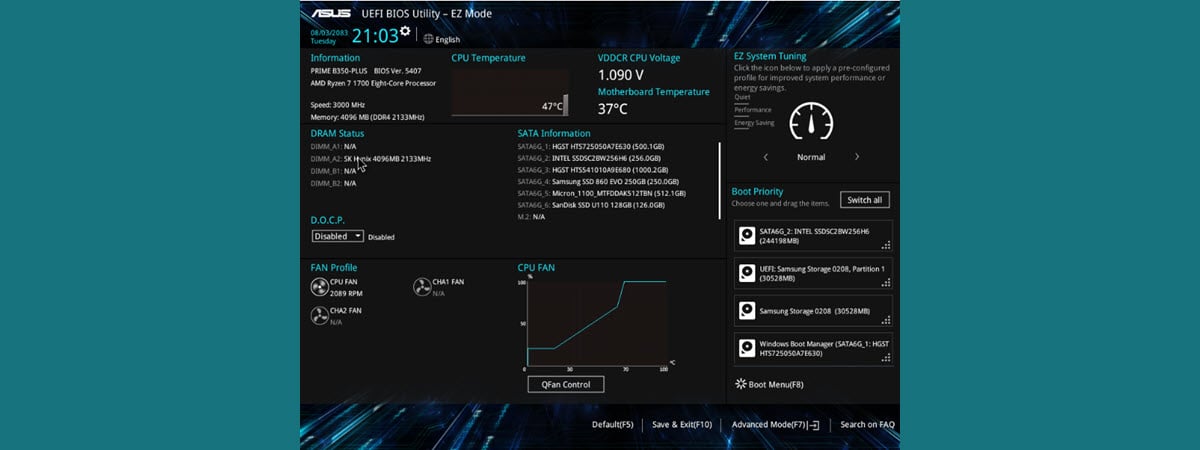
Key to call up the UEFI Menu for ASUS B365M-PLUS GAMING (Wi-Fi) MB


DrPepperCan

Member
Local time
5:49 AM
Posts
3
OS
Windows 11, Pop! OS
For the life of me I cannot find this anywhere.
Can anyone please share what to press while the pc is booting up to call up the UEFI menu?

Thank you so much, in advance :)

Win 11

DPC
 

My Computer My Computer

OS
Windows 11, Pop! OS
Computer type
PC/Desktop
Manufacturer/Model
ABS
CPU
Ryzen 5 3600X
Motherboard
Gigabyte B450M DS3H
Memory
48 Gb DDR4 3000MHz
Graphics Card(s)
AMD Radeon RX 6600 XT
Sound Card
AMD Starship/Matisse
Monitor(s) Displays
Asus VG278
Keyboard
MS Natural Ergonomic 4000
Browser
MS Edge, G Chrome, Vivaldi
Do you mean Setup (Bios)?
Restart the computer at the Asus Logo Splash Screen continuously press the DEL key or F2.
On some models, you have to press the ESC key.

You can also enter it from Windows in Settings/System/Recovery
 

My Computer My Computer

OS
Windows 11 Pro Insider 64 bit 25H2 26200.5742
Computer type
PC/Desktop
Manufacturer/Model
Gigabyte Z390 UD
CPU
Intel Core i7 9700K 3.60
Motherboard
Gigabyte Z390 UD
Memory
16 GB
Graphics Card(s)
nVidia GEForce RTX 2060 Super
Sound Card
onboard
Monitor(s) Displays
Two 27" Dell 4K monitors
Screen Resolution
3840 x 2160
Hard Drives
M.2 NVME SSD, 500 GB; Two 2TB Mechanical HDD's
PSU
850w PSU
Case
Cyberpower PC
Cooling
Water cooled
Keyboard
Backlit Cyberpower gaming keyboard
Mouse
Backlit Cyberpower gaming mouse
Internet Speed
1 GB mbps
Browser
Brave
Antivirus
Windows Security
Thank you Spunk. Sorry, I should have been more specific.
I do not need to access the BIOS.
I just want to open the UEFI Boot menu so I can choose the other OS (Pop! OS).
I do this with my laptop. It uses the F12 key. But for my son's pc it's a different key.
 

My Computer My Computer

OS
Windows 11, Pop! OS
Computer type
PC/Desktop
Manufacturer/Model
ABS
CPU
Ryzen 5 3600X
Motherboard
Gigabyte B450M DS3H
Memory
48 Gb DDR4 3000MHz
Graphics Card(s)
AMD Radeon RX 6600 XT
Sound Card
AMD Starship/Matisse
Monitor(s) Displays
Asus VG278
Keyboard
MS Natural Ergonomic 4000
Browser
MS Edge, G Chrome, Vivaldi
On ASUS MBs it is F8. At least, that is what it is on mine :-)
 

My Computers My Computers

  • OS
    Win11 Pro 25H2 (RTM+)
    Computer type
    PC/Desktop
    Manufacturer/Model
    Acemagic
    CPU
    Intel i7-14650HX
    Memory
    32 GB
    Graphics Card(s)
    No GPU - Built-in Intel Graphics
    Sound Card
    Integrated
    Monitor(s) Displays
    Varies as machine will often be moved to locations with different monitors
    Screen Resolution
    Varies
    Hard Drives
    1 x 1TB Gen 4 NVMe SSD
    PSU
    120W Power Brick
    Keyboard
    Corsair K70 Max RGB Magnetic Keyboard
    Mouse
    Logitech MX Master 3
    Internet Speed
    1Gb Up / 1 Gb Down
    Browser
    Edge
    Antivirus
    Windows Defender
  • Operating System
    Win11 Pro 25H2 (RTM+)
    Computer type
    Laptop
    Manufacturer/Model
    Lenovo ThinkBook 13x Gen 2
    CPU
    Intel i7-1255U
    Memory
    16 GB
    Graphics card(s)
    Intel Iris Xe Graphics
    Sound Card
    Realtek® ALC3306-CG codec
    Monitor(s) Displays
    13.3-inch IPS Display
    Screen Resolution
    WQXGA (2560 x 1600)
    Hard Drives
    2 TB 4 x 4 NVMe SSD
    PSU
    USB-C / Thunderbolt 4 Power / Charging
    Keyboard
    Backlit, spill resistant keyboard
    Mouse
    Buttonless Glass Precision Touchpad
    Internet Speed
    1Gb Up / 1Gb Down
    Browser
    Edge
    Antivirus
    Windows Defender
    Other Info
    WiFi 6e / Bluetooth 5.1 / Facial Recognition / Fingerprint Sensor / ToF (Time of Flight) Human Presence Sensor

My Computer My Computer

OS
Windows 11, Pop! OS
Computer type
PC/Desktop
Manufacturer/Model
ABS
CPU
Ryzen 5 3600X
Motherboard
Gigabyte B450M DS3H
Memory
48 Gb DDR4 3000MHz
Graphics Card(s)
AMD Radeon RX 6600 XT
Sound Card
AMD Starship/Matisse
Monitor(s) Displays
Asus VG278
Keyboard
MS Natural Ergonomic 4000
Browser
MS Edge, G Chrome, Vivaldi
Back
Top Bottom