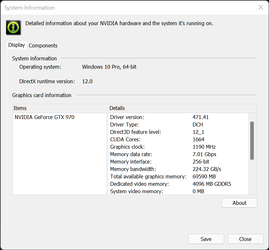
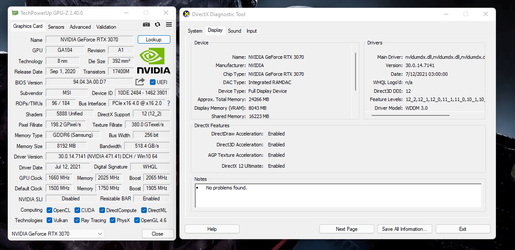
How to Determine Currently Installed NVIDIA Graphics Display Driver Version in Windows
NVIDIA Graphics Firmware Update Tool for DisplayPort 1.3 and 1.4 Displays
NVIDIA GPU UEFI Firmware Update Tool for RTX 4090 and 4080 Series
NVIDIA GPU UEFI Firmware Update Tool for RTX 5060 Series
Support has ended for Maxwell, Pascal, and Volta-series GeForce GPUs.
Support Plan for Maxwell, Pascal, and Volta-series GeForce GPUs
List of Maxwell, Pascal and Volta Series GeForce GPUs
GeForce 582.28 graphics driver as a security update released 1/29/2026 for Maxwell, Pascal, and Volta-series GeForce GPUs.

The Ultimate GeForce GPU Comparison

Release Date: September 03, 2026
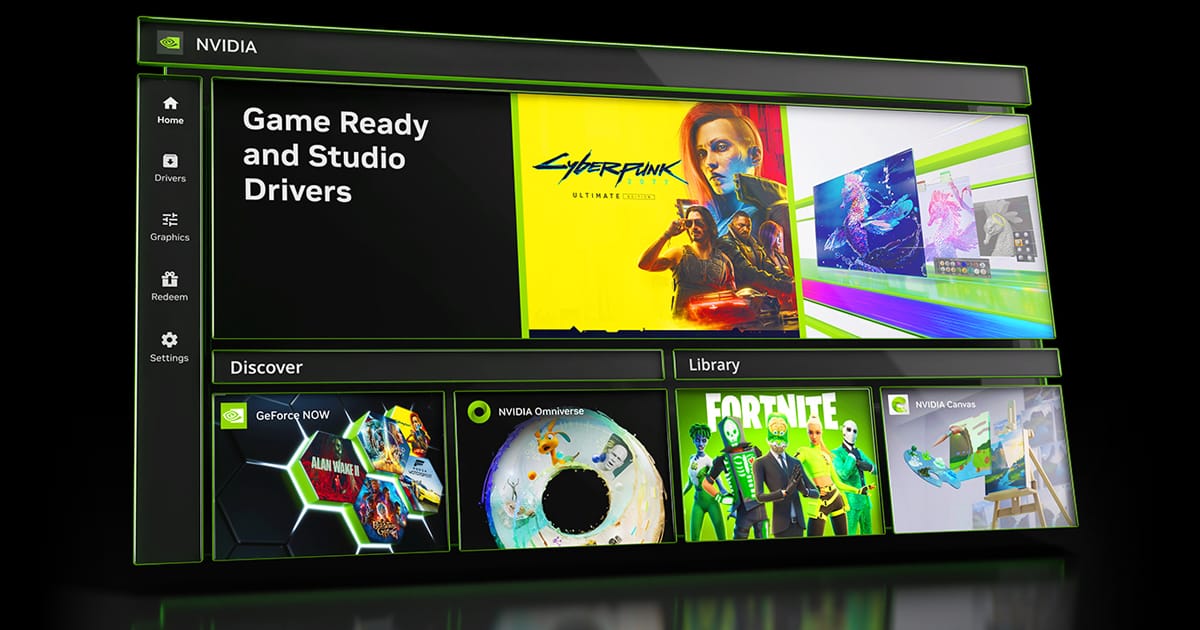
What's new in NVIDIA App 11.0.9
New Updates:
- DLSS 4.5 Ray Reconstruction Available Now
- Added support for DLSS 4.5 Ray Reconstruction on GeForce RTX Series GPUs. Access these DLSS features under Graphics > Program Settings > Driver Settings > DLSS Override - Model Presets > “Recommended”.
- New Graphics Settings
- Per-app Resizable BAR controls are now available in the NVIDIA app to help optimize game performance for your specific hardware setup. Access this feature under Graphics > Program Settings > Driver Settings > Resizable BAR.
- Additional Updates
- Added a green dot notification badge for new features, along with hover-enabled sidebar links for quick access.
- Added a toggle for Windows Desktop right-click context menu for the NVIDIA app.
- Migrated CUDA System Fallback policy from the NVIDIA Control Panel.
- Added Borderless Windowed mode support to Optimal Playable Settings.
- 007 First Light
- Assassin's Creed Black Flag Resynced
- Beast of Reincarnation
- Blades of Fire
- Conan Exiles Enhanced
- Corsair Cove
- Dead as Disco
- Deep Rock Galactic: Rogue Core
- Directive 8020
- Empulse
- Fatekeeper
- Forza Horizon 6
- GOALS
- Gothic 1 Remake
- Halo: Campaign Evolved
- Hell Let Loose: Vietnam
- I Am Jesus Christ
- LEGO Batman: Legacy of the Dark Knight
- Luminary
- Luna Abyss
- Mistfall Hunter
- Mortal Shell II
- NBA THE RUN
- Reaper Actual
- SAND: Raiders of Sophie
- Starminer
- Subnautica 2
- The Mound: Omen of Cthulhu
- The Sinking City 2
- Tides of Tomorrow
- World of Tanks: HEAT
- Zenless Zone Zero
- STAR WARS Zero Company™
- Painkiller RTX
- Onimusha: Way of the Sword
- NBA 2K27
- The Blood of Dawnwalker
- Resonance: A Plague Tale Legacy
- 007 First Light
- Halo: Campaign Evolved
- Mistfall Hunter
- Subnautica 2
- STAR WARS Zero Company™
- Painkiller RTX
- Onimusha: Way of the Sword
- NBA 2K27
- The Blood of Dawnwalker
- Resonance: A Plague Tale Legacy
- Fixed an issue where Game filters stopped working in Battlefield 4.
- Fixed an compatibility issue with video playback and statistics overlay in multi-GPU configurations.
- Fixed an issue where Photo Mode Super Resolution produced incorrect color output.
- Fixed an issue where Image Sharpening was not working on a per-app basis.
- Fixed an issue where statistic logging failed to start.
- Fixed an issue where 10 bpc was unavailable for Output Color Depth on selected displays when YCbCr444 was selected.
- Various stability fixes.
Version: 616.86
Release Date for Desktops and Notebooks: September 04, 2026
Release notes:
This hotfix addresses the following:
- Intermittent flicker may be observed in browsers when navigating to certain websites [6673430]
- Fixed an issue where virtual displays could not be created after updating to driver 616.56 [6674464]
- Remote Desktop Protocol (RDP) sessions may display a black screen after updating to driver 616.56 [6687328]

GeForce Game Ready Driver 616.64 — DLSS 5 Now in NBA 2K27
Version: 616.64
Release Date for Desktops and Notebooks: September 03, 2026
Desktop DCH: GEFORCE GAME READY DRIVER 64-bit Windows 10, Windows 11 Download
Notebook DCH: GEFORCE GAME READY DRIVER 64-bit Windows 10, Windows 11 Download
GeForce GRD 616.64 Feedback Thread
NVIDIA GeForce Driver Release Highlights
Game Ready Driver Release Notes (PDF)
Control Panel User's Guide (PDF)
Note: After 20 years of dedicated service, the classic NVIDIA Control Panel is officially retiring for Game Ready and Studio Drivers. For NVIDIA RTX PRO users, the NVIDIA Control Panel will continue to be supported until we have migrated professional features to the NVIDIA app.
Existing installs of the NVIDIA Control Panel will remain on users’ systems, unless they perform a clean installation, and users who still need the NVIDIA Control Panel can continue to download it from the Microsoft Store, but we won’t be adding features, fixes, or other changes.
The NVIDIA app contains all of the modern functionality of the NVIDIA Control Panel available for GeForce RTX GPUs, and much more, while running faster and more efficiently.
Game Ready for NBA 2K27
This new Game Ready Driver provides the best gaming experience for NBA 2K27 featuring DLSS 5 3D-Guided Neural Rendering as well as the latest new games supporting DLSS and RTX technologies including Onimusha: Way of the Sword.
Fixed Gaming Bugs
> N/A
Fixed General Bugs
> N/A
Open Issues
> “Prefer Maximum Performance” Power Management Mode may not be applied correctly [6007998]
> Intermittent flicker may be observed in browsers when navigating to certain websites [6673430]
Version: 616.56
Release Date for Desktops and Notebooks: August 26, 2026
Desktop DCH: GEFORCE GAME READY DRIVER 64-bit Windows 10, Windows 11 Download
Notebook DCH: GEFORCE GAME READY DRIVER 64-bit Windows 10, Windows 11 Download
NVIDIA Studio Driver Release Highlights
Studio Driver Release Notes (PDF)
Control Panel User's Guide (PDF)
Note: After 20 years of dedicated service, the classic NVIDIA Control Panel is officially retiring for Game Ready and Studio Drivers. For NVIDIA RTX PRO users, the NVIDIA Control Panel will continue to be supported until we have migrated professional features to the NVIDIA app.
Existing installs of the NVIDIA Control Panel will remain on users’ systems, unless they perform a clean installation, and users who still need the NVIDIA Control Panel can continue to download it from the Microsoft Store, but we won’t be adding features, fixes, or other changes.
The NVIDIA app contains all of the modern functionality of the NVIDIA Control Panel available for GeForce RTX GPUs, and much more, while running faster and more efficiently.
Fixed Application Bugs
> DOOM: The Dark Ages & Indiana Jones and the Great Circle: Frame rate may exceed V-SYNC when DLSS Frame Generation 3x or higher is used [6061475]
> Outer Worlds: Texture flicker may be observed while playing after updating to R595 and R610 drivers [6238668]
> ASUS Armory Crate: GameVisual color profiles are not getting applied when using R590 drivers [5860581]
> Chief Architect: 610.47 driver crash on Geforce RTX 4000 series cards [6226227]
> Claude Desktop: Driver incorrectly detects application as a 3D app [6468260]
> Tycho Tracker: Unable to create individual OpenCL buffers greater than 2GB [6538978]
Fixed General Bugs
> Resolves issue that some instances can cause a driver crash with 32-bit DirectX 12 apps [5725350]
Open Issues
> “Prefer Maximum Performance” Power Management Mode may not be applied correctly [6007998]